

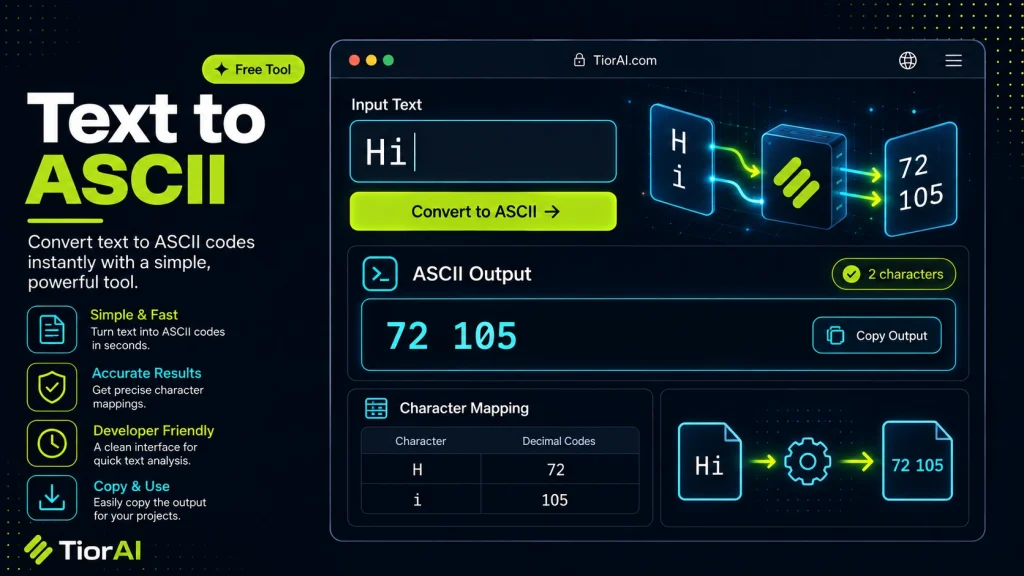
How to use it
- Enter Your Input Value Type or paste the value you want to convert into the input field. The tool accepts any numeric value.
- Select Units and Convert Choose your source and target units from the dropdown menus. The converted result appears instantly.
- Copy or Use the Result Click copy to grab the converted value for use in your project, document, or calculation.
Tip Bookmark this converter - it handles edge cases like zero values and very large numbers accurately.
Understanding ASCII: The Foundation of Text Encoding
ASCII, short for American Standard Code for Information Interchange, is a character encoding standard that represents text in computers and other devices that use text. Developed in the early 1960s, ASCII was designed to provide a common way to encode characters such as letters, digits, punctuation marks, and control characters into numeric codes that machines can understand and process.
At its core, ASCII assigns each character a unique 7-bit binary number, allowing for 128 possible characters (from 0 to 127). For example, the uppercase letter A is represented by the decimal number 65, which corresponds to the binary sequence 01000001. This numeric representation enables computers to store, transmit, and manipulate text efficiently.
Why ASCII Exists
Before ASCII, different computer systems used various incompatible encoding schemes, which made text exchange between systems difficult or impossible. ASCII was created to standardize text representation, ensuring that text data could be reliably shared and understood across different hardware and software platforms.
While ASCII covers basic English characters and control codes, it does not include accented letters or characters from other alphabets. This limitation led to the development of extended ASCII and later Unicode, which supports a vast range of characters from multiple languages and symbol sets.
How ASCII Works Technically
Each ASCII character is represented by a 7-bit binary number. In practice, these 7 bits are often stored in an 8-bit byte, with the most significant bit set to zero. For example:
A= 65 decimal =01000001binaryspace= 32 decimal =00100000binarynewline(line feed) = 10 decimal =00001010binary
When converting text to ASCII codes, each character in the input string is replaced by its corresponding numeric code. This can be displayed as decimal numbers, hexadecimal, or binary sequences depending on the use case.
Common Real-World Scenarios for ASCII
- Data Transmission: ASCII codes are used in communication protocols where text needs to be sent over networks or serial connections.
- Programming: Developers often work with ASCII values when manipulating strings, encoding data, or debugging.
- Legacy Systems: Many older systems and devices still rely on ASCII for text representation.
- Text Art and Encoding: ASCII art uses the characters defined in ASCII to create images and designs.
Understanding ASCII is fundamental for anyone working with text processing, data encoding, or computer communications.
What is ASCII and Why Does It Matter?
ASCII stands for American Standard Code for Information Interchange. It is a character encoding scheme that assigns numeric codes to letters, digits, punctuation marks, and control characters. Developed in the 1960s, ASCII was created to standardize text representation across different computer systems, enabling reliable data exchange.
ASCII uses 7 bits to represent each character, allowing for 128 unique symbols. This includes the English alphabet in both uppercase and lowercase, digits 0 through 9, common punctuation, and control characters like carriage return and line feed. Because it uses only 7 bits, ASCII is simple and efficient for basic text processing.
How ASCII Encoding Works
Each character in ASCII is mapped to a decimal number between 0 and 127. For example, the letter A corresponds to 65, and the space character corresponds to 32. Computers store these numbers as binary values, typically in 8-bit bytes with the highest bit set to zero.
When converting text to ASCII codes, each character is replaced by its numeric equivalent. This numeric representation can be displayed as decimal numbers, hexadecimal values, or binary sequences depending on the context.
When to Use Text to ASCII Conversion
- Debugging and Learning: Understanding the ASCII codes behind text helps developers debug encoding issues and learn how computers represent characters.
- Legacy Systems: Some older hardware and communication protocols require ASCII-encoded data for compatibility.
- Data Transmission: ASCII codes are used in serial communication and network protocols where text must be sent as numeric codes.
- ASCII Art: Artists and programmers use ASCII characters to create text-based images and designs.
- Simple Encoding: Converting text to ASCII codes can simplify storage or processing in certain constrained environments.
Common Mistakes When Using Text to ASCII Tools
- Expecting Full Unicode Support: ASCII only supports 128 characters. Users often try to convert emojis or accented letters expecting accurate ASCII output, which is not possible.
- Confusing ASCII with Extended Encodings: Some assume ASCII includes extended characters, leading to errors when converting non-ASCII text.
- Inputting Non-Text Data: Entering symbols or characters outside the ASCII range can cause incorrect or unexpected results.
Understanding these limitations helps users apply text to ASCII conversion appropriately and avoid confusion.
Technical Context and Relevance
ASCII remains foundational in computing despite the rise of Unicode. It is embedded in many protocols, file formats, and programming languages. For example, HTTP headers and email protocols use ASCII characters. Programming languages often provide functions to convert characters to their ASCII codes and vice versa.
While modern applications use Unicode to support global languages and symbols, ASCII’s simplicity and universality make it indispensable for basic text representation and legacy compatibility.
Worked examples
Debugging String Encoding
When a developer wants to verify the ASCII codes of each character in a string to troubleshoot encoding issues.
Before HelloAfter 72 101 108 108 111Creating ASCII Art
When converting simple emoticons or text symbols into their ASCII numeric equivalents for artistic or encoding purposes.
Before 🙂After 58 45 41Data Transmission Over Serial Port
When sending text commands to hardware devices that interpret ASCII codes.
Before OKAfter 79 75
Frequently asked questions
Reviews and questions
Whether this tool gave people the answer they needed, and what they asked about it.
Sign in to review this tool.
Sign In to ReviewNo reviews yet
Be the first to say whether this tool gave you what you needed.
Ask how to read the result, or what the tool does with an edge case — or answer someone else.
Sign In to AskNo questions yet
Not sure how to read a result? Be the first to ask.
AI tools related to this topic
Tools from the TiorAI directory that work on the same kind of job.

Wolfram Alpha
Wolfram Alpha is a computational knowledge engine that answers factual queries by performing computations on curated data, offering detailed solutions, visualizations, and an API for developers.

ChatGPT
ChatGPT is an AI chatbot by OpenAI powered by GPT-4o. It handles writing, coding, research, data analysis, and natural conversation. Free tier available, Plus at $20/month.