

SPF Record Checker
Understanding SPF Records SPF (Sender Policy Framework) records are DNS TXT records that specify which mail servers are permitted to send emails on behalf of your domain. This mechanism helps receiving mail servers verify that incoming messages claiming to be from your domain are actually…
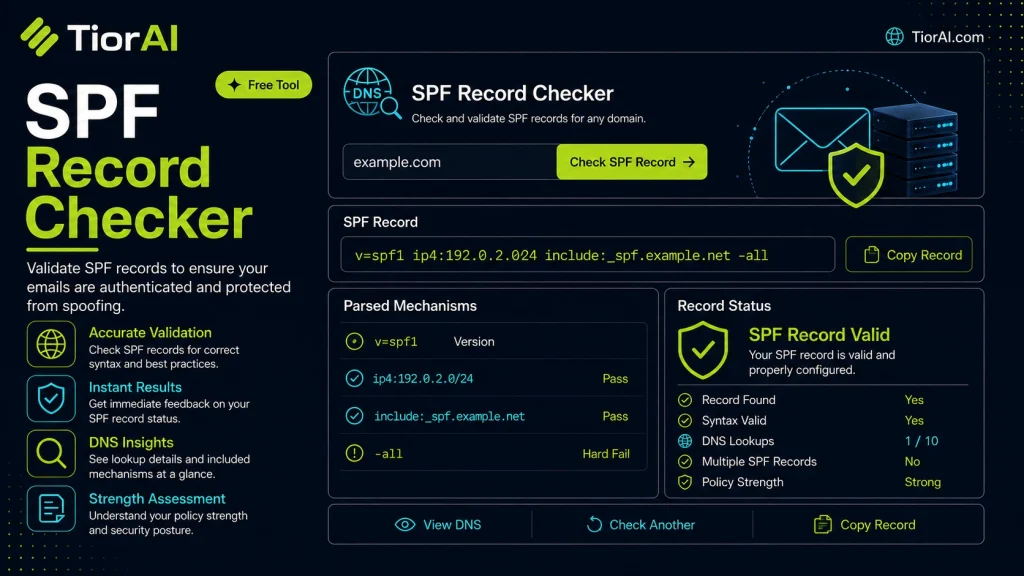
| Domain | - |
|---|---|
| SPF Record | - |
| Version | - |
| All Mechanism | - |
| Includes | - |
| IP Entries | - |
| Redirect | - |
How to use it
- Enter Domain or IP Enter the domain name, IP address, or URL into the Spf Record Checker to start the lookup or analysis.
- Run the Check Click the check button to query the relevant databases. Results are retrieved and displayed in seconds.
- Analyze the Results Review the detailed results including status, records, and diagnostics to troubleshoot or verify your query.
Tip Use the Spf Record Checker to verify DNS propagation after making changes — it can take up to 48 hours for full propagation.
What is an SPF Record?
Sender Policy Framework (SPF) is an email authentication method designed to detect and prevent email spoofing. It works by allowing domain owners to specify which mail servers are authorized to send emails on their behalf. This information is published in the domain’s DNS as a specially formatted TXT record called the SPF record.
When an email is received, the recipient’s mail server checks the SPF record of the sending domain to verify if the email originated from an authorized server. If the sending server is not listed, the email can be marked as suspicious or rejected, reducing the risk of phishing and spam.
Why SPF Records Matter
- Prevent Spoofing: Stops attackers from forging emails that appear to come from your domain.
- Improve Deliverability: Helps legitimate emails avoid being flagged as spam.
- Enhance Security: Works alongside DKIM and DMARC to provide a layered email authentication strategy.
Common Use Cases
- Businesses ensuring their marketing and transactional emails are trusted by recipients.
- Email service providers validating outbound mail servers.
- IT administrators troubleshooting email delivery issues related to authentication.
Understanding SPF Records
SPF (Sender Policy Framework) records are DNS TXT records that specify which mail servers are permitted to send emails on behalf of your domain. This mechanism helps receiving mail servers verify that incoming messages claiming to be from your domain are actually sent by authorized servers. Without SPF, attackers can spoof your domain to send phishing or spam emails.
When to Use an SPF Record Checker
Use an SPF record checker when you need to verify that your SPF record is correctly configured. This is especially important when setting up email authentication for the first time, after changing email providers, or troubleshooting email delivery issues. The tool helps ensure your SPF record syntax is valid and that all legitimate sending servers are included.
Common Mistakes to Avoid
- Failing to include all legitimate sending IP addresses or services, which can cause valid emails to be rejected.
- Exceeding the DNS lookup limit of 10, which leads to SPF failures and delivery problems.
- Having multiple SPF records for the same domain instead of consolidating them into one, which breaks SPF validation.
Maintaining a correct and efficient SPF record is crucial for email security and deliverability. Regularly checking your SPF record helps prevent spoofing and ensures your emails reach recipients’ inboxes.
Frequently asked questions
ip4, include, and all to specify authorized senders.Reviews and questions
Whether this tool gave people the answer they needed, and what they asked about it.
Sign in to review this tool.
Sign In to ReviewNo reviews yet
Be the first to say whether this tool gave you what you needed.
Ask how to read the result, or what the tool does with an edge case — or answer someone else.
Sign In to AskNo questions yet
Not sure how to read a result? Be the first to ask.
AI tools related to this topic
Tools from the TiorAI directory that work on the same kind of job.

Action Network
Action Network is a free digital organizing platform designed for progressive activists and nonprofits to manage petitions, fundraising, email and SMS outreach, and events.

Layla Network AI
Layla Network AI is an AI-driven platform that automates network monitoring, anomaly detection, and troubleshooting to improve network reliability and operational efficiency.