

MX Lookup
Look up Mail Exchange (MX) records for a domain to see which mail servers handle email delivery.
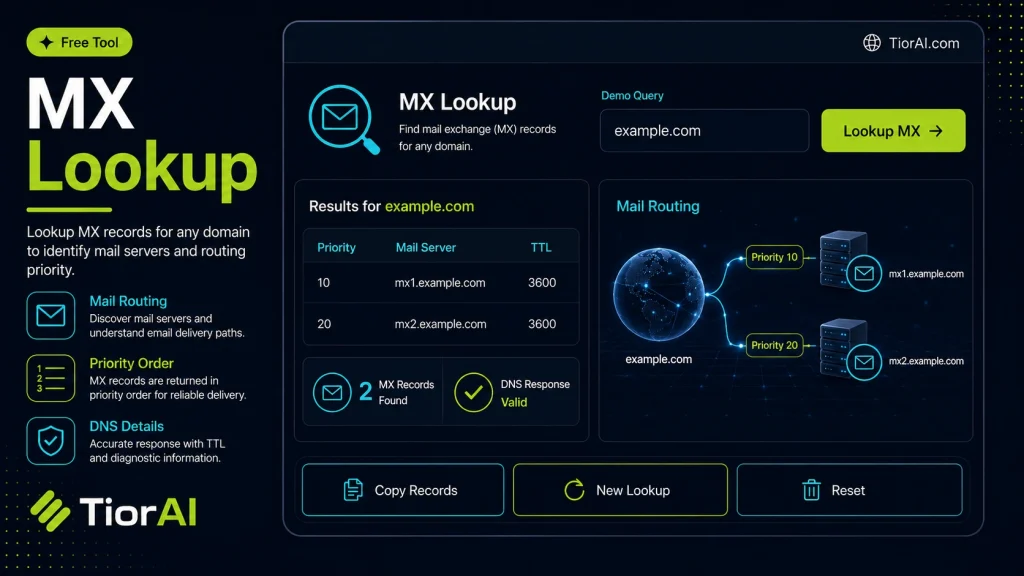
How to use it
- Enter Domain or IP Enter the domain name, IP address, or URL into the Mx Lookup to start the lookup or analysis.
- Run the Check Click the check button to query the relevant databases. Results are retrieved and displayed in seconds.
- Analyze the Results Review the detailed results including status, records, and diagnostics to troubleshoot or verify your query.
Tip Use the Mx Lookup to verify DNS propagation after making changes — it can take up to 48 hours for full propagation.
Understanding MX Records and Their Role in Email Delivery
MX records (Mail Exchange records) are a type of DNS (Domain Name System) record that specify the mail servers responsible for receiving email on behalf of a domain. When someone sends an email, their mail server queries the DNS to find the MX records of the recipient’s domain to determine where to deliver the message.
Each MX record has a priority value; lower numbers indicate higher priority. This allows domains to have multiple mail servers for redundancy and load balancing. If the primary server is unavailable, mail is routed to the next available server based on priority.
Checking MX records is essential for troubleshooting email delivery issues, verifying domain configurations, and ensuring that mail servers are correctly set up. For example, system administrators use MX lookups to confirm that their domain’s MX records point to the correct mail servers after changes or migrations.
Common scenarios for MX record lookups include:
- Verifying email routing during domain setup or migration
- Diagnosing email delivery failures or delays
- Checking if a domain has valid MX records before sending bulk emails
- Ensuring compliance with email security standards like SPF, DKIM, and DMARC
What Are MX Records?
MX records are DNS entries that specify which mail servers handle incoming email for a domain. They include priority values to manage the order in which servers are used. This system ensures reliable email delivery by allowing backup servers to take over if the primary server is unavailable.
When to Use MX Lookup Tools
MX lookup tools are useful in several situations:
- Verifying email server configurations during domain setup or migration
- Diagnosing email delivery problems by checking if MX records are correctly set
- Confirming that a recipient domain has valid MX records before sending bulk emails
- Auditing DNS settings for email security and compliance
Common Mistakes to Avoid
- Assuming MX records alone guarantee email delivery without checking server responsiveness
- Confusing MX records with other DNS records like A or CNAME
- Ignoring MX record priorities, which can disrupt failover mechanisms
Understanding MX records and how to check them is fundamental for anyone managing email systems or troubleshooting email issues. Using an MX lookup tool helps ensure your email infrastructure is correctly configured and reliable.
Frequently asked questions
Reviews and questions
Whether this tool gave people the answer they needed, and what they asked about it.
Sign in to review this tool.
Sign In to ReviewNo reviews yet
Be the first to say whether this tool gave you what you needed.
Ask how to read the result, or what the tool does with an edge case — or answer someone else.
Sign In to AskNo questions yet
Not sure how to read a result? Be the first to ask.
AI tools related to this topic
Tools from the TiorAI directory that work on the same kind of job.

Action Network
Action Network is a free digital organizing platform designed for progressive activists and nonprofits to manage petitions, fundraising, email and SMS outreach, and events.

Layla Network AI
Layla Network AI is an AI-driven platform that automates network monitoring, anomaly detection, and troubleshooting to improve network reliability and operational efficiency.