

Small Text Generator
Small text refers to characters that appear smaller than the standard font size but remain aligned with the baseline of the surrounding text. Unlike simply shrinking the font size, small text often uses special Unicode characters designed to look like superscripts, subscripts, or small caps.…
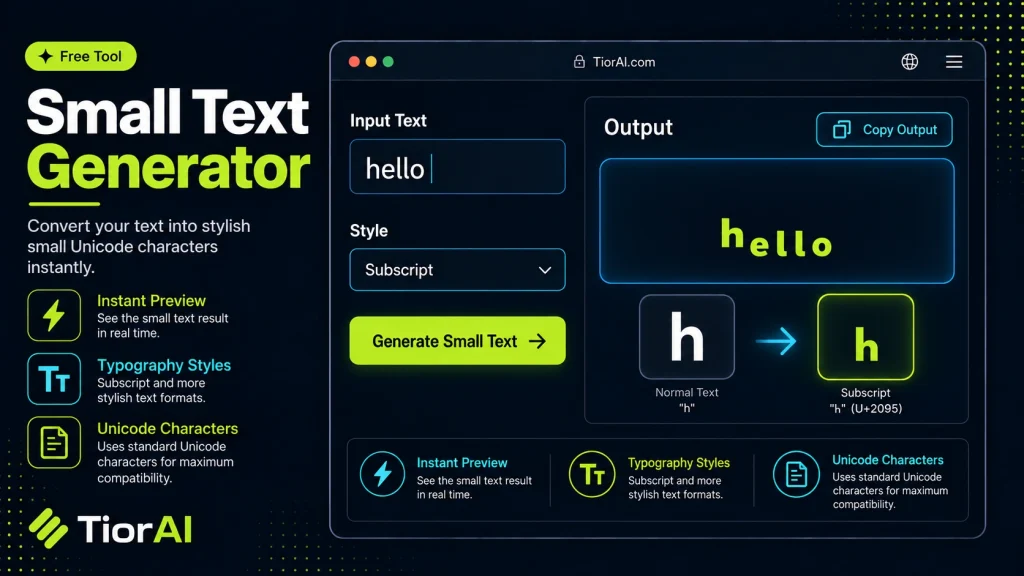
How to use it
- Paste Your Text Paste or type your text into the Small Text Generator. The tool handles content of any length with no character limits.
- Apply the Tool Click the action button to process your text. The transformation is applied instantly to your content.
- Copy the Result Review the transformed text and copy it to your clipboard for use in documents, emails, or projects.
Tip Run your text through the Small Text Generator before publishing to catch formatting inconsistencies automatically.
Understanding Small Text and Its Technical Basis
Small text, often referred to as “small caps” or “superscript-like” text, is a typographic style where characters appear smaller than the standard font size but maintain the same baseline alignment. In digital text, this effect can be achieved through various methods, including Unicode characters, HTML tags, and CSS styling.
Why Small Text Exists
Small text is used to emphasize or de-emphasize parts of text without changing the overall layout drastically. It can indicate footnotes, annotations, trademarks, or stylistic choices in branding and communication. In social media, small text is often used to create visual hierarchy or to add a unique flair to posts.
How Small Text Works Technically
- Unicode Characters: Unicode includes a range of characters that resemble smaller versions of standard letters and numbers. These are not simply smaller fonts but distinct code points, such as superscript and subscript characters (e.g., ¹, ², ³) or modifier letters (e.g., ᵃ, ᵇ, ᶜ). A small text generator typically maps normal characters to their Unicode small variants where available.
- HTML and CSS: In web development, small text can be created using the
<small>tag, which renders text smaller than the surrounding text by default. CSS properties likefont-sizeandvertical-aligncan also simulate small text effects, including superscripts and subscripts. - Limitations: Not all characters have small Unicode equivalents. For example, some letters or symbols may not have a superscript or small variant, so generators approximate by using visually similar characters or fallback fonts.
Common Real-World Scenarios
- Social Media: Users employ small text to create stylistic posts or captions that stand out visually.
- Branding and Design: Designers use small text for trademarks (™), footnotes, or disclaimers in logos and marketing materials.
- Academic and Scientific Writing: Superscripts and subscripts are essential for chemical formulas, mathematical expressions, and citations.
- Programming and Documentation: Small text can be used in comments or annotations to clarify code or provide additional context.
What is Small Text and How Does It Work?
Small text refers to characters that appear smaller than the standard font size but remain aligned with the baseline of the surrounding text. Unlike simply shrinking the font size, small text often uses special Unicode characters designed to look like superscripts, subscripts, or small caps. This approach preserves readability and stylistic intent across different platforms.
Technically, small text is created by substituting normal characters with their Unicode equivalents where available. For example, the letter ‘a’ can be replaced with ‘ᵃ’ (modifier letter small a), and numbers like ‘2’ can be replaced with ‘²’ (superscript two). This substitution is done character-by-character, allowing the entire string to appear smaller or raised without changing the font size.
In web development, small text can also be achieved using the HTML <small> tag or CSS styles like font-size and vertical-align. However, these methods rely on font rendering and may not be supported uniformly across all platforms, whereas Unicode small characters are more universally recognized.
When to Use a Small Text Generator
- Social Media Styling: To make captions or posts visually distinct by adding small text elements that catch the eye without overwhelming the message.
- Annotations and Footnotes: When writing digital documents or web content that requires footnotes or side comments, small text helps differentiate these from the main body.
- Branding and Legal Text: To include trademark symbols (™), copyrights (©), or other legal annotations in a visually appropriate way.
- Scientific and Mathematical Notation: To correctly display chemical formulas, exponents, or other specialized notation that requires superscripts or subscripts.
Common Mistakes When Using Small Text Generators
- Assuming Full Character Support: Not all characters have small or superscript Unicode equivalents, which can lead to missing or inconsistent characters in the output.
- Using Small Text in Unsupported Environments: Some platforms or devices may not render small Unicode characters correctly, causing display issues or fallback to default fonts.
- Confusing Small Text with Font Size Reduction: Simply reducing font size does not produce the same typographic effect as using Unicode small characters, which can affect readability and style.
Technical Context and Considerations
Unicode provides a standardized set of characters that include superscripts, subscripts, and modifier letters. These characters are separate code points from their normal counterparts, enabling consistent representation across different systems. However, the coverage is incomplete; many letters and symbols do not have small variants, so generators must approximate or leave them unchanged.
When using small text in digital content, it is important to consider compatibility. While modern browsers and operating systems generally support these Unicode characters, older systems or certain applications may not. Testing across platforms ensures that the intended appearance is preserved.
Overall, small text generators leverage Unicode’s capabilities to provide a simple way to create stylistic text variations without relying on complex formatting or images. This makes them practical tools for everyday digital communication, branding, and documentation.
Worked examples
Social Media Caption Styling
Used to make part of a social media caption visually distinct without using bold or italics.
Before This is a normal caption with some important notes.After This is a normal caption with some ᶦᵐᵖᵒʳᵗᵃⁿᵗ notes.Trademark Symbol in Branding
Adding a proper trademark symbol in a logo or marketing text using small text formatting.
Before BrandName TMAfter BrandName ™Scientific Notation
Using subscript small text to correctly display chemical formulas.
Before H2O is water.After H₂O is water.
Frequently asked questions
Reviews and questions
Whether this tool gave people the answer they needed, and what they asked about it.
Sign in to review this tool.
Sign In to ReviewNo reviews yet
Be the first to say whether this tool gave you what you needed.
Ask how to read the result, or what the tool does with an edge case — or answer someone else.
Sign In to AskNo questions yet
Not sure how to read a result? Be the first to ask.