

Open Graph Checker
Open Graph meta tags are snippets of HTML code that control how your webpage appears when shared on social media platforms. They specify key details such as the title, description, image, and URL that social networks use to generate link previews. Proper use of these…
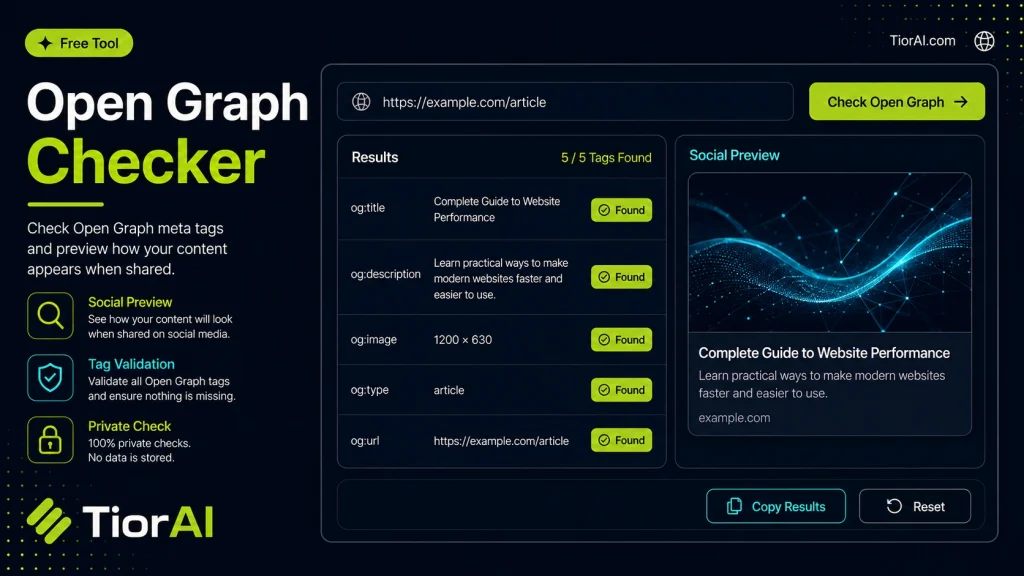
Paste HTML to inspect Open Graph tags locally without requesting the remote page.
| Property | Value | Status |
|---|
How to use it
- Enter URL or Keyword Enter your website URL or target keyword into the Open Graph Checker to begin the analysis process.
- Run the Analysis Click analyze to scan your input. The tool examines multiple SEO factors and compiles the results.
- Review Your Report Examine the detailed report with actionable insights, scores, and recommendations to improve your SEO.
Tip Use the Open Graph Checker monthly to track improvements and catch SEO regressions before they impact rankings.
Understanding Open Graph Meta Tags
The Open Graph protocol enables web pages to become rich objects in social media platforms. By adding specific meta tags in the HTML <head> section, website owners control how their content appears when shared on networks like Facebook, LinkedIn, or Twitter. These tags define elements such as the title, description, image, and URL that appear in link previews.
Why is this important? Without properly configured Open Graph tags, social platforms may display incorrect or incomplete information, reducing click-through rates and engagement. For example, a missing or wrong image can make a shared link look unprofessional or unappealing.
Common use cases include:
- Ensuring consistent branding and messaging across social shares
- Improving SEO by enhancing link previews
- Debugging and validating Open Graph tags after website updates
- Checking third-party content before sharing
Open Graph checkers analyze a webpage’s source code to extract and display these meta tags, helping developers and marketers verify that their social sharing metadata is correct and complete.
What Are Open Graph Meta Tags?
Open Graph meta tags are snippets of HTML code that control how your webpage appears when shared on social media platforms. They specify key details such as the title, description, image, and URL that social networks use to generate link previews. Proper use of these tags ensures your content looks professional and engaging when shared.
When to Use an Open Graph Checker
An Open Graph checker is essential in several scenarios:
- After publishing or updating a webpage, to confirm your Open Graph tags are correctly implemented.
- Before sharing a link on social media, to preview how it will appear.
- When troubleshooting issues with link previews showing incorrect or missing information.
- During SEO audits to verify social metadata is optimized.
Common Mistakes to Avoid
Many users make errors that affect how their content is displayed on social media:
- Omitting critical tags like
og:titleorog:image, which can result in incomplete or unattractive previews. - Using incorrect or relative URLs in tags, causing images or links to break when shared.
Using an Open Graph checker helps identify these mistakes early, ensuring your social shares are effective and visually appealing.
Frequently asked questions
<head> section of a webpage that define how the page's content is represented on social media platforms. They specify elements like title, description, image, and URL.og:image URL is incorrect, the image is too small, or Facebook's cache needs to be refreshed. Using an Open Graph checker can help identify these issues.Reviews and questions
Whether this tool gave people the answer they needed, and what they asked about it.
Sign in to review this tool.
Sign In to ReviewNo reviews yet
Be the first to say whether this tool gave you what you needed.
Ask how to read the result, or what the tool does with an edge case — or answer someone else.
Sign In to AskNo questions yet
Not sure how to read a result? Be the first to ask.
AI tools related to this topic
Tools from the TiorAI directory that work on the same kind of job.

AI graph maker
AI Graph Maker is a free web-based tool that uses AI to help users quickly create and customize various types of graphs and charts from their data without needing advanced skills.

Graph Commons
Graph Commons is a web-based platform that enables users to collaboratively create, visualize, and analyze network maps to understand complex relationships and data patterns.

The Graph
The Graph is a decentralized protocol that indexes and queries blockchain data using GraphQL, enabling developers to build fast and reliable decentralized applications.