

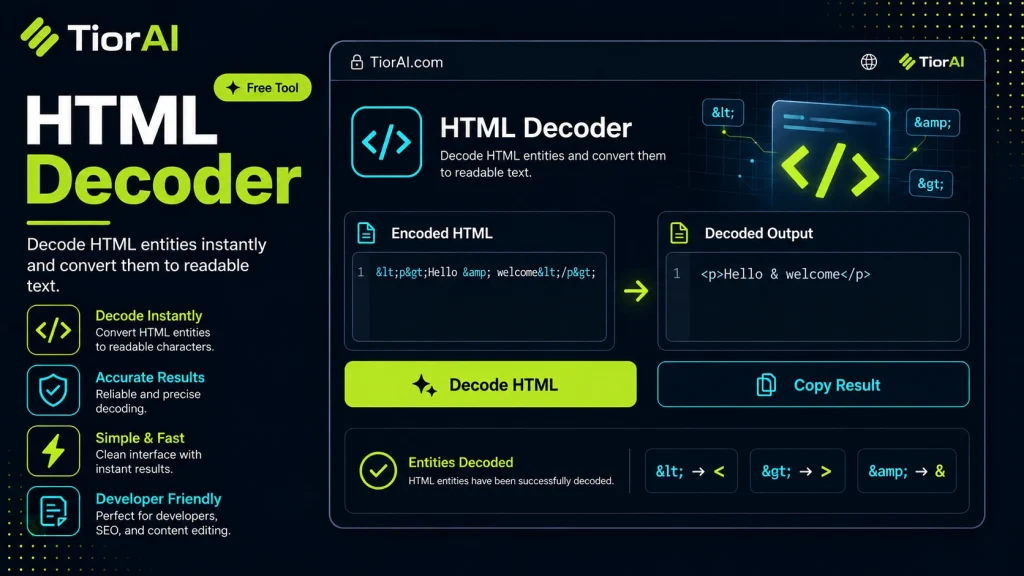
How to use it
- Enter Source Value Type or paste the value you want to convert into the Html Decoder. The tool accepts a wide range of input formats.
- Select Target Format Choose your desired output format or unit from the available options. The conversion starts automatically.
- Copy the Result Review the converted output and click copy to use it in your project, document, or workflow.
Tip Switch between source and target formats in the Html Decoder to quickly verify conversions in both directions.
Understanding HTML Encoding and Decoding
HTML (HyperText Markup Language) is the standard language used to create and structure content on the web. When web browsers render HTML, they interpret tags and content to display text, images, links, and other elements. However, certain characters in HTML have special meanings and cannot be used directly in the content without causing issues. To handle this, HTML uses character entities or HTML entities to represent these special characters safely.
For example, the less-than sign (<) and greater-than sign (>) are used to define HTML tags. If you want to display these characters as text on a webpage, you cannot just write < or > because the browser will interpret them as tag delimiters. Instead, you use their HTML entity equivalents: < for < and > for >. This process of converting special characters to their entity codes is called HTML encoding.
Why HTML Encoding Exists
- Preventing code injection: Encoding special characters helps prevent malicious code from being executed in the browser, which is a common security measure against cross-site scripting (XSS) attacks.
- Ensuring correct display: It ensures that characters that have special meaning in HTML are displayed as intended rather than being interpreted as code.
- Data integrity: Encoding preserves the exact content when transmitting data between systems that may interpret raw characters differently.
How HTML Encoding Works Technically
HTML entities are sequences that start with an ampersand (&) and end with a semicolon (;). They can be named entities like (non-breaking space), © (copyright symbol), or numeric entities like © (©) or © (hexadecimal representation).
When a browser encounters these entities in the HTML source, it replaces them with the corresponding character during rendering. For example, © is rendered as ©.
HTML Decoding is the reverse process: converting these encoded entities back into their original characters. This is useful when you receive or extract HTML-encoded data and want to display or process it as plain text.
Common Real-World Scenarios
- Web scraping: When extracting data from websites, the content often contains HTML entities that need decoding to get readable text.
- Data import/export: Transferring data between systems that encode special characters differently requires decoding to maintain consistency.
- Content editing: Editors or CMS platforms may store content with encoded entities to prevent HTML injection, requiring decoding for preview or processing.
- Debugging and development: Developers often decode HTML entities to understand or manipulate data received from APIs or databases.
What is HTML Encoding and Decoding?
HTML encoding is a method used to represent special characters in web content safely. Because certain characters like <, >, and & have special meanings in HTML, they must be encoded to prevent browsers from misinterpreting them as code. This encoding replaces these characters with HTML entities such as <, >, and &.
HTML decoding is the reverse process, converting these encoded entities back into their original characters. This is essential when you want to display or process text that was stored or transmitted in an encoded form.
Why Does HTML Encoding Exist?
HTML encoding exists primarily to:
- Prevent code injection: Encoding special characters helps protect against security vulnerabilities like cross-site scripting (XSS).
- Ensure correct display: It allows characters that would otherwise be interpreted as HTML tags to be shown as text.
- Maintain data integrity: Encoding ensures that data is transmitted and stored without corruption or misinterpretation.
Common Mistakes When Using HTML Decoders
- Attempting to decode text that is not encoded, which results in no change or unexpected output.
- Confusing HTML encoding with other types of encoding like URL encoding, leading to incorrect decoding attempts.
When to Use an HTML Decoder
- When you receive HTML-encoded text from APIs or web scraping and need to convert it to readable text.
- When importing content into systems that require plain text without HTML entities.
- When cleaning up data that contains encoded characters to prepare it for display or further processing.
Technical Context
HTML entities can be named (e.g., ) or numeric (e.g.,  ). Browsers automatically decode these entities when rendering HTML. However, when working with raw data or text extracted from HTML, these entities remain encoded and require decoding to restore the original characters.
Understanding the difference between HTML encoding and other encoding types, such as URL encoding or Base64 encoding, is important to apply the correct decoding method. HTML decoding specifically targets HTML entities and does not affect other encoded formats.
Worked examples
Decoding HTML Entities from Web Scraped Data
When scraping text from a website, the content often contains encoded entities that need to be decoded for readability.
Before Tom & Jerry <3 cartoons & fun!After Tom & JerryConverting Encoded Email Content
Emails or form data sometimes encode special characters like '@' as HTML entities that must be decoded before use.
Before Send your feedback to support@example.comAfter Send your feedback to [email protected]
Frequently asked questions
Reviews and questions
Whether this tool gave people the answer they needed, and what they asked about it.
Sign in to review this tool.
Sign In to ReviewNo reviews yet
Be the first to say whether this tool gave you what you needed.
Ask how to read the result, or what the tool does with an edge case — or answer someone else.
Sign In to AskNo questions yet
Not sure how to read a result? Be the first to ask.
AI tools related to this topic
Tools from the TiorAI directory that work on the same kind of job.

Legalese Decoder
Legalese Decoder is an AI-powered tool that simplifies complex legal contracts into plain English summaries and highlights potential risks to help users understand and review contracts efficiently.