

Active Passive Voice Detector
Find the passive sentences in your text, see how much of it is written in passive voice, and get a rewrite hint for each one.
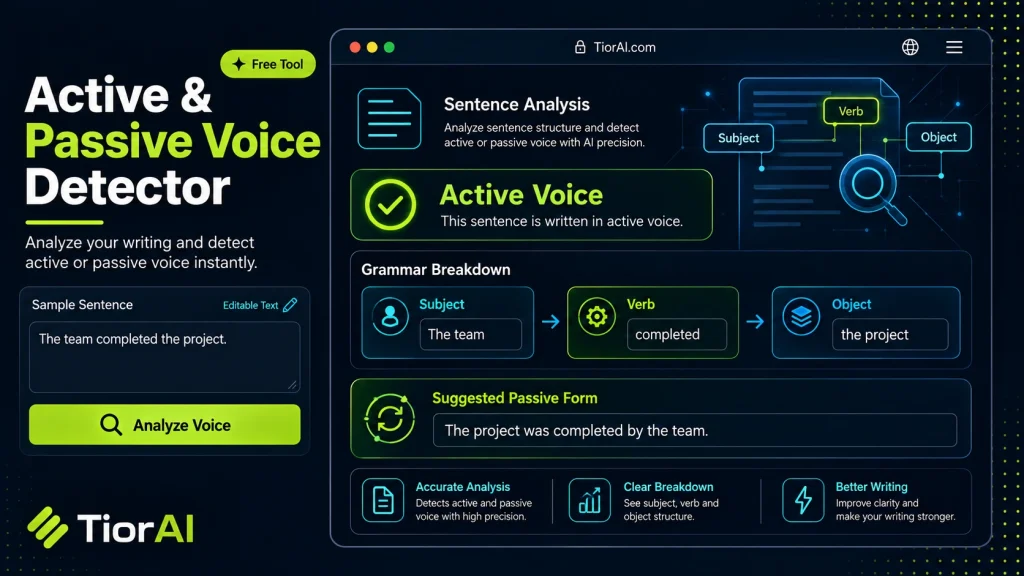
Active / Passive Voice Detector
Voice Summary
| Verdict | — |
|---|---|
| Total Sentences | 0 |
| Active Sentences | 0 |
| Passive Sentences | 0 |
| Words | 0 |
Sentence Breakdown
| # | Voice | Sentence | Passive Marker |
|---|
How the detection works
A sentence is flagged as passive when a form of "to be" (or "get") is followed by a past participle — the pattern behind "was written", "is being reviewed" and "got approved".
- Passive voice is not an error. Use it when the doer is unknown, obvious, or deliberately hidden.
- Aim for under 10% passive sentences in marketing and web copy; academic writing tolerates more.
- To rewrite, name the doer and put it in front of the verb: "The report was written by the committee" becomes "The committee wrote the report".
- Detection is pattern-based, so an adjective that looks like a participle ("is tired") can be flagged. Always read the sentence before changing it.
How to use it
- Paste Your Text Paste or type your text into the Active Passive Voice Detector. The tool handles content of any length with no character limits.
- Apply the Tool Click the action button to process your text. The transformation is applied instantly to your content.
- Copy the Result Review the transformed text and copy it to your clipboard for use in documents, emails, or projects.
Tip Combine the Active Passive Voice Detector with other text tools on TiorAI for a complete content processing workflow.
Understanding Active and Passive Voice
In English grammar, sentences can be constructed in either the active or passive voice. The active voice means the subject of the sentence performs the action, while the passive voice means the subject receives the action. For example, “The cat chased the mouse” is active, whereas “The mouse was chased by the cat” is passive.
Detecting whether a sentence is active or passive is important for clarity, tone, and style. Active voice tends to be more direct and dynamic, making writing clearer and more engaging. Passive voice can be useful when the doer of the action is unknown or less important, but overuse can lead to vague or wordy sentences.
Active passive voice detectors are tools designed to analyze text and identify which sentences are in active voice and which are in passive voice. They work by parsing sentence structure, looking for auxiliary verbs (like “is,” “was,” “were”) combined with past participles, which often indicate passive constructions.
These detectors help writers, editors, and students improve their writing by highlighting passive sentences that might need revision for better readability or emphasis. They are commonly used in academic writing, business communication, and content creation to ensure the tone and style meet the intended purpose.
What is Active and Passive Voice?
Active and passive voice describe how the subject of a sentence relates to the action. In active voice, the subject performs the action, while in passive voice, the subject receives the action. Understanding this distinction is key to writing clearly and effectively.
When to Use an Active Passive Voice Detector
- Editing academic papers to reduce passive constructions and improve clarity.
- Enhancing business communications to make messages more direct.
- Proofreading content to maintain consistent voice and tone.
- Learning English grammar by identifying sentence structures.
Common Mistakes with Voice Detection
- Confusing sentences with linking verbs (e.g., “is,” “seems”) as passive when they are active.
- Misinterpreting sentences that look passive but are active due to reflexive or idiomatic usage.
Active passive voice detectors analyze sentence structure by identifying verb forms and auxiliary verbs. They help writers spot passive sentences that may need revision for better readability. While these tools are helpful, users should understand basic grammar to interpret results correctly and avoid misclassification.
Frequently asked questions
Reviews and questions
Whether this tool gave people the answer they needed, and what they asked about it.
Sign in to review this tool.
Sign In to ReviewNo reviews yet
Be the first to say whether this tool gave you what you needed.
Ask how to read the result, or what the tool does with an edge case — or answer someone else.
Sign In to AskNo questions yet
Not sure how to read a result? Be the first to ask.
AI tools related to this topic
Tools from the TiorAI directory that work on the same kind of job.

Babylon Voice – AI Voice GPT and VoiceID
Babylon Voice is an AI-powered voice platform that integrates GPT conversational AI with VoiceID biometric authentication to enable secure and natural voice interactions across web and mobile platforms.

AI Detector & Plagiarism Scan
AI Detector & Plagiarism Scan is a web tool that identifies AI-generated text and checks for plagiarism to ensure content originality.