

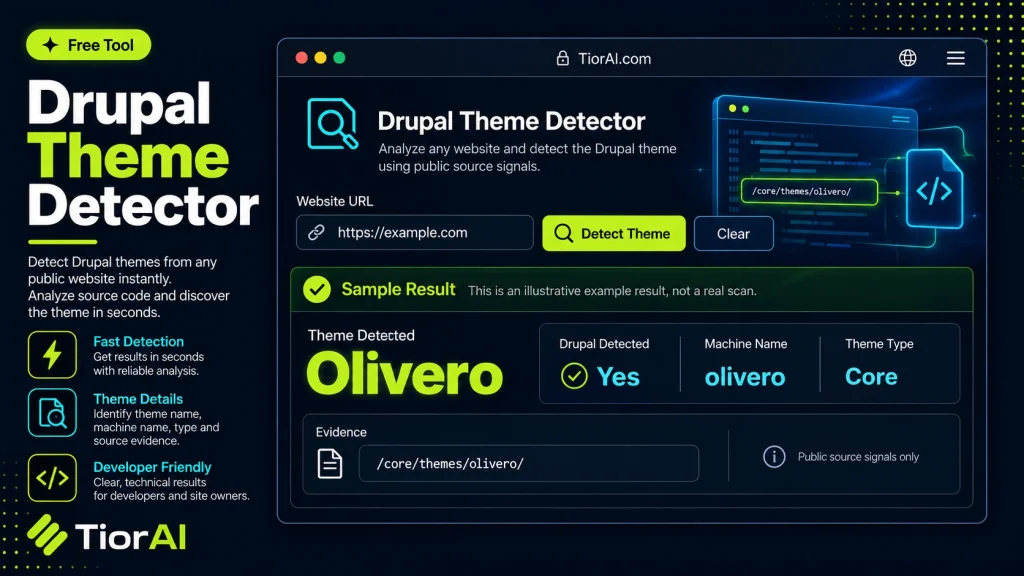
How to use it
- Paste or Enter Your Input Paste your code, text, or data into the input field. The tool supports large inputs without performance issues.
- Process and Analyze Click the action button or let the tool auto-process your input. Results appear in real time with highlighted details.
- Copy or Download the Output Review the results and copy the output to clipboard or download as a file for use in your project.
Tip This tool preserves your input formatting. Check format settings if the output differs from expected.
Understanding Drupal Themes and Detection
Drupal is a popular content management system (CMS) that uses themes to control the visual appearance and layout of websites. A Drupal theme defines the site’s design elements such as colors, fonts, page structure, and responsive behavior. Detecting which Drupal theme a website uses involves analyzing the site’s source code, HTTP headers, or specific Drupal-related files and assets.
Why detect Drupal themes? Developers, designers, and site auditors often need to identify the theme behind a Drupal site to understand its design framework, check compatibility, or find inspiration. It also helps in troubleshooting or planning site customizations.
How detection works: Drupal theme detectors scan the publicly accessible parts of a website to find clues like CSS file names, theme folder paths, or meta tags that reveal the active theme. Since Drupal themes are usually stored in specific directories and have unique naming conventions, these tools can parse the HTML and resource URLs to identify the theme.
Common use cases include:
- Web developers assessing competitor or client sites
- Designers researching theme options
- Site maintainers verifying theme versions
What is a Drupal Theme Detector?
A Drupal theme detector is a utility that identifies the active theme used by a Drupal website. Drupal themes control the site’s visual design and layout, and knowing which theme is in use can be valuable for developers, designers, and site administrators.
How Drupal Theme Detection Works
The detector analyzes the website’s publicly accessible files and source code to find clues such as CSS file names, theme folder paths, or meta tags that indicate the theme. Since Drupal themes follow certain directory structures and naming conventions, these tools can parse the HTML and resource URLs to identify the theme.
When to Use a Drupal Theme Detector
- To quickly identify the theme of a Drupal site without backend access
- When planning to customize or migrate a Drupal site and needing to confirm the current theme
- For competitive analysis or design research on Drupal-based websites
- To verify if a site uses a free or commercial Drupal theme
- When troubleshooting display or layout issues related to the theme
Common Mistakes to Avoid
- Assuming the detected theme is the exact active theme without considering custom sub-themes or overrides
- Expecting perfect accuracy even when the site uses heavily customized or proprietary themes that hide standard identifiers
Understanding these limitations helps set realistic expectations when using Drupal theme detectors. They are a practical starting point but may require further investigation for complex or customized sites.
Frequently asked questions
Reviews and questions
Whether this tool gave people the answer they needed, and what they asked about it.
Sign in to review this tool.
Sign In to ReviewNo reviews yet
Be the first to say whether this tool gave you what you needed.
Ask how to read the result, or what the tool does with an edge case — or answer someone else.
Sign In to AskNo questions yet
Not sure how to read a result? Be the first to ask.
AI tools related to this topic
Tools from the TiorAI directory that work on the same kind of job.

ChatGPT
ChatGPT is an AI chatbot by OpenAI powered by GPT-4o. It handles writing, coding, research, data analysis, and natural conversation. Free tier available, Plus at $20/month.