

ScienHub Collaborative LaTeX Editor for the Web
ScienHub is a collaborative LaTeX editor for the web: write, compile and collaborate on LaTeX documents in real time, no installation required.
- Best for
- Writing scientific documents
- Key capability
- Real-time collaboration
Save ScienHub, follow its updates and vote on it — everything stays in your account.
Sign in or create a free account

What is ScienHub?
ScienHub is a browser-based collaborative LaTeX editor built for researchers, students and anyone who writes scientific documents. It offers real-time multi-user editing, fast compilation and Git version control, with no installation required.
Key features of ScienHub
ScienHub offers real-time multi-user editing, fast compilation and Git version control for LaTeX documents in the browser.
Real-time collaboration
Real-time multi-user editing of LaTeX documents.
Fast compilation
Compile LaTeX documents quickly in the browser.
Git version control
Track document versions with Git.
No installation
Write, compile and collaborate on LaTeX in the browser with no installation required.
Pros and cons of ScienHub
Pros
- All features currently free
- No installation required
- Real-time multi-user editing
- Git version control
Cons
- Features are free for now, with no long-term pricing published
- No official support or customer service
- Limited metadata and paper details compared to official databases
Key use cases for ScienHub
Writing scientific documents
Write scientific documents in LaTeX directly in the browser.
Team writing in real time
Write with your team in real time on the same LaTeX document.
Version-controlled documents
Keep document history with Git version control.
LaTeX without setup
Use LaTeX in the browser with no setup.
How ScienHub works
- 1
Get started free
Sign up with no credit card required.
- 2
Write with your team
Write and collaborate on LaTeX documents in real time.
- 3
Compile and track versions
Compile your document and keep versions with Git version control.
Who is using ScienHub
ScienHub pricing
Free
$0
All features currently free, no subscription or credit card required.
Plans and prices are as published by the vendor and can change. Check the official site before you buy. Open the pricing page (opens in a new tab)
Frequently asked questions about ScienHub
Yes. All ScienHub features are currently free, with no subscription or credit card required.
No. ScienHub runs in the browser, no installation required.
Yes. ScienHub supports real-time multi-user editing.
Yes, it includes Git version control.
Researchers, students and anyone who writes scientific documents.
Conclusion
LaTeX writing moves into the browser here: ScienHub is a collaborative editor with real-time multi-user editing, fast compilation and Git version control. No installation is required, and the team writes together in real time with no setup or friction. The editor is built for researchers, students and anyone who writes scientific documents.
The site presents it as a free Overleaf alternative. All features are currently free with no subscription or credit card, a status the home page describes as for now.
Sources
Sign in to review this tool.
Sign In to ReviewNo reviews yet
Be the first to share how this tool worked for you.
Ask about pricing, limits, or how it compares — or answer someone else.
Sign In to AskNo questions yet
Have a question about using or paying for this tool? Be the first to ask.
Featured on TiorAI



More Research & Data Analysis tools
Other tools in the same category, for when this one is not quite the fit.
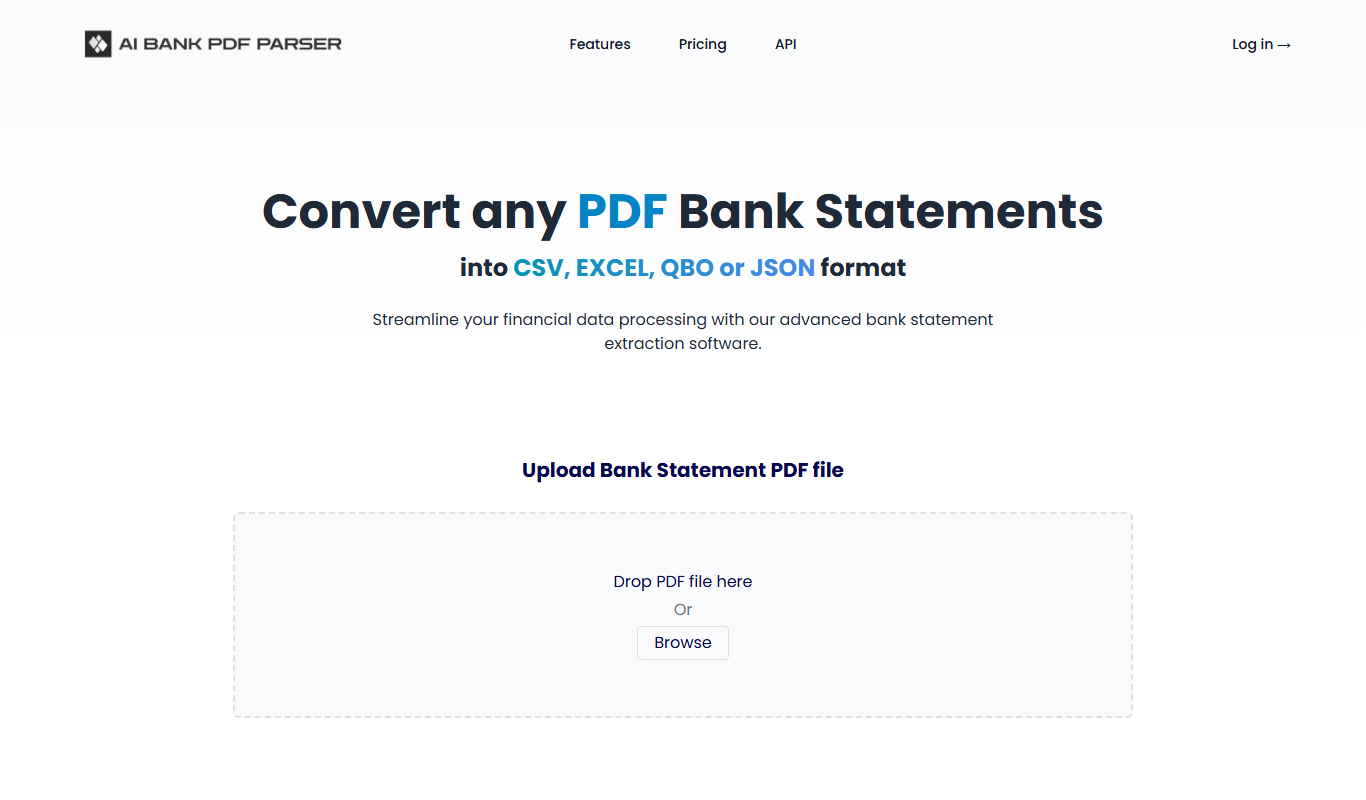
AI PDF bank statement parser
AI PDF Bank Statement Parser is a web-based tool that uses AI and OCR to automatically extract transaction and account data from PDF bank statements, enabling faster financial data processing and integration.

Clearly Reader
Clearly Reader is a reader mode for browsers with AI summaries, text-to-speech, multilingual translation and customizable themes.

Patterned AI
Patterned AI is a web-based tool that uses AI to generate seamless, high-resolution patterns from simple text prompts, helping designers quickly create unique pattern designs.

parseur.com
Parseur is an email parsing tool that automates extraction of structured data from emails and documents, enabling integration with CRMs and other apps to streamline workflows.

Toolsaday
Toolsaday is an AI content platform with Text Genie, a paraphrasing tool, email and story generators, Novel Studio, text to speech and an image generator.

editGPT
editGPT is an AI-powered web-based text editor that helps users correct grammar, improve writing style, and enhance clarity with real-time suggestions.

QuickQR Art
QuickQR Art is a QR Code AI Art Generator for creating, customizing and tracking artistic QR codes, with dynamic QR codes, short links and an API.

Partly AI
Partly builds frontier AI for repair: Repair AI, an AI assistant for repair shops, and Interpreter, a language model for automotive parts and repair workflows.