

WebscrapeAi Web Scraping Tool for Automated Data Extraction Online
WebscrapeAi is a cloud-based, no-code web scraping tool that uses AI to simplify data extraction from websites, offering scheduling and multiple export options.
- Best for
- Market Research
- Key capability
- No-Code Visual Scraper
Save WebscrapeAi, follow its updates and vote on it — everything stays in your account.
Sign in or create a free account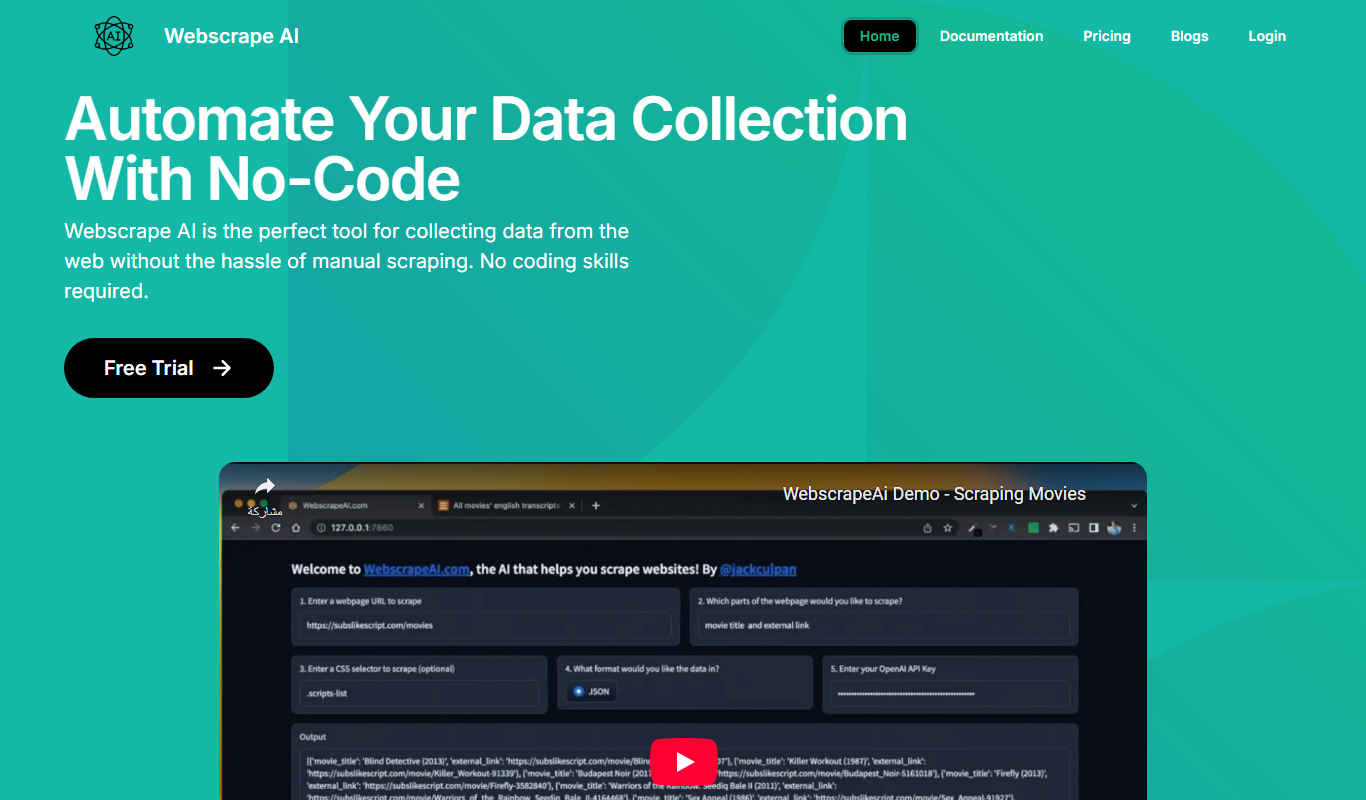

What is WebscrapeAi?
WebscrapeAi is a cloud-based web scraping platform that enables users to extract structured data from websites without coding. It leverages AI to simplify the setup of scraping tasks, allowing users to collect data efficiently for various business and research needs.
Key features of WebscrapeAi
The tool offers an intuitive no-code interface, AI-powered data extraction, scheduling capabilities, and export options in multiple formats such as CSV and JSON. It supports scraping from complex websites with dynamic content.
No-Code Visual Scraper
Build scraping workflows visually without programming knowledge.
AI-Powered Data Extraction
Leverages AI to intelligently identify and extract relevant data fields.
Scheduling and Automation
Automate recurring scraping tasks with customizable schedules.
Multi-Format Export
Export data as CSV, JSON, or connect via API for seamless integration.
Cloud-Based Platform
No local installation required; access and manage scraping projects online.
Pros and cons of WebscrapeAi
Pros
- User-friendly no-code interface
- AI-assisted data extraction improves accuracy
- Flexible scheduling for automation
- Multiple export options including API
- Cloud-based access from anywhere
Cons
- Limited advanced customization for complex scraping scenarios
- Pricing may be high for casual users
- No desktop or mobile app available
Key use cases for WebscrapeAi
Market Research
Automatically gather competitor pricing, product details, and market trends from multiple websites.
Lead Generation
Extract contact information and business data from directories and social media platforms.
Content Aggregation
Collect news, blog posts, or product reviews for content curation and analysis.
E-commerce Monitoring
Track product availability, prices, and customer reviews across e-commerce sites.
Academic Research
Harvest data sets from public websites for research and analysis purposes.
How WebscrapeAi works
- 1
Create an Account
Sign up on the WebscrapeAi platform to access the dashboard.
- 2
Set Up a Scraping Task
Use the visual interface to select the website and specify the data fields to extract.
- 3
Configure Extraction Parameters
Define pagination, filters, and scheduling options to automate data collection.
- 4
Run and Monitor
Start the scraping job and monitor progress in real-time through the dashboard.
- 5
Export Data
Download the extracted data in preferred formats or integrate via API.
Who is using WebscrapeAi
WebscrapeAi pricing
Free Trial
$0/month
Limited usage to test features with basic support.
WebScrapeAI
$27/month
250 URLs per month, no code required and live support.
WebScrapeAI Pro
$47/month
500 URLs per month, proxy support, wait for load/JS, extra scraping features and live support.
WebScrapeAI Bulk
$87/month
1000 URLs per month, scrape URLs in bulk, pagination support, proxy support, wait for load/JS, extra scraping features and live support.
Plans and prices are as published by the vendor and can change. Check the official site before you buy. Open the pricing page (opens in a new tab)
Frequently asked questions about WebscrapeAi
No, WebscrapeAi offers a no-code visual interface designed for users without programming experience.
Yes, the platform supports scheduling to automate recurring data extraction.
You can export data in CSV, JSON formats or access it via API.
Users are responsible for ensuring their scraping activities comply with the target websites’ policies.
It depends on your specific needs and how you plan to use the tool. The official website and documentation are the best sources for the latest details.
It depends on your specific needs and how you plan to use the tool. The official website and documentation are the best sources for the latest details.
Yes, it can help with that use case depending on how you configure it and what features are available. You’ll get the best results with clear inputs and a defined goal.
Conclusion
A scraping task pairs a website URL with a command describing the data needed, and the AI model analyzes the page structure to generate a schema of fields. That schema can come from the AI agent or be specified manually, and users review and modify it before clicking run. Output arrives as CSV, JSON or plain text. The Pro plan extends this with proxies, custom headers and JavaScript instructions for dynamic websites and complex scraping tasks.
Bulk handles data extraction from multiple URLs simultaneously, although all pages need to contain the same type of information; a field not found on a webpage returns a null value. An API covers the same work, requiring only an HTTP request with an API key passed as a query parameter. All three plans are monthly subscriptions sized by URLs per month, and the entry WebScrapeAI plan extracts data from a single URL at a time.
Sources
Sign in to review this tool.
Sign In to ReviewNo reviews yet
Be the first to share how this tool worked for you.
Ask about pricing, limits, or how it compares — or answer someone else.
Sign In to AskNo questions yet
Have a question about using or paying for this tool? Be the first to ask.
Featured on TiorAI



Alternative Tools
Explore similar AI tools that might fit your needs

ParseHub
ParseHub is a no-code web scraping tool that allows users to extract data from websites including dynamic content, automate scraping tasks, and access data via API.
More AI Automation & Workflow Tools tools
Other tools in the same category, for when this one is not quite the fit.

Fadr
Fadr is a music tech platform with a vocal remover, stem splitter, key and tempo detector, remix and mashup makers, a DJ controller and DrumGPT.

Remagine AI
Remagine AI is a web-based platform that uses artificial intelligence to generate marketing content and automate marketing workflows, helping businesses create SEO-friendly and brand-consistent materials efficiently.

Postly
Postly is an AI social media and blog scheduler that publishes across social media, blogs and email, with Postly CRM, Bio Pages and Analytics in one workspace.

Emly Labs
Emly Labs offers a no-code AI framework to build AI chatbots and predictive AI models and to prepare data.

Midjourney API
Midjourney API is available through TTAPI, which gives access to Midjourney and 100+ AI models through one unified REST API with one API key, one balance and pay as you go billing.

Socialdude.ai
Socialdude.ai uses 15 hyper-personalized AI Agents to instantly generate tailored social media content from a selected feature and a description of your audience and business.

lempod.com
Lempod is a LinkedIn engagement automation tool that uses engagement pods to increase likes and comments on your posts, helping grow your network and visibility organically.

Leadlister
Leadlister turns a plain-language description of your perfect lead into a hyper-targeted, verified and CRM-ready list of prospects.