

Comma Separator
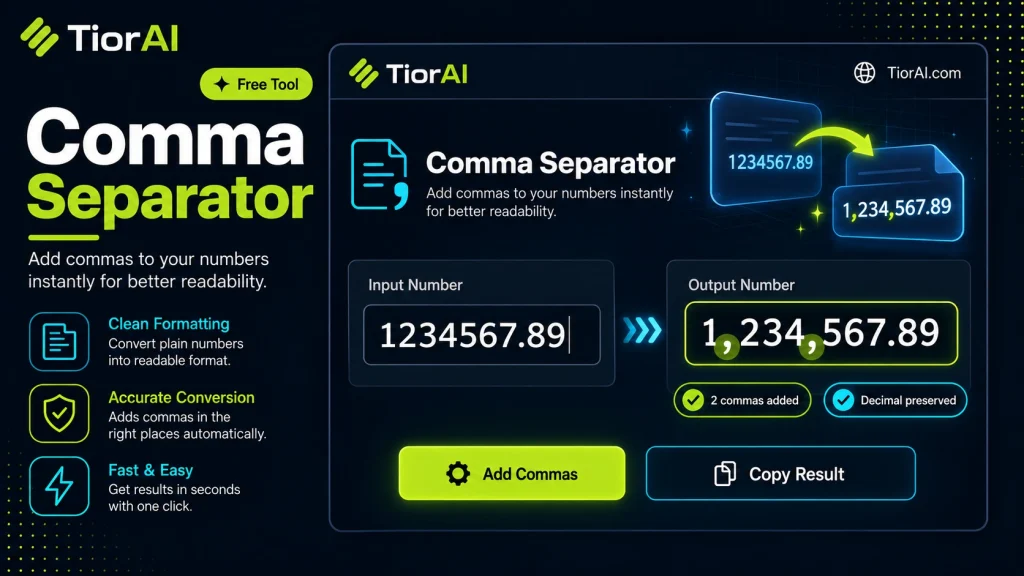
Turn a list of lines into a single separated line, or split a separated line back into one item per line.
How It Works
- Convert joins every non-empty input line with the chosen separator.
- Split Back to Lines does the reverse: it breaks a separated line into one item per line.
- Remove duplicates keeps the first occurrence of each item and compares them case-sensitively.
- A quoted item containing a double quote has that quote doubled, matching CSV convention.
How to use it
- Paste Your Text Paste or type your text into the Comma Separator. The tool handles content of any length with no character limits.
- Apply the Tool Click the action button to process your text. The transformation is applied instantly to your content.
- Copy the Result Review the transformed text and copy it to your clipboard for use in documents, emails, or projects.
Tip Combine the Comma Separator with other text tools on TiorAI for a complete content processing workflow.
Understanding Comma Separation in Text Processing
Comma separation is a fundamental technique in text formatting and data organization. It involves inserting commas between elements in a list or string to clearly delineate individual items. This concept is widely used in programming, data entry, and text manipulation to improve readability and facilitate parsing.
Why Comma Separation Exists
In many contexts, data is represented as a sequence of values. Without clear separators, it becomes difficult to distinguish where one value ends and another begins. Commas serve as a simple, universally recognized delimiter that separates items within a string. This makes it easier for both humans and machines to interpret the data.
How Comma Separation Works Technically
At its core, comma separation involves scanning a string of text and inserting commas between elements based on a defined delimiter or pattern. For example, if a list of words is separated by spaces or new lines, a comma separator tool will replace those spaces or line breaks with commas. This process can be implemented using string manipulation functions in programming languages, such as split() and join() methods in JavaScript or Python.
When dealing with complex data, comma separation must handle edge cases like extra spaces, empty lines, or inconsistent delimiters. Advanced tools may trim whitespace and ignore blank entries to produce a clean, comma-separated output.
Common Real-World Scenarios
- Data Import/Export: Many spreadsheet programs and databases use comma-separated values (CSV) as a standard format for importing and exporting data. Proper comma separation ensures data integrity during these transfers.
- Programming: Developers often need to convert lists or arrays into comma-separated strings for configuration files, API requests, or display purposes.
- Text Editing: Writers and editors may use comma separators to format lists within documents or prepare text for further processing.
- Form Inputs: User inputs that accept multiple values (e.g., tags, keywords) often require comma-separated formatting to be correctly parsed by backend systems.
Understanding comma separation helps users manipulate and format text efficiently, ensuring compatibility across different platforms and applications.
What is Comma Separation?
Comma separation is a method of formatting text where individual items in a list are separated by commas. This technique is essential for organizing data in a way that is both human-readable and machine-processable. It allows multiple values to be represented in a single line of text, making it easier to store, transmit, and interpret information.
How Comma Separation Works
Technically, comma separation involves identifying the boundaries between items in a string and inserting commas at those points. For example, if you have a list of words separated by spaces or new lines, a comma separator tool replaces those delimiters with commas. This process often includes trimming extra spaces and removing empty entries to ensure the output is clean and consistent.
Under the hood, this is typically done by splitting the input string into an array of items based on the original delimiters, then joining the array elements back into a single string with commas as separators. This approach is simple but effective for many common use cases.
When to Use a Comma Separator
- Converting lists from one delimiter format (spaces, new lines) to comma-separated values for compatibility with CSV files or APIs.
- Preparing user input fields that accept multiple values, such as tags or keywords, to ensure consistent formatting for backend processing.
- Formatting data for import/export operations where comma-separated values are the standard.
- Creating readable lists in documents or code where commas improve clarity and structure.
Common Mistakes to Avoid
- Leaving extra spaces before or after commas, which can cause issues when parsing the data later.
- Not removing empty or duplicate entries before applying comma separation, leading to redundant commas or blank items in the output.
Technical Context
Comma separation is closely related to the CSV (Comma-Separated Values) format, a widely used standard for tabular data exchange. While comma separation simply inserts commas between items, CSV files have additional rules such as quoting fields that contain commas or line breaks. Understanding these distinctions is important when preparing data for different applications.
In programming, comma-separated strings are often used to represent arrays or lists in a compact form. Many languages provide built-in functions to convert between arrays and comma-separated strings, facilitating data manipulation and transmission.
Overall, comma separation is a simple yet powerful concept that underpins many data processing and formatting tasks across software development, data analysis, and content management.
Worked examples
Converting a newline-separated list to a comma-separated string
When you have a list of items each on a new line and need to convert it into a single line for CSV or API input.
Before apple banana cherry orangeAfter apple,banana,cherry,orangeFormatting tags entered with spaces into comma-separated tags
When users input tags separated by spaces but the system requires comma-separated tags for processing.
Before javascript python html cssAfter javascript,python,html,css
Frequently asked questions
Reviews and questions
Whether this tool gave people the answer they needed, and what they asked about it.
Sign in to review this tool.
Sign In to ReviewNo reviews yet
Be the first to say whether this tool gave you what you needed.
Ask how to read the result, or what the tool does with an edge case — or answer someone else.
Sign In to AskNo questions yet
Not sure how to read a result? Be the first to ask.
AI tools related to this topic
Tools from the TiorAI directory that work on the same kind of job.

Comma.ai
Comma.ai provides open source software called Openpilot and hardware devices that enable semi-autonomous driving features on compatible vehicles, enhancing driver assistance with adaptive cruise control and lane keeping.