

SQL Minify
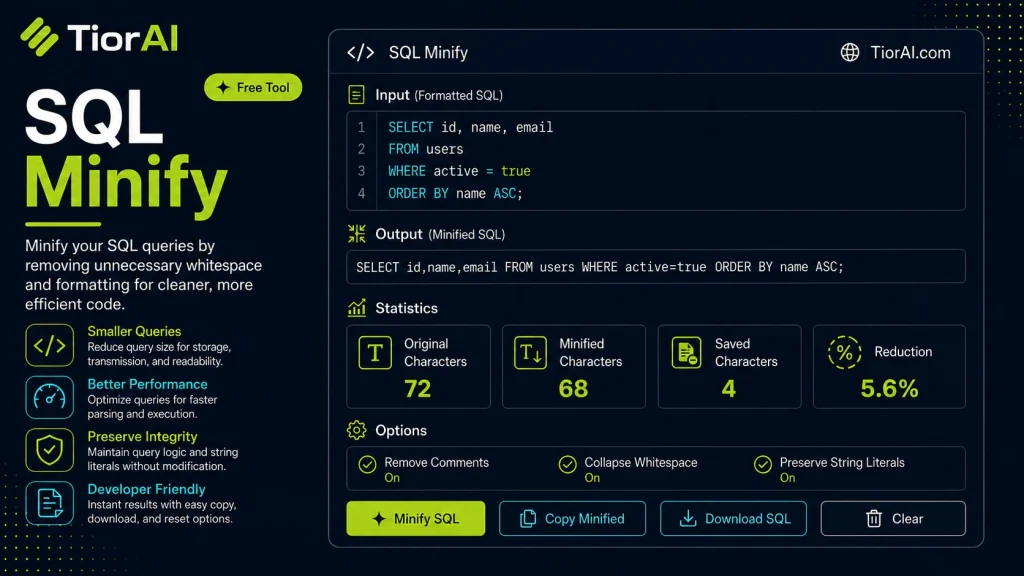
Understanding SQL Minification SQL minification is the process of stripping out all unnecessary characters from SQL code, such as extra spaces, line breaks, tabs, and comments, without changing the query's functionality. This results in a smaller, more compact SQL statement that behaves identically to the…
How to use it
- Paste or Enter Your Input Paste your code, text, or data into the input field. The tool supports large inputs without performance issues.
- Process and Analyze Click the action button or let the tool auto-process your input. Results appear in real time with highlighted details.
- Copy or Download the Output Review the results and copy the output to clipboard or download as a file for use in your project.
Tip Keyboard shortcut: Ctrl+V to paste input, then Ctrl+C to copy output - saves time in repetitive workflows.
What is SQL Minification?
SQL minification is the process of removing all unnecessary characters from SQL code without changing its functionality. This includes eliminating extra spaces, line breaks, tabs, and comments. The goal is to produce a compact version of the SQL query that executes the same way as the original but takes up less space.
Minifying SQL is useful because it reduces the size of queries, which can improve performance in certain contexts, such as when sending queries over a network or embedding them in applications where size matters. It also helps in obfuscating the code slightly, making it less readable but still functional.
Common situations where SQL minification is applied include:
- Embedding SQL queries in web applications or scripts where minimizing payload size improves load times.
- Storing queries in environments with size constraints, such as configuration files or database logs.
- Preparing SQL code for automated deployment pipelines where compact code is preferred.
While minification reduces whitespace and comments, it does not optimize the query logic or execution plan. It is purely a formatting change to reduce size.
Understanding SQL Minification
SQL minification is the process of stripping out all unnecessary characters from SQL code, such as extra spaces, line breaks, tabs, and comments, without changing the query’s functionality. This results in a smaller, more compact SQL statement that behaves identically to the original.
Minifying SQL is particularly useful when you need to reduce the size of queries for transmission over networks, embedding in applications, or saving storage space. It does not optimize the query’s logic or execution speed but simply reduces its textual footprint.
When to Use SQL Minification
- Embedding SQL queries in client-side applications or APIs where minimizing payload size improves performance.
- Deploying SQL scripts in environments with bandwidth or storage constraints.
- Logging or storing SQL queries where space efficiency is important.
Common Mistakes to Avoid
- Expecting minification to improve query execution speed—minification only affects the query’s size, not its performance.
- Removing comments that are important for understanding or maintaining complex queries, which can make future debugging harder.
Using an SQL minifier is straightforward and safe for production as long as the syntax remains intact. Always keep a well-documented version of your SQL code alongside the minified one for maintenance purposes.
Frequently asked questions
Reviews and questions
Whether this tool gave people the answer they needed, and what they asked about it.
Sign in to review this tool.
Sign In to ReviewNo reviews yet
Be the first to say whether this tool gave you what you needed.
Ask how to read the result, or what the tool does with an edge case — or answer someone else.
Sign In to AskNo questions yet
Not sure how to read a result? Be the first to ask.
AI tools related to this topic
Tools from the TiorAI directory that work on the same kind of job.

ChatGPT
ChatGPT is an AI chatbot by OpenAI powered by GPT-4o. It handles writing, coding, research, data analysis, and natural conversation. Free tier available, Plus at $20/month.