

SQL to CSV Converter
SQL to CSV conversion involves taking the results of an SQL query and transforming them into a CSV (Comma-Separated Values) file. SQL queries retrieve data from databases in a structured table format, but this data is often not directly usable outside the database environment. CSV…
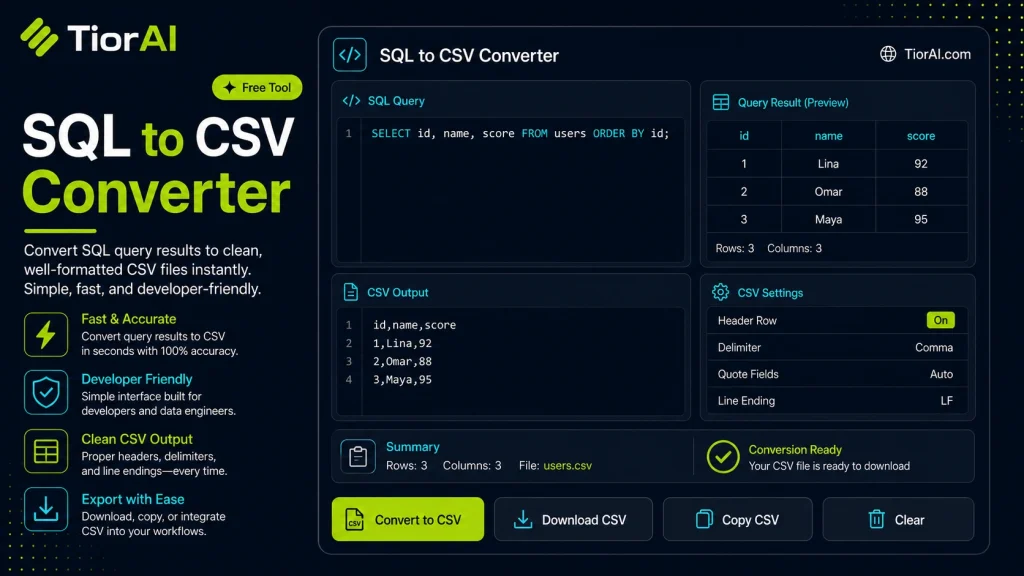
How to use it
- Enter Your Input Value Type or paste the value you want to convert into the input field. The tool accepts any numeric value.
- Select Units and Convert Choose your source and target units from the dropdown menus. The converted result appears instantly.
- Copy or Use the Result Click copy to grab the converted value for use in your project, document, or calculation.
Tip Need the reverse conversion? Swap source and target to convert in the opposite direction instantly.
Understanding SQL to CSV Conversion
SQL (Structured Query Language) is used to manage and query data stored in relational databases. When you run a query, the result is typically a table of data. However, this data is often locked inside database systems and not easily shared or used in other applications.
CSV (Comma-Separated Values) is a simple, widely supported file format that stores tabular data in plain text. Each line represents a row, and columns are separated by commas. Converting SQL query results to CSV format allows you to export data for use in spreadsheets, data analysis tools, or for sharing with others who do not have direct database access.
This conversion is essential when you want to:
- Extract query results for reporting or visualization in tools like Excel or Google Sheets.
- Share data snapshots without exposing the entire database.
- Import data into other systems that accept CSV files.
Typically, the conversion process involves executing an SQL query to retrieve data and then formatting that data into CSV syntax. This can be done manually with scripts or automated using online tools that parse SQL query outputs and generate CSV files instantly.
What is SQL to CSV Conversion?
SQL to CSV conversion involves taking the results of an SQL query and transforming them into a CSV (Comma-Separated Values) file. SQL queries retrieve data from databases in a structured table format, but this data is often not directly usable outside the database environment. CSV files provide a simple, portable way to store and share tabular data as plain text.
When Should You Use SQL to CSV Conversion?
- Exporting query results for analysis in spreadsheet programs like Excel.
- Sharing specific data extracts with team members who lack database access.
- Preparing data for import into other software that accepts CSV files.
- Backing up query outputs in a lightweight format.
- Feeding data into reporting or visualization tools that require CSV input.
Common Mistakes to Avoid
- Trying to convert the SQL query text itself rather than the data it returns.
- Failing to handle commas or special characters inside data fields, which can corrupt the CSV format.
Understanding these points helps ensure your data exports are accurate and usable. Properly formatted CSV files make it easier to work with database data across different platforms and applications.
Frequently asked questions
mysqldump or psql with CSV export options are preferred.Reviews and questions
Whether this tool gave people the answer they needed, and what they asked about it.
Sign in to review this tool.
Sign In to ReviewNo reviews yet
Be the first to say whether this tool gave you what you needed.
Ask how to read the result, or what the tool does with an edge case — or answer someone else.
Sign In to AskNo questions yet
Not sure how to read a result? Be the first to ask.
AI tools related to this topic
Tools from the TiorAI directory that work on the same kind of job.

Wolfram Alpha
Wolfram Alpha is a computational knowledge engine that answers factual queries by performing computations on curated data, offering detailed solutions, visualizations, and an API for developers.

ChatGPT
ChatGPT is an AI chatbot by OpenAI powered by GPT-4o. It handles writing, coding, research, data analysis, and natural conversation. Free tier available, Plus at $20/month.