

From my experience with Canvanizer, I found it excels at simplifying complex business planning through its intuitive canvas templates and real-time collaboration features. The platform is particularly well-suited for startups and teams looking to visually map out strategies without the overhead of complicated software. However, the free version has some limitations in advanced features and storage, and there is no dedicated mobile app, which might affect users needing on-the-go access. Overall, if you want a straightforward, web-based tool to collaboratively design business models and strategies, Canvanizer delivers a practical and accessible solution.
Canvanizer Online Tool for Collaborative Business Model and Strategy Canvas
Canvanizer is a web-based tool that enables users to create and collaborate on business model and strategy canvases using customizable templates for planning and brainstorming.
- Best for
- Business Model Planning
- Key capability
- Multiple Canvas Templates
Your actions
Save Canvanizer, follow its updates and vote on it — everything stays in your account.
Sign in or create a free account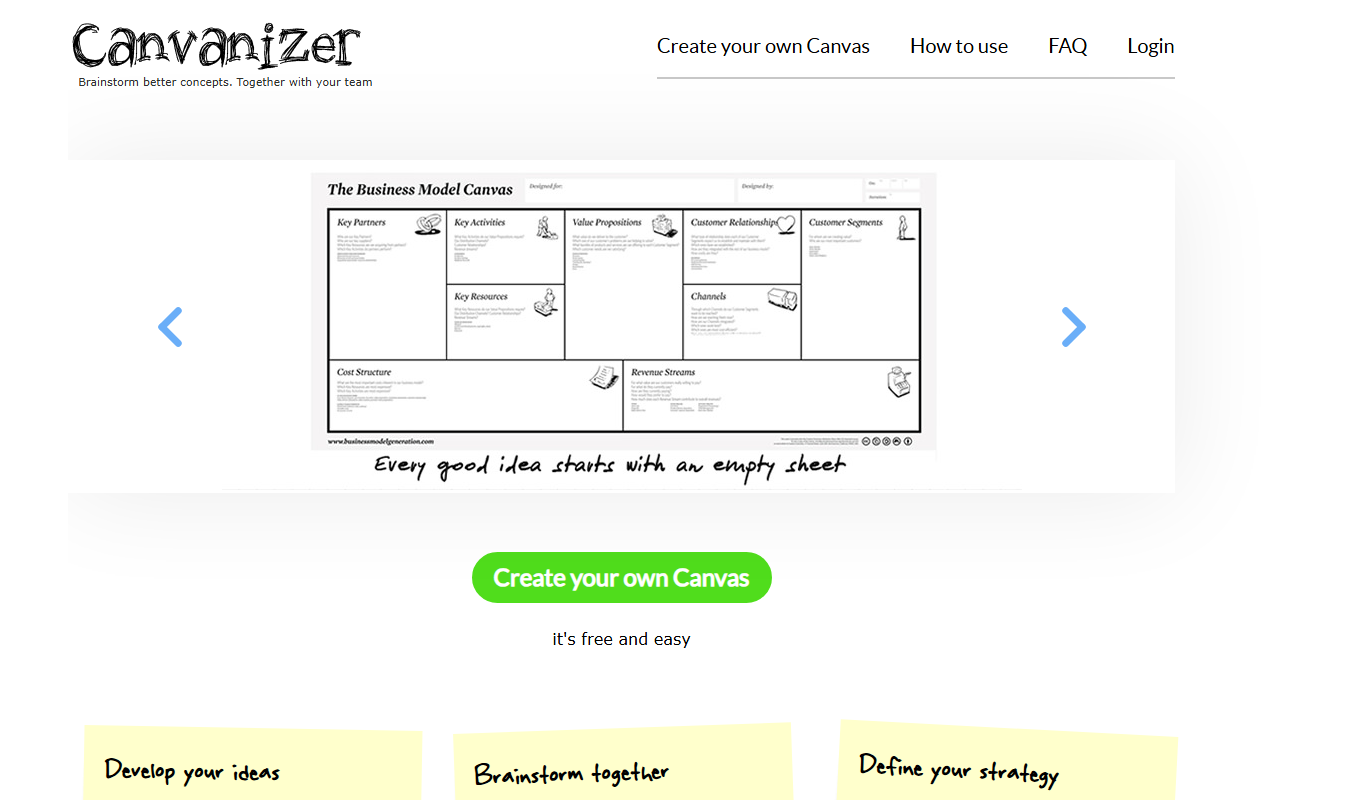
What is Canvanizer?
Canvanizer is an online platform that provides a variety of business and strategy canvas templates to help individuals and teams visually plan, brainstorm, and collaborate on business models, projects, and strategies. It simplifies complex planning processes by offering an intuitive drag-and-drop interface for creating canvases such as the Business Model Canvas, Lean Canvas, SWOT analysis, and more.
Key features of Canvanizer
Canvanizer offers multiple customizable canvas templates, real-time collaboration, easy sharing options, and an intuitive interface designed for both beginners and experienced strategists to map out ideas visually and collaboratively.
Multiple Canvas Templates
Access a wide range of business and strategy canvases including Business Model Canvas, Lean Canvas, SWOT, and more.
Real-Time Collaboration
Work simultaneously with team members on the same canvas to enhance teamwork and idea exchange.
User-Friendly Interface
Drag-and-drop functionality and simple editing tools make canvas creation straightforward.
Sharing and Exporting
Easily share canvases via URL or export them as images or PDFs for presentations and documentation.
Freemium Access
Free basic usage with options to upgrade for additional features and storage.
Pros and cons of Canvanizer
Pros
- Intuitive and easy-to-use interface
- Supports real-time team collaboration
- Wide variety of business and strategy canvas templates
- Free plan available for basic needs
- No software installation required, fully web-based
Cons
- Limited advanced features on free plan
- No dedicated mobile app available
- Pricing details for Pro plan require direct contact
Key use cases for Canvanizer
Business Model Planning
Create and visualize business models using various canvas templates to clarify value propositions, customer segments, and revenue streams.
Team Collaboration
Collaborate in real-time with team members on canvases to brainstorm, plan, and iterate strategies collectively.
Project Management
Use canvases to map out project workflows, identify key activities, and align team roles and responsibilities.
Startup Strategy Development
Help startups quickly design and test business ideas using structured canvas templates.
Marketing Strategy Visualization
Plan marketing campaigns and customer journeys visually to improve communication and execution.
Who is using Canvanizer
Startup founders
Business consultants
Marketing teams
Project managers
Entrepreneurs
Small to medium-sized businesses
Canvanizer pricing
Free
$0/month
Basic access to canvas templates with limited collaboration and storage.
Pro
Contact for pricing
Enhanced features including unlimited canvases, advanced collaboration tools, and priority support.
Plans and prices are as published by the vendor and can change. Check the official site before you buy. Open the pricing page (opens in a new tab)
Sign in to review this tool.
Sign In to ReviewNo reviews yet
Be the first to share how this tool worked for you.
Ask about pricing, limits, or how it compares — or answer someone else.
Sign In to AskNo questions yet
Have a question about using or paying for this tool? Be the first to ask.
Featured on TiorAI



Alternative Tools
Explore similar AI tools that might fit your needs

Free
Lucidchart
Lucidchart is a cloud-based diagramming and visual collaboration platform that enables users to create flowcharts, organizational charts, UML diagrams, and collaborate in real time across devices.
More Business Management tools
Other tools in the same category, for when this one is not quite the fit.

Free
Angry Email Translator
Angry Email Translator is a free web tool that transforms angry or harsh emails into calm, polite, and professional messages to improve communication.

Custom Pricing
Spoonshot
Spoonshot is an AI-powered platform that provides consumer insights and market trend analysis to help businesses innovate products and optimize marketing strategies.

Freemium
Lytho
Lytho is an AI-driven content platform that helps marketing and creative teams manage digital assets, collaborate on content, and maintain brand consistency with AI insights and analytics.

Free
ChirpStack
ChirpStack is an open source LoRaWAN network server stack that enables deployment and management of LoRaWAN networks and IoT devices with modular components and APIs.

Free Trial
Studio Ninja
Studio Ninja is a cloud-based CRM and workflow software tailored for photographers to manage clients, bookings, invoices, and contracts efficiently.

Custom Pricing
Grip
Grip is an AI-driven virtual event platform that facilitates personalized networking and engagement through AI matchmaking, personalized agendas, and interactive sessions for virtual and hybrid events.

Free
Edutopia
Edutopia is a free educational website by The George Lucas Educational Foundation offering research-based teaching strategies, multimedia resources, and professional development support for K-12 educators, school leaders, and parents.

Freemium
Slack’s native search
Slack's native search allows users to find messages, files, and conversations across their workspace using keywords and advanced filters, improving team communication and productivity.