

From my experience with CalendarGenie, I found it excels at simplifying the often tedious task of scheduling by leveraging AI to automate meeting coordination and calendar management. The platform’s ability to integrate multiple calendars and handle time zone differences makes it especially useful for remote teams and professionals managing diverse schedules. However, the lack of a dedicated mobile app and limited language support may restrict accessibility for some users. Overall, if you need an efficient, AI-driven scheduling assistant to reduce back-and-forth emails and streamline appointments, CalendarGenie delivers reliable and user-friendly functionality.
CalendarGenie AI Scheduling Assistant for Efficient Calendar Management
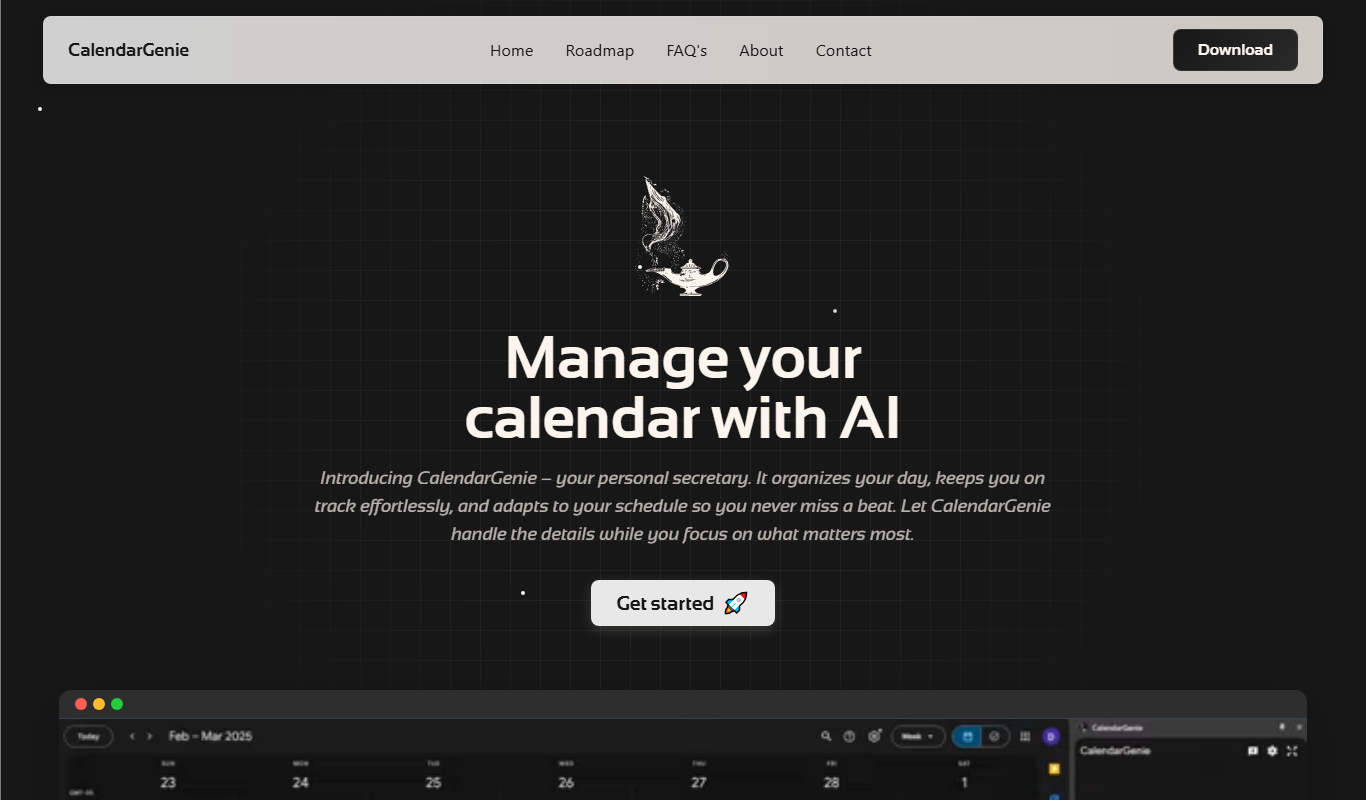
CalendarGenie is an AI-driven scheduling assistant that automates meeting bookings, manages multiple calendars, and adjusts for time zones to streamline your calendar management.
- Best for
- Automated Meeting Scheduling
- Key capability
- AI-Powered Scheduling
Do you recommend this tool?
What is CalendarGenie?
CalendarGenie is an AI-powered scheduling assistant designed to streamline calendar management and automate meeting coordination. It integrates with popular calendar platforms to help users efficiently book appointments, avoid scheduling conflicts, and manage their time effectively.
Key features of CalendarGenie
Key features include automated meeting scheduling, appointment booking, multi-calendar management, team scheduling coordination, and intelligent time zone adjustments to simplify global collaboration.
AI-Powered Scheduling
Uses artificial intelligence to find the best meeting times based on your preferences and calendar data.
Multi-Calendar Integration
Supports syncing with multiple calendar platforms to avoid double bookings.
Customizable Availability
Allows users to set specific time slots and buffer times between meetings.
Time Zone Detection
Automatically adjusts meeting times for participants in different time zones.
Team Scheduling Support
Enables scheduling across multiple team members to find common available slots.
Pros and cons of CalendarGenie
Pros
- Simplifies scheduling with AI automation
- Supports multiple calendar integrations
- Handles time zone differences automatically
- User-friendly interface with easy setup
- Offers free plan for basic use
Cons
- Limited language support (English only)
- No dedicated mobile app currently
Key use cases for CalendarGenie
Automated Meeting Scheduling
Automatically coordinate and schedule meetings by integrating with your calendar and preferences.
Appointment Booking
Allow clients or colleagues to book appointments directly based on your availability.
Calendar Management
Manage multiple calendars efficiently by consolidating events and avoiding conflicts.
Team Scheduling
Coordinate schedules across teams to find optimal meeting times.
Time Zone Coordination
Automatically adjust meeting times across different time zones for global teams.
How CalendarGenie works
- 1
Connect Your Calendar
Link your existing calendar accounts such as Google Calendar or Outlook to CalendarGenie.
- 2
Set Preferences
Define your availability, meeting durations, and scheduling rules.
- 3
Share Booking Link
Send your personalized scheduling link to clients or colleagues for easy appointment booking.
- 4
Automated Scheduling
CalendarGenie automatically finds optimal meeting times and updates your calendar.
Who is using CalendarGenie
Freelancers and consultants
Small business owners
Sales and customer support teams
Remote and distributed teams
Marketing agencies
CalendarGenie pricing
Free
$0/month
Basic scheduling features with limited integrations and booking limits.
Pro
$15/month
Advanced features including unlimited bookings, multi-calendar sync, and priority support.
Plans and prices are as published by the vendor and can change. Check the official site before you buy. Open the pricing page (opens in a new tab)
Frequently asked questions about CalendarGenie
CalendarGenie supports Google Calendar, Microsoft Outlook, and other major calendar services via API integrations.
Yes, users can set specific available time slots, meeting lengths, and buffer times between appointments.
Yes, it automatically detects and adjusts meeting times for participants in different time zones.
Yes, CalendarGenie offers a free plan with basic features and limited booking capacity.
It depends on your specific needs and how you plan to use the tool. The official website and documentation are the best sources for the latest details.
Integration support depends on the tool and its available connectors or API. Check the official documentation or integrations page to confirm what is supported.
Some tools offer a free plan or trial with limited features. Availability can vary, so confirm on the official website.
Yes, it can help with that use case depending on how you configure it and what features are available. You’ll get the best results with clear inputs and a defined goal.
Sign in to review this tool.
Sign In to ReviewNo reviews yet
Be the first to share how this tool worked for you.
Ask about pricing, limits, or how it compares — or answer someone else.
Sign In to AskNo questions yet
Have a question about using or paying for this tool? Be the first to ask.
Featured on TiorAI



Alternative Tools
Explore similar AI tools that might fit your needs

Free
Calendly
Calendly is an online scheduling platform that automates appointment booking by syncing with your calendar and allowing invitees to select available times.

Free Trial
Acuity Scheduling
Acuity Scheduling is an online appointment booking software that enables businesses to automate scheduling, send reminders, accept payments, and sync calendars to streamline client bookings.
Free
Doodle
Doodle is an online scheduling tool that helps users coordinate meetings by polling availability and integrating with calendars to find the best time for all participants.
More AI Assistant tools
Other tools in the same category, for when this one is not quite the fit.

Free Trial
PagerGPT
PagerGPT is an AI assistant that integrates with PagerDuty to automate incident triage, provide contextual summaries, and assist engineers in resolving incidents faster.

Freemium
Phew AI Tab
Phew AI Tab is a Chrome browser extension that integrates AI-powered research, note-taking, and summarization tools directly into your browsing experience to enhance productivity and streamline information management.

Freemium
Owl at Work – AI Companion for Businesses
Owl at Work is an AI-powered business companion that automates workflows, manages tasks, and improves team collaboration through intelligent automation and integrations.

Freemium
Vivas.AI
Vivas.AI is an AI meeting assistant that transcribes meetings in real time, extracts action items, and generates summaries to improve team productivity.

Free
WorkMagic
WorkMagic is an AI-powered productivity assistant that automates tasks, manages workflows, and supports team collaboration through a web platform.

Free
Blue Bot
Blue Bot is a free web-based AI chatbot designed for fun and casual conversations, offering instant chat without registration.

Free Trial
Voxpad
Voxpad is an AI voice assistant that transcribes meetings in real-time and generates summaries to improve productivity and collaboration.

Free Trial
HubbleIQ
HubbleIQ is an AI meeting assistant that automates transcription, action item detection, and meeting summaries to enhance team collaboration.