

From my experience with Lightning AI, I found it excels at simplifying the complexities of distributed machine learning training and model deployment. The platform’s tight integration with PyTorch Lightning allows for clean, modular code and efficient scaling, which is invaluable for ML engineers and data scientists working on production-grade AI projects. While the free tier offers a solid starting point, teams looking for advanced collaboration and compute options may need to contact sales for pricing details. Overall, Lightning AI is particularly well-suited for organizations aiming to streamline their MLOps workflows and accelerate time-to-production for machine learning models.
Lightning AI Platform for Scalable Machine Learning Model Deployment and Management
Lightning AI is a platform designed to streamline the entire machine learning lifecycle, offering scalable training, automated deployment, experiment tracking, and collaboration tools primarily built around PyTorch Lightning.
- Best for
- Machine Learning Model Training
- Key capability
- Distributed Training Support
Your actions
Save Lightning AI, follow its updates and vote on it — everything stays in your account.
Sign in or create a free account
What is Lightning AI?
Lightning AI is a comprehensive platform designed to simplify and accelerate the development, deployment, and management of machine learning models. It offers tools that streamline the entire ML lifecycle, from training and experiment tracking to scalable deployment and monitoring. Built on top of PyTorch Lightning, it abstracts away much of the complexity involved in distributed training and productionizing AI models, enabling data scientists and engineers to focus on building high-quality models.
Key features of Lightning AI
Lightning AI provides scalable model training, automated deployment pipelines, experiment tracking, and collaboration tools. Its integration with popular ML frameworks and cloud infrastructure allows users to efficiently manage resources and scale workloads seamlessly.
Distributed Training Support
Simplifies running models on multiple GPUs or nodes without complex setup.
Automated Model Deployment
Enables one-click deployment with scaling and monitoring built-in.
Experiment Tracking Dashboard
Visualizes training runs, compares results, and manages model versions.
Integration with PyTorch Lightning
Leverages the popular PyTorch Lightning framework for clean, modular code.
Collaboration Tools
Facilitates teamwork with shared projects, access controls, and reproducible environments.
Pros and cons of Lightning AI
Pros
- Simplifies complex distributed training setups
- Streamlines model deployment with automation
- Comprehensive experiment tracking and management
- Strong integration with PyTorch Lightning
- Supports team collaboration effectively
Cons
- Pricing details for advanced plans are not publicly listed
- Primarily focused on PyTorch, less support for other ML frameworks
- May require learning curve for users new to MLOps concepts
Key use cases for Lightning AI
Machine Learning Model Training
Facilitates efficient training of machine learning models with distributed computing support.
Model Deployment and Scaling
Enables seamless deployment of models to production environments with automatic scaling.
Experiment Tracking and Management
Provides tools to track experiments, manage model versions, and monitor performance metrics.
MLOps Automation
Automates workflows for continuous integration and continuous delivery (CI/CD) of AI models.
Collaboration for AI Teams
Supports team collaboration through shared projects, reproducible environments, and centralized management.
How Lightning AI works
- 1
Sign Up and Set Up
Create an account on Lightning AI and configure your environment with the provided SDK and CLI tools.
- 2
Develop and Train Models
Use PyTorch Lightning to build models and leverage Lightning AI’s infrastructure for distributed training.
- 3
Track Experiments
Log metrics, parameters, and artifacts to monitor model performance and iterate efficiently.
- 4
Deploy Models
Deploy models to production with automated scaling and monitoring capabilities.
- 5
Collaborate and Manage
Share projects with team members and manage model versions and workflows centrally.
Who is using Lightning AI
Machine learning engineers
Data scientists
AI research teams
MLOps professionals
Technology startups
Lightning AI pricing
Free
$0/month
Access to core features with limited compute resources and community support.
Team
Contact for pricing
Enhanced compute, collaboration features, and priority support for teams.
Plans and prices are as published by the vendor and can change. Check the official site before you buy. Open the pricing page (opens in a new tab)
Frequently asked questions about Lightning AI
It is used for developing, training, deploying, and managing machine learning models at scale.
Lightning AI is optimized for PyTorch Lightning but can integrate with other frameworks through custom setups.
Yes, Lightning AI supports deployment on cloud platforms and on-premises environments.
Yes, the free plan provides access to core features with limited compute resources.
This tool is designed to help users accomplish its core tasks more efficiently. It is typically used by individuals or teams looking to improve productivity and workflow.
It depends on your specific needs and how you plan to use the tool. The official website and documentation are the best sources for the latest details.
Yes, it can help with that use case depending on how you configure it and what features are available. You’ll get the best results with clear inputs and a defined goal.
Some tools offer a free plan or trial with limited features. Availability can vary, so confirm on the official website.
Sign in to review this tool.
Sign In to ReviewNo reviews yet
Be the first to share how this tool worked for you.
Ask about pricing, limits, or how it compares — or answer someone else.
Sign In to AskNo questions yet
Have a question about using or paying for this tool? Be the first to ask.
Featured on TiorAI



Alternative Tools
Explore similar AI tools that might fit your needs
Enterprise
Weights & Biases
Weights & Biases is a machine learning platform that helps data scientists track experiments, version datasets and models, collaborate with teams, and monitor models in production.

Free
MLflow
MLflow is an open source platform that manages the machine learning lifecycle by providing tools for experiment tracking, model packaging, registry, and deployment.
More AI Education & Learning Tools tools
Other tools in the same category, for when this one is not quite the fit.

Free Trial
Testnut
Testnut is an online exam platform that enables secure, scalable assessments with remote proctoring, automated grading, and detailed analytics, suitable for education and corporate use.

Free
AICamp
AICamp is an AI education platform offering project-based learning to teach AI, machine learning, and data science through hands-on projects and community mentorship.

Freemium
flAI
flAI is an AI-driven language learning app that provides personalized speaking and writing practice with real-time feedback to help users improve fluency and confidence in multiple languages.

Contact for pricing
scal-e.com
ScaL-e is a scalable AI platform that automates machine learning model deployment, workflow automation, and collaborative development to streamline AI projects.

Freemium
Ares
Ares is an AI-powered natural language processing API by Traversa AI that provides semantic search, entity recognition, sentiment analysis, and text classification through a RESTful API.
Custom Pricing
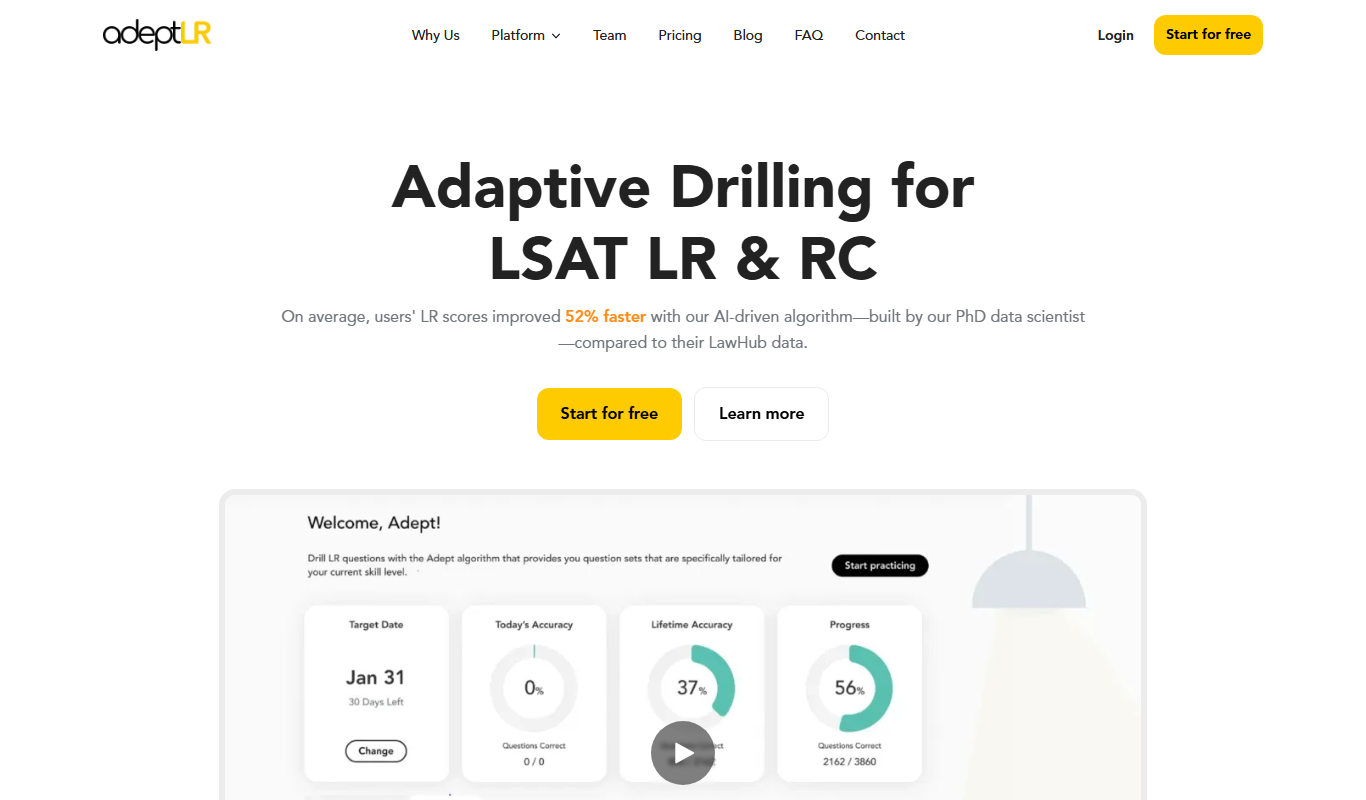
AdeptLR
AdeptLR is an AI-driven corporate learning platform that personalizes employee training and manages compliance efficiently.

Free
mindspore.cn
MindSpore is an open-source deep learning framework by Huawei that supports flexible AI model development, distributed training, and deployment on cloud and edge devices.

Freemium
Cognito
Cognito is an online education platform that allows educators to create interactive quizzes and surveys, track responses in real-time, and analyze student performance to support effective learning.