

Zwift Virtual Cycling and Running Platform for Indoor Training and Fitness
Zwift is an interactive virtual training platform that enables cyclists and runners to train indoors using smart trainers and sensors, offering immersive worlds, social rides, and structured workouts.
- Best for
- Indoor Cycling Training
- Key capability
- Immersive Virtual Worlds
Save Zwift, follow its updates and vote on it — everything stays in your account.
Sign in or create a free account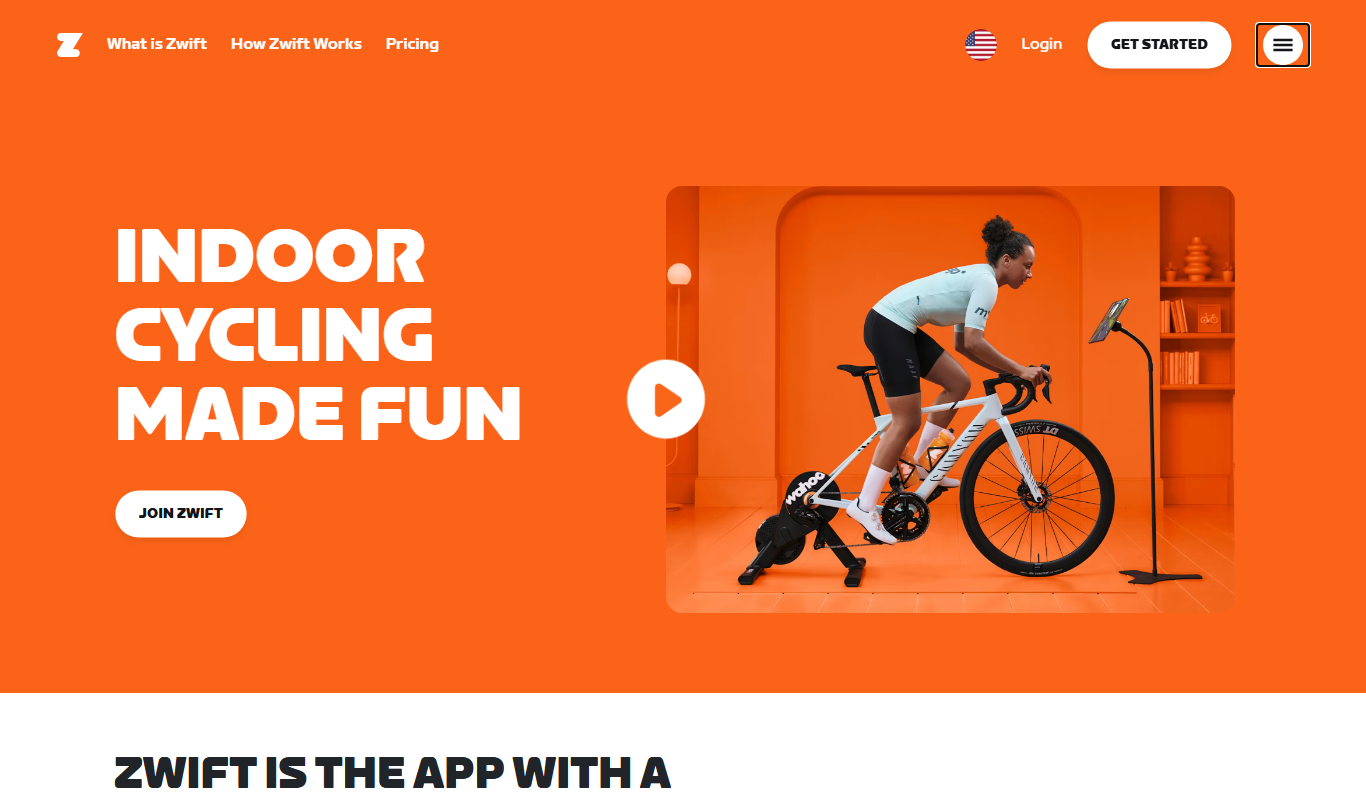
What is Zwift?
Zwift is an interactive online platform that combines cycling and running with video game technology to create immersive indoor training experiences. It connects to smart trainers, treadmills, and sensors to simulate real-world riding and running environments, allowing users to train, compete, and socialize virtually.
Key features of Zwift
Zwift offers virtual worlds, real-time performance tracking, social riding and running, structured workouts, and gamified fitness elements to enhance indoor training motivation and effectiveness.
Immersive Virtual Worlds
Multiple detailed maps and courses that simulate real-world and fantasy environments.
Real-Time Performance Metrics
Displays speed, power, cadence, heart rate, and other data during workouts.
Social Interaction
Chat, group rides, races, and events to connect with a global fitness community.
Structured Training Plans
Customizable workouts and plans designed by professional coaches.
Gamification Elements
Leveling, achievements, unlockable gear, and challenges to motivate users.
Pros and cons of Zwift
Pros
- Highly immersive and motivating virtual environments
- Strong social and community features
- Comprehensive training plans and workouts
- Compatible with a wide range of devices and sensors
Cons
- Requires compatible hardware for full experience
- Subscription cost may be a barrier for some users
- Can be demanding on device performance
Key use cases for Zwift
Indoor Cycling Training
Users can connect smart trainers or sensors to Zwift to simulate outdoor cycling indoors with immersive virtual routes and real-time metrics.
Virtual Running Workouts
Runners can use foot pods or GPS watches to run in virtual worlds, tracking pace and distance while engaging with other runners.
Group Rides and Races
Zwift offers social features allowing users to join group rides, races, and events to compete or train with others worldwide.
Fitness Gamification
The platform gamifies fitness by offering achievements, leveling up, and unlocking new routes and gear to motivate consistent training.
Structured Training Plans
Zwift provides customizable training plans and workouts designed by professional coaches to improve cycling and running performance.
How Zwift works
- 1
Set Up Equipment
Connect your smart trainer, treadmill, or sensors to Zwift via Bluetooth or ANT+.
- 2
Create an Account
Sign up for Zwift and choose a subscription plan.
- 3
Select a Virtual World
Choose from various immersive maps and routes to ride or run.
- 4
Start Training or Racing
Begin your workout, join group rides, or participate in races with other users.
- 5
Track Progress
Monitor your performance metrics and earn achievements.
Who is using Zwift
Zwift pricing
Monthly Subscription
$19.99/month
Full access to all features with monthly billing.
Annual Subscription
$199.99/year
Discounted yearly plan with full platform access.
Plans and prices are as published by the vendor and can change. Check the official site before you buy. Open the pricing page (opens in a new tab)
Frequently asked questions about Zwift
You need a smart trainer or sensors compatible with Zwift, such as power meters or foot pods, and a device to run the app like a PC, Mac, or smartphone.
Yes, you can use a speed sensor or run in ‘free ride’ mode, but some features like power-based workouts require a smart trainer.
Absolutely, Zwift offers beginner-friendly workouts and social rides to help new users get started.
Yes, Zwift supports virtual running with compatible treadmills or foot pods.
It depends on your specific needs and how you plan to use the tool. The official website and documentation are the best sources for the latest details.
Yes, it can help with that use case depending on how you configure it and what features are available. You’ll get the best results with clear inputs and a defined goal.
It depends on your specific needs and how you plan to use the tool. The official website and documentation are the best sources for the latest details.
Pricing depends on the plan and included features. For the most accurate and up-to-date details, check the official pricing page.
Conclusion
Hardware comes first: a smart trainer, treadmill or sensors connect to the Zwift app over Bluetooth or ANT+. Riders and runners then pick a map or route in an immersive virtual world and begin a workout, join group rides or take part in races. Speed, power, cadence and heart rate are displayed during each workout. A speed sensor or free ride mode works without a smart trainer, although power-based workouts require one.
Leveling up, achievements, new routes and gear are meant to motivate consistent training, next to plans designed by professional coaches. The app runs on a PC, Mac or smartphone. In the United States, the subscription costs $19.99/month or $199.99/year.
Sources
Sign in to review this tool.
Sign In to ReviewNo reviews yet
Be the first to share how this tool worked for you.
Ask about pricing, limits, or how it compares — or answer someone else.
Sign In to AskNo questions yet
Have a question about using or paying for this tool? Be the first to ask.
Featured on TiorAI



Alternative Tools
Explore similar AI tools that might fit your needs

TrainerRoad
TrainerRoad is a cycling training platform that provides structured workouts, personalized training plans, and smart trainer integration to help cyclists improve endurance, power, and speed.
More AI Fitness tools
Other tools in the same category, for when this one is not quite the fit.
AllTrails
AllTrails is an app that helps users find, navigate, and track hiking and outdoor trails with GPS, offline maps, and community reviews.

BridgeAthletic
BridgeAthletic is a sports performance platform that helps coaches design personalized training programs, monitor athlete progress, and prevent injuries through data-driven insights.

Runkeeper
Runkeeper is a GPS fitness app that tracks running, walking, and workouts, offering personalized training plans and social features to help users reach their fitness goals.

Nike Run Club
Nike Run Club is a free mobile app by Nike that provides GPS run tracking, personalized coaching plans, and social features to motivate runners of all levels.

Zero Fasting App
Zero Fasting App is a mobile and web-based intermittent fasting tracker that offers customizable fasting timers, personalized coaching, and health data integration to support users in maintaining fasting routines and improving wellness.

Dexcom
Dexcom is a continuous glucose monitoring system that provides real-time glucose readings, customizable alerts, and remote data sharing to help people with diabetes manage their condition effectively.

Etekcity Food Scale
The Etekcity Food Scale is a digital kitchen scale designed for precise measurement of food ingredients, supporting multiple units and featuring a tare function for accurate portion control.

MyTherapy
MyTherapy is a free medication reminder and health tracking app designed to help people manage chronic illnesses by providing timely medication alerts, symptom tracking, and health report generation.