

Runkeeper GPS Running App for Tracking Workouts and Fitness Progress
Runkeeper is a GPS fitness app that tracks running, walking, and workouts, offering personalized training plans and social features to help users reach their fitness goals.
- Best for
- Running and Walking Tracking
- Key capability
- GPS Workout Tracking
Save Runkeeper, follow its updates and vote on it — everything stays in your account.
Sign in or create a free account
What is Runkeeper?
Runkeeper is a GPS-based fitness tracking app designed to help users monitor and improve their running, walking, and other workout activities. It provides real-time stats, personalized training plans, and social features to motivate users toward their fitness goals.
Key features of Runkeeper
Runkeeper offers GPS tracking, customizable training plans, progress analytics, social sharing, and integration with wearable devices to provide a comprehensive fitness experience.
GPS Workout Tracking
Accurately track distance, pace, and routes for various fitness activities.
Custom Training Plans
Receive tailored workout plans based on your fitness level and goals.
Progress Insights
Visualize your improvements with detailed statistics and historical data.
Social and Community Features
Engage with friends, participate in challenges, and stay motivated.
Wearable Device Integration
Sync with devices like Apple Watch, Fitbit, and others for enhanced tracking.
Pros and cons of Runkeeper
Pros
- Accurate GPS tracking for multiple activities
- User-friendly interface with clear stats
- Strong community and social motivation features
- Personalized training plans for various fitness levels
Cons
- Some advanced features require paid subscription
- Occasional GPS inaccuracies in dense urban areas
- Limited support for non-running activities compared to specialized apps
Key use cases for Runkeeper
Running and Walking Tracking
Track distance, pace, and routes for running, jogging, and walking workouts using GPS.
Personalized Training Plans
Access customized training plans tailored to your fitness goals and schedule.
Progress Monitoring
Monitor your fitness progress over time with detailed statistics and insights.
Social Sharing and Challenges
Share workouts with friends, join challenges, and stay motivated through community features.
Integration with Wearables
Sync data with popular fitness devices and apps for comprehensive health tracking.
How Runkeeper works
- 1
Download and Install
Get the Runkeeper app from the App Store or Google Play and install it on your device.
- 2
Create an Account
Sign up using email or social media accounts to start tracking your workouts.
- 3
Set Your Fitness Goals
Define your running or walking goals to receive personalized training plans.
- 4
Start Tracking Workouts
Use GPS to track your distance, pace, and route during workouts.
- 5
Review Progress and Share
Analyze your workout data, join challenges, and share achievements with friends.
Who is using Runkeeper
Runkeeper pricing
Free
$0/month
Basic GPS tracking and workout logging with access to community features.
Runkeeper Go
$9.99/month
Includes personalized coaching, live tracking, and advanced insights.
Plans and prices are as published by the vendor and can change. Check the official site before you buy. Open the pricing page (opens in a new tab)
Frequently asked questions about Runkeeper
Yes, Runkeeper offers a free version with essential tracking features. Premium features require a subscription.
Yes, GPS tracking works offline, but some features like social sharing require internet access.
Yes, it supports integration with popular wearables such as Apple Watch and Fitbit.
Runkeeper Go subscribers can access personalized training plans tailored to their goals.
It depends on your specific needs and how you plan to use the tool. The official website and documentation are the best sources for the latest details.
Some tools offer a free plan or trial with limited features. Availability can vary, so confirm on the official website.
It depends on your specific needs and how you plan to use the tool. The official website and documentation are the best sources for the latest details.
Conclusion
Users download the app from the App Store or Google Play and sign up with email or social media accounts to start tracking workouts. In Runkeeper, users define running or walking goals to receive personalized training plans based on their fitness level. Those custom plans are part of the Runkeeper Go subscription, while the free version covers basic GPS tracking, workout logging and community features. Go subscribers also get live tracking and advanced insights. During a workout, GPS tracks distance, pace and route, and GPS tracking works offline, although social sharing requires internet access.
Detailed statistics and historical data visualize improvements over time for fitness enthusiasts seeking progress tracking. Community features let users engage with friends, participate in challenges and share achievements, which is meant to keep them motivated. Workout data can also sync with wearables such as Apple Watch and Fitbit. It is also aimed at casual runners and walkers and at users looking for personalized training plans. Runkeeper is available on iOS, Android and the web. Its limits include occasional GPS inaccuracies in dense urban areas and more limited support for non-running activities than specialized apps offer.
Sources
Sign in to review this tool.
Sign In to ReviewNo reviews yet
Be the first to share how this tool worked for you.
Ask about pricing, limits, or how it compares — or answer someone else.
Sign In to AskNo questions yet
Have a question about using or paying for this tool? Be the first to ask.
Featured on TiorAI



Alternative Tools
Explore similar AI tools that might fit your needs

Strava
Strava is a fitness tracking app that uses GPS to monitor running, cycling, and other activities, offering social networking and performance analytics.

Nike Run Club
Nike Run Club is a free mobile app by Nike that provides GPS run tracking, personalized coaching plans, and social features to motivate runners of all levels.
More AI Fitness tools
Other tools in the same category, for when this one is not quite the fit.
AllTrails
AllTrails is an app that helps users find, navigate, and track hiking and outdoor trails with GPS, offline maps, and community reviews.

BridgeAthletic
BridgeAthletic is a sports performance platform that helps coaches design personalized training programs, monitor athlete progress, and prevent injuries through data-driven insights.

Zero Fasting App
Zero Fasting App is a mobile and web-based intermittent fasting tracker that offers customizable fasting timers, personalized coaching, and health data integration to support users in maintaining fasting routines and improving wellness.

Dexcom
Dexcom is a continuous glucose monitoring system that provides real-time glucose readings, customizable alerts, and remote data sharing to help people with diabetes manage their condition effectively.

Etekcity Food Scale
The Etekcity Food Scale is a digital kitchen scale designed for precise measurement of food ingredients, supporting multiple units and featuring a tare function for accurate portion control.

MyTherapy
MyTherapy is a free medication reminder and health tracking app designed to help people manage chronic illnesses by providing timely medication alerts, symptom tracking, and health report generation.

Medisafe
Medisafe is a medication management app that provides personalized reminders, drug interaction warnings, and health tracking to help users take medications safely and on time.
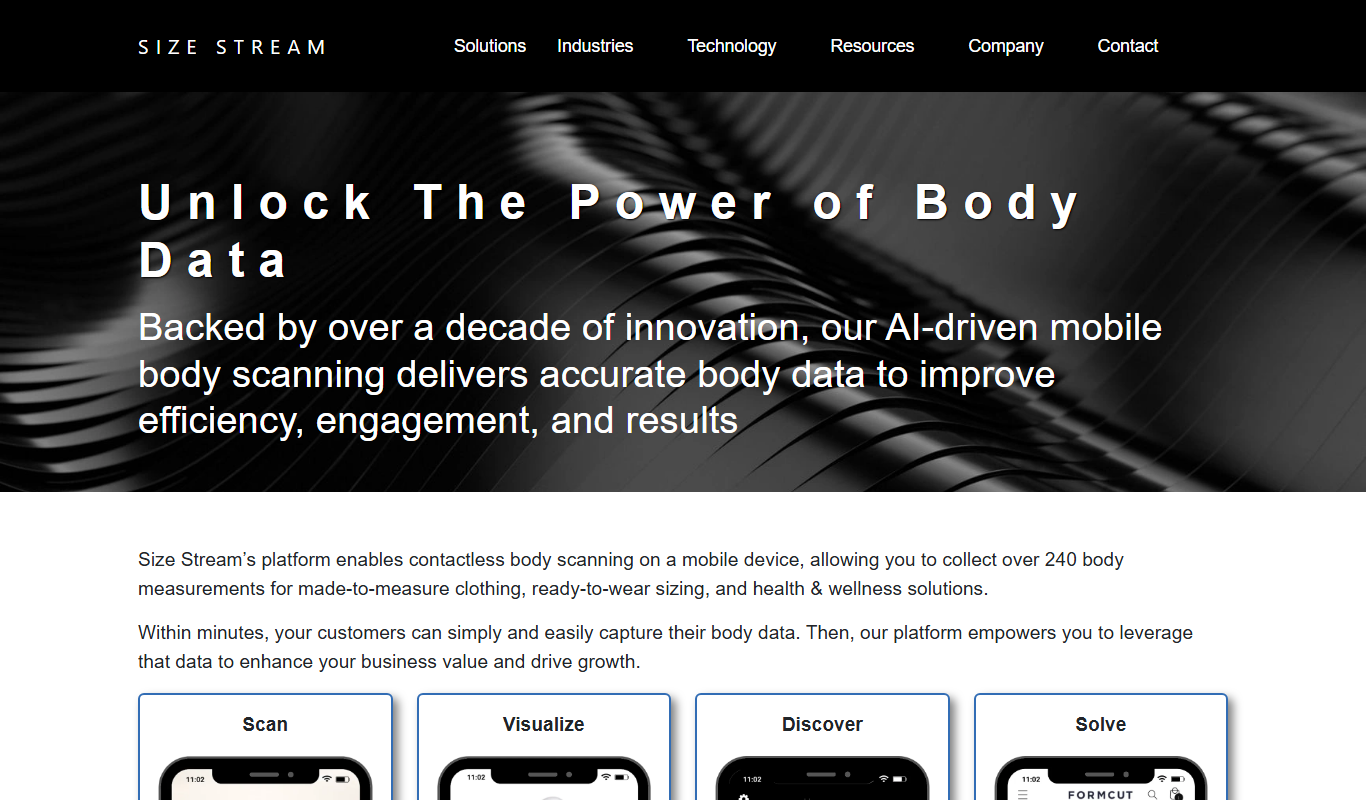
Size Stream
Size Stream is a 3D body scanning platform that captures precise body measurements and creates digital avatars for apparel fitting, health tracking, and virtual try-on applications.