

Yappir AI Chatbot Platform for Customer Support and Engagement
Yappir is a chatbot builder that scans your website and uses its contents to answer customer questions, with a bot that can be embedded on your site.
- Best for
- Customer Support Automation
- Key capability
- No-Code Chatbot Builder
Save Yappir, follow its updates and vote on it — everything stays in your account.
Sign in or create a free account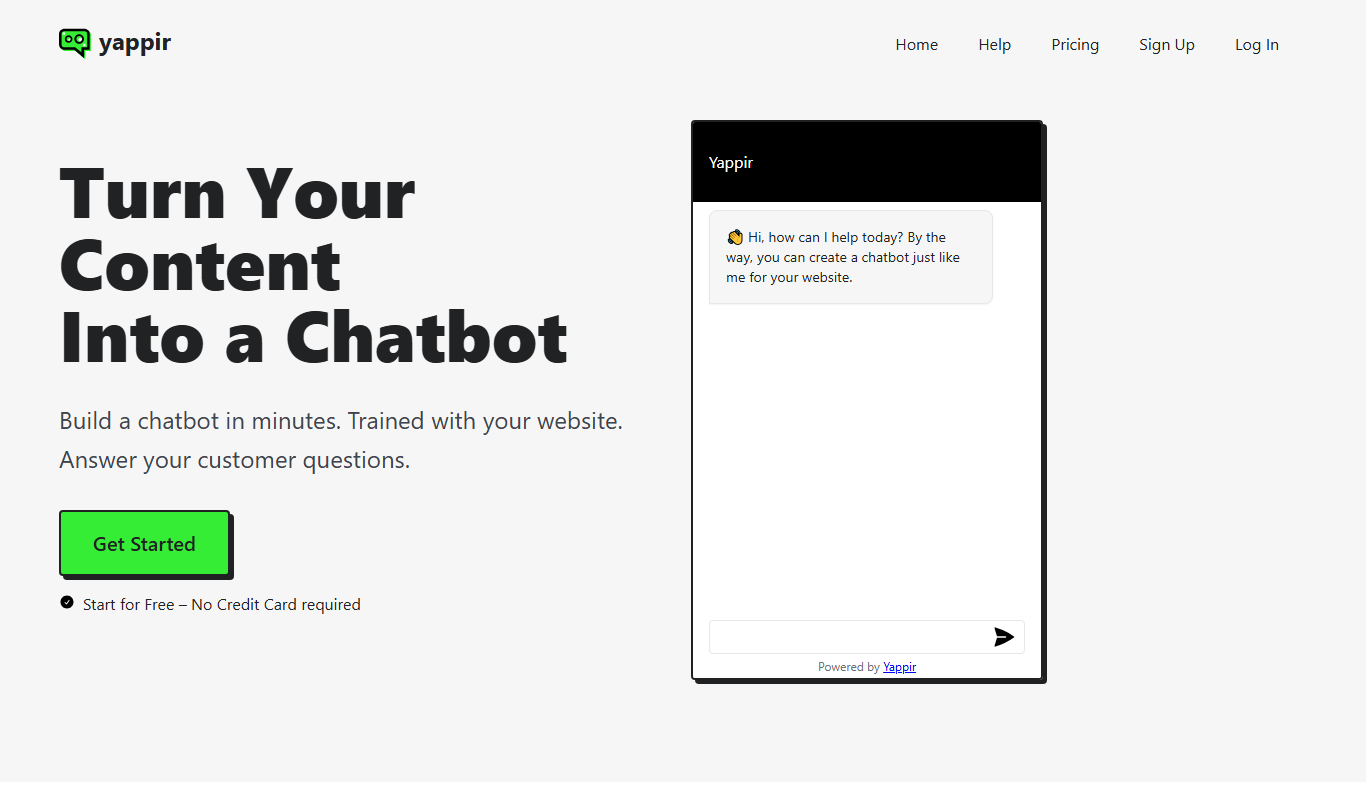
What is Yappir?
Yappir is a chatbot builder trained on your data that can be embedded on your site. Give Yappir your website and it scans the contents, which the bot then uses to generate answers.
Key features of Yappir
Yappir offers features such as no-code chatbot builder, multi-channel deployment, AI-driven natural language understanding, analytics dashboard, and integration capabilities with popular business tools.
No-Code Chatbot Builder
Create and customize chatbots easily without programming knowledge.
Multi-Channel Support
Deploy chatbots across websites, social media, and messaging apps.
AI Natural Language Processing
Understand and respond to user queries with AI-driven language understanding.
Analytics Dashboard
Gain insights into chatbot interactions and user behavior.
Third-Party Integrations
Connect with CRM, email marketing, and other business tools.
Pros and cons of Yappir
Pros
- User-friendly no-code chatbot builder
- Supports multiple messaging platforms
- AI-powered natural language understanding
- Comprehensive analytics for performance tracking
- Free tier with no credit card required
Cons
- Limited language support beyond English
- Some advanced features require higher-tier plans
- No dedicated mobile app for chatbot management
Key use cases for Yappir
Customer Support Automation
Automate responses to common customer queries to reduce support workload and improve response times.
Lead Generation
Engage website visitors with conversational AI to capture leads and qualify prospects automatically.
E-commerce Assistance
Provide instant product recommendations, order tracking, and FAQs to enhance the shopping experience.
Appointment Scheduling
Allow customers to book appointments or meetings directly through chatbot conversations.
Feedback Collection
Gather customer feedback and satisfaction ratings seamlessly via chatbot interactions.
How Yappir works
- 1
Sign Up
Create an account on Yappir’s platform to access the chatbot builder.
- 2
Design Chatbot
Use the no-code interface to create conversation flows and define chatbot responses.
- 3
Integrate Channels
Deploy the chatbot on your website, Facebook Messenger, WhatsApp, or other supported platforms.
- 4
Train AI
Enhance chatbot understanding by training it with sample questions and answers.
- 5
Monitor & Optimize
Track chatbot performance through analytics and refine conversations for better results.
Who is using Yappir
Yappir pricing
Free
$0 USD/month
Create 1 chatbot, up to 10 pages, 100 requests per day.
Essential
$19 USD/month
Create 2 chatbots, up to 200 pages.
Enhanced
$49 USD/month
Create 5 chatbots, up to 500 pages.
Elite
$99 USD/month
Create 10 chatbots, up to 1000 pages.
Plans and prices are as published by the vendor and can change. Check the official site before you buy. Open the pricing page (opens in a new tab)
Frequently asked questions about Yappir
No, Yappir provides a no-code chatbot builder that allows anyone to create chatbots easily.
You can deploy chatbots on websites, Facebook Messenger, WhatsApp, and other supported messaging channels.
Yappir offers a free tier with no credit card required.
No. Yappir supports 95 languages, and sources and questions can be in any of the supported languages with no translation required.
This tool is designed to help users accomplish its core tasks more efficiently. It is typically used by individuals or teams looking to improve productivity and workflow.
Yes, it can help with that use case depending on how you configure it and what features are available. You’ll get the best results with clear inputs and a defined goal.
Some tools offer a free plan or trial with limited features. Availability can vary, so confirm on the official website.
It depends on your specific needs and how you plan to use the tool. The official website and documentation are the best sources for the latest details.
Conclusion
Website content is the raw material here: the bot scans a site’s pages and uses them to generate answers to customer questions. The finished chatbot can be customized to match a brand and embedded on the site, or used as a private chatbot without installing it anywhere. Sources and questions can be in any of 95 supported languages, with no translation required.
Each plan sets how many chatbots can be created and up to how many pages they use. A free tier with no credit card covers one chatbot on up to 10 pages with a daily request cap, while the top plan allows 10 chatbots. Users can upgrade or cancel at anytime.
Sources
Sign in to review this tool.
Sign In to ReviewNo reviews yet
Be the first to share how this tool worked for you.
Ask about pricing, limits, or how it compares — or answer someone else.
Sign In to AskNo questions yet
Have a question about using or paying for this tool? Be the first to ask.
Featured on TiorAI



More AI Automation & Workflow Tools tools
Other tools in the same category, for when this one is not quite the fit.

Remagine AI
Remagine AI is a web-based platform that uses artificial intelligence to generate marketing content and automate marketing workflows, helping businesses create SEO-friendly and brand-consistent materials efficiently.

Postly
Postly is an AI social media and blog scheduler that publishes across social media, blogs and email, with Postly CRM, Bio Pages and Analytics in one workspace.

Emly Labs
Emly Labs offers a no-code AI framework to build AI chatbots and predictive AI models and to prepare data.

Midjourney API
Midjourney API is available through TTAPI, which gives access to Midjourney and 100+ AI models through one unified REST API with one API key, one balance and pay as you go billing.

Socialdude.ai
Socialdude.ai uses 15 hyper-personalized AI Agents to instantly generate tailored social media content from a selected feature and a description of your audience and business.

lempod.com
Lempod is a LinkedIn engagement automation tool that uses engagement pods to increase likes and comments on your posts, helping grow your network and visibility organically.

Leadlister
Leadlister turns a plain-language description of your perfect lead into a hyper-targeted, verified and CRM-ready list of prospects.

Agent Crop
Agent Crop uses computer vision to detect crop diseases and identify plants from photos, with recommended treatments for detected issues.