

From my experience with Wordcloud Generator, I found it excels at providing a straightforward, no-frills way to create visually appealing word clouds quickly. Its ease of use and customization options make it ideal for educators, marketers, and anyone needing to visualize text data without technical barriers. However, it lacks advanced analytics or integration capabilities that power users might seek. Overall, if you want a free, web-based tool to generate attractive word clouds for presentations or social media, this tool delivers solid results with minimal effort.
Free Online Wordcloud Generator Tool for Custom Text Visualization
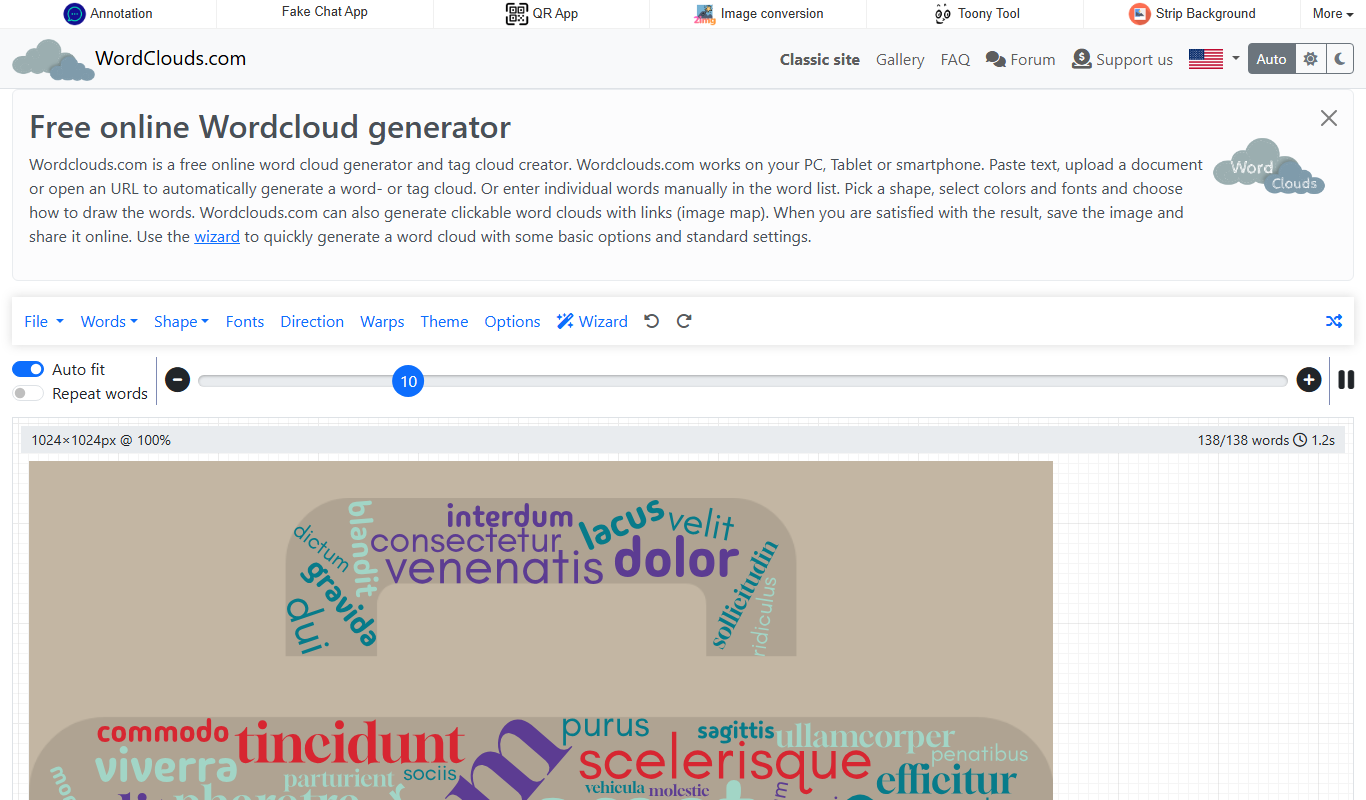
Wordcloud Generator is a free online tool that creates customizable word clouds from text input, allowing users to visualize word frequency with various shapes and styles.
What is Wordcloud Generator?
Wordcloud Generator is a free, web-based tool that allows users to create customizable word clouds from any text input. It visually represents word frequency by varying word size and color, making it easier to identify prominent terms in a body of text. The tool supports multiple customization options including shape, font, color schemes, and layout to tailor the word cloud to specific needs.
Key features of Wordcloud Generator
The tool offers an intuitive interface for generating word clouds quickly without requiring software installation. Users can paste or upload text, adjust visual parameters, and download the resulting image in various formats. It supports filtering common words, setting word limits, and choosing from multiple shapes and color palettes to create visually appealing word clouds.
Multiple Shape Options
Choose from various shapes such as circles, hearts, stars, and custom masks.
Customizable Fonts and Colors
Adjust font styles and color palettes to match branding or personal preferences.
Stop Words Filtering
Automatically exclude common words to focus on meaningful terms.
High-Resolution Downloads
Export word clouds in high-quality image formats suitable for print and digital use.
No Registration Required
Use the tool instantly without creating an account or installing software.
Pros and cons of Wordcloud Generator
Pros
- Completely free with no signup required
- Highly customizable word cloud appearance
- Supports multiple download formats including vector SVG
- User-friendly and fast web interface
- Useful for a wide range of text visualization needs
Cons
- No mobile app version available
- Limited language support (primarily English)
- No advanced analytics or integration features
Who is using Wordcloud Generator
Educators and students
Content creators and marketers
Data analysts and researchers
Graphic designers
Social media managers
Wordcloud Generator pricing
Free
$0
Full access to all features with no cost or signup required.
Plans and prices are as published by the vendor and can change. Check the official site before you buy. Open the pricing page (opens in a new tab)
Sign in to review this tool.
No reviews yet
Be the first to share how this tool worked for you.
Ask about pricing, limits, or how it compares — or answer someone else.
No questions yet
Have a question about using or paying for this tool? Be the first to ask.
Featured on TiorAI



More Art & Creative Design tools
Other tools in the same category, for when this one is not quite the fit.

Free
Runway ML
Runway ML is a cloud platform offering AI-powered video and image editing tools, enabling creators to automate complex tasks like green screen removal and style transfer, with real-time collaboration and API integration.

Free
Daz 3D
Daz 3D is a free-to-use 3D modeling and animation software that provides a vast library of customizable digital characters and assets, enabling artists and developers to create photorealistic renders and animations.

Free
Prompt Hero
Prompt Hero is a web platform that provides a marketplace and community for discovering, sharing, and selling AI prompts used in text-to-image generation with popular AI art models.

Free
Gencraft
Gencraft is an AI-powered tool that generates digital artwork from text prompts, enabling users to create unique images quickly and easily.

Freemium
Asana AI
Asana AI is an AI-powered extension of the Asana platform that automates task creation, workflow management, and provides predictive analytics to improve project efficiency.

Free Trial
Monday.com AI
monday.com AI is a work operating system that uses AI to automate workflows, enhance project management, and improve team collaboration across platforms.

Freemium
ClickUp AI
ClickUp AI is an AI assistant integrated into the ClickUp platform that automates project management tasks, generates content, and optimizes workflows to enhance team productivity.

Free
Brandmark
Brandmark is an AI-driven logo maker and brand design tool that generates unique logos and brand kits to help businesses establish a professional visual identity quickly and easily.