

From my experience with Word Changer, I found it excels at quickly replacing words with synonyms to help diversify text without complex editing. The tool’s simplicity and free access make it ideal for students, bloggers, and anyone needing fast content variation. However, it lacks advanced grammar checks and sometimes synonym choices may not perfectly fit the context, so manual review is necessary. Overall, if you need a straightforward, no-cost tool for basic text rewriting and vocabulary variety, Word Changer delivers practical results efficiently.
Word Changer Online Tool for Text Rephrasing and Synonym Replacement
Word Changer is a free online tool that helps rewrite text by replacing words with synonyms to improve writing variety and uniqueness.
- Best for
- Content Rewriting
- Key capability
- Synonym Replacement
Your actions
Save Word Changer, follow its updates and vote on it — everything stays in your account.
Sign in or create a free account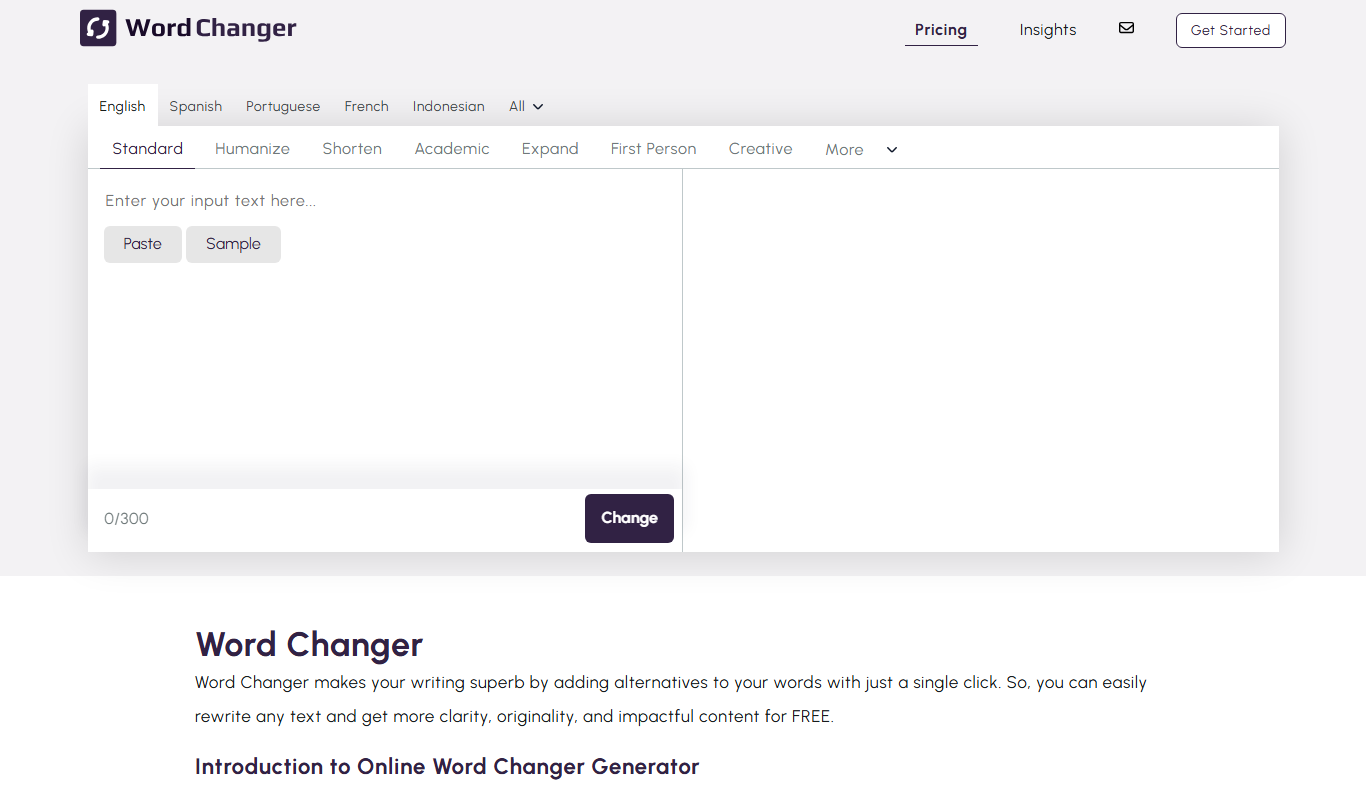
What is Word Changer?
Word Changer is a free online text editing tool designed to help users rewrite text by replacing words with synonyms. It provides a simple interface where users can input text and receive suggestions for alternative words to improve readability, avoid repetition, or create unique content. The tool is useful for writers, students, and content creators looking to enhance their writing quickly without extensive manual editing.
Key features of Word Changer
The tool offers instant synonym replacement, easy text input and output, and supports multiple paragraphs. It focuses on simplicity and speed, allowing users to quickly generate alternative versions of their text to improve clarity and originality.
Synonym Replacement
Automatically replaces words with suitable synonyms to change text wording.
Simple User Interface
Clean and straightforward interface for quick text input and output.
Free to Use
No registration or payment required to access the tool.
Supports Multiple Paragraphs
Can process longer texts with multiple paragraphs for comprehensive rewriting.
Pros and cons of Word Changer
Pros
- Easy and fast synonym replacement
- No cost or signup required
- Supports multiple paragraphs
- User-friendly interface
Cons
- Limited to English language
- No advanced editing or grammar checking
- Synonym suggestions may not always fit context perfectly
Key use cases for Word Changer
Content Rewriting
Helps users rewrite sentences or paragraphs by replacing words with synonyms to create unique content.
Improving Text Variety
Allows writers to diversify their vocabulary and avoid repetition in their writing.
Educational Assistance
Supports students and language learners in understanding alternative word choices and improving writing skills.
SEO Content Optimization
Enables content creators to generate varied text versions for SEO purposes without changing the original meaning.
How Word Changer works
- 1
Enter Text
Paste or type the text you want to modify into the input box.
- 2
Process Text
Click the button to generate synonyms and replace words automatically.
- 3
Review and Edit
Review the output text and make manual adjustments if needed.
- 4
Copy or Export
Copy the rewritten text for use in your projects or documents.
Who is using Word Changer
Students and educators
Content writers and bloggers
SEO specialists
Language learners
Word Changer pricing
Free
$0
Full access to all features without any cost or subscription.
Plans and prices are as published by the vendor and can change. Check the official site before you buy. Open the pricing page (opens in a new tab)
Frequently asked questions about Word Changer
Yes, Word Changer is completely free and does not require any payment.
No account or registration is needed to use Word Changer.
Yes, the tool supports multiple paragraphs and longer text inputs.
Word Changer replaces words with synonyms but does not guarantee plagiarism-free content; users should verify originality.
It depends on your specific needs and how you plan to use the tool. The official website and documentation are the best sources for the latest details.
Some tools offer a free plan or trial with limited features. Availability can vary, so confirm on the official website.
Yes, it can help with that use case depending on how you configure it and what features are available. You’ll get the best results with clear inputs and a defined goal.
Yes, it can help with that use case depending on how you configure it and what features are available. You’ll get the best results with clear inputs and a defined goal.
Sign in to review this tool.
Sign In to ReviewNo reviews yet
Be the first to share how this tool worked for you.
Ask about pricing, limits, or how it compares — or answer someone else.
Sign In to AskNo questions yet
Have a question about using or paying for this tool? Be the first to ask.
Featured on TiorAI



More AI Content Editing Tools tools
Other tools in the same category, for when this one is not quite the fit.

Subscription
Fixkey
Fixkey is a native Mac writing assistant that turns typed or spoken text into polished writing in any app, with AI rewrites, speech-to-text and translation.

Freemium
ToneShift
ToneShift is an AI writing assistant that helps users adjust the tone and style of their text quickly and effectively, supporting multiple tone presets and real-time rewriting.