

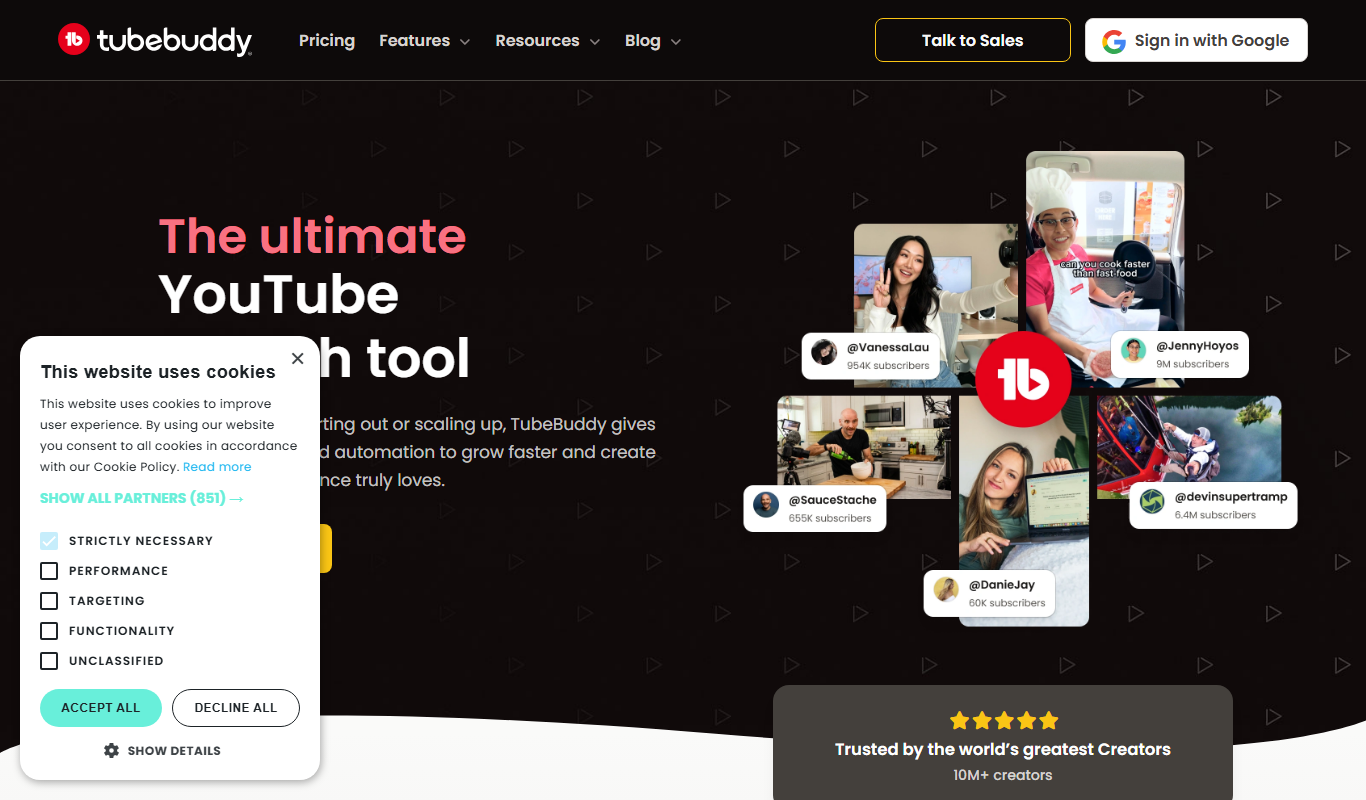
From my experience with TubeBuddy, it stands out as a practical and deeply integrated tool for YouTube creators aiming to optimize their video content and grow their channels efficiently. The seamless integration within YouTube Studio and the variety of features like keyword research, bulk processing, and A/B testing make it a valuable asset for creators serious about SEO and audience engagement. However, some of the more powerful features require paid subscriptions, which might be a consideration for beginners. Overall, TubeBuddy delivers a robust solution for managing and scaling YouTube channels with real-world usability.
TubeBuddy YouTube Channel Management Tool for Video SEO and Growth
TubeBuddy is a browser extension and web tool that helps YouTube creators optimize video SEO, manage channels, analyze competitors, and grow their audience through keyword research, bulk processing, and A/B testing.
- Best for
- YouTube Video SEO Optimization
- Key capability
- Keyword Explorer
Your actions
Do you recommend this tool?
What is TubeBuddy?
TubeBuddy is a browser extension and web-based software designed to help YouTube creators manage, optimize, and grow their channels. It integrates directly into the YouTube interface, providing tools for video SEO, bulk processing, analytics, and competitor research to streamline content creation and improve channel performance.
Key features of TubeBuddy
TubeBuddy offers a suite of features including keyword research, tag suggestions, thumbnail generation, bulk video processing, A/B testing, competitor analysis, and detailed analytics dashboards to help creators optimize their videos and grow their audience effectively.
Keyword Explorer
Find high-performing keywords and tags to boost video discoverability.
Bulk Processing Tools
Edit cards, annotations, descriptions, and end screens across multiple videos at once.
A/B Testing
Test thumbnails, titles, and tags to determine what drives better engagement.
Competitor Scorecard
Compare your channel’s performance against competitors to identify growth opportunities.
Comment Moderation
Filter, respond to, and manage comments efficiently to engage with your audience.
Pros and cons of TubeBuddy
Pros
- Integrates seamlessly with YouTube Studio interface
- Comprehensive keyword and tag research tools
- Bulk processing saves time managing videos
- A/B testing helps optimize thumbnails and titles
- Competitor analysis provides actionable insights
Cons
- Some advanced features require higher-tier paid plans
- Browser extension only; no standalone desktop app
- Learning curve for beginners to use all features effectively
Key use cases for TubeBuddy
YouTube Video SEO Optimization
Optimize video titles, tags, and descriptions to improve search rankings and visibility on YouTube.
Channel Management and Growth
Manage multiple YouTube channels efficiently with bulk processing and productivity tools.
Competitor Analysis
Analyze competitor channels and videos to identify trends and opportunities for content improvement.
Thumbnail and Tag Suggestions
Get AI-driven suggestions for thumbnails and tags to increase click-through rates and engagement.
Audience Engagement Tracking
Monitor comments, respond efficiently, and track audience engagement metrics.
How TubeBuddy works
- 1
Install the Extension
Add the TubeBuddy browser extension to Chrome or Firefox and connect it to your YouTube account.
- 2
Access Tools on YouTube
Use TubeBuddy’s integrated tools directly within the YouTube Studio interface for seamless workflow.
- 3
Optimize Videos
Apply keyword research, tag suggestions, and thumbnail tools to improve video SEO.
- 4
Analyze and Grow
Track channel analytics, monitor competitors, and use bulk processing to manage content efficiently.
Who is using TubeBuddy
YouTube content creators
Digital marketers focusing on video
Small to medium-sized media companies
Social media managers
Video SEO specialists
TubeBuddy pricing
Free
$0/month
Basic tools including limited keyword research, tag suggestions, and video analytics.
Pro
$9/month
Access to advanced keyword tools, bulk processing, and productivity features.
Star
$19/month
Includes all Pro features plus competitor analysis, A/B testing, and enhanced analytics.
Legend
$49/month
Full access to all features including priority support and exclusive tools.
Plans and prices are as published by the vendor and can change. Check the official site before you buy. Open the pricing page (opens in a new tab)
Frequently asked questions about TubeBuddy
Yes, TubeBuddy is officially certified by YouTube and uses secure OAuth authentication.
Yes, TubeBuddy supports managing multiple channels from a single account.
Yes, there is a free plan with limited features to get started.
TubeBuddy is available as a browser extension for Chrome and Firefox.
It depends on your specific needs and how you plan to use the tool. The official website and documentation are the best sources for the latest details.
Some tools offer a free plan or trial with limited features. Availability can vary, so confirm on the official website.
It depends on your specific needs and how you plan to use the tool. The official website and documentation are the best sources for the latest details.
Yes, it can help with that use case depending on how you configure it and what features are available. You’ll get the best results with clear inputs and a defined goal.
Sign in to review this tool.
Sign In to ReviewNo reviews yet
Be the first to share how this tool worked for you.
Ask about pricing, limits, or how it compares — or answer someone else.
Sign In to AskNo questions yet
Have a question about using or paying for this tool? Be the first to ask.
Featured on TiorAI



Alternative Tools
Explore similar AI tools that might fit your needs

Freemium
Morningfame
Morningfame is a YouTube analytics platform that helps creators grow their channels by providing keyword research, personalized growth reports, and video SEO optimization recommendations.
More AI Data Mining tools
Other tools in the same category, for when this one is not quite the fit.
Freemium
Essense AI
Essense AI is an AI-driven platform that helps marketers and businesses generate SEO-optimized marketing content and automate campaign creation efficiently.

Free Trial
Rose AI
Rose AI is an AI-driven platform that automates data analytics and predictive modeling to help businesses extract actionable insights and optimize decision-making.

Custom Pricing
XenonStack
XenonStack is an enterprise technology company offering AI, cloud migration, cybersecurity, and DevOps automation services to help organizations modernize IT infrastructure and secure digital assets.

Free Trial
Trade Foresight
Trade Foresight is an AI-driven platform that aggregates global trade data to provide real-time analytics, forecasting, and market intelligence for importers, exporters, and trade analysts.

Free
Wand AI
Wand AI is an AI writing assistant that uses GPT-3 to help users generate creative and professional text content efficiently through a user-friendly web platform.

Freemium
NewsDeck (from OneSub)
NewsDeck is a web-based platform by OneSub that aggregates real-time news from multiple sources, offering customizable news streams and keyword alerts for efficient media monitoring and content curation.

Free Trial
5-Out
5-Out is an AI-driven sales assistant that automates cold email outreach, follow-ups, and lead qualification to help sales teams increase efficiency and conversion rates.

Free Trial
Seek
Seek AI is an AI-powered search and knowledge management platform that enables teams to quickly find and share information across multiple data sources using natural language queries.