

From my experience with Text-Speech.net, I found it excels at providing a straightforward, no-cost solution for converting text into speech with multiple language options. The platform’s simplicity makes it accessible for users who need quick audio generation without technical hurdles. It’s particularly well-suited for educators, content creators, and individuals with accessibility needs. However, the lack of advanced voice customization and absence of mobile apps can limit its use for more professional or on-the-go scenarios. Overall, if you want a free, easy-to-use online text to speech converter, Text-Speech.net delivers reliable results.
Text-Speech.net Free Online Text to Speech Converter with Multiple Voices
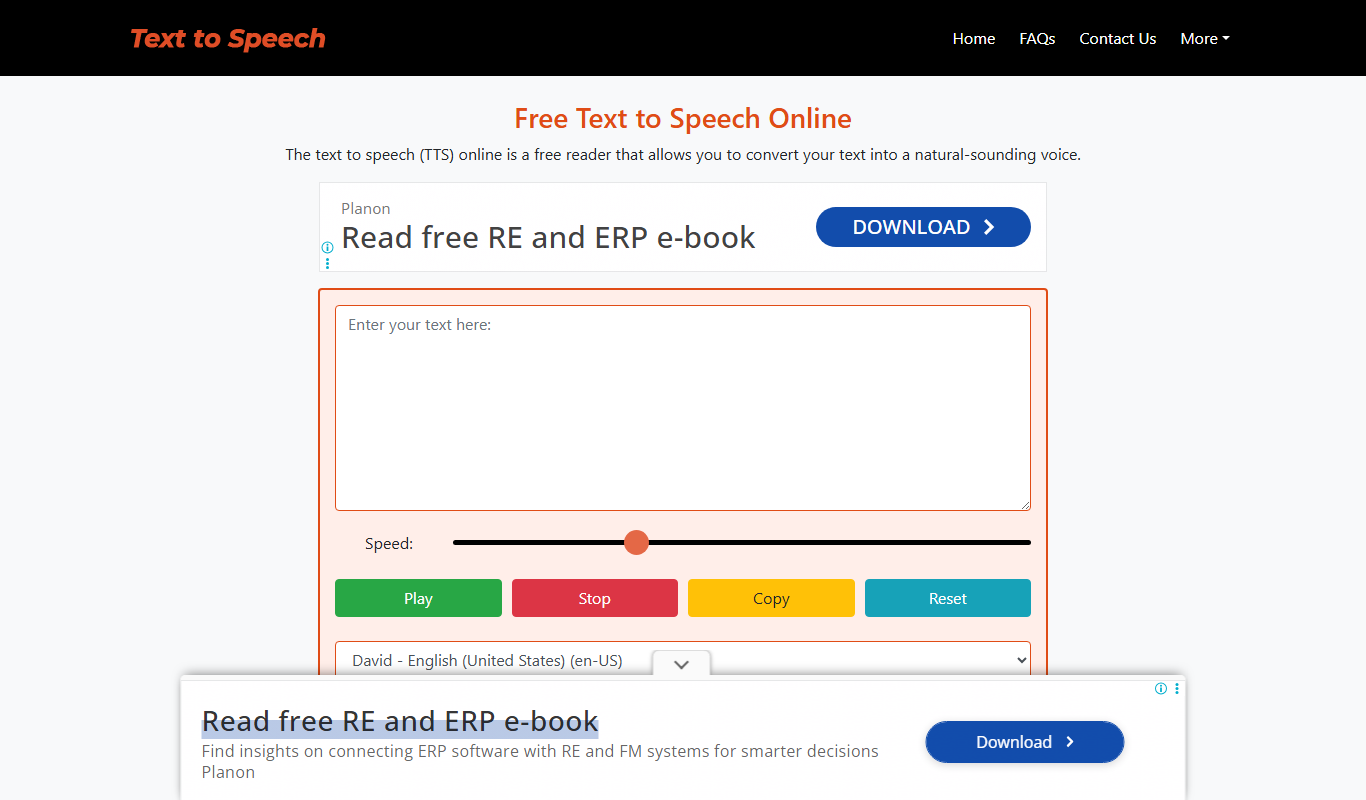
Text-Speech.net is a free web-based tool that converts written text into spoken audio in multiple languages with downloadable MP3 output.
- Best for
- Accessibility Enhancement
- Key capability
- Multiple Language Support

Do you recommend this tool?
What is text-speech.net?
Text-Speech.net is a free online text to speech converter that allows users to transform written text into natural-sounding audio. It supports multiple languages and voice options, enabling users to listen to their text in different accents and tones directly through a web browser without any software installation.
Key features of text-speech.net
The tool offers a simple interface for inputting text, selecting language and voice preferences, and generating audio output. Users can download the generated speech as MP3 files for offline use. It supports a wide range of languages and voice types, making it versatile for various applications.
Multiple Language Support
Offers text to speech conversion in over 10 languages with various voice options.
Free and No Registration
Users can access all features without signing up or paying any fees.
Downloadable Audio
Allows downloading of generated speech as MP3 files for offline listening.
Simple User Interface
Clean and straightforward web interface that requires no technical skills.
Pros and cons of text-speech.net
Pros
- Completely free with no registration required
- Supports multiple languages and voices
- Easy to use with a clean interface
- Allows downloading of audio files
Cons
- No mobile app or offline version available
- Limited customization options for voice parameters
Key use cases for text-speech.net
Accessibility Enhancement
Convert written content into spoken audio to assist users with reading difficulties or visual impairments.
Content Creation
Generate voiceovers for videos, podcasts, or presentations without needing professional recording equipment.
Language Learning
Practice pronunciation and listening skills by hearing text read aloud in multiple languages and voices.
Proofreading
Listen to written text to catch errors or awkward phrasing that might be missed when reading silently.
How text-speech.net works
- 1
Enter Text
Type or paste the text you want to convert into the input box on the website.
- 2
Select Language and Voice
Choose the desired language and voice from the available options to customize the speech output.
- 3
Generate Speech
Click the ‘Convert’ button to process the text and produce the audio.
- 4
Listen or Download
Play the generated speech directly on the site or download the MP3 file for later use.
Who is using text-speech.net
Students and educators
Content creators and marketers
People with visual impairments
Language learners
Podcasters and video producers
text-speech.net pricing
Free
$0
Unlimited access to text to speech conversion with all available voices and languages.
Plans and prices are as published by the vendor and can change. Check the official site before you buy. Open the pricing page (opens in a new tab)
Frequently asked questions about text-speech.net
No, the service is completely free and does not require registration.
Yes, you can download the speech output as MP3 files.
The tool supports multiple languages including English, Spanish, French, German, Italian, Portuguese, Russian, Chinese, Japanese, and Korean.
There is no clearly stated limit, but very large texts may need to be split into smaller parts.
Some tools offer a free plan or trial with limited features. Availability can vary, so confirm on the official website.
Yes, it can help with that use case depending on how you configure it and what features are available. You’ll get the best results with clear inputs and a defined goal.
Yes, it can help with that use case depending on how you configure it and what features are available. You’ll get the best results with clear inputs and a defined goal.
Sign in to review this tool.
Sign In to ReviewNo reviews yet
Be the first to share how this tool worked for you.
Ask about pricing, limits, or how it compares — or answer someone else.
Sign In to AskNo questions yet
Have a question about using or paying for this tool? Be the first to ask.
Featured on TiorAI



Alternative Tools
Explore similar AI tools that might fit your needs

Free
TTSReader
TTSReader is a free online text-to-speech tool that converts written text into natural sounding speech with multi-language support and audio export options.