

From my experience with StreamElements, I found it excels at providing a unified platform that simplifies live stream management for creators. Its free access to powerful overlay customization, chat bot automation, and monetization tools makes it especially valuable for small to medium streamers looking to grow their audience without upfront costs. However, some advanced analytics and customization features can be less intuitive for beginners, requiring a bit of learning. Overall, if you want an all-in-one, no-cost solution to enhance your live streaming setup, StreamElements delivers solid, reliable tools.
StreamElements Live Streaming Tools for Streamers and Content Creators
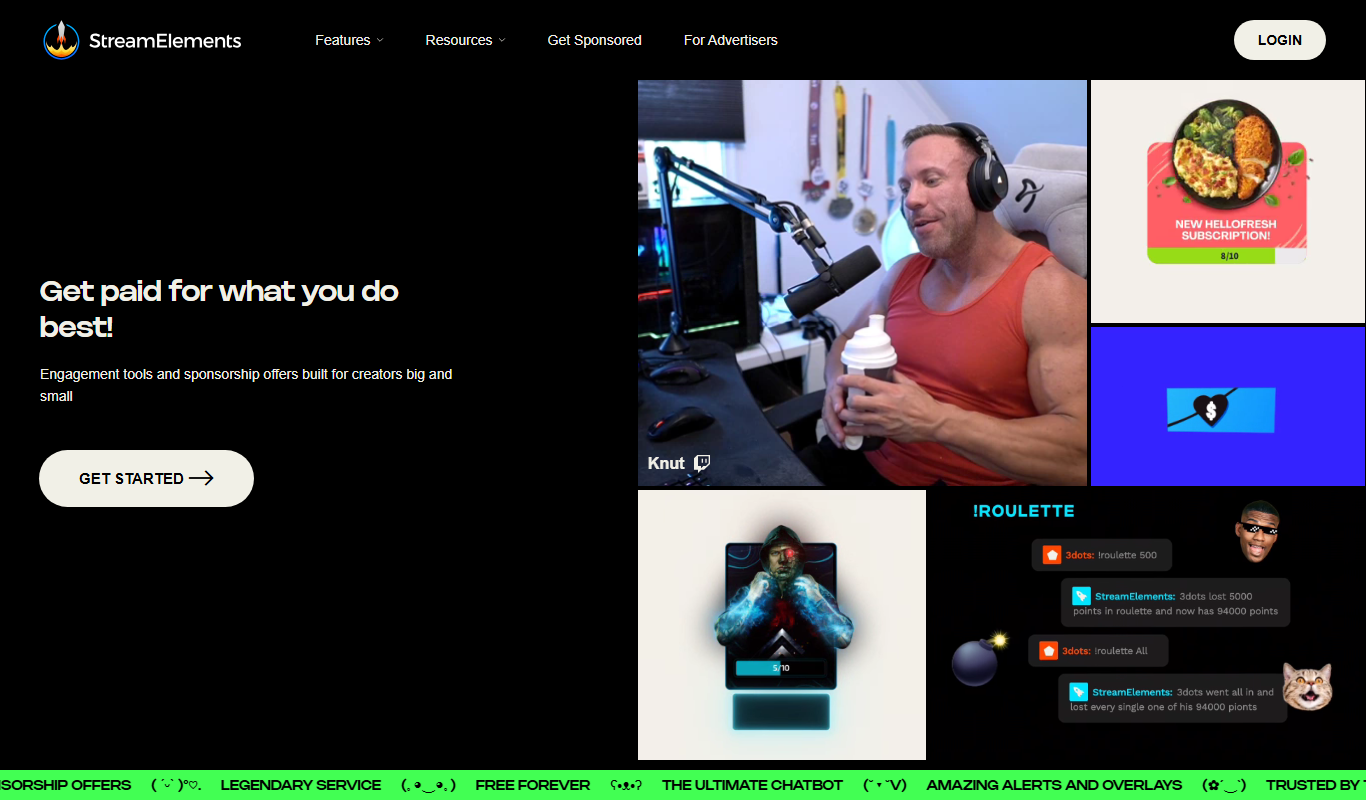
StreamElements is a free live streaming platform that provides streamers with customizable overlays, alerts, chat bots, and monetization features to enhance viewer engagement and grow their channels.
- Best for
- Live Stream Management
- Key capability
- Overlay and Alert Editor
Do you recommend this tool?
What is StreamElements?
StreamElements is a comprehensive live streaming platform designed to empower content creators and streamers. It offers an all-in-one suite of tools including overlays, alerts, chat bots, tipping systems, and analytics to help streamers manage and grow their channels effectively. The platform integrates seamlessly with popular streaming services like Twitch, YouTube, and Facebook Gaming, providing real-time engagement and monetization features.
Key features of StreamElements
Key features include customizable overlays and alerts, chat bot automation, loyalty and tipping systems, merchandise store integration, and detailed analytics dashboards. StreamElements centralizes stream management, enabling creators to focus on content while automating viewer interaction and revenue generation.
Overlay and Alert Editor
Drag-and-drop editor to create custom stream overlays and alert animations.
Chat Bot Automation
Automate chat moderation, commands, and viewer engagement with a powerful bot.
Tipping and Loyalty System
Enable viewers to tip and earn loyalty points redeemable for rewards.
Merchandise Store Integration
Sell branded merchandise directly through the platform to monetize your audience.
Real-Time Analytics
Access detailed metrics on viewer count, engagement, and revenue streams.
Pros and cons of StreamElements
Pros
- Comprehensive all-in-one streaming toolset
- Free to use with no hidden costs
- Easy overlay and alert customization
- Robust chat bot and engagement features
- Integrated monetization options
Cons
- Limited advanced analytics compared to paid platforms
- Customization options may have a learning curve for beginners
Key use cases for StreamElements
Live Stream Management
Manage and customize live streams with overlays, alerts, and chat moderation tools.
Audience Engagement
Engage viewers through interactive chat bots, loyalty programs, and real-time alerts.
Monetization
Monetize streams via tipping, merchandise integration, and sponsorship management.
Stream Analytics
Track viewer metrics and performance data to optimize streaming content.
Content Creation Support
Access tools for creating overlays, alerts, and widgets to enhance stream visuals.
How StreamElements works
- 1
Create an Account
Sign up on the StreamElements website using your streaming platform credentials.
- 2
Connect Streaming Channel
Link your Twitch, YouTube, or Facebook Gaming channel to StreamElements.
- 3
Customize Overlays and Alerts
Use the overlay editor to design stream visuals and set up real-time alerts.
- 4
Set Up Chat Bot and Loyalty Programs
Configure chat moderation and viewer engagement tools like loyalty points.
- 5
Go Live and Monitor
Start streaming with StreamElements tools active and monitor analytics for performance.
Who is using StreamElements
Live streamers on Twitch and YouTube
Content creators seeking monetization tools
Gaming streamers needing overlays and alerts
Small to medium streaming channels
Community managers and moderators
StreamElements pricing
Free
$0/month
Full access to all core features with no subscription fees.
Plans and prices are as published by the vendor and can change. Check the official site before you buy. Open the pricing page (opens in a new tab)
Frequently asked questions about StreamElements
Yes, StreamElements offers all its core features for free without subscription fees.
It supports Twitch, YouTube, Facebook Gaming, and other major streaming services.
Yes, StreamElements provides a drag-and-drop editor to create and customize overlays.
Yes, it includes a chat bot that automates moderation and viewer engagement.
This tool is designed to help users accomplish its core tasks more efficiently. It is typically used by individuals or teams looking to improve productivity and workflow.
It depends on your specific needs and how you plan to use the tool. The official website and documentation are the best sources for the latest details.
It depends on your specific needs and how you plan to use the tool. The official website and documentation are the best sources for the latest details.
Yes, it can help with that use case depending on how you configure it and what features are available. You’ll get the best results with clear inputs and a defined goal.
Sign in to review this tool.
Sign In to ReviewNo reviews yet
Be the first to share how this tool worked for you.
Ask about pricing, limits, or how it compares — or answer someone else.
Sign In to AskNo questions yet
Have a question about using or paying for this tool? Be the first to ask.
Featured on TiorAI



Alternative Tools
Explore similar AI tools that might fit your needs

Free
Streamlabs
Streamlabs is a live streaming software that enables gamers and content creators to broadcast live video and audio with customizable overlays, alerts, and multi-platform support.

Free
OBS Studio
OBS Studio is a free and open-source software for live streaming and video recording that supports multiple platforms and customizable scenes.
More Marketing & Advertising tools
Other tools in the same category, for when this one is not quite the fit.

Free
MobileMonkey
MobileMonkey is an AI-powered chatbot platform that enables businesses to automate marketing, lead generation, and customer support conversations across multiple messaging channels including Facebook Messenger, Instagram, SMS, and web chat.

Annual subscription
NinjaOutreach
NinjaOutreach is a web-based influencer marketing and outreach software that helps businesses find influencers, automate email campaigns, manage contacts, and run affiliate marketing programs.

Custom Pricing
Traackr
Traackr is an influencer marketing platform that enables brands to discover influencers, manage campaigns, and measure performance to optimize marketing ROI.

Subscription
Pathmatics
Pathmatics is a digital advertising intelligence platform that provides detailed insights into competitors’ ad spend, creatives, and placements across multiple channels to help marketers optimize their campaigns.

Free
Typefully
Typefully is a web platform that helps users write, schedule, and analyze Twitter threads and tweets with an easy-to-use editor and analytics tools.

Pay As You Go
TextMagic
TextMagic is a cloud-based SMS marketing platform that enables businesses to send bulk text messages, automate notifications, and engage customers with two-way messaging and API integration.

Free Trial
EZ Texting
EZ Texting is a cloud-based SMS marketing platform that enables businesses to send mass text messages, automate campaigns, and engage customers with two-way messaging.

Free Trial
SimpleTexting
SimpleTexting is a cloud-based SMS marketing platform that enables businesses to send mass text messages, automate SMS workflows, and engage customers with two-way messaging to improve communication and marketing effectiveness.