

Splitter.ai Vocal Remover and Audio Stem Separation Tool Online
Splitter.ai is an online AI tool that separates audio tracks into individual stems like vocals and instruments, enabling easy vocal removal and remixing.
- Best for
- Vocal Removal
- Key capability
- AI-Powered Stem Separation
Save Splitter.ai, follow its updates and vote on it — everything stays in your account.
Sign in or create a free account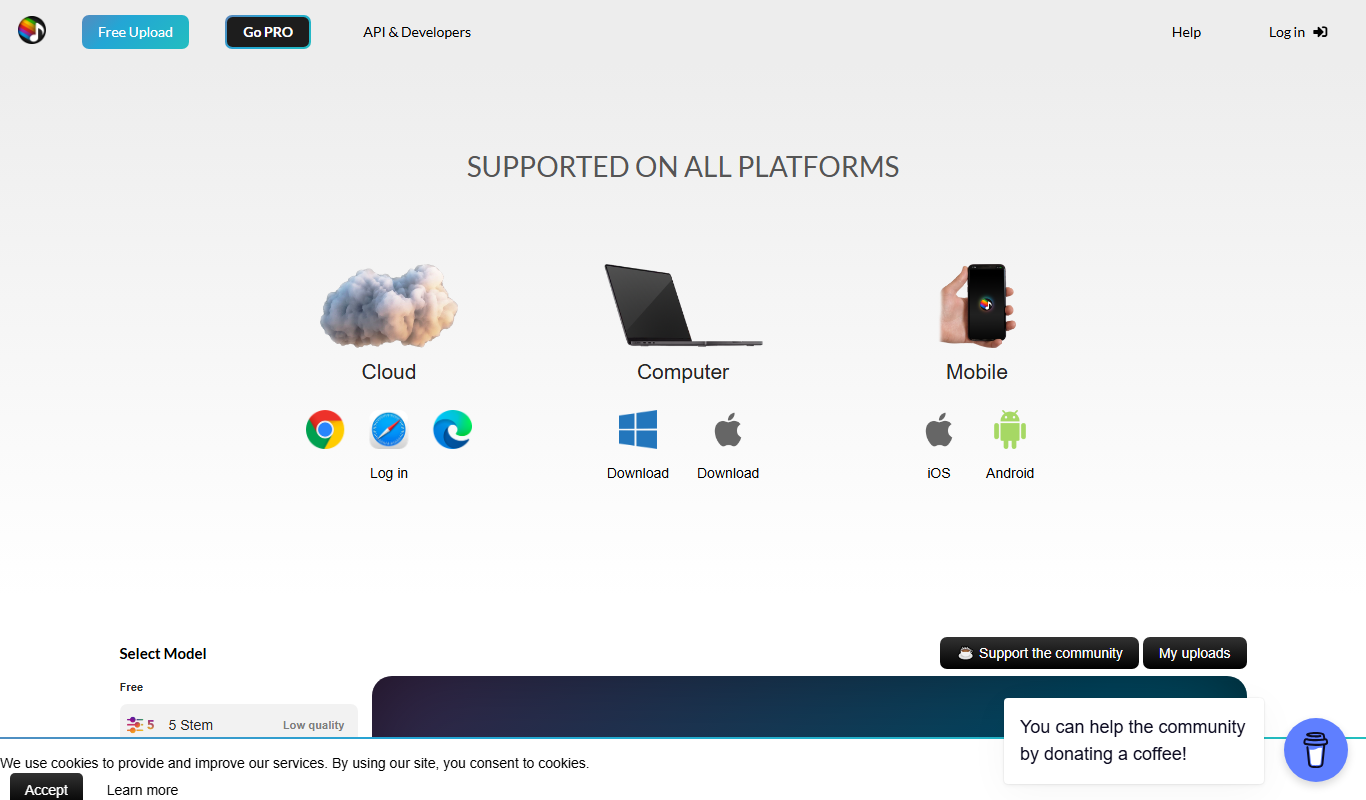
What is Splitter.ai?
Splitter.ai is an online AI-powered tool designed to separate audio tracks into individual stems such as vocals, drums, bass, and other instruments. It enables users to isolate or remove vocals and instruments from songs quickly without requiring advanced audio editing skills.
Key features of Splitter.ai
Splitter.ai separates stems with AI and is built on Spleeter from Deezer, with a free version and Splitter PRO.
AI-Powered Stem Separation
Uses advanced deep learning models to accurately separate vocals and instruments.
Multiple Stem Options
Supports splitting audio into 2, 4, or 5 stems for more detailed separation.
Web-Based Interface
No software installation required; works directly in the browser.
Fast Processing
Processes audio quickly, providing results in minutes depending on file size.
Free and Paid Options
Offers free limited usage and paid plans for higher quality and more features.
Developer API
An API is offered for developers.
Pros and cons of Splitter.ai
Pros
- Easy to use with no technical skills required
- Accurate vocal and instrument separation
- Supports multiple stem outputs
- No software installation needed
- Free tier available for casual users
Cons
- File size limits on free plan
- Processing quality can vary with complex audio
- No desktop or mobile app versions
Key use cases for Splitter.ai
Vocal Removal
Remove vocals from songs to create karaoke tracks or instrumentals.
Music Remixing
Extract individual stems like drums, bass, and vocals for remixing and music production.
Audio Analysis
Separate audio components for detailed analysis or educational purposes.
Podcast Editing
Isolate voice or background music tracks for clearer podcast editing.
How Splitter.ai works
- 1
Upload Audio
Users upload a song or audio file in supported formats directly on the website.
- 2
Select Stem Count
Choose the number of stems to separate (2, 4, or 5) depending on the desired output.
- 3
AI Processing
The AI model processes the audio to isolate vocals and instruments into separate tracks.
- 4
Download Stems
Users download the separated stems individually for further use.
Who is using Splitter.ai
Splitter.ai pricing
Free
$0
Limited number of free audio separations with standard quality.
Pay Per Use
Varies
Pay for higher quality separations or additional stem counts on a per-track basis.
Plans and prices are as published by the vendor and can change. Check the official site before you buy. Open the pricing page (opens in a new tab)
Frequently asked questions about Splitter.ai
Splitter.ai supports common audio formats such as MP3, WAV, and others for upload.
Yes, but users should verify licensing and copyright restrictions on the original audio.
Processing time depends on the audio length and stem count but typically takes a few minutes.
Yes, there are file size limits depending on the plan; free users have lower limits.
It depends on your specific needs and how you plan to use the tool. The official website and documentation are the best sources for the latest details.
Yes, it can help with that use case depending on how you configure it and what features are available. You’ll get the best results with clear inputs and a defined goal.
Some tools offer a free plan or trial with limited features. Availability can vary, so confirm on the official website.
Yes, it can help with that use case depending on how you configure it and what features are available. You’ll get the best results with clear inputs and a defined goal.
Conclusion
A song or audio file is uploaded directly on the website, then the number of stems to separate is chosen: 2, 4 or 5. The separation is built on Spleeter from Deezer, and each stem is downloaded individually afterwards. Typical jobs are removing vocals for karaoke tracks or instrumentals and extracting drums, bass and vocals for remixing. Podcast editing is covered too, by isolating voice or background music tracks.
A free version sits alongside Splitter PRO, an upgrade with reverb removal and other features whose prices were not shown. An API is offered for developers as well. Processing quality can vary with complex audio, and free users have lower file size limits.
Sources
Sign in to review this tool.
Sign In to ReviewNo reviews yet
Be the first to share how this tool worked for you.
Ask about pricing, limits, or how it compares — or answer someone else.
Sign In to AskNo questions yet
Have a question about using or paying for this tool? Be the first to ask.
Featured on TiorAI



Alternative Tools
Explore similar AI tools that might fit your needs

Moises.ai
Moises.ai is an AI-based music tool that separates audio tracks into individual stems like vocals and instruments, allowing users to edit, remix, and create karaoke tracks easily.

PhonicMind
PhonicMind is an AI-powered web tool that separates music tracks into vocals, drums, bass, and other stems, enabling vocal removal and remixing.
More AI Ai Tools tools
Other tools in the same category, for when this one is not quite the fit.

image Upscaling
Image Upscaling is a professional online image editor with multiple AI image processing tools.

Free AI Watermark Remover Online
Free AI Watermark Remover Online is a free tool for removing watermarks from images and video.

Pixelcut
Pixelcut is an AI-driven photo editing tool that automates background removal and image enhancement, ideal for e-commerce and social media content creation.

Visla
Visla is a web-based AI video editor that automates editing tasks and supports real-time collaboration to help users create professional videos quickly and easily.

Free AI Text Summarizer
Free AI Text Summarizer is a web-based tool that uses artificial intelligence to create concise summaries from longer texts quickly and for free, without requiring user registration.

Locofy.ai
Locofy.ai converts Figma and Penpot designs into frontend code for React, React Native, HTML-CSS, Flutter, Vue, Angular and Next.js.

Vidnoz AI
Vidnoz AI is a web-based platform that uses artificial intelligence to help users create marketing and social media videos quickly by automating video generation from text and media inputs.

Marcus – your AI Billing Agent
Marcus is an AI-powered billing agent that automates invoice creation, sends payment reminders, and manages accounts receivable to help businesses improve cash flow and reduce manual billing tasks.