

SmartJobBoard Job Board Software Platform for Recruitment and Hiring
SmartJobBoard is job board software for associations, nonprofits and government organizations that includes AI matching.
- Best for
- Create Custom Job Boards
- Key capability
- Customizable Job Board Templates
Save SmartJobBoard, follow its updates and vote on it — everything stays in your account.
Sign in or create a free account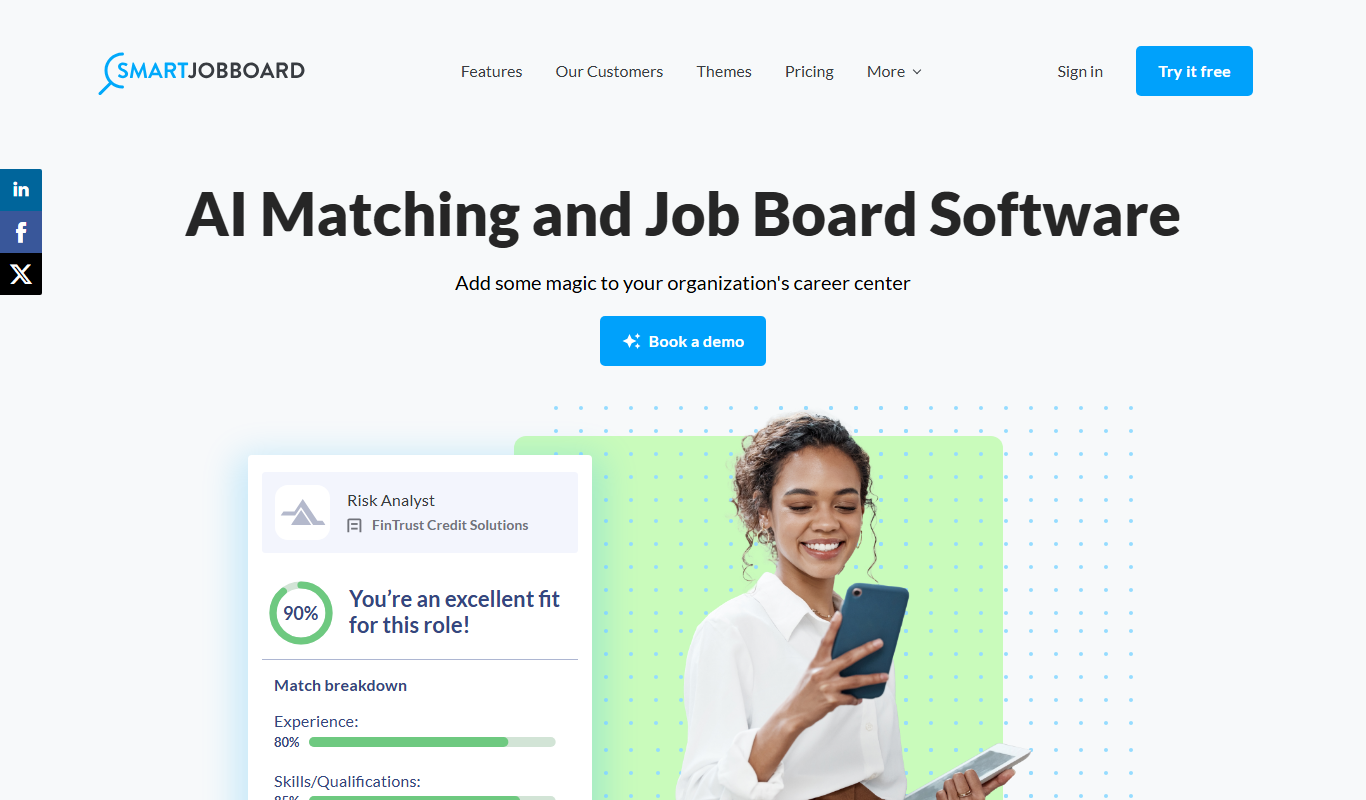
What is SmartJobBoard?
SmartJobBoard is job board software aimed at associations, nonprofits and government organizations, with AI matching.
Key features of SmartJobBoard
SmartJobBoard offers features such as customizable job board templates, applicant tracking, payment integration for paid listings, SEO-friendly job posting, and analytics dashboards. It supports multiple user roles including employers and job seekers, enabling efficient recruitment workflows.
Customizable Job Board Templates
Choose from various templates and customize design elements to create a unique job board.
Applicant Tracking System (ATS)
Manage and track candidate applications efficiently within the platform.
Payment Integration
Enable paid job postings with integrated payment gateways like PayPal and Stripe.
SEO Optimization
Job listings and pages are optimized for search engines to increase visibility.
Multi-User Roles
Supports different user roles such as administrators, employers, and job seekers.
Pros and cons of SmartJobBoard
Pros
- Easy to set up and customize job boards
- Integrated applicant tracking system
- Supports monetization through paid listings
- SEO-friendly job posting features
- Responsive customer support
Cons
- Limited to web platform only
- No mobile app available
- Pricing may be high for very small job boards
Key use cases for SmartJobBoard
Create Custom Job Boards
Build and customize job boards tailored to specific industries or companies to attract relevant candidates.
Manage Job Listings
Easily post, edit, and organize job listings with advanced filtering and search capabilities.
Applicant Tracking
Track applications and candidate progress through the hiring pipeline within the platform.
Monetize Job Boards
Set up paid job posting options and subscription plans to generate revenue from employers.
Integrate with External Tools
Connect with third-party services such as payment gateways, analytics, and email marketing tools.
How SmartJobBoard works
- 1
Sign Up and Set Up Your Job Board
Create an account and choose a template to start building your custom job board.
- 2
Customize Your Job Board
Adjust branding, layout, and job categories to fit your target audience and industry.
- 3
Post Job Listings
Add job openings manually or allow employers to post jobs directly through the platform.
- 4
Manage Applications
Review candidate applications, communicate with applicants, and track hiring progress.
- 5
Monetize Your Board
Set pricing plans for job postings or subscriptions and integrate payment processing.
Who is using SmartJobBoard
SmartJobBoard pricing
Revenue Share
Contact for pricing
Revenue share model with no published price.
Flat-Fee Subscription
Annual, contact for pricing
Annual flat-fee subscription with no published price.
Enterprise
Custom pricing
Tailored solutions with dedicated support and custom integrations.
Plans and prices are as published by the vendor and can change. Check the official site before you buy. Open the pricing page (opens in a new tab)
Frequently asked questions about SmartJobBoard
Yes, SmartJobBoard offers customizable templates and design options to match your branding.
Yes, it integrates with popular payment gateways like PayPal and Stripe to handle transactions.
Yes, SmartJobBoard offers a free trial period to test the platform before committing.
Yes, the built-in applicant tracking system allows you to review and manage candidate applications.
This tool is designed to help users accomplish its core tasks more efficiently. It is typically used by individuals or teams looking to improve productivity and workflow.
Yes, it can help with that use case depending on how you configure it and what features are available. You’ll get the best results with clear inputs and a defined goal.
Yes, it can help with that use case depending on how you configure it and what features are available. You’ll get the best results with clear inputs and a defined goal.
Conclusion
The software is now aimed at associations, nonprofits and government organizations, and it includes AI matching. A board is created from a template, then adjusted for branding, layout and job categories. Jobs are added manually or posted directly by employers, and applications are reviewed and tracked within the platform. Separate user roles cover administrators, employers and job seekers.
Paid job postings run through payment gateways like PayPal and Stripe. There are no fixed monthly tiers: the options are a revenue share model or an annual flat-fee subscription, both priced by contacting the company.
Sources
Sign in to review this tool.
Sign In to ReviewNo reviews yet
Be the first to share how this tool worked for you.
Ask about pricing, limits, or how it compares — or answer someone else.
Sign In to AskNo questions yet
Have a question about using or paying for this tool? Be the first to ask.
Featured on TiorAI



Alternative Tools
Explore similar AI tools that might fit your needs

Workable
Workable is a recruiting software platform that offers applicant tracking, AI-powered candidate sourcing, job posting, and collaborative hiring tools to help businesses streamline their recruitment process.

SmartRecruiters
SmartRecruiters is an AI-powered recruiting software that streamlines talent acquisition with applicant tracking, AI sourcing, recruitment marketing, and collaborative hiring features.
More AI Recruiting tools
Other tools in the same category, for when this one is not quite the fit.

Avature
Avature is a customizable talent management platform that streamlines recruiting, onboarding, and workforce planning with CRM and ATS features.

MyNavi
MyNavi is a Japanese career and recruitment platform offering job listings, career advice, and employer recruitment services primarily for the Japanese job market.

Jobvite
Jobvite is a recruiting software platform that streamlines talent acquisition through AI-powered applicant tracking, candidate sourcing, recruitment marketing, and onboarding automation.
简历本
简历本 is a Chinese online platform that helps users create professional resumes and cover letters using AI-powered templates and content suggestions.

My Next Move
My Next Move is a free career exploration and skills assessment tool that helps users find occupations matching their interests and skills using data from the O*NET database.
The Muse Coaching
The Muse Coaching is an online platform connecting users with professional career and life coaches for personalized guidance through one-on-one sessions.

InterviewStream
InterviewStream is a video interviewing software that enables organizations to conduct live and on-demand candidate interviews remotely, using AI analytics and collaborative tools to improve hiring efficiency.

MentorcliQ
MentorcliQ is a mentoring software platform that helps organizations create, manage, and scale mentoring programs to improve employee development, engagement, and retention.