

SkillSyncer Resume Optimization Tool for ATS and Job Matching
SkillSyncer is an AI-powered platform that helps job seekers optimize their resumes by comparing them to job descriptions, identifying skill gaps, and improving ATS compatibility to increase interview chances.
- Best for
- Resume Optimization
- Key capability
- ATS Resume Scanner
Save SkillSyncer, follow its updates and vote on it — everything stays in your account.
Sign in or create a free account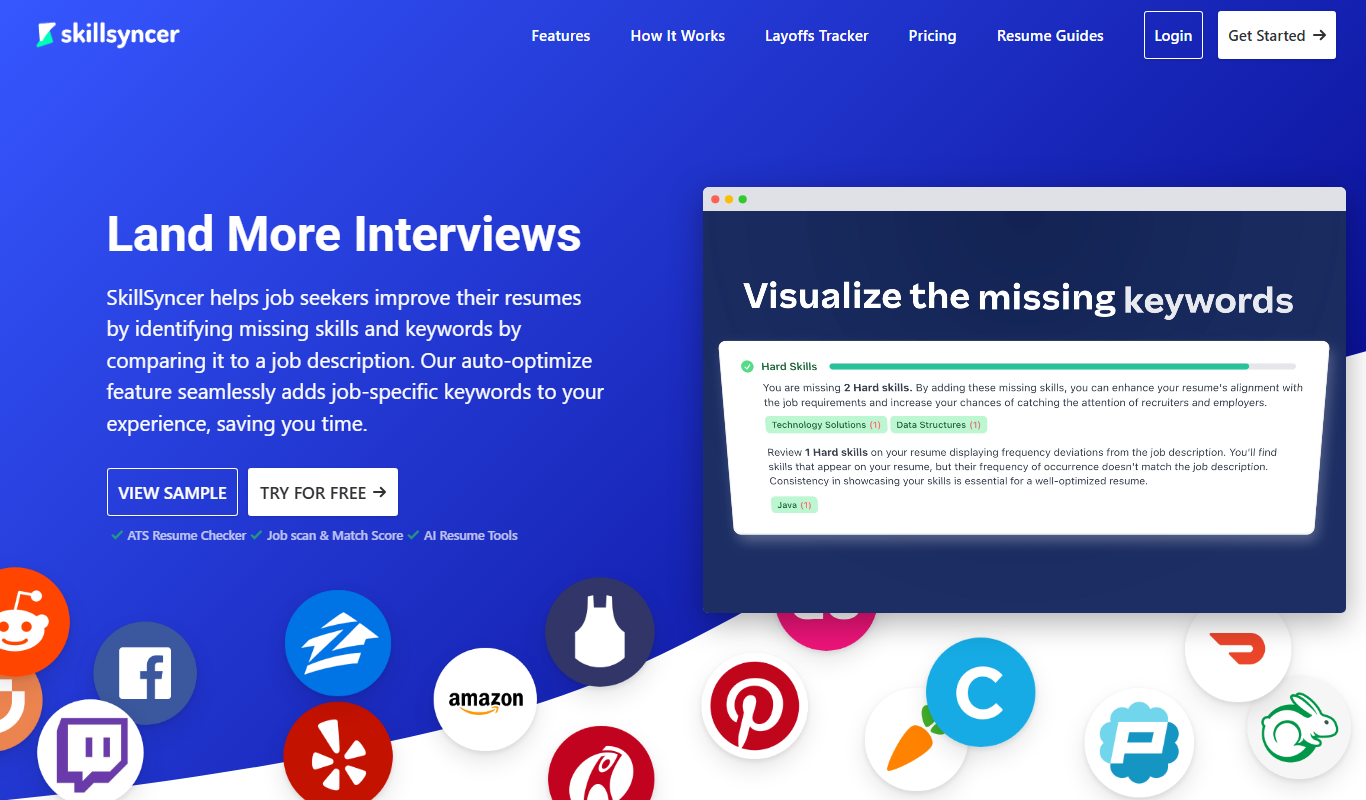
What is SkillSyncer?
SkillSyncer is an AI-powered resume optimization and job matching platform designed to help job seekers improve their resumes and increase their chances of landing interviews. It analyzes your resume against job descriptions to highlight skill gaps and keyword mismatches, ensuring your application aligns with what employers and ATS software look for.
Key features of SkillSyncer
SkillSyncer offers resume scanning, job description analysis, skill gap identification, and actionable recommendations to optimize resumes for ATS compatibility and job relevance.
ATS Resume Scanner
Scans resumes to ensure they are formatted and keyword-optimized for Applicant Tracking Systems.
Job Description Keyword Analysis
Extracts important skills and keywords from job postings to tailor resumes effectively.
Skill Gap Detection
Identifies missing skills in your resume compared to the job requirements.
Optimization Suggestions
Provides actionable tips to improve resume content and structure.
User-Friendly Dashboard
Intuitive interface to manage multiple resume analyses and track improvements.
Pros and cons of SkillSyncer
Pros
- Easy to use with clear optimization suggestions
- Helps improve ATS compatibility effectively
- Supports multiple job description comparisons
- Affordable pricing with a free tier
- Provides actionable skill gap insights
Cons
- Limited features on free plan
- No mobile app available
- Focuses mainly on resume and job description matching, less on cover letters
Key use cases for SkillSyncer
Resume Optimization
Improve your resume by aligning it with job descriptions to pass Applicant Tracking Systems (ATS).
Job Description Analysis
Analyze job postings to identify key skills and keywords required for better job matching.
Skill Gap Identification
Discover missing skills in your resume compared to job requirements to target your professional development.
Career Advancement
Use insights from SkillSyncer to tailor applications and increase chances of interview callbacks.
Applicant Tracking System (ATS) Compliance
Ensure your resume format and content are optimized for ATS parsing and ranking.
How SkillSyncer works
- 1
Upload Resume
Users upload their current resume to the SkillSyncer platform.
- 2
Input Job Description
Provide the job posting or description you want to apply for.
- 3
Analyze and Compare
SkillSyncer compares your resume with the job description to identify gaps and keyword mismatches.
- 4
Receive Optimization Report
Get a detailed report with suggestions to improve your resume for ATS and recruiter appeal.
- 5
Revise Resume
Update your resume based on the recommendations to increase your chances of success.
Who is using SkillSyncer
SkillSyncer pricing
Free
$0/month
Basic resume scan and limited job description comparisons.
Premium Monthly
$14.95/month
Premium plan billed monthly at $14.95.
Premium Quarterly
$34.86 every 3 months
Premium plan billed every 3 months at $34.86.
Plans and prices are as published by the vendor and can change. Check the official site before you buy. Open the pricing page (opens in a new tab)
Frequently asked questions about SkillSyncer
While SkillSyncer improves your resume’s alignment with job descriptions and ATS, it cannot guarantee interviews as hiring decisions depend on many factors.
Yes, SkillSyncer uses secure protocols to protect your data and does not share your information without consent.
SkillSyncer supports common formats such as PDF, DOC, and DOCX for resume uploads.
Yes, especially with the Premium plan, you can analyze and optimize your resume for multiple job descriptions.
It depends on your specific needs and how you plan to use the tool. The official website and documentation are the best sources for the latest details.
Some tools offer a free plan or trial with limited features. Availability can vary, so confirm on the official website.
Yes, it can help with that use case depending on how you configure it and what features are available. You’ll get the best results with clear inputs and a defined goal.
Yes, it can help with that use case depending on how you configure it and what features are available. You’ll get the best results with clear inputs and a defined goal.
Conclusion
A resume goes in together with the job posting, and the platform compares the two to identify gaps and keyword mismatches. The result is a detailed report with suggestions to improve the resume for ATS and recruiter appeal. Keyword analysis extracts important skills from job postings so the resume can be tailored to each one.
Job seekers come first, with career coaches and students or recent graduates also in view. Hiring decisions depend on many factors, so the service cannot promise interviews. A free plan covers a basic resume scan and limited job description comparisons, and Premium costs $14.95 per month or $34.86 every three months.
Sources
Sign in to review this tool.
Sign In to ReviewNo reviews yet
Be the first to share how this tool worked for you.
Ask about pricing, limits, or how it compares — or answer someone else.
Sign In to AskNo questions yet
Have a question about using or paying for this tool? Be the first to ask.
Featured on TiorAI



Alternative Tools
Explore similar AI tools that might fit your needs
ResyMatch
ResyMatch is a free online tool that analyzes your resume against job descriptions to improve ATS compatibility by matching keywords and checking formatting.
TopResume
TopResume is a professional resume writing service that offers tailored resumes, cover letters, and LinkedIn profile optimization to help job seekers improve their chances of landing interviews.
More AI Customer Service tools
Other tools in the same category, for when this one is not quite the fit.

CalorieMama
CalorieMama is an AI-driven app that helps users track calories and nutrition by recognizing foods from photos, making diet management easier and more accurate.

Grip
Grip is an AI-driven virtual event platform that facilitates personalized networking and engagement through AI matchmaking, personalized agendas, and interactive sessions for virtual and hybrid events.
GoGuardian
GoGuardian is an education technology platform that helps K-12 schools monitor student activity, manage classrooms, and ensure online safety through AI-powered tools and real-time device monitoring.

MoneyGuidePro
MoneyGuidePro is a financial planning software that helps advisors create personalized, goal-based financial plans with interactive tools for retirement and wealth management.

Nutrium
Nutrium is a nutrition software platform that helps dietitians and health professionals manage clients, create personalized meal plans, analyze nutrition data, and conduct remote consultations.

AiCure
AiCure is an AI-powered platform that remotely monitors patient medication adherence using video confirmation, primarily for clinical trials and healthcare providers.

OptinMonster
OptinMonster is a lead generation software that helps websites convert visitors into subscribers and customers using popups, exit-intent triggers, and targeted campaigns integrated with email marketing services.

LifeLock
LifeLock is a subscription-based service offering identity theft protection, credit monitoring, fraud alerts, and identity restoration support to help users safeguard their personal information.