

From my experience with Simplenote, I found it excels at providing a clean, distraction-free environment for quick note-taking and writing. Its seamless syncing across devices ensures I can access my notes anytime without hassle. While it lacks advanced rich text features and end-to-end encryption, its simplicity and speed make it ideal for users who prioritize straightforward note capture and organization. For anyone needing a reliable, free note app with markdown support and easy collaboration, Simplenote delivers solid, dependable performance.
Simplenote Note-Taking App for Easy, Syncable Writing and Organization
Simplenote is a free, minimalist note-taking app that syncs your notes across devices, supports markdown, and offers tagging and version history for easy organization and retrieval.
- Best for
- Personal Note-Taking
- Key capability
- Cross-Platform Syncing
Do you recommend this tool?
What is Simplenote?
Simplenote is a free, lightweight note-taking application designed for quick and easy writing, organizing, and syncing notes across multiple devices. It offers a clean, distraction-free interface that focuses on plain text notes with markdown support. Owned by Automattic, Simplenote emphasizes simplicity and speed, making it ideal for users who want a straightforward tool without unnecessary complexity.
Key features of Simplenote
Simplenote provides instant syncing, tagging, note sharing, version history, and markdown support. Its minimalist design ensures users can focus on writing and organizing notes efficiently without distractions.
Cross-Platform Syncing
Automatically sync notes across web, mobile, and desktop apps.
Markdown Support
Write notes using markdown syntax for formatting.
Tagging System
Organize notes with tags for quick retrieval.
Version History
Access previous versions of notes to track changes or restore content.
Note Sharing
Share notes publicly or collaborate with others in real-time.
Distraction-Free Interface
Minimalist design focused on writing without clutter.
Pros and cons of Simplenote
Pros
- Simple and intuitive interface
- Free with unlimited notes and syncing
- Cross-platform availability
- Supports markdown formatting
- Version history for note recovery
Cons
- No advanced rich text editing
- Lacks end-to-end encryption
- Limited collaboration features compared to some competitors
Key use cases for Simplenote
Personal Note-Taking
Capture ideas, reminders, and to-do lists quickly across devices.
Collaborative Writing
Share notes and collaborate with others in real-time.
Organizing Information
Use tags and search to efficiently organize and retrieve notes.
Writing Drafts
Draft articles, blog posts, or any text content with distraction-free editing.
Cross-Device Sync
Access and edit notes seamlessly on multiple platforms.
How Simplenote works
- 1
Create an Account
Sign up for a free Simplenote account to start syncing your notes.
- 2
Write Notes
Use the clean editor to write plain text or markdown notes.
- 3
Organize with Tags
Add tags to categorize notes for easy searching and filtering.
- 4
Sync Across Devices
Access your notes on any supported device instantly.
- 5
Share and Collaborate
Share notes with others via a public link or invite collaborators.
Who is using Simplenote
Students and educators
Writers and bloggers
Professionals needing quick note capture
Remote teams requiring lightweight collaboration
Anyone seeking a distraction-free note app
Simplenote pricing
Free
$0/month
Full access to all features with unlimited notes and syncing.
Plans and prices are as published by the vendor and can change. Check the official site before you buy. Open the pricing page (opens in a new tab)
Frequently asked questions about Simplenote
Yes, Simplenote is completely free with no premium tiers.
Yes, you can create and edit notes offline; changes sync when you reconnect.
Simplenote supports markdown for basic formatting but does not have rich text editing.
Simplenote uses encryption in transit and stores data securely, but it does not offer end-to-end encryption.
It depends on your specific needs and how you plan to use the tool. The official website and documentation are the best sources for the latest details.
Yes, it can help with that use case depending on how you configure it and what features are available. You’ll get the best results with clear inputs and a defined goal.
Yes, it can help with that use case depending on how you configure it and what features are available. You’ll get the best results with clear inputs and a defined goal.
Sign in to review this tool.
Sign In to ReviewNo reviews yet
Be the first to share how this tool worked for you.
Ask about pricing, limits, or how it compares — or answer someone else.
Sign In to AskNo questions yet
Have a question about using or paying for this tool? Be the first to ask.
Featured on TiorAI



Alternative Tools
Explore similar AI tools that might fit your needs

Free
Evernote
Evernote is a cross-platform note-taking app that helps users capture, organize, and collaborate on notes, tasks, and projects with multi-format support and powerful search.

Free
Notion
Notion is a versatile productivity tool that combines note-taking, task management, databases, and team collaboration in one customizable workspace accessible across devices.
More Social Media tools
Other tools in the same category, for when this one is not quite the fit.

Free
Roadtrippers
Roadtrippers is a travel planning app that helps users create detailed road trip itineraries by mapping routes, discovering attractions, and optimizing travel plans.

Free
Typefully
Typefully is a web platform that helps users write, schedule, and analyze Twitter threads and tweets with an easy-to-use editor and analytics tools.

Free
SoulGen AI
SoulGen AI is a web-based platform that uses artificial intelligence to generate realistic and artistic digital avatars from text prompts or images, ideal for social media and creative projects.

Free
Wanderlog
Wanderlog is a travel planning app that helps users create detailed itineraries, optimize travel routes, collaborate with others, and manage travel budgets via web and mobile platforms.

One-time License
SkaDate Directory
SkaDate Directory is a dating site software platform that enables users to create customizable and mobile-friendly online dating websites with features like user profiles, messaging, membership plans, and payment integration.
One-time License
eDirectory
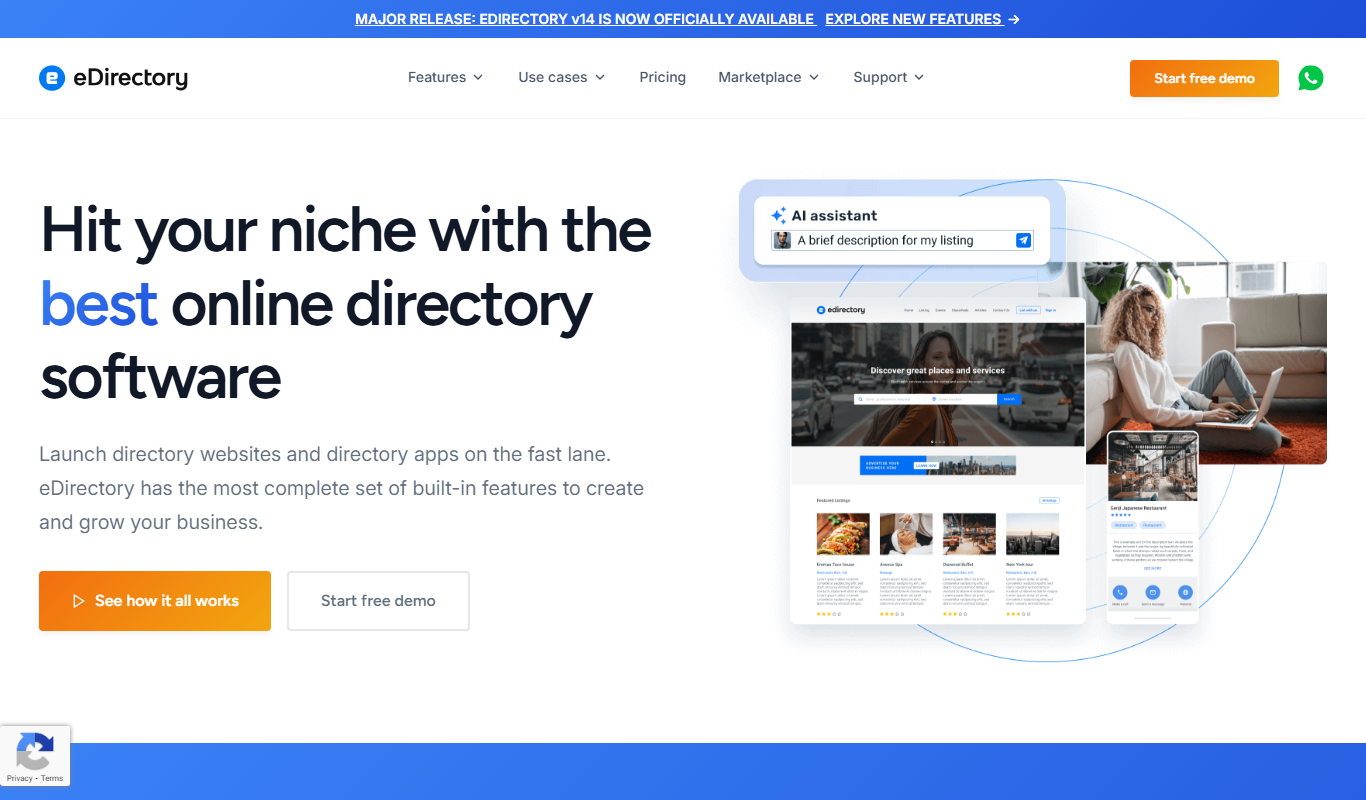
eDirectory is a software platform that enables users to create and manage online business directories with features like customizable templates, membership management, payment integration, and support for events and classifieds.

Free
Exolyt
Exolyt is a TikTok analytics tool that helps marketers and influencers track video performance, analyze competitors, and monitor follower growth to optimize TikTok marketing strategies.

Custom Pricing
Battlefy
Battlefy is an esports tournament platform that enables organizers to create and manage competitive gaming events with automated brackets, player registration, and real-time score updates.