

From my experience with eDirectory, it stands out as a robust and flexible platform for building online business directories tailored to various niches. The ability to customize templates and manage memberships with integrated payments makes it a practical choice for entrepreneurs and organizations looking to monetize their directories. While the pricing may be a consideration for smaller startups, the comprehensive feature set and SEO-friendly design justify the investment. However, the lack of a dedicated mobile app means users rely on mobile web access, which could be a limitation for some. Overall, eDirectory delivers solid results for anyone needing a professional directory solution.
eDirectory Software for Building Online Business Directories and Listings
eDirectory is a software platform that enables users to create and manage online business directories with features like customizable templates, membership management, payment integration, and support for events and classifieds.
- Best for
- Create Local Business Directories
- Key capability
- Customizable Directory Templates
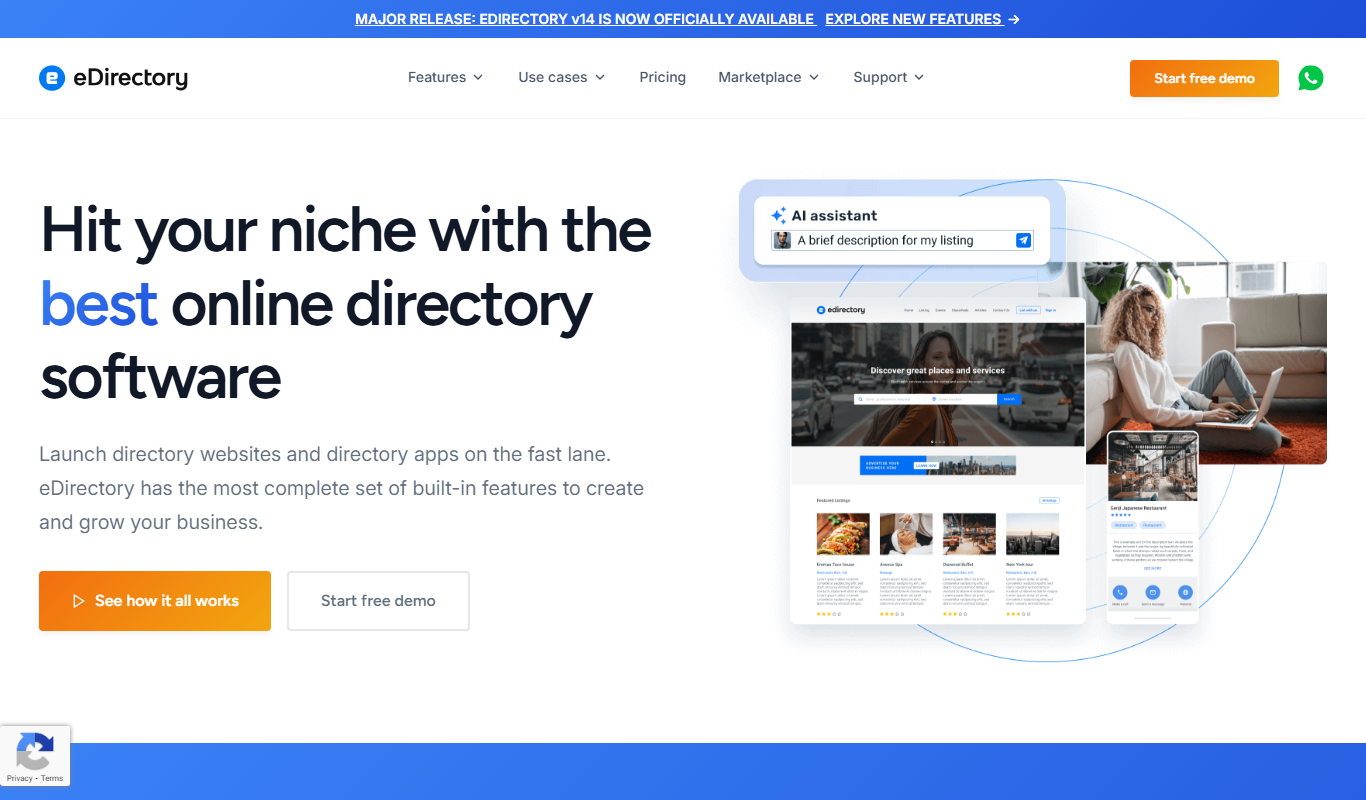
What is eDirectory?
eDirectory is a comprehensive software platform designed to help businesses and entrepreneurs create, manage, and monetize online directories and listing websites. It offers a flexible solution for building local business directories, niche directories, event listings, and classified ads with integrated membership and payment features.
Key features of eDirectory
Key features include customizable directory templates, membership and subscription management, payment gateway integration, event and classified listings, SEO-friendly structure, and responsive design for mobile and desktop users.
Customizable Directory Templates
Choose and modify templates to create directories that match your niche and branding.
Membership and Subscription Management
Manage different membership levels and recurring payments with integrated billing.
Payment Gateway Integration
Supports multiple payment processors for seamless transactions.
Event and Classified Listings
Add additional content types like events and classifieds to enhance directory value.
SEO-Friendly and Mobile Responsive
Built with SEO best practices and responsive design for optimal user experience.
Pros and cons of eDirectory
Pros
- Comprehensive directory management features
- Flexible customization options
- Integrated payment and membership systems
- SEO-friendly and mobile responsive
- Good for various directory niches
Cons
- Pricing may be high for small startups
- No dedicated mobile app, only mobile web
- Limited tech stack information publicly available
Key use cases for eDirectory
Create Local Business Directories
Build and manage online directories for local businesses, services, and organizations to increase their visibility.
Membership and Listing Management
Manage memberships, paid listings, and subscriptions with integrated payment processing and member dashboards.
Event and Classified Listings
Add event calendars and classified ads to directories to provide additional value and engagement for users.
Monetize Directory Websites
Generate revenue through paid listings, featured ads, and subscription plans tailored to directory owners and advertisers.
Customizable Directory Solutions
Customize the look, feel, and functionality of directories to match branding and specific niche requirements.
How eDirectory works
-
1
Choose a Directory Template
Select from various pre-built directory templates tailored to different industries and niches.
-
2
Customize Your Directory
Adjust design elements, categories, and listing fields to fit your brand and directory focus.
-
3
Add Listings and Content
Populate your directory with business listings, events, classifieds, and other relevant content.
-
4
Set Up Membership and Payments
Configure membership levels, pricing plans, and payment gateways to monetize your directory.
-
5
Launch and Promote
Publish your directory online and use built-in SEO and marketing tools to attract users and advertisers.
Who is using eDirectory
Entrepreneurs building niche directories
Local business associations
Event organizers
Advertising agencies
Small to medium directory website owners
eDirectory pricing
Starter
$199 one-time
Basic directory software license with essential features.
Professional
$499 one-time
Includes advanced features like membership management and payment integration.
Enterprise
Custom pricing
Tailored solutions with premium support and custom development.
Plans and prices are as published by the vendor and can change. Check the official site before you buy. Open the pricing page (opens in a new tab)
Frequently asked questions about eDirectory
Yes, eDirectory offers customizable templates and design options to match your brand.
Yes, it integrates with popular payment gateways to manage memberships and paid listings.
Yes, all directory templates are responsive and optimized for mobile devices.
Yes, eDirectory supports event calendars and classified ads as additional listing types.
This tool is designed to help users accomplish its core tasks more efficiently. It is typically used by individuals or teams looking to improve productivity and workflow.
Yes, it can help with that use case depending on how you configure it and what features are available. You’ll get the best results with clear inputs and a defined goal.
It depends on your specific needs and how you plan to use the tool. The official website and documentation are the best sources for the latest details.
Sign in to review this tool.
No reviews yet
Be the first to share how this tool worked for you.
Ask about pricing, limits, or how it compares — or answer someone else.
No questions yet
Have a question about using or paying for this tool? Be the first to ask.
Featured on TiorAI



More Business Management tools
Other tools in the same category, for when this one is not quite the fit.

Free
Roadtrippers
Roadtrippers is a travel planning app that helps users create detailed road trip itineraries by mapping routes, discovering attractions, and optimizing travel plans.

Free
TripIt
TripIt is a travel app that automatically organizes your travel plans into a single itinerary by parsing confirmation emails, providing real-time flight alerts, and allowing itinerary sharing.

Free
FormSwift
FormSwift is an online platform that provides customizable legal and business document templates, PDF editing, and electronic signature capabilities to help users create and manage important documents easily.

Pay As You Go
TextMagic
TextMagic is a cloud-based SMS marketing platform that enables businesses to send bulk text messages, automate notifications, and engage customers with two-way messaging and API integration.

Free Trial
EZ Texting
EZ Texting is a cloud-based SMS marketing platform that enables businesses to send mass text messages, automate campaigns, and engage customers with two-way messaging.

Free Trial
SimpleTexting
SimpleTexting is a cloud-based SMS marketing platform that enables businesses to send mass text messages, automate SMS workflows, and engage customers with two-way messaging to improve communication and marketing effectiveness.

Free
Spocket
Spocket is a dropshipping platform that helps ecommerce entrepreneurs source products from vetted US and EU suppliers, automate order fulfillment, and integrate with major online store platforms like Shopify and WooCommerce.

Free
Oberlo
Oberlo is a dropshipping app for Shopify that automates product importing, inventory management, and order fulfillment, enabling entrepreneurs to run ecommerce stores without holding inventory.