

From my experience with ScheduleWave, I found it excels at simplifying complex employee scheduling tasks with its intuitive drag-and-drop interface and mobile app support. It is particularly well-suited for businesses in retail, healthcare, and hospitality that need to manage shifts while ensuring labor law compliance. However, the lack of publicly available pricing and limited integration details may require direct contact with their sales team for full evaluation. Overall, if your priority is streamlined scheduling combined with compliance automation, ScheduleWave delivers a solid, user-friendly solution.
ScheduleWave Employee Scheduling Software for Workforce Management
ScheduleWave is a cloud-based employee scheduling software that helps businesses create and manage work schedules, track attendance, and ensure labor law compliance through an easy-to-use platform with mobile access.
- Best for
- Employee Shift Scheduling
- Key capability
- Drag-and-Drop Scheduling
Your actions
Save ScheduleWave, follow its updates and vote on it — everything stays in your account.
Sign in or create a free account
What is ScheduleWave?
ScheduleWave is a cloud-based employee scheduling and workforce management software designed to simplify shift planning, time tracking, and labor compliance for businesses of various sizes. It helps managers create optimized schedules, communicate with staff, and ensure adherence to labor regulations.
Key features of ScheduleWave
ScheduleWave offers features such as drag-and-drop schedule creation, real-time attendance tracking, automated labor law compliance, employee notifications, and detailed reporting to streamline workforce management.
Drag-and-Drop Scheduling
Easily create and adjust employee schedules with a user-friendly drag-and-drop interface.
Mobile App Access
Employees can view schedules, request time off, and receive notifications on their mobile devices.
Labor Law Compliance
Automated checks to ensure schedules comply with local labor laws and union agreements.
Time Clock Integration
Track employee attendance with integrated time clock features for accurate payroll processing.
Reporting and Analytics
Generate detailed reports on scheduling efficiency, labor costs, and attendance patterns.
Pros and cons of ScheduleWave
Pros
- User-friendly drag-and-drop scheduling interface
- Mobile app for employee communication
- Automated labor law compliance features
Cons
- Pricing details are not publicly listed
- Limited information on integrations with payroll systems
Key use cases for ScheduleWave
Employee Shift Scheduling
Create, manage, and publish employee work schedules efficiently to optimize labor resources.
Time and Attendance Tracking
Track employee clock-in and clock-out times to ensure accurate payroll and compliance.
Labor Compliance Management
Automate compliance with labor laws and union rules to reduce legal risks.
Communication and Notifications
Send schedule updates and notifications to employees via mobile app or email.
Reporting and Analytics
Generate reports on labor costs, attendance, and scheduling efficiency for informed decision-making.
How ScheduleWave works
- 1
Sign Up and Set Up
Create an account and configure your company profile, including employee details and labor rules.
- 2
Create Schedules
Use the intuitive interface to build employee schedules with drag-and-drop tools and templates.
- 3
Publish and Notify
Publish schedules and notify employees instantly via mobile app or email.
- 4
Track Attendance
Monitor employee clock-ins and clock-outs to ensure accurate timekeeping.
- 5
Analyze and Report
Review labor costs and attendance reports to optimize workforce management.
Who is using ScheduleWave
Retail businesses
Healthcare providers
Hospitality industry
Manufacturing companies
Small to medium-sized enterprises
ScheduleWave pricing
Standard
Contact for pricing
Includes core scheduling, attendance tracking, and compliance features.
Plans and prices are as published by the vendor and can change. Check the official site before you buy. Open the pricing page (opens in a new tab)
Frequently asked questions about ScheduleWave
Yes, ScheduleWave offers a mobile app for employees to access schedules and receive notifications.
Yes, the software includes automated compliance checks to help avoid scheduling conflicts with labor regulations.
ScheduleWave offers demos and may provide trial options upon request; contact their sales team for details.
It depends on your specific needs and how you plan to use the tool. The official website and documentation are the best sources for the latest details.
Yes, it can help with that use case depending on how you configure it and what features are available. You’ll get the best results with clear inputs and a defined goal.
Sign in to review this tool.
Sign In to ReviewNo reviews yet
Be the first to share how this tool worked for you.
Ask about pricing, limits, or how it compares — or answer someone else.
Sign In to AskNo questions yet
Have a question about using or paying for this tool? Be the first to ask.
Featured on TiorAI



Alternative Tools
Explore similar AI tools that might fit your needs

Free Trial
When I Work
When I Work is a cloud-based platform that simplifies employee scheduling, time tracking, and team communication to help businesses manage their workforce efficiently.

Free Trial
Deputy
Deputy is a cloud-based workforce management platform that simplifies employee scheduling, time tracking, task management, and compliance reporting for businesses.
More AI Bio Generator tools
Other tools in the same category, for when this one is not quite the fit.

Free
Bio.fm
Bio.fm is a web-based link in bio tool that helps users create a personalized landing page to aggregate multiple links, social media profiles, and content blocks for easy sharing on social media.

Free
LoveGenius
LoveGenius writes dating profiles and opening lines for dating apps.

Free
AutoProfile: Personal Profiles
AutoProfile is a web platform that helps users create customizable, professional personal profiles to showcase skills and experience online.

Free
AI Social Bio
AI Social Bio is a web-based AI tool that generates personalized social media bios tailored to various platforms, helping users create engaging profiles quickly.

Free
LingoJam Bio Generator
LingoJam Bio Generator is a free online tool that quickly creates personalized social media bios by generating multiple options based on your input keywords.

Free
Seapik AI
Seapik AI is a web platform that uses artificial intelligence to generate images from text descriptions, helping users create unique visuals for various creative and marketing needs.
Free
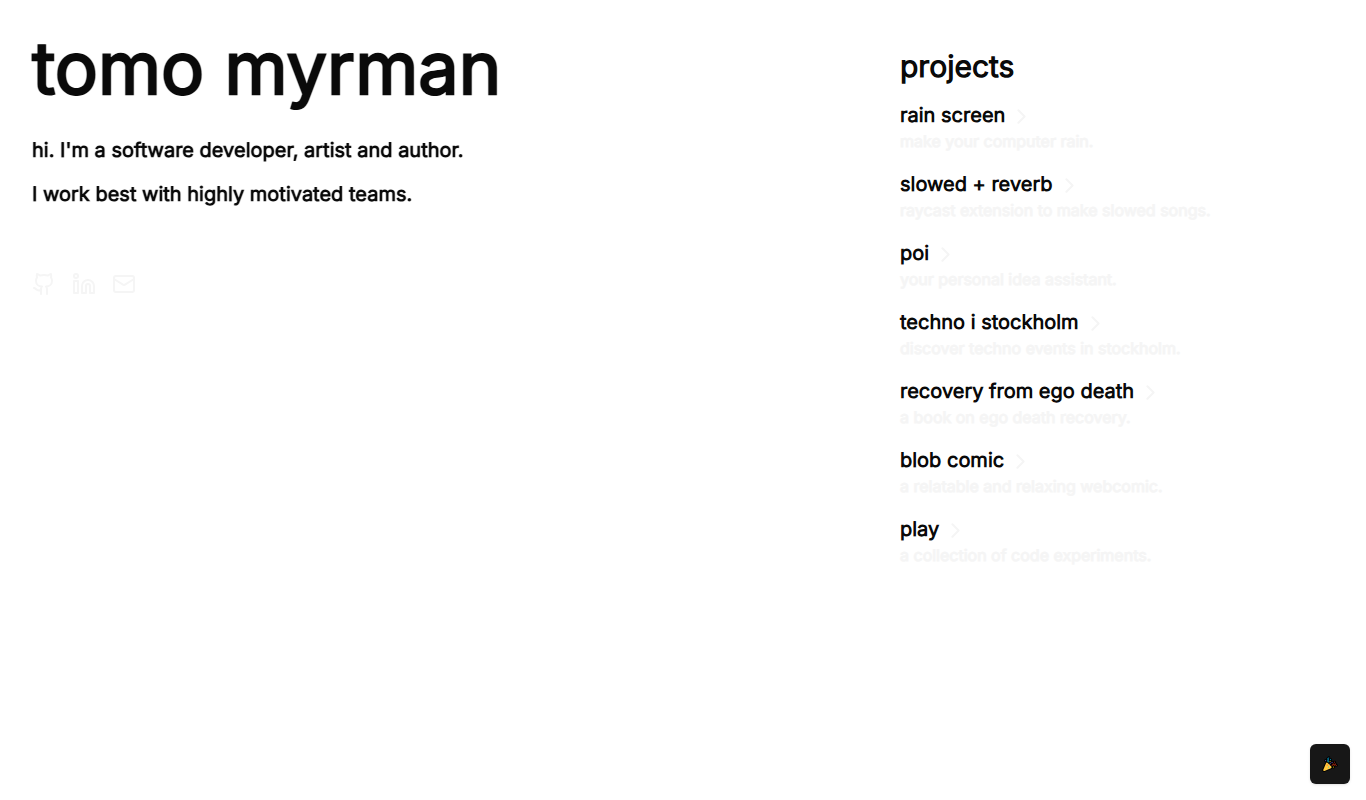
Recovery From Ego Death
Recovery From Ego Death is a free online resource by Neon Tomo offering educational content and practical advice to help individuals recover from ego dissolution experiences and integrate them into daily life.

Free
ResumeFromSpace
ResumeFromSpace is an AI-driven online resume builder that helps users quickly create professional resumes and cover letters with customizable templates and smart content suggestions.