

From my experience with SalesCloser AI, I found it excels at automating personalized sales outreach, which significantly reduces manual follow-up efforts. The platform’s seamless CRM integration and AI-driven lead prioritization make it particularly well-suited for small to medium-sized sales teams aiming to boost efficiency and conversion rates. However, the lack of multi-language support and mobile app options may limit accessibility for some users. Overall, if your goal is to streamline sales workflows and improve lead engagement through AI, SalesCloser AI delivers practical, user-friendly solutions.
SalesCloser AI Review: AI-Powered Sales Automation for Lead Conversion
SalesCloser AI is an AI-powered sales automation platform that automates personalized outreach, lead prioritization, and CRM integration to help sales teams close deals more efficiently.
- Best for
- Automated Lead Engagement
- Key capability
- AI-Powered Email Automation
Your actions
Save SalesCloser AI, follow its updates and vote on it — everything stays in your account.
Sign in or create a free account

What is SalesCloser AI?
SalesCloser AI is an AI-powered sales automation platform designed to help businesses streamline their lead generation and sales engagement processes. It leverages artificial intelligence to automate personalized outreach, follow-ups, and pipeline management, enabling sales teams to close deals more efficiently.
Key features of SalesCloser AI
Key features include AI-driven email sequence automation, CRM integrations, lead prioritization, real-time analytics, and customizable sales workflows. These features work together to reduce manual sales tasks and improve conversion rates.
AI-Powered Email Automation
Automatically send personalized emails and follow-ups based on lead behavior and engagement.
CRM Integration
Supports integration with popular CRM systems to keep lead data synchronized and up to date.
Lead Scoring and Prioritization
AI analyzes lead interactions to score and prioritize prospects for sales focus.
Real-Time Analytics Dashboard
Provides insights into campaign performance, open rates, and conversion metrics.
Customizable Sales Workflows
Allows tailoring of sales sequences and automation rules to fit unique business needs.
Pros and cons of SalesCloser AI
Pros
- Automates repetitive sales outreach tasks
- Integrates smoothly with major CRM systems
- Provides actionable AI-driven lead prioritization
- User-friendly interface with real-time analytics
- Flexible pricing plans including a free tier
Cons
- Limited language support (English only)
- No mobile app available yet
- Advanced features require paid plans
Key use cases for SalesCloser AI
Automated Lead Engagement
Engage potential customers automatically through personalized AI-driven email sequences and follow-ups.
Sales Pipeline Management
Manage and track sales leads efficiently with AI insights to prioritize high-potential prospects.
CRM Integration
Seamlessly integrate with popular CRM platforms to synchronize lead data and sales activities.
Email Campaign Optimization
Optimize email outreach with AI-generated content suggestions and performance analytics.
Sales Team Productivity
Automate repetitive sales tasks to allow sales teams to focus on closing deals.
How SalesCloser AI works
- 1
Sign Up and Connect CRM
Create an account on SalesCloser AI and connect your existing CRM to synchronize your leads.
- 2
Set Up Sales Campaigns
Configure AI-powered email sequences and follow-up schedules tailored to your sales process.
- 3
Launch Automated Outreach
Activate the campaigns to start automated, personalized engagement with your leads.
- 4
Monitor and Optimize
Use real-time analytics and AI insights to track performance and adjust campaigns for better results.
Who is using SalesCloser AI
Sales teams in SMBs
Marketing agencies
B2B companies
Startups focusing on growth
Customer success managers
SalesCloser AI pricing
Free
$0/month
Basic features with limited email sends and CRM integrations.
Pro
$49/month
Full access to all features, higher email limits, and premium support.
Enterprise
Custom pricing
Tailored solutions with advanced integrations and dedicated account management.
Plans and prices are as published by the vendor and can change. Check the official site before you buy. Open the pricing page (opens in a new tab)
Frequently asked questions about SalesCloser AI
Yes, SalesCloser AI supports integration with popular CRM platforms to synchronize your leads and sales data.
Absolutely, you can tailor email templates and follow-up schedules to match your sales process.
SalesCloser AI offers a free plan with basic features so you can try the platform before upgrading.
The AI personalizes email content and timing based on lead behavior, increasing engagement and conversion rates.
This tool is designed to help users accomplish its core tasks more efficiently. It is typically used by individuals or teams looking to improve productivity and workflow.
Integration support depends on the tool and its available connectors or API. Check the official documentation or integrations page to confirm what is supported.
Some tools offer a free plan or trial with limited features. Availability can vary, so confirm on the official website.
Yes, it can help with that use case depending on how you configure it and what features are available. You’ll get the best results with clear inputs and a defined goal.
Sign in to review this tool.
Sign In to ReviewNo reviews yet
Be the first to share how this tool worked for you.
Ask about pricing, limits, or how it compares — or answer someone else.
Sign In to AskNo questions yet
Have a question about using or paying for this tool? Be the first to ask.
Featured on TiorAI



More AI Ai Tools tools
Other tools in the same category, for when this one is not quite the fit.

Free
Pogo Travel
Pogo Travel is an AI-driven platform that generates personalized travel itineraries based on your preferences, travel dates, and interests, offering collaborative planning and offline access.

Freemium
PlaninGo
PlaninGo is an AI travel planning tool that generates personalized trip itineraries and guides based on your preferences, helping you plan efficient and enjoyable trips.

Freemium
TravelBot AI Travel Assistant
TravelBot AI Travel Assistant is a web-based platform that uses artificial intelligence to help users create personalized travel itineraries, book flights and hotels, and receive tailored travel recommendations based on preferences and budget.

Free
AIJOURNEY
AIJOURNEY is an AI-driven career development tool that provides personalized career path recommendations, identifies skill gaps, and offers curated learning resources to help users advance professionally.

Free Trial
AI VYX
AI VYX is an AI-driven video creation platform that automates script generation and video assembly to help marketers and content creators produce professional videos quickly and easily.

Free
Webo.AI
Webo.AI is an AI-powered no-code website builder that automates website design and content creation, enabling users to launch responsive websites quickly without coding skills.

Freemium
Langtail
Langtail is an AI-driven translation platform that automates multilingual content management through machine learning, API integration, and collaborative editing features.
Freemium
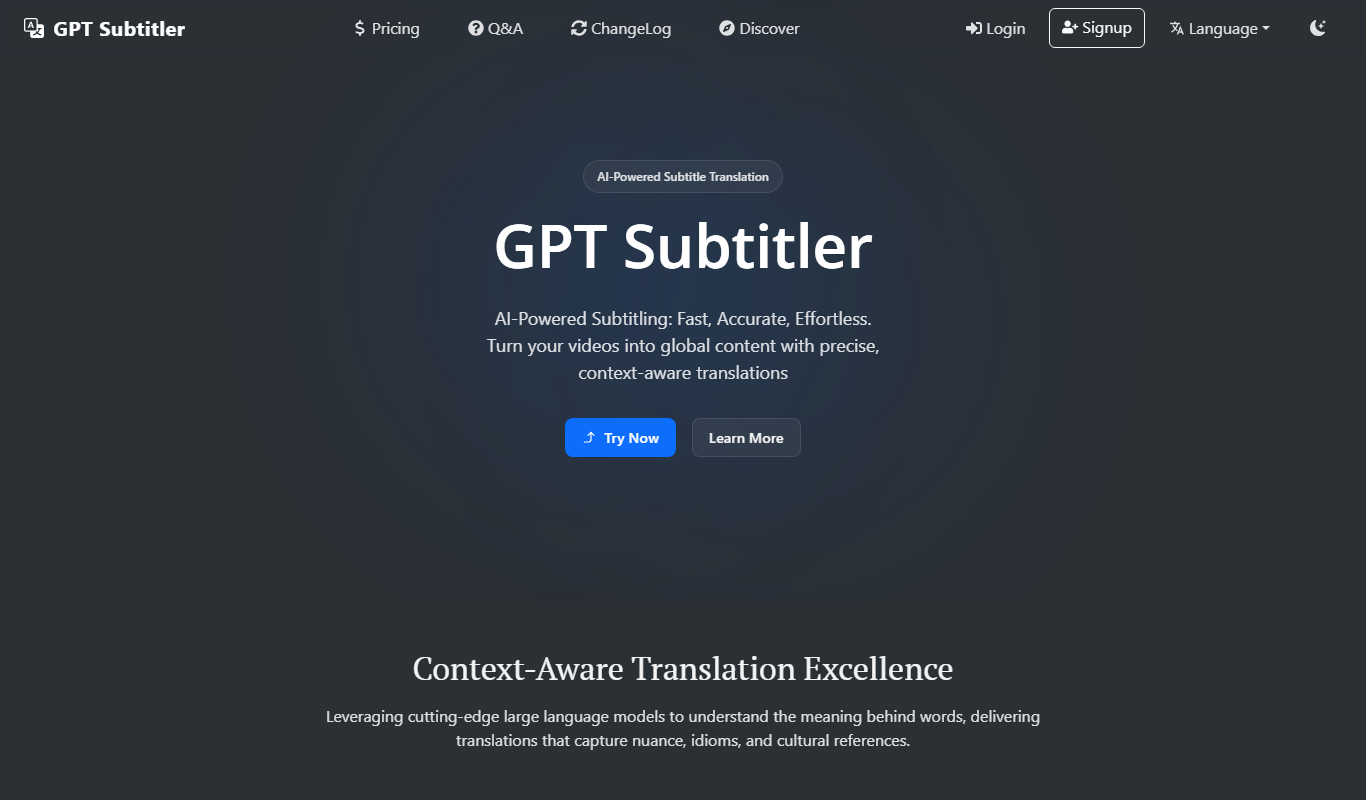
GPT Subtitler
GPT Subtitler is an AI-based tool that automatically generates synchronized subtitles for videos, enabling quick and accurate captioning to improve accessibility and engagement.