

RoboForm Password Manager for Secure Login and Autofill Solutions
RoboForm is a password management tool that securely stores and autofills passwords and personal information across devices, enhancing online security and convenience.
- Best for
- Password Management
- Key capability
- Encrypted Password Vault
Save RoboForm, follow its updates and vote on it — everything stays in your account.
Sign in or create a free account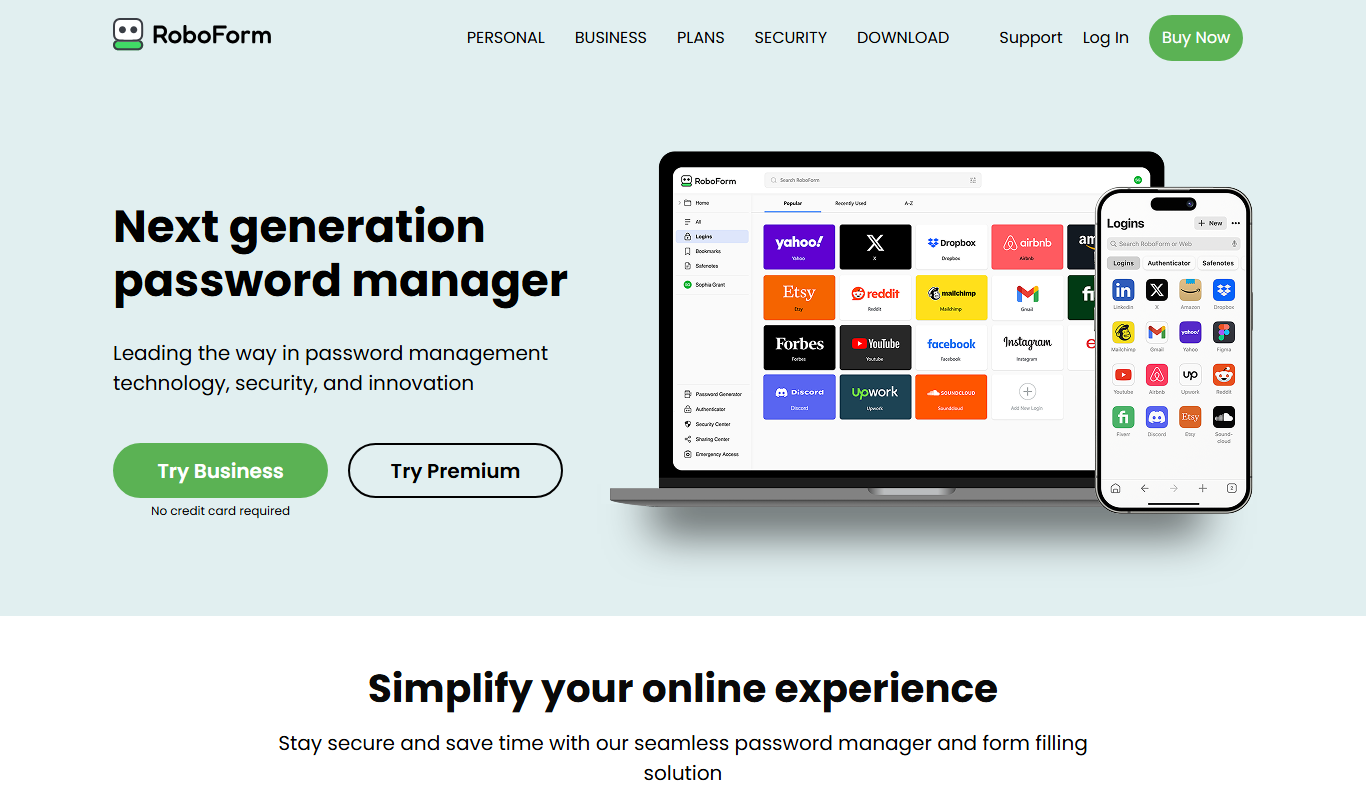
What is RoboForm?
RoboForm is a comprehensive password management software designed to securely store, generate, and autofill passwords and personal information across devices and browsers. It helps users maintain strong, unique passwords for their online accounts while simplifying login and form-filling processes.
Key features of RoboForm
RoboForm offers encrypted password storage, one-click login, automatic form filling, password generation, secure sharing, and multi-platform synchronization to enhance online security and convenience.
Encrypted Password Vault
Stores all passwords and personal data securely using AES-256 bit encryption.
One-Click Login
Log into websites instantly with a single click without typing credentials.
Automatic Form Filling
Fill out online forms quickly with saved personal, address, and payment details.
Password Generator
Create strong, random passwords to improve account security.
Cross-Platform Sync
Synchronize your data across Windows, macOS, iOS, Android, and browser extensions.
Secure Password Sharing
Share passwords safely with family or colleagues without revealing the actual password.
Pros and cons of RoboForm
Pros
- Strong encryption and security features
- Cross-platform compatibility including mobile and browsers
- Easy-to-use interface with one-click login and autofill
- Password generator to create secure passwords
- Secure password sharing options
Cons
- Free plan limited to single device use
- Business plan pricing is not publicly listed
- Some advanced features require paid subscription
Key use cases for RoboForm
Password Management
Securely store and manage complex passwords for multiple accounts in one encrypted vault.
Form Autofill
Automatically fill in online forms with saved personal, payment, and address information to save time.
Secure Login
Use RoboForm to quickly and safely log into websites without manually typing credentials.
Password Generation
Generate strong, unique passwords to enhance account security and reduce vulnerability.
Password Sharing
Share passwords securely with trusted contacts or team members without exposing sensitive data.
How RoboForm works
- 1
Create an Account
Sign up for RoboForm and set a strong master password to protect your vault.
- 2
Install RoboForm
Download and install RoboForm on your preferred devices and browsers.
- 3
Save Passwords
Save your existing passwords or import them from browsers and other password managers.
- 4
Use Autofill and Login
Use RoboForm to automatically fill login forms and personal information on websites.
- 5
Sync Across Devices
Keep your passwords and data synchronized securely across all your devices.
Who is using RoboForm
RoboForm pricing
Free
$0/month
Basic password management with limited features and single device usage.
Premium
$29.88/year at renewal
Premium features on unlimited devices, billed annually.
Family
$47.75/year
Covers up to 5 users with shared folders and priority support.
Business
$39.95/user/year
Enterprise-grade password management with admin controls and team management.
Plans and prices are as published by the vendor and can change. Check the official site before you buy. Open the pricing page (opens in a new tab)
Frequently asked questions about RoboForm
Yes, RoboForm uses strong AES-256 bit encryption and zero-knowledge architecture to ensure your data is secure.
Yes, RoboForm can autofill personal information, addresses, credit card details, and other form data.
Yes, RoboForm has apps for iOS and Android and browser extensions for seamless use across devices.
Yes, RoboForm allows secure password sharing with trusted contacts or team members.
It depends on your specific needs and how you plan to use the tool. The official website and documentation are the best sources for the latest details.
Yes, it can help with that use case depending on how you configure it and what features are available. You’ll get the best results with clear inputs and a defined goal.
Some tools offer a free plan or trial with limited features. Availability can vary, so confirm on the official website.
Yes, it can help with that use case depending on how you configure it and what features are available. You’ll get the best results with clear inputs and a defined goal.
Conclusion
A master password protects the vault, where passwords and personal data are stored with AES-256 bit encryption. Saved logins work with a single click, and online forms can be filled with stored personal, address and payment details. Existing passwords can be imported from browsers and other password managers, and data synchronizes across Windows, macOS, iOS, Android and browser extensions.
It is built for individuals as well as families that want shared password access and small businesses that need team password sharing. Premium renews at $29.88 per year and Family costs $47.75 per year, while Business is published at $39.95 per user per year.
Sources
Sign in to review this tool.
Sign In to ReviewNo reviews yet
Be the first to share how this tool worked for you.
Ask about pricing, limits, or how it compares — or answer someone else.
Sign In to AskNo questions yet
Have a question about using or paying for this tool? Be the first to ask.
Featured on TiorAI



Alternative Tools
Explore similar AI tools that might fit your needs
LastPass
LastPass is a password manager that securely stores and autofills your passwords, generates strong passwords, and supports multi-factor authentication to protect your online accounts.

1Password
1Password is a secure password manager that stores and autofills passwords, manages two-factor authentication, and enables safe sharing for individuals and teams.

Dashlane
Dashlane is a password manager and digital wallet that securely stores and autofills passwords and payment details, offers password generation, security monitoring, and VPN services.
More AI Security tools
Other tools in the same category, for when this one is not quite the fit.

PhishTank API
PhishTank API provides free, real-time access to a community-curated phishing URL database, enabling developers and security professionals to detect and prevent phishing attacks by verifying suspicious URLs.
Cisco Umbrella
Cisco Umbrella is a cloud-based security platform that protects users and networks from internet threats by blocking malicious domains and enforcing security policies at the DNS layer, with additional features like secure web gateway and cloud access security.

Forcepoint DLP
Forcepoint DLP is an enterprise data loss prevention solution that protects sensitive information across endpoints, networks, and cloud environments using data classification, behavioral analytics, and policy enforcement.

Arkose Labs
Arkose Labs is a cybersecurity platform that prevents fraud and automated bot attacks by using adaptive challenge-response tests and real-time risk scoring to secure online accounts and transactions.

FaceTec
FaceTec is an AI-driven biometric authentication platform specializing in 3D facial recognition and liveness detection to securely verify user identities and prevent fraud.

ArcFace
ArcFace is an AI-powered facial recognition software developed by ArcSoft that provides high-accuracy face detection and verification with anti-spoofing features, suitable for identity verification and security applications.
Viseum
Viseum is an AI-driven surveillance platform that provides real-time video analytics, automated threat detection, and remote monitoring to enhance security operations.

Burp Suite
Burp Suite is a comprehensive web security testing platform by PortSwigger that enables penetration testers and security researchers to identify and exploit vulnerabilities in web applications through both automated scanning and manual testing tools.