

Pory.io No-Code Platform for Building Custom Web Apps and Portals
Pory.io is marketed as an AI Portal Builder for programs and communities.
- Best for
- Build Custom Web Applications
- Key capability
- No-Code Drag-and-Drop Editor
Save Pory.io, follow its updates and vote on it — everything stays in your account.
Sign in or create a free account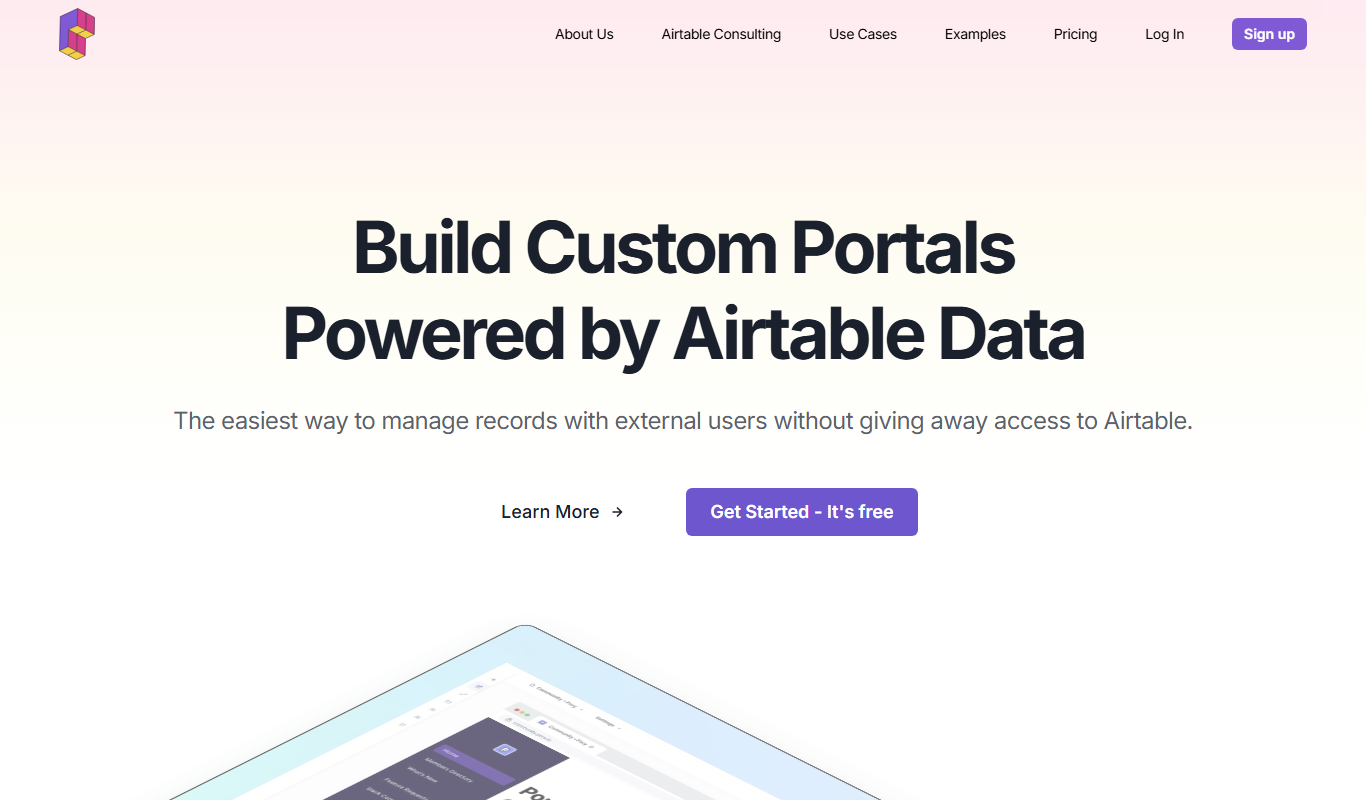
What is Pory.io?
Pory.io is a portal builder on Airtable that presents itself as an AI Portal Builder.
Key features of Pory.io
Pory.io offers drag-and-drop app building, Airtable integration, user authentication, customizable templates, and responsive design to help users quickly launch web apps tailored to their needs.
No-Code Drag-and-Drop Editor
Build app interfaces visually without programming knowledge.
Airtable Integration
Seamlessly connect Airtable databases to power app content and logic.
User Authentication
Enable sign-up, login, and role-based access control.
Customizable Templates
Start quickly with pre-built templates for common app types.
Responsive Design
Apps built with Pory.io work well on desktop and mobile devices.
Pros and cons of Pory.io
Pros
- User-friendly drag-and-drop interface
- Strong Airtable integration
- No coding required to build functional apps
- Responsive design for mobile and desktop
- Affordable pricing with a free tier
Cons
- Limited to web platform only
- Some advanced features require paid plans
- Customization options can be restrictive for complex apps
Key use cases for Pory.io
Build Custom Web Applications
Create fully functional web apps without coding by connecting data sources and designing user interfaces.
Create Member Portals
Develop membership sites with user authentication and personalized content.
Automate Workflows
Integrate with Airtable and other tools to automate business processes and data management.
Launch Marketplaces
Build online marketplaces to connect buyers and sellers with custom features.
Develop Internal Tools
Create internal dashboards and tools to streamline company operations.
How Pory.io works
- 1
Connect Data Source
Link your Airtable base or other supported data sources to Pory.io.
- 2
Design Interface
Use the drag-and-drop editor to build pages, lists, and detail views.
- 3
Configure User Access
Set up user authentication and permissions for your app.
- 4
Publish and Share
Launch your web app with a custom domain and share it with users.
Who is using Pory.io
Pory.io pricing
Free
$0/month
Limited to one portal and 5 members.
Pro
$119/month, or $99/month billed annually
One portal with unlimited users and the account's own branding and domain.
Enterprise
$549/month
Unlimited portals for agencies and multi-team orgs, with everything in Pro plus priority support and migration support.
Plans and prices are as published by the vendor and can change. Check the official site before you buy. Open the pricing page (opens in a new tab)
Frequently asked questions about Pory.io
No, Pory.io is designed for users without coding experience to build web apps visually.
Yes, Airtable integration is a core feature to power your app’s data.
Yes, Pory.io supports user authentication and role-based access.
Custom domains are available on paid plans.
This tool is designed to help users accomplish its core tasks more efficiently. It is typically used by individuals or teams looking to improve productivity and workflow.
It depends on your specific needs and how you plan to use the tool. The official website and documentation are the best sources for the latest details.
Yes, it can help with that use case depending on how you configure it and what features are available. You’ll get the best results with clear inputs and a defined goal.
Pricing depends on the plan and included features. For the most accurate and up-to-date details, check the official pricing page.
Conclusion
Data comes from an Airtable base: once the base is linked, a drag-and-drop editor builds pages, lists and detail views without coding. Sign-up, login and role-based access control handle user authentication, and pre-built templates give a quick start.
The product is now marketed as an AI Portal Builder for programs and communities. Membership sites with user authentication and personalized content are one use case, and non-technical founders and entrepreneurs launching MVPs are among its users. The free plan is limited to one portal and 5 members, while Pro costs $119 per month or $99 per month billed annually and Enterprise costs $549 per month.
Sources
Sign in to review this tool.
Sign In to ReviewNo reviews yet
Be the first to share how this tool worked for you.
Ask about pricing, limits, or how it compares — or answer someone else.
Sign In to AskNo questions yet
Have a question about using or paying for this tool? Be the first to ask.
Featured on TiorAI



Alternative Tools
Explore similar AI tools that might fit your needs

Bubble
Bubble is a no-code AI app builder for creating web and mobile apps visually, switching between AI prompting and visual editing for design, database, logic and privacy rules.

Adalo
Adalo is a no-code platform that lets you create mobile and web applications visually without programming, supporting native app publishing and database integration.

Glide
Glide is a no-code app builder that lets you create mobile and web apps by visually designing interfaces connected to spreadsheet data, enabling fast app development without coding.
More Business Management tools
Other tools in the same category, for when this one is not quite the fit.

Adaapt
Adaapt.AI is an enterprise AI super assistant platform for workflow automation, voice AI, predictive analytics and enterprise integrations, available by demo.

NextBrain AI
NextBrain AI is a no-code machine learning and AI workflow automation platform with AutoML, a Knowledge Repository (RAG), Document Extraction and Document Comparison.

dbnix.ai
dbnix.ai is an AI-powered IT support automation platform that resolves L1 and L2 issues instantly, available 24/7.

Athenic AI
Athenic is an agentic AI data analyst: connect your business data, ask questions in plain English and build live dashboards and automated reports with no SQL required.

Wisent
Wisent uses representation engineering to give control over AI models, reducing hallucinations and malicious content, through an API with SDK.

Prompteams
Prompteams is an AI prompt management system with prompt versioning, end-to-end LLM testing and an auto-generated API to retrieve prompts.

EnergeticAI
EnergeticAI is TensorFlow.js optimized for serverless functions, with fast cold-start, small module size and pre-trained models for Node.js apps.
Callr
Callr is an API-first voice platform with its own carrier network, offering voice and SMS APIs, call tracking, AI Voice Agents and Conversation Intelligence across 220+ countries.