

From my experience with PixarAI, I found it excels at providing an accessible and straightforward way to generate creative digital images without needing advanced skills. The platform’s ease of use and quick generation times make it particularly well-suited for marketers, designers, and content creators who need fresh visuals on demand. However, the tool currently offers limited customization compared to more advanced AI art platforms, and it lacks mobile or desktop apps, which might restrict flexibility for some users. Overall, if you want a simple, web-based AI image generator to enhance your creative projects, PixarAI delivers solid results.
PixarAI Image Generation Tool for Creative AI Art and Design
PixarAI is a web-based AI image generation platform that creates unique digital artwork from text prompts, ideal for designers and marketers seeking creative visuals.
- Best for
- Creative Artwork Generation
- Key capability
- AI-Powered Image Generation
Your actions
Save PixarAI, follow its updates and vote on it — everything stays in your account.
Sign in or create a free account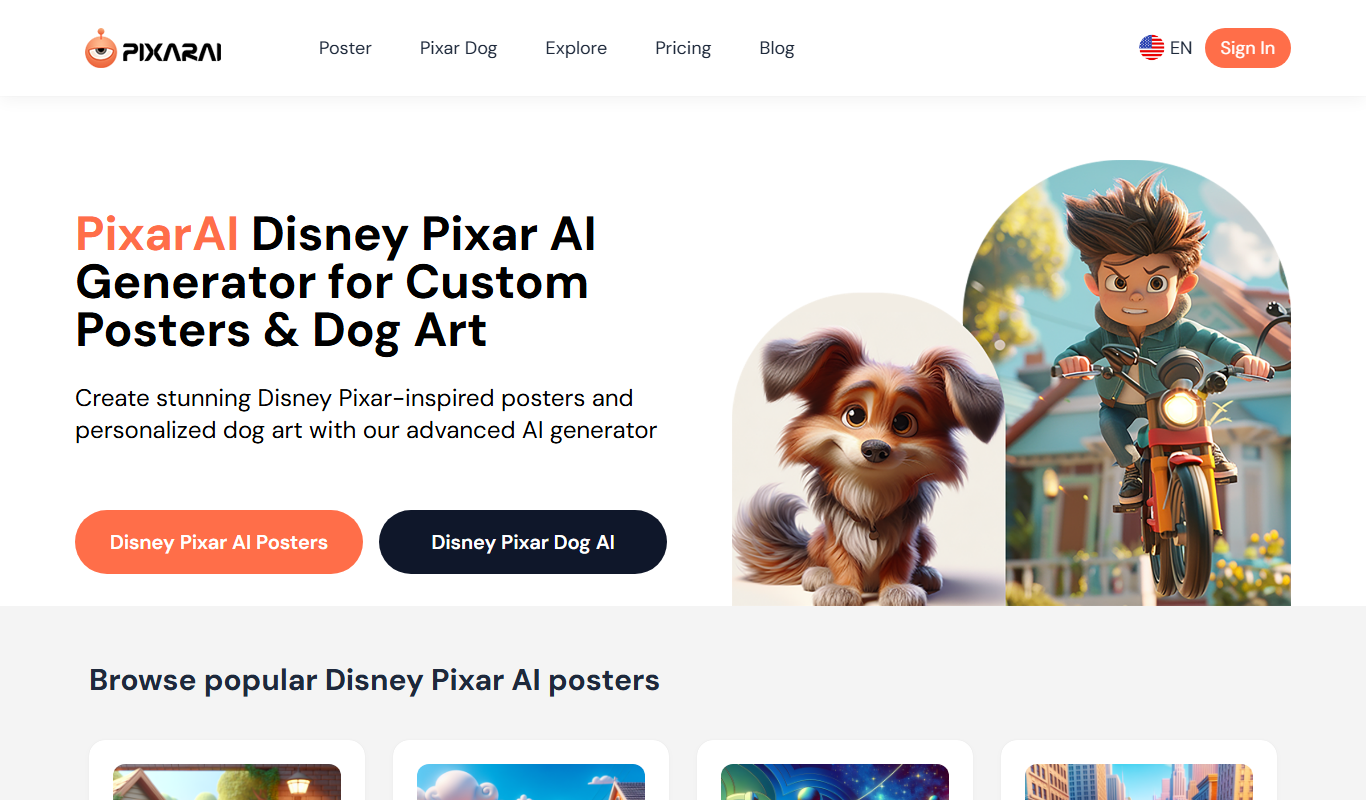

What is PixarAI?
PixarAI is a web-based AI image generation tool that enables users to create unique digital artwork and visuals by leveraging artificial intelligence. It is designed to assist creatives, marketers, and designers in producing high-quality images quickly and efficiently without requiring advanced artistic skills.
Key features of PixarAI
PixarAI offers an intuitive interface for generating AI-powered images, customizable prompts to guide the creative process, and a freemium pricing model that allows users to explore the tool before committing to paid features.
AI-Powered Image Generation
Create unique images from text prompts using advanced AI algorithms.
User-Friendly Interface
Simple and clean web interface designed for ease of use by all skill levels.
Freemium Model
Access basic features for free with options to upgrade for enhanced capabilities.
Prompt Customization
Customize text prompts to guide the style and content of generated images.
Pros and cons of PixarAI
Pros
- Easy-to-use interface suitable for beginners
- Generates diverse and creative images quickly
- Freemium model allows risk-free testing
Cons
- Limited customization options compared to advanced AI tools
- No desktop or mobile app versions currently available
Key use cases for PixarAI
Creative Artwork Generation
Generate unique and high-quality digital artwork for personal or professional projects.
Graphic Design Assistance
Assist graphic designers by providing AI-generated images to inspire or incorporate into designs.
Content Creation for Marketing
Create engaging visuals for marketing campaigns, social media posts, and advertisements.
Concept Art Development
Help artists and studios develop concept art quickly using AI-generated imagery.
How PixarAI works
- 1
Access the Platform
Visit the PixarAI website and create a free account to start generating images.
- 2
Enter Your Prompt
Provide a text description or keywords that describe the image you want to create.
- 3
Generate Image
PixarAI processes your input using AI models to produce unique images based on your prompt.
- 4
Download or Refine
Download the generated image or adjust your prompt to create new variations.
Who is using PixarAI
Graphic designers
Content creators
Marketing professionals
Digital artists
Small businesses
PixarAI pricing
Free
$0/month
Basic access with limited image generations and standard resolution.
Pro
$19/month
Increased generation limits, higher resolution downloads, and priority support.
Plans and prices are as published by the vendor and can change. Check the official site before you buy. Open the pricing page (opens in a new tab)
Frequently asked questions about PixarAI
PixarAI can generate a wide range of digital artwork including abstract, realistic, fantasy, and conceptual images based on user prompts.
Yes, the free plan includes a limited number of image generations per month. Upgrading to Pro increases these limits.
Yes, images generated with PixarAI can be used commercially, but users should review the terms of service for specific licensing details.
It depends on your specific needs and how you plan to use the tool. The official website and documentation are the best sources for the latest details.
Some tools offer a free plan or trial with limited features. Availability can vary, so confirm on the official website.
Yes, it can help with that use case depending on how you configure it and what features are available. You’ll get the best results with clear inputs and a defined goal.
Sign in to review this tool.
Sign In to ReviewNo reviews yet
Be the first to share how this tool worked for you.
Ask about pricing, limits, or how it compares — or answer someone else.
Sign In to AskNo questions yet
Have a question about using or paying for this tool? Be the first to ask.
Featured on TiorAI



More AI Design & Creative Tools tools
Other tools in the same category, for when this one is not quite the fit.

Free
AnyoneCanAI
AnyoneCanAI by Parallel simplifies AI with free resources, tools and inspiration: an Ideation Room, a Brainstorming Kit, case stories and an AI resource library.

Free
Emoji Generator AI
Emoji Generator AI is a web-based tool that uses artificial intelligence to create custom emojis from text descriptions, allowing users to generate unique emoji designs quickly without design skills.

Free
Disney Pixar AI Image Generator
Disney Pixar AI Image Generator is a web tool that turns uploaded images into Disney Pixar and Ghibli-style creations using AI, paid for with credit packages.

Freemium
IconKit
IconKit is a web-based AI tool that generates custom icons quickly for branding and design projects, offering easy customization and multiple export formats.

Free
Cartoon AI Generator
Cartoon AI Generator is a website that turns text prompts into cartoon images with its AI model, sold with credit packs.

Free
ComicLLM
ComicLLM is an AI-driven web tool that converts text prompts into illustrated comic panels, enabling users to create comics without drawing skills.

Free
TattooGen
TattooGen is an AI-powered web tool that generates unique tattoo designs based on user input, offering customizable styles and instant previews to help users and artists create custom ink art.

Free
Muse AI Art Generator
Muse AI Art Generator is a web-based platform that uses AI to generate unique digital artworks from user prompts, offering various styles and high-resolution outputs.