

From my experience with PDFToQuiz, I found it excels at quickly transforming static PDF content into interactive quizzes, saving educators and trainers significant time. The automatic question extraction combined with easy customization makes it practical for creating assessments without starting from scratch. However, the platform currently supports only English and lacks a mobile app, which might limit accessibility for some users. Overall, if you need a straightforward way to repurpose PDFs into engaging quizzes for learning or training, PDFToQuiz offers a solid, user-friendly solution.
PDFToQuiz - Convert PDFs into Interactive Quizzes for Learning
PDFToQuiz is a web-based tool that automatically converts PDF documents into interactive quizzes, supporting multiple question types and easy sharing options.
- Best for
- Educators Creating Assessments
- Key capability
- Automatic Question Extraction
Your actions
Save PDFToQuiz, follow its updates and vote on it — everything stays in your account.
Sign in or create a free account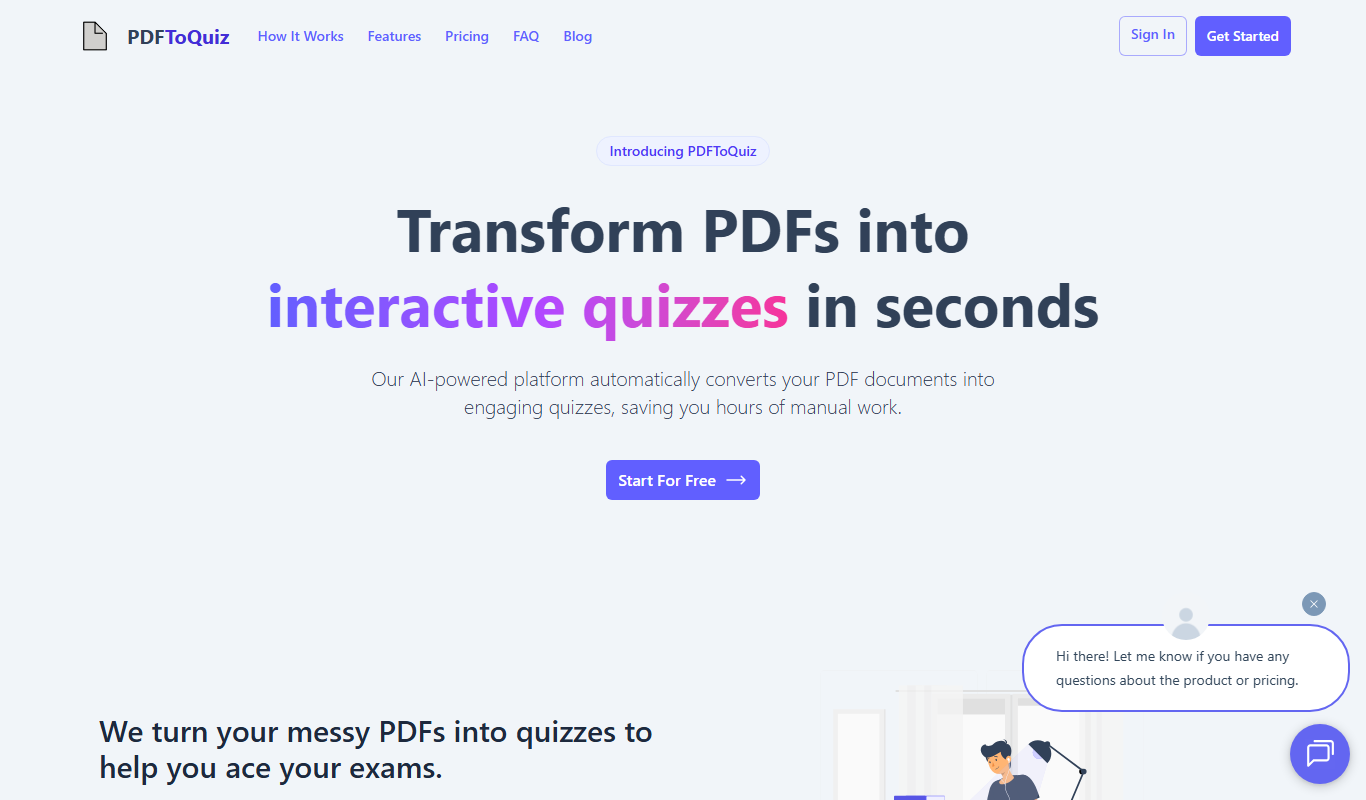
What is PDFToQuiz?
PDFToQuiz is an online platform that enables users to convert PDF documents into interactive quizzes effortlessly. It streamlines the process of transforming static PDF content into dynamic assessments, making it easier for educators, trainers, and learners to engage with material in a more interactive way.
Key features of PDFToQuiz
The tool offers automated quiz generation from PDFs, customizable question types, instant quiz previews, and easy sharing options. It supports multiple-choice, true/false, and short answer questions derived from the PDF content.
Automatic Question Extraction
Uses AI to extract relevant questions from PDF text to create quizzes quickly.
Multiple Question Types
Supports multiple-choice, true/false, and short answer formats.
Quiz Customization
Allows users to edit questions, answers, and quiz settings before publishing.
Instant Preview
Users can preview quizzes in real-time to ensure quality and accuracy.
Easy Sharing Options
Provides shareable links and embed codes for seamless distribution.
Pros and cons of PDFToQuiz
Pros
- Quickly converts PDFs into interactive quizzes
- Supports multiple question formats
- Easy to customize and edit quizzes
- User-friendly web interface
- Flexible sharing options
Cons
- Limited language support (English only)
- No mobile app available
- Free trial has restricted features
Key use cases for PDFToQuiz
Educators Creating Assessments
Teachers can quickly convert existing PDF materials into interactive quizzes to assess student understanding.
Corporate Training
Training managers can transform PDF manuals and guides into quizzes to evaluate employee knowledge retention.
Self-paced Learning
Learners can convert study PDFs into quizzes for self-assessment and practice.
Content Repurposing
Content creators can repurpose PDF documents into engaging quiz formats to increase learner engagement.
How PDFToQuiz works
- 1
Upload PDF
Users upload their PDF document to the platform.
- 2
Automatic Quiz Generation
The system analyzes the PDF content and generates quiz questions automatically.
- 3
Customize Quiz
Users can edit, add, or remove questions and adjust settings.
- 4
Publish and Share
Once finalized, quizzes can be published and shared with learners via links or embeds.
Who is using PDFToQuiz
Educators and teachers
Corporate trainers
E-learning content creators
Students and self-learners
Instructional designers
PDFToQuiz pricing
Free Trial
$0 for 7 days
Access to basic features with limited quiz creations.
Pro
$19/month
Unlimited quizzes, advanced customization, and priority support.
Plans and prices are as published by the vendor and can change. Check the official site before you buy. Open the pricing page (opens in a new tab)
Frequently asked questions about PDFToQuiz
Yes, you can customize, add, or remove questions before publishing your quiz.
It supports multiple-choice, true/false, and short answer questions.
The platform supports PDFs up to 50MB in size.
Yes, quizzes can be shared via public links or embedded on websites.
It depends on your specific needs and how you plan to use the tool. The official website and documentation are the best sources for the latest details.
Yes, it can help with that use case depending on how you configure it and what features are available. You’ll get the best results with clear inputs and a defined goal.
Yes, it can help with that use case depending on how you configure it and what features are available. You’ll get the best results with clear inputs and a defined goal.
Sign in to review this tool.
Sign In to ReviewNo reviews yet
Be the first to share how this tool worked for you.
Ask about pricing, limits, or how it compares — or answer someone else.
Sign In to AskNo questions yet
Have a question about using or paying for this tool? Be the first to ask.
Featured on TiorAI



Alternative Tools
Explore similar AI tools that might fit your needs
Free
Typeform
Typeform is an online platform that enables users to create interactive, conversational forms and surveys to collect data, feedback, and leads with customizable templates and logic jumps.

Freemium
ProProfs Quiz Maker
ProProfs Quiz Maker is an online platform that allows users to create, customize, and share quizzes for training, education, and marketing purposes with features like automated grading and detailed analytics.
More AI Education & Learning Tools tools
Other tools in the same category, for when this one is not quite the fit.

Free
mindspore.cn
MindSpore is an open-source deep learning framework by Huawei that supports flexible AI model development, distributed training, and deployment on cloud and edge devices.
Freemium
GradeGenius
GradeGenius is an AI-based grading tool that automates scoring of essays and tests, helping educators save time and provide consistent student assessments.

Freemium
AI Math Solver Powered by Math GPT Free Online
AI Math Solver Powered by Math GPT is an online AI math solver powered by GPT-4o that gives step-by-step solutions to math equations and word problems submitted as text, images, PDFs or CSV files.

Freemium
testportal.net
Testportal.net is an online exam platform that enables secure test creation, automated grading, and remote proctoring for educational and corporate assessments.

Freemium
AIQuizGen
AIQuizGen is an AI-powered platform that automates quiz creation by generating questions from user-provided content, supporting multiple question types and easy sharing.
Free
Quizify
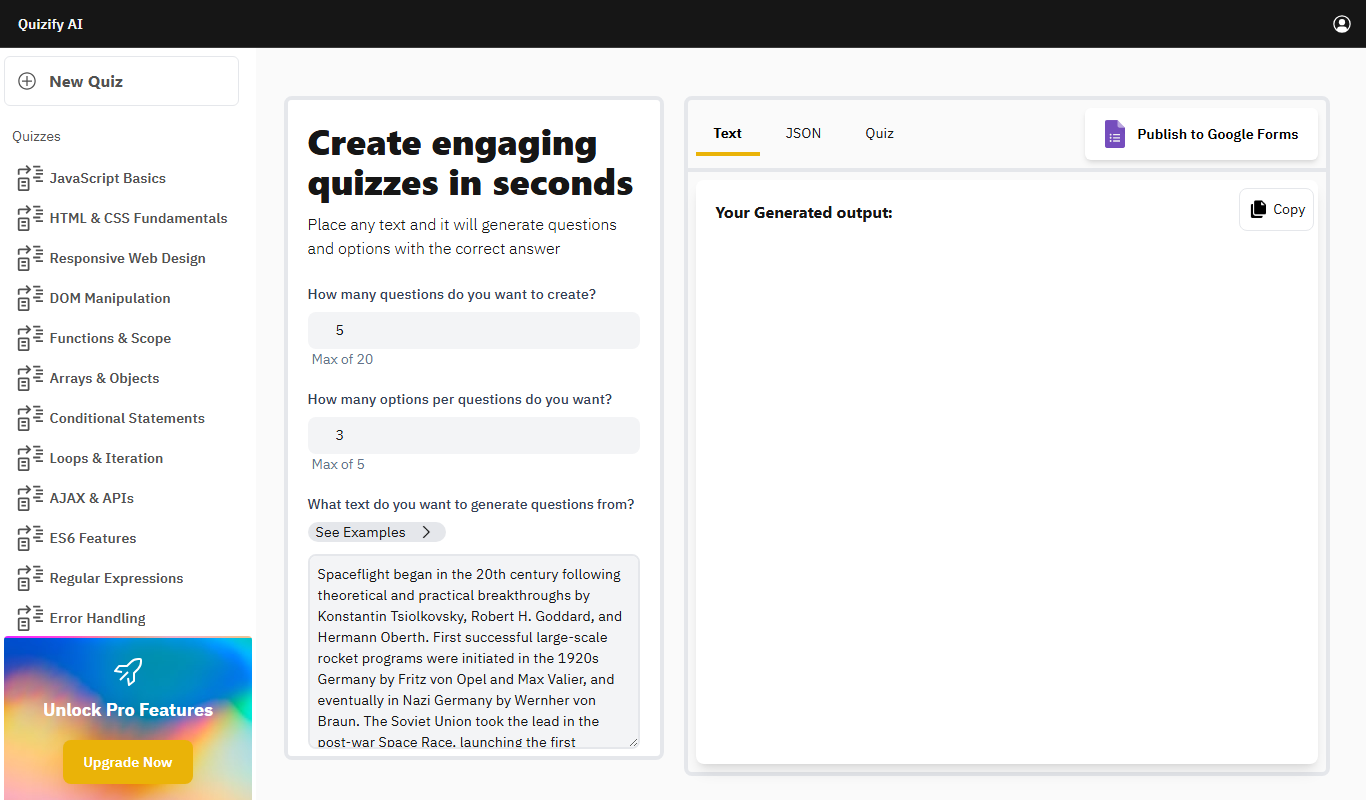
Quizify is an AI-powered quiz generator for educators that turns any text into questions and answer options and can publish them to Google Forms.
Free
ReadTheory
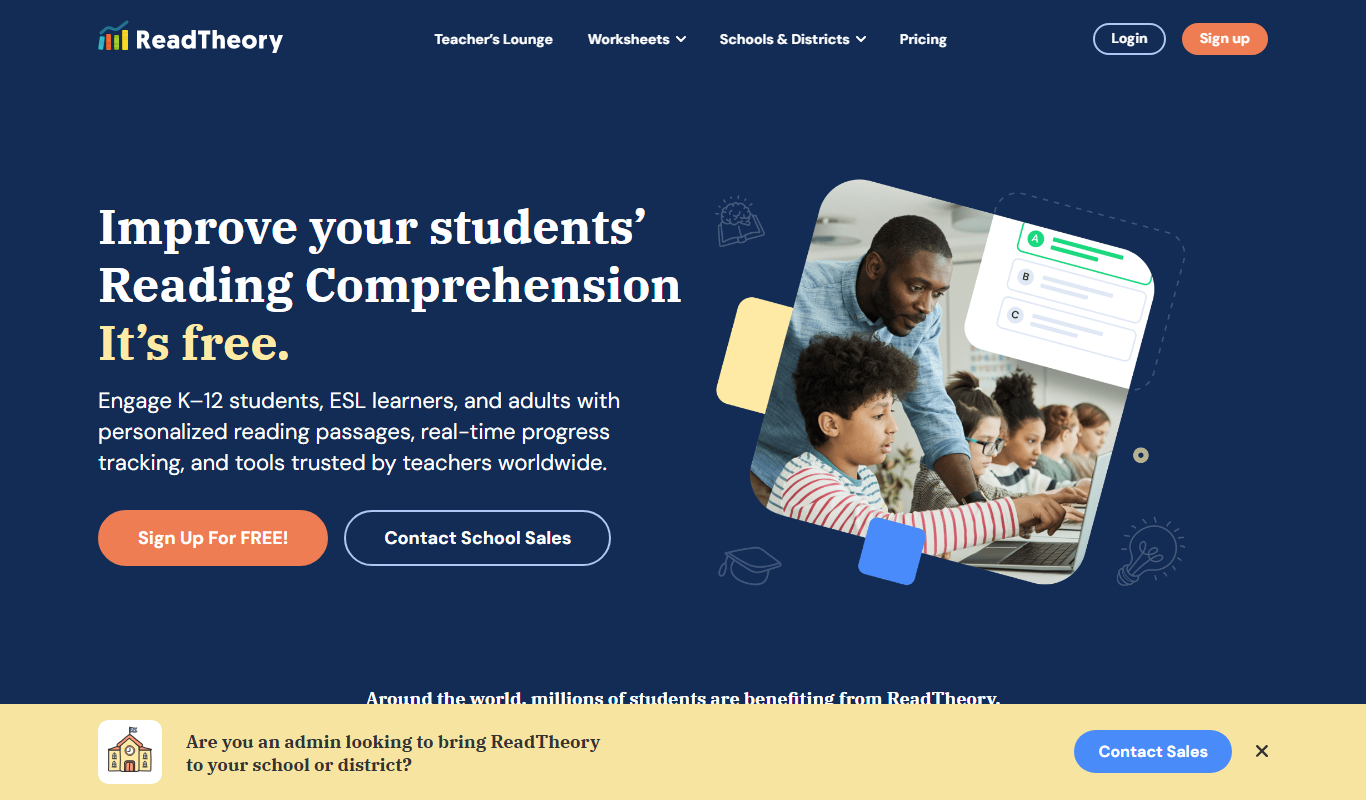
ReadTheory is an adaptive online platform that helps students improve reading comprehension through personalized exercises and allows teachers to track progress with detailed reports.

Free
Quizbot.ai
Quizbot.ai is an AI-driven platform that helps users create interactive quizzes by generating questions from input content, enabling quick and engaging assessments.