

From my experience with Outfit Changer AI, I found it excels at delivering realistic and seamless virtual outfit transformations that feel natural in photos. The platform’s intuitive web interface makes it accessible even for users without technical skills, which is a big plus. It’s particularly well-suited for fashion designers, e-commerce retailers, and content creators who want to visualize clothing styles quickly without physical changes. However, the tool currently has limited mobile support and does not fully support custom clothing uploads, which could be a drawback for some users. Overall, if you need a fast and effective way to experiment with outfit looks digitally, this tool delivers solid and practical results.
Outfit Changer AI - Realistic Virtual Outfit Try-On and Editing Tool
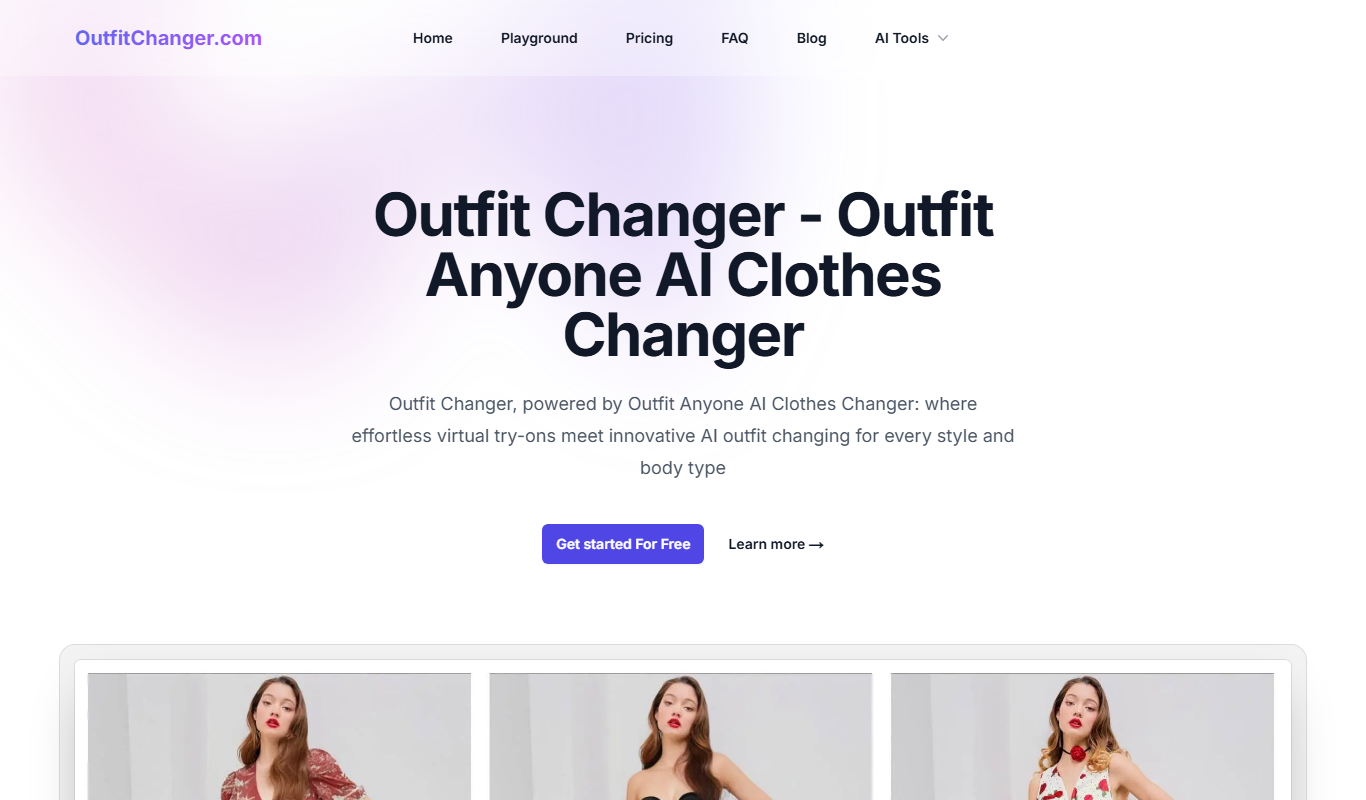
Outfit Changer AI is a web tool that uses artificial intelligence to realistically change and try on outfits in photos, enabling users to visualize different clothing styles without physical changes.
- Best for
- Virtual Outfit Try-On
- Key capability
- Photorealistic Outfit Transformation
Do you recommend this tool?
What is Outfit Changer AI | Outfit Anyone AI?
Outfit Changer AI is a web-based artificial intelligence tool that enables users to virtually change and try on outfits in photos. By leveraging advanced AI image processing, it allows realistic editing of clothing on any person in an image, providing a seamless and natural look without the need for physical wardrobe changes.
Key features of Outfit Changer AI | Outfit Anyone AI
The tool offers features such as uploading personal photos, selecting from a variety of clothing styles, automatic fitting and blending of garments onto the subject, and downloading the edited images. It focuses on delivering high-quality, photorealistic outfit transformations suitable for fashion, e-commerce, and personal use.
Photorealistic Outfit Transformation
AI generates natural-looking clothing changes that blend seamlessly with the original photo.
Wide Range of Clothing Styles
Access to diverse outfit options including casual, formal, and trendy apparel.
User-Friendly Web Interface
No technical skills required; intuitive controls for quick outfit changes.
Fast Processing Times
AI delivers results within seconds, enabling efficient experimentation.
Privacy and Security
Uploaded photos are processed securely and not shared without consent.
Pros and cons of Outfit Changer AI | Outfit Anyone AI
Pros
- Realistic and high-quality outfit edits
- Easy to use with no technical skills needed
- Quick processing and results
- Useful for fashion, e-commerce, and personal styling
- Secure handling of user photos
Cons
- Limited mobile device support
- Custom clothing uploads not fully supported yet
- Free plan includes watermarked images
Key use cases for Outfit Changer AI | Outfit Anyone AI
Virtual Outfit Try-On
Users can upload photos and virtually try on different clothing styles and outfits without physically changing clothes.
Fashion Design and Styling
Fashion designers and stylists can visualize clothing combinations and outfit ideas on models or clients digitally.
E-commerce Product Visualization
Online retailers can showcase how garments look on different body types and styles to enhance customer experience.
Social Media Content Creation
Content creators can generate diverse outfit looks quickly for posts, stories, and promotional materials.
Personal Styling and Wardrobe Planning
Individuals can experiment with outfit combinations to plan their wardrobe or decide on purchases.
How Outfit Changer AI | Outfit Anyone AI works
- 1
Upload Photo
Users upload a clear photo of a person to the platform.
- 2
Select Outfit
Choose from a curated collection of clothing styles or upload custom garments.
- 3
AI Processing
The AI analyzes the photo and fits the selected outfit onto the person, adjusting for pose and lighting.
- 4
Review and Edit
Users can preview the result and make minor adjustments if needed.
- 5
Download Image
Save the final image with the new outfit for personal or professional use.
Who is using Outfit Changer AI | Outfit Anyone AI
Fashion designers and stylists
E-commerce retailers
Social media content creators
Personal wardrobe planners
Marketing agencies in fashion
Outfit Changer AI | Outfit Anyone AI pricing
Free
$0/month
Limited number of outfit changes per month with watermark on images.
Pro
$19/month
Unlimited outfit changes, high-resolution downloads, and no watermarks.
Plans and prices are as published by the vendor and can change. Check the official site before you buy. Open the pricing page (opens in a new tab)
Frequently asked questions about Outfit Changer AI | Outfit Anyone AI
Yes, you can upload photos with clear views of the person, preferably full body shots for best results.
Yes, the platform ensures privacy and does not share your photos without permission.
Currently, users can select from the provided clothing options; custom uploads may be supported in future updates.
Outfit Changer AI is optimized for desktop web browsers; mobile support is limited.
It depends on your specific needs and how you plan to use the tool. The official website and documentation are the best sources for the latest details.
Some tools offer a free plan or trial with limited features. Availability can vary, so confirm on the official website.
Yes, it can help with that use case depending on how you configure it and what features are available. You’ll get the best results with clear inputs and a defined goal.
It depends on your specific needs and how you plan to use the tool. The official website and documentation are the best sources for the latest details.
Sign in to review this tool.
Sign In to ReviewNo reviews yet
Be the first to share how this tool worked for you.
Ask about pricing, limits, or how it compares — or answer someone else.
Sign In to AskNo questions yet
Have a question about using or paying for this tool? Be the first to ask.
Featured on TiorAI



More AI Ai Tools tools
Other tools in the same category, for when this one is not quite the fit.

Free
Pogo Travel
Pogo Travel is an AI-driven platform that generates personalized travel itineraries based on your preferences, travel dates, and interests, offering collaborative planning and offline access.

Freemium
PlaninGo
PlaninGo is an AI travel planning tool that generates personalized trip itineraries and guides based on your preferences, helping you plan efficient and enjoyable trips.

Free
Travelwiz
Travelwiz is an AI-powered travel planning tool that creates personalized trip itineraries and offers tailored travel recommendations based on user preferences.

Free
Momo
Momo is an AI-powered assistant that automates workflows, manages tasks, and enhances team collaboration by integrating with popular productivity tools.

Free
Nextrip
Nextrip AI is an online travel planning tool that uses artificial intelligence to generate personalized trip itineraries based on your preferences, travel dates, and destinations.

Freemium
TravelBot AI Travel Assistant
TravelBot AI Travel Assistant is a web-based platform that uses artificial intelligence to help users create personalized travel itineraries, book flights and hotels, and receive tailored travel recommendations based on preferences and budget.

Freemium
AIreelity
AIreelity is an AI-driven video creation platform that transforms text scripts into engaging marketing videos with customizable templates and AI voiceovers.

Free
AIJOURNEY
AIJOURNEY is an AI-driven career development tool that provides personalized career path recommendations, identifies skill gaps, and offers curated learning resources to help users advance professionally.