

OpenKM Document Management Software for Enterprise Content and Workflow
OpenKM is an enterprise document management system that helps organizations digitize, organize, and automate document workflows with features like version control, workflow automation, and secure access.
- Best for
- Document Management
- Key capability
- Advanced Search and Indexing
Save OpenKM, follow its updates and vote on it — everything stays in your account.
Sign in or create a free accountWhat is OpenKM?
OpenKM is an enterprise-grade document management system (DMS) designed to help organizations digitize, organize, and automate their document-centric processes. It provides a centralized platform for storing, managing, and tracking electronic documents and images of paper-based information captured through scanning. OpenKM supports workflow automation, version control, metadata management, and compliance with regulatory standards, making it suitable for businesses seeking to improve productivity and reduce paper usage.
Key features of OpenKM
OpenKM offers comprehensive document management features including advanced search, document versioning, access control, workflow automation, and integration capabilities. Its modular architecture supports customization and scalability for various organizational needs.
Advanced Search and Indexing
Powerful full-text search and metadata indexing to quickly locate documents.
Workflow Automation
Create custom workflows to automate document routing and approvals.
Version Control
Track document revisions and maintain historical versions securely.
Access Control and Security
Granular permissions and encryption to protect sensitive information.
Integration APIs
APIs and connectors to integrate with other enterprise systems like ERP and CRM.
Pros and cons of OpenKM
Pros
- Robust open source community edition available
- Comprehensive workflow automation features
- Supports multiple languages and platforms
- Strong security and access control
- Flexible integration options
Cons
- Professional Edition requires contacting sales for pricing
- User interface can be complex for beginners
- Primarily designed for medium to large organizations
Key use cases for OpenKM
Document Management
Organize, store, and retrieve digital documents efficiently with version control and metadata tagging.
Workflow Automation
Automate business processes and approval workflows to improve operational efficiency.
Records Management
Manage retention policies and compliance for corporate records and legal documents.
Collaboration
Enable team collaboration through shared document access, annotations, and notifications.
Digital Asset Management
Manage multimedia files and digital assets with categorization and search capabilities.
How OpenKM works
- 1
Installation and Setup
Deploy OpenKM on-premises or use the cloud version and configure user roles and permissions.
- 2
Document Ingestion
Upload or scan documents into the system, applying metadata and categorization.
- 3
Workflow Configuration
Define and automate business processes such as document approvals and reviews.
- 4
Collaboration and Access
Users access documents based on permissions, collaborate via annotations, and track changes.
- 5
Reporting and Compliance
Generate reports on document usage and ensure compliance with retention policies.
Who is using OpenKM
OpenKM pricing
Community Edition
Free
Open source version with core features suitable for small teams.
Professional Edition
Contact for pricing
Includes advanced features, support, and cloud hosting options.
Enterprise Edition
Custom pricing
Tailored solutions with premium support, scalability, and integrations.
Plans and prices are as published by the vendor and can change. Check the official site before you buy. Open the pricing page (opens in a new tab)
Frequently asked questions about OpenKM
Yes, OpenKM offers a free Community Edition that is open source.
Yes, it includes workflow automation tools to streamline document processes.
OpenKM primarily supports web and desktop platforms.
Yes, it supports several languages including English, Spanish, French, German, Portuguese, and Italian.
This tool is designed to help users accomplish its core tasks more efficiently. It is typically used by individuals or teams looking to improve productivity and workflow.
Some tools offer a free plan or trial with limited features. Availability can vary, so confirm on the official website.
It depends on your specific needs and how you plan to use the tool. The official website and documentation are the best sources for the latest details.
Yes, it can help with that use case depending on how you configure it and what features are available. You’ll get the best results with clear inputs and a defined goal.
Conclusion
Documents enter OpenKM by upload or scanning with metadata and categories applied, and full-text search and metadata indexing locate them later. Business processes such as document approvals and reviews can be defined and automated, and document revisions are tracked with historical versions maintained. Access follows granular permissions, while usage reports and retention policies support records management for corporate and legal documents. APIs and connectors link it with ERP and CRM systems.
Teams can deploy OpenKM on-premises or use the cloud version. The system is designed mainly for medium and large organizations, including legal and compliance departments and government agencies. The editions are a free Community Edition, a Professional Edition and Cloud, and the Professional Edition requires contacting sales for pricing.
Sources
Sign in to review this tool.
Sign In to ReviewNo reviews yet
Be the first to share how this tool worked for you.
Ask about pricing, limits, or how it compares — or answer someone else.
Sign In to AskNo questions yet
Have a question about using or paying for this tool? Be the first to ask.
Featured on TiorAI



Alternative Tools
Explore similar AI tools that might fit your needs

M-Files
M-Files is an intelligent document management platform that uses metadata to organize content, automate workflows, and ensure compliance, suitable for enterprises seeking efficient information management.

DocuWare
DocuWare is a document management and workflow automation software that helps organizations digitize, organize, and automate business processes securely.
More AI Workflow tools
Other tools in the same category, for when this one is not quite the fit.

GreyOrange
GreyOrange provides AI-driven autonomous robots and software solutions to automate warehouse operations, improving efficiency and accuracy in logistics.

Docspell
Docspell is an open source document management system that automates document organization, OCR text extraction, tagging, and search, ideal for personal and small business use.

Mayan EDMS
Mayan EDMS is a free, open source electronic document management system that helps organizations digitize, organize, and automate document workflows with features like version control, metadata tagging, workflow automation, and secure access.
Anodot
Anodot, now a Glassbox company, is an AI-driven anomaly detection platform that monitors business and operational data and provides alerts and root cause analysis.

MasterControl
MasterControl is a cloud-based quality management system that helps regulated industries automate compliance, document control, training, and audit processes to meet regulatory standards efficiently.

Engati
Engati is an AI-powered chatbot platform that helps businesses automate customer interactions across multiple channels using no-code tools, NLP, and integrations with popular business software.
OpaVote
OpaVote is an online voting platform that enables secure, transparent elections using multiple voting methods including ranked choice voting, ideal for organizations and communities.
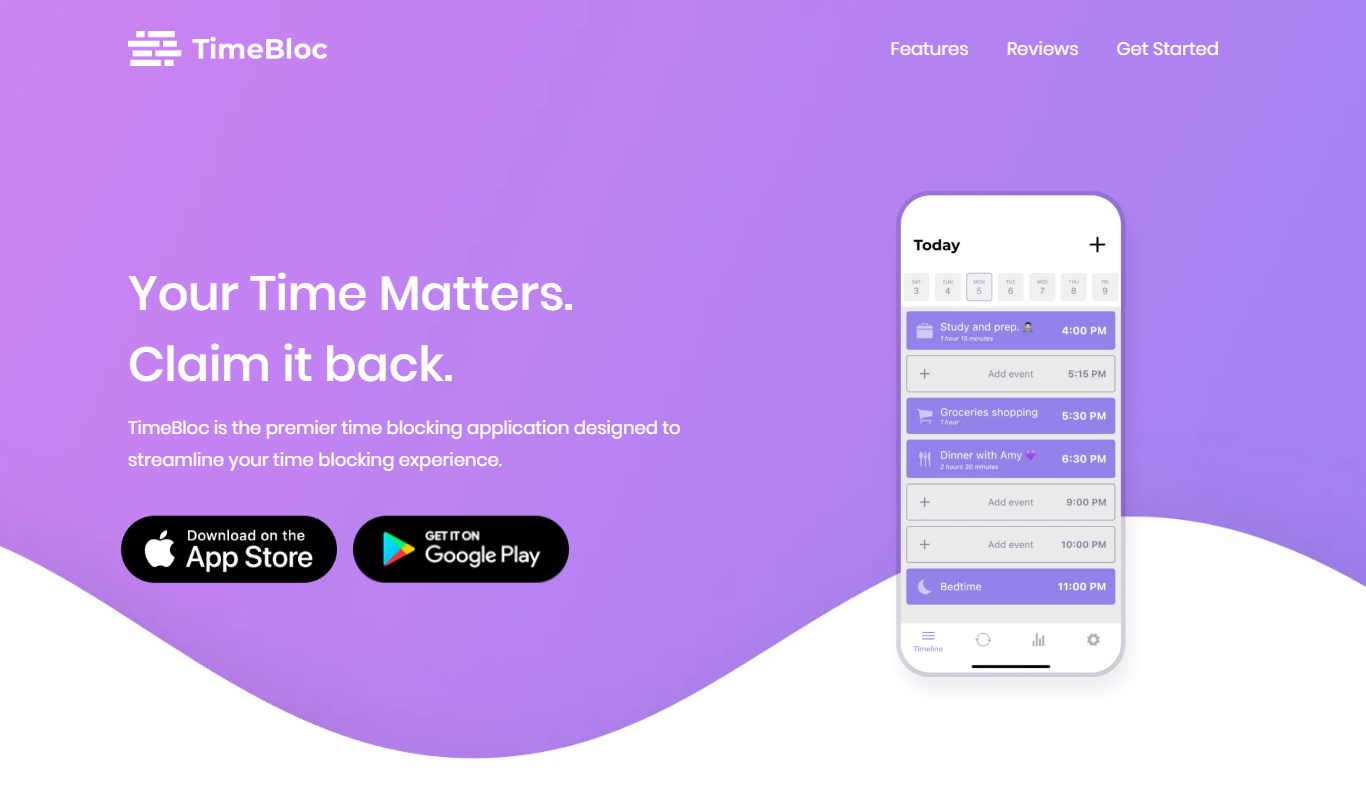
TimeBloc
TimeBloc is a mobile app that uses time blocking to help users organize tasks and improve productivity by visually scheduling activities on a calendar with reminders and customization.