

From my experience with NoteThisDown, I found it excels at providing a clean, distraction-free space for quick note capture without the clutter of complex features. After spending time with the platform, I can say it’s particularly well-suited for users who want fast, straightforward note-taking accessible from any device without signing up. However, there’s a trade-off: it lacks offline access, export options, and advanced formatting, which may limit power users. Overall, if you need a simple, free online tool for organizing your thoughts and ideas quickly, NoteThisDown delivers solid results.
NoteThisDown - Simple Online Note Taking and Organization Tool
NoteThisDown is a free, minimalist online note-taking tool that lets you quickly create, tag, and search notes from any web browser without needing an account.
- Best for
- Personal Note Taking
- Key capability
- Minimalist Interface
Do you recommend this tool?
What is NoteThisDown?
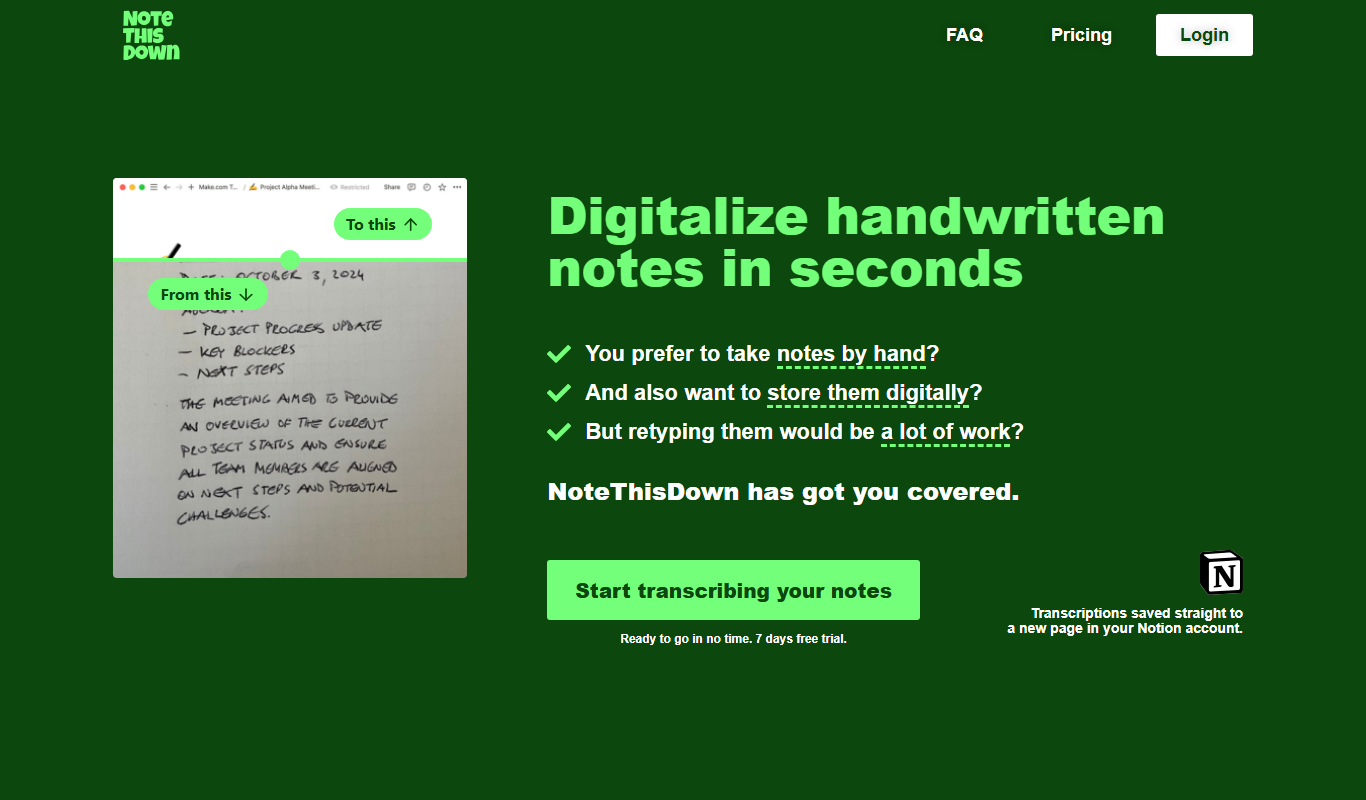
NoteThisDown is a minimalist online note-taking application designed to help users quickly jot down and organize notes without distractions. It offers a clean, simple interface focused on ease of use and fast access to your notes from any device with a web browser.
Key features of NoteThisDown
The tool provides a straightforward note editor, automatic saving, tagging for organization, and a search function to find notes quickly. It emphasizes simplicity and speed over complex features, making it ideal for users who want a no-frills note-taking experience.
Minimalist Interface
A clean and distraction-free environment focused on note content.
Automatic Saving
Notes are saved instantly as you type, preventing data loss.
Tagging System
Organize notes with customizable tags for easy retrieval.
Search Functionality
Quickly find notes using keyword or tag searches.
Cross-Device Access
Access your notes from any device with internet and a browser.
Pros and cons of NoteThisDown
Pros
- Simple and intuitive interface with no learning curve
- Instant automatic saving reduces risk of losing notes
- Tagging and search make organization straightforward
- Accessible from any device with a web browser
- Completely free to use without restrictions
Cons
- No offline access or desktop/mobile apps
- Lacks advanced features like attachments or formatting
- No export or backup options available
Key use cases for NoteThisDown
Personal Note Taking
Capture and organize personal notes quickly and efficiently in a distraction-free environment.
Task and Idea Organization
Use notes to track tasks, ideas, and reminders in a simple, searchable format.
Research and Study
Store research notes and study materials in an easy-to-navigate interface without clutter.
How NoteThisDown works
- 1
Open the Website
Access NoteThisDown from any web browser without the need to install software.
- 2
Create Notes
Start typing your notes immediately in the provided editor; notes are saved automatically.
- 3
Organize with Tags
Add tags to your notes to categorize and find them easily later.
- 4
Search Notes
Use the search bar to quickly locate notes by keywords or tags.
Who is using NoteThisDown
Students needing quick note capture
Professionals wanting distraction-free note taking
Writers and creatives organizing ideas
Anyone seeking a simple online note tool
NoteThisDown pricing
Free
$0/month
Full access to all features with unlimited notes and tags.
Plans and prices are as published by the vendor and can change. Check the official site before you buy. Open the pricing page (opens in a new tab)
Frequently asked questions about NoteThisDown
No account is required; you can start taking notes immediately on the website.
Notes are stored online, but the service does not provide detailed information about encryption or security measures.
Currently, NoteThisDown does not offer a built-in export feature.
No dedicated mobile app exists, but the web interface is mobile-friendly.
It depends on your specific needs and how you plan to use the tool. The official website and documentation are the best sources for the latest details.
Yes, it can help with that use case depending on how you configure it and what features are available. You’ll get the best results with clear inputs and a defined goal.
Some tools offer a free plan or trial with limited features. Availability can vary, so confirm on the official website.
Yes, it can help with that use case depending on how you configure it and what features are available. You’ll get the best results with clear inputs and a defined goal.
Sign in to review this tool.
Sign In to ReviewNo reviews yet
Be the first to share how this tool worked for you.
Ask about pricing, limits, or how it compares — or answer someone else.
Sign In to AskNo questions yet
Have a question about using or paying for this tool? Be the first to ask.
Featured on TiorAI



Alternative Tools
Explore similar AI tools that might fit your needs
Free
Simplenote
Simplenote is a free, minimalist note-taking app that syncs your notes across devices, supports markdown, and offers tagging and version history for easy organization and retrieval.

Free
Evernote
Evernote is a cross-platform note-taking app that helps users capture, organize, and collaborate on notes, tasks, and projects with multi-format support and powerful search.
More AI Productivity Tools tools
Other tools in the same category, for when this one is not quite the fit.

Free
Merlin AI
Merlin AI is a GPT-4 powered AI chat assistant that integrates as a browser extension, enabling users to access AI-generated content and assistance directly on any website to improve productivity and content creation.

Freemium
Wanderlust Browser Extension V2
Wanderlust Browser Extension V2 is a travel planning tool that integrates with Chrome and Firefox browsers, enabling users to save travel ideas, build itineraries, and collaborate on trip plans directly from their browsing experience.

Freemium
EasyTrip AI
EasyTrip AI is an AI-driven travel planner that generates customized trip itineraries based on your travel dates, destinations, and preferences, helping you organize your trip efficiently.

Freemium
PlaninGo
PlaninGo is an AI travel planning tool that generates personalized trip itineraries and guides based on your preferences, helping you plan efficient and enjoyable trips.

Free
Travelwiz
Travelwiz is an AI-powered travel planning tool that creates personalized trip itineraries and offers tailored travel recommendations based on user preferences.

Freemium
Swifty
Swifty is an AI writing assistant that helps users create and edit English content quickly with AI-generated suggestions and grammar corrections.

Free
Momo
Momo is an AI-powered assistant that automates workflows, manages tasks, and enhances team collaboration by integrating with popular productivity tools.

Freemium
Travel Itinerary AI
Travel Itinerary AI is an AI-powered web tool that creates personalized travel itineraries based on your preferences, helping you plan and manage trips efficiently.