

Minutes.io Meeting Minutes Tool for Efficient Note Taking and Sharing
Minutes.io is a free, web-based meeting minutes tool that allows users to quickly create, organize, and share meeting notes without needing to sign up.
- Best for
- Meeting Minutes Creation
- Key capability
- No Sign-Up Required
Save Minutes.io, follow its updates and vote on it — everything stays in your account.
Sign in or create a free account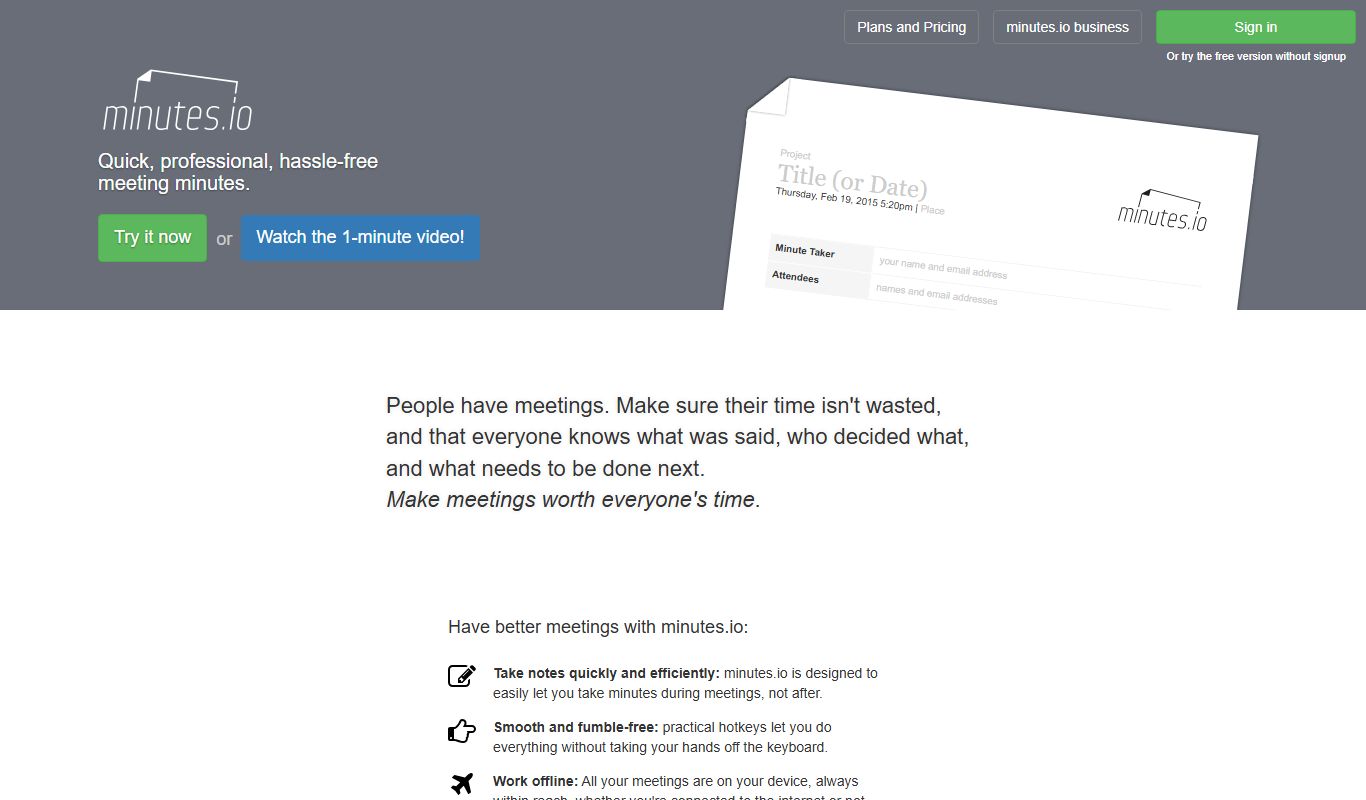
What is Minutes.io?
Minutes.io is a web-based tool designed to simplify the process of taking, organizing, and sharing meeting minutes. It offers a clean, distraction-free interface that allows users to capture key points, decisions, and action items efficiently during meetings. The tool focuses on speed and ease of use, enabling users to generate professional meeting notes without the need for complex software.
Key features of Minutes.io
Minutes.io provides fast note-taking capabilities, easy sharing options via email or link, task assignment features, and a straightforward interface optimized for quick meeting documentation. It requires no account creation, allowing users to start immediately and save or send notes effortlessly.
No Sign-Up Required
Start taking meeting minutes immediately without creating an account.
Simple and Clean Interface
Focus on note-taking with a minimalistic design that reduces distractions.
Instant Sharing
Send meeting notes via email or generate a shareable link quickly.
Task Assignment
Assign action items to meeting participants to track responsibilities.
Offline Saving
Save meeting minutes as PDFs or text files for offline access.
Pros and cons of Minutes.io
Pros
- No account or sign-up required
- Fast and easy to use interface
- Instant sharing options
- Free to use with all features available
Cons
- Limited to web platform only
- No advanced integrations with other productivity tools
- No mobile app available
Key use cases for Minutes.io
Meeting Minutes Creation
Quickly create and organize meeting minutes with a simple, user-friendly interface.
Team Collaboration
Share meeting notes instantly with team members to keep everyone aligned and informed.
Task Tracking
Assign action items during meetings and track follow-ups to ensure accountability.
Remote Meeting Support
Facilitate note-taking during remote or virtual meetings with easy access from any browser.
How Minutes.io works
- 1
Open Minutes.io
Access the tool directly via the web without needing to sign up.
- 2
Create Meeting Notes
Enter meeting details, agenda items, and notes in a structured format.
- 3
Assign Tasks
Add action items and assign responsibilities to participants.
- 4
Save or Share
Save the minutes locally or share them instantly via email or a shareable link.
Who is using Minutes.io
Minutes.io pricing
Free
$0
Full access to all features with no cost or subscription required.
Plans and prices are as published by the vendor and can change. Check the official site before you buy. Open the pricing page (opens in a new tab)
Frequently asked questions about Minutes.io
No, Minutes.io allows you to create and share meeting minutes without signing up.
Yes, you can share notes instantly via email or by generating a shareable link.
Currently, Minutes.io is a web-based tool optimized for desktop browsers; there is no dedicated mobile app.
Yes, you can add action items and assign them to participants directly in the notes.
It depends on your specific needs and how you plan to use the tool. The official website and documentation are the best sources for the latest details.
Some tools offer a free plan or trial with limited features. Availability can vary, so confirm on the official website.
Yes, it can help with that use case depending on how you configure it and what features are available. You’ll get the best results with clear inputs and a defined goal.
It depends on your specific needs and how you plan to use the tool. The official website and documentation are the best sources for the latest details.
Conclusion
Opening the site in a browser is enough to start taking minutes with Minutes.io, since no account or sign-up is required. Meeting details, agenda items and notes go into a structured format, and action items can be assigned to participants as the meeting runs. The finished minutes can be saved locally as PDF or text files, or shared instantly by email or a shareable link. A minimalistic design keeps attention on note-taking.
It is aimed at small business teams, project managers and remote workers, along with nonprofits and community groups. Because it opens from any browser, it can also support note-taking during remote or virtual meetings. It is free to use.
Sources
Sign in to review this tool.
Sign In to ReviewNo reviews yet
Be the first to share how this tool worked for you.
Ask about pricing, limits, or how it compares — or answer someone else.
Sign In to AskNo questions yet
Have a question about using or paying for this tool? Be the first to ask.
Featured on TiorAI



More AI Workflow tools
Other tools in the same category, for when this one is not quite the fit.

Easy LMS
Easy LMS is an intuitive online learning management system that enables organizations to create, deliver, and track courses and assessments with multimedia support and certification features.

Forcepoint DLP
Forcepoint DLP is an enterprise data loss prevention solution that protects sensitive information across endpoints, networks, and cloud environments using data classification, behavioral analytics, and policy enforcement.

Cynet
Cynet is an AI-powered cybersecurity platform that provides automated threat detection, investigation, and response across endpoints, networks, and users to protect enterprises from advanced cyber threats.
HealthJoy
HealthJoy is an employee benefits platform that helps users navigate healthcare options, access telemedicine, and reduce medical costs through personalized support and advocacy.

Printavo
Printavo is a cloud-based print shop management software that helps print businesses manage workflows, scheduling, quoting, approvals, and customer communications efficiently.

DevonThink
DevonThink is a Mac and iOS knowledge management software that uses AI to classify, search, and automate organization of documents and data.
Paperless-ngx
Paperless-ngx is an open-source document management system that helps digitize, organize, and search paper documents using OCR technology.

Hyperscience
Hyperscience is an AI-driven platform that automates data extraction and document classification to improve accuracy and efficiency in enterprise workflows.