

Magnet for macOS - Efficient Window Management and Screen Organization Tool
Magnet for macOS is a window management tool that allows users to snap and organize application windows using drag gestures or keyboard shortcuts, enhancing productivity on Mac devices.
- Best for
- Window Organization
- Key capability
- Window Snapping
Save Magnet for macOS, follow its updates and vote on it — everything stays in your account.
Sign in or create a free account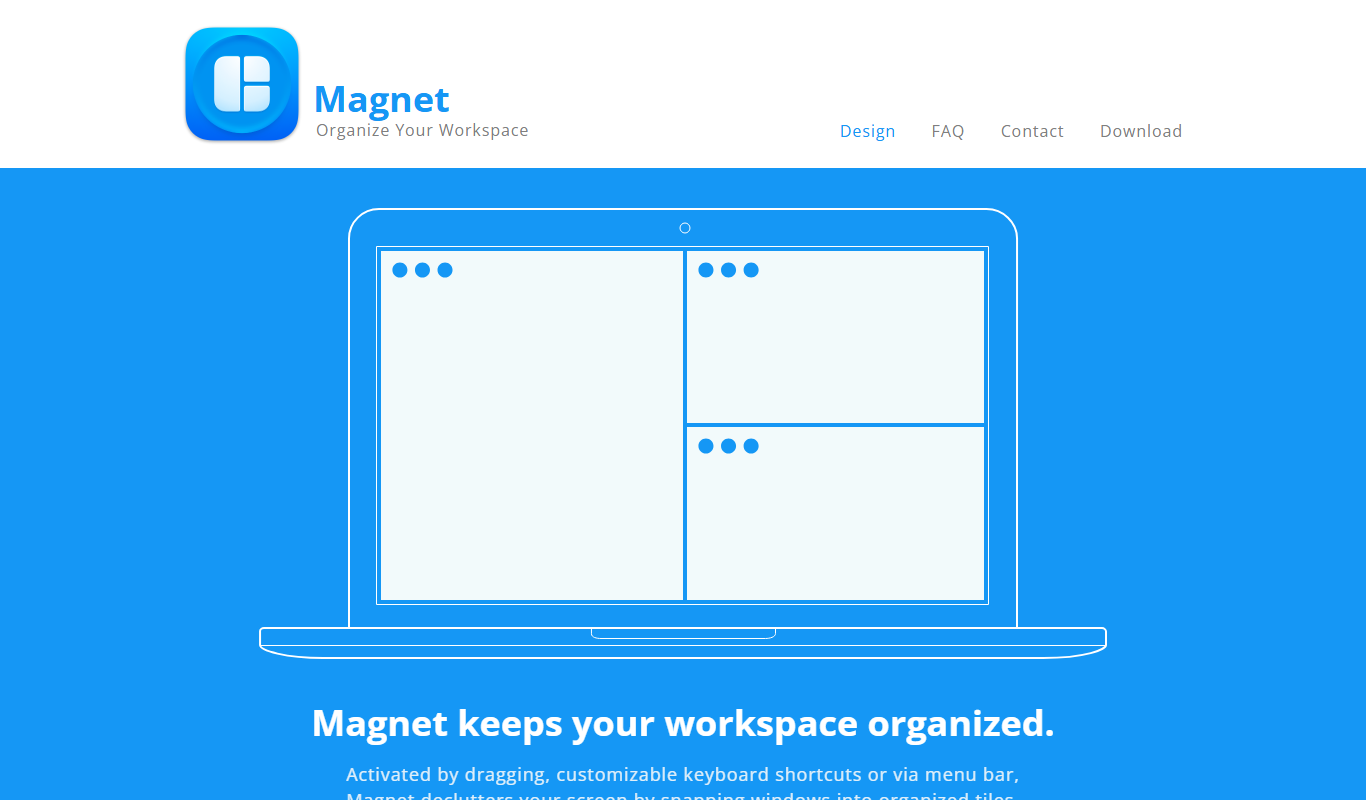
What is Magnet for macOS?
Magnet for macOS is a window management utility designed to help users organize and snap application windows into predefined areas of the screen. It enhances productivity by allowing users to quickly arrange windows side by side, in halves, thirds, or quarters, making multitasking more efficient on Mac computers.
Key features of Magnet for macOS
Magnet offers intuitive window snapping, customizable keyboard shortcuts, support for multiple displays, and seamless integration with macOS to streamline window management and improve workflow.
Window Snapping
Drag windows to screen edges or corners to snap them into organized layouts.
Keyboard Shortcuts
Predefined and customizable shortcuts for quick window resizing and positioning.
Multi-Monitor Support
Efficiently manage windows across multiple connected displays.
Simple User Interface
Minimalistic design that integrates smoothly with macOS without distractions.
Pros and cons of Magnet for macOS
Pros
- Simple and intuitive window snapping
- Customizable keyboard shortcuts
- Supports multiple monitors
- One-time affordable purchase
- Lightweight and unobtrusive
Cons
- Available only on macOS
- No free trial version
Key use cases for Magnet for macOS
Window Organization
Arrange and snap application windows into organized layouts to optimize screen space.
Multitasking Efficiency
Easily manage multiple open windows side by side for improved multitasking on Mac.
Screen Real Estate Management
Maximize use of large or multiple displays by snapping windows to halves, thirds, or quarters.
Keyboard Shortcut Control
Use customizable keyboard shortcuts to quickly move and resize windows without using a mouse.
How Magnet for macOS works
- 1
Install Magnet
Download and install Magnet from the Mac App Store.
- 2
Activate Window Snapping
Use drag gestures or keyboard shortcuts to snap windows to screen edges or corners.
- 3
Customize Shortcuts
Configure keyboard shortcuts in the app preferences for personalized control.
- 4
Manage Multiple Displays
Snap windows across multiple monitors to optimize workspace layout.
Who is using Magnet for macOS
Magnet for macOS pricing
One-time purchase
$4.99
One-time purchase on the Mac App Store.
Plans and prices are as published by the vendor and can change. Check the official site before you buy. Open the pricing page (opens in a new tab)
Frequently asked questions about Magnet for macOS
Yes, Magnet is regularly updated to support the latest macOS releases.
Yes, Magnet allows users to set their own keyboard shortcuts for window management.
Yes, Magnet fully supports snapping windows across multiple displays.
It depends on your specific needs and how you plan to use the tool. The official website and documentation are the best sources for the latest details.
It depends on your specific needs and how you plan to use the tool. The official website and documentation are the best sources for the latest details.
Conclusion
Installation comes from the Mac App Store, and windows are then snapped to screen edges or corners with drag gestures or keyboard shortcuts. Windows can be arranged side by side in halves, thirds or quarters of the screen. Shortcuts are predefined but can also be customized in the app preferences, and snapping works across multiple connected displays.
The utility targets remote workers managing multiple apps, designers and developers using multiple windows, and students organizing study materials on screen. Regular updates keep it compatible with the latest macOS releases. It is a Mac window manager sold as a one-time purchase of $4.99 on the Mac App Store.
Sources
Sign in to review this tool.
Sign In to ReviewNo reviews yet
Be the first to share how this tool worked for you.
Ask about pricing, limits, or how it compares — or answer someone else.
Sign In to AskNo questions yet
Have a question about using or paying for this tool? Be the first to ask.
Featured on TiorAI



Alternative Tools
Explore similar AI tools that might fit your needs
BetterSnapTool
BetterSnapTool is a macOS application that improves window management by allowing users to snap and resize windows using customizable snap areas, keyboard shortcuts, and mouse gestures, enhancing productivity especially on multi-monitor setups.
More Business Management tools
Other tools in the same category, for when this one is not quite the fit.

Fynite.AI
Fynite is an enterprise OS for agentic AI that unifies petabyte-scale data, trains domain-specific models and deploys AI agents that execute outcomes autonomously.

ChartPixel
ChartPixel is a web-based platform that turns messy data into interactive charts, written insights and forecasts with AI assisted analysis, and lets users chat with their data.

Chatterlytics
Chatterlytics is an AI data analytics and BI copilot that connects to your databases and answers business questions in plain English with charts, dashboards and explainable reports.

Formisoft AI
Formisoft helps independent practices get patient paperwork completed before the appointment, with intake forms, signatures, booking, payments and follow-up in one place.

Jobotrak
Jobotrak is a job application tracker for applications, interviews and contacts, with AI resume tailoring and interview prep and a free plan for up to 20 job applications.

Influs
Influs is a talent operations workspace where creator agencies run their roster, campaigns, deliverables, approvals, payments and margin.

BIK
BIK is an agentic AI CRM and marketing automation platform for eCommerce brands, with 100+ AI commerce agents across retention, acquisition and support.

Digits — Accounting, reimagined.
Digits is AI-native accounting software with 24/7 automated bookkeeping, real-time financials, AI Bill Pay and invoicing for business owners and accountants.