

From my experience with Launchpads, I found it excels at simplifying the complex process of deploying AI models into production. The platform’s intuitive interface and API integration make it straightforward for developers and data scientists to get their models live quickly without deep DevOps expertise. It’s particularly well-suited for teams and startups looking to scale AI solutions efficiently. However, the lack of detailed tech stack information and absence of a mobile app might be limiting for some users. Overall, if you need a reliable and scalable AI deployment platform, Launchpads delivers solid functionality with useful collaboration and monitoring features.
Launchpads AI Platform for Rapid AI Model Deployment and Management
Launchpads is a cloud-based platform that enables developers and data scientists to deploy, manage, and scale AI models quickly and efficiently with API integration and real-time monitoring.
- Best for
- Rapid AI Model Deployment
- Key capability
- One-Click Model Deployment
Your actions
Save Launchpads, follow its updates and vote on it — everything stays in your account.
Sign in or create a free account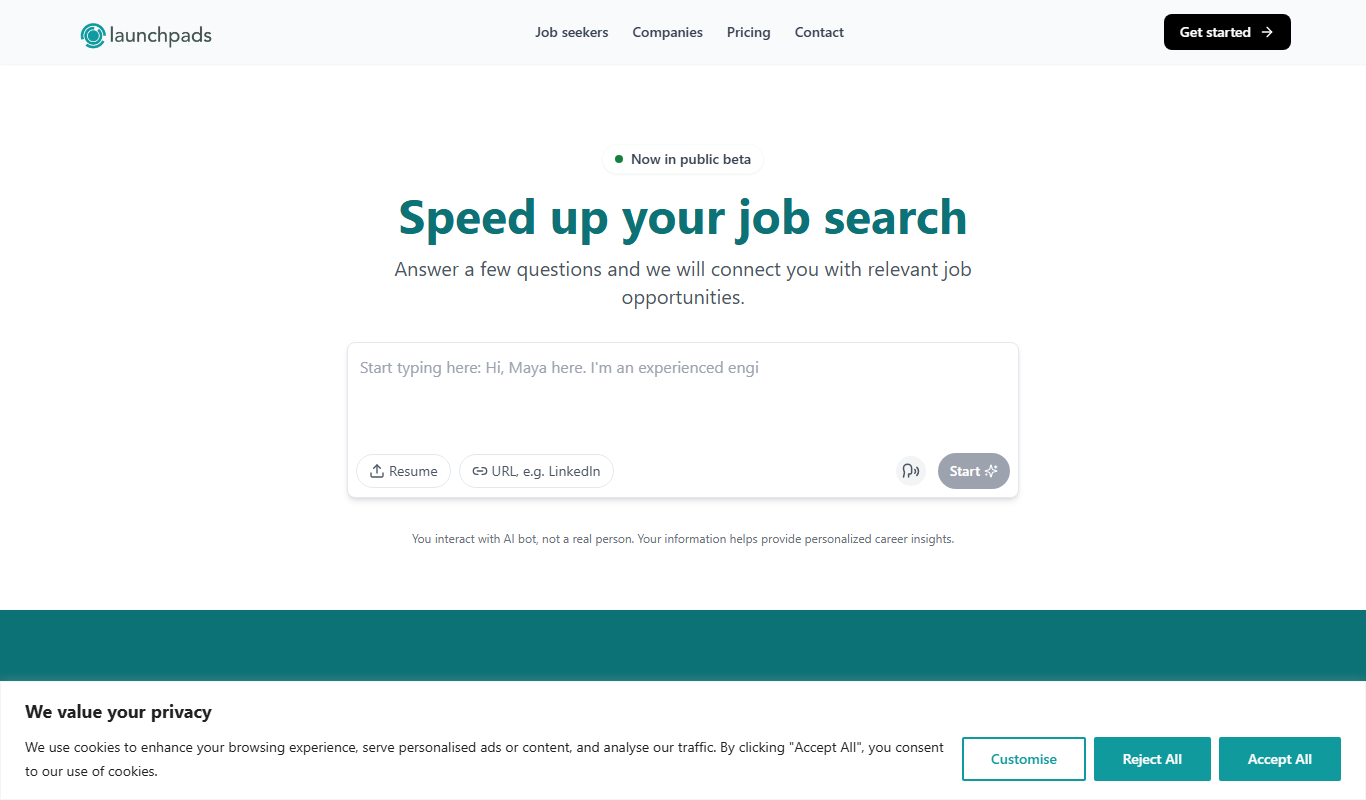

What is Launchpads?
Launchpads is a cloud-based AI deployment platform designed to simplify and accelerate the process of taking machine learning models from development to production. It provides tools for deploying, managing, and scaling AI models with minimal infrastructure setup, enabling developers and data scientists to focus on building AI solutions rather than managing complex deployment pipelines.
Key features of Launchpads
Launchpads offers streamlined model deployment, real-time monitoring, API access for integration, and collaborative project management, all accessible via a user-friendly web interface and APIs.
One-Click Model Deployment
Deploy machine learning models quickly without manual infrastructure configuration.
Real-Time Performance Monitoring
Track model accuracy, latency, and usage statistics to ensure optimal operation.
Scalable Infrastructure
Automatically scale resources based on demand to maintain performance.
API Access for Easy Integration
Expose your AI models through RESTful APIs for seamless integration.
Team Collaboration Tools
Manage user roles and share projects within your team securely.
Pros and cons of Launchpads
Pros
- Simplifies complex AI model deployment processes
- Provides real-time monitoring and analytics
- Supports multiple machine learning frameworks
- Offers scalable infrastructure without manual setup
- Includes collaboration features for teams
Cons
- Limited information on underlying tech stack
- Pricing details for enterprise plans require direct contact
- No mobile app currently available
Key use cases for Launchpads
Rapid AI Model Deployment
Launchpads enables developers and data scientists to quickly deploy machine learning models into production environments without extensive DevOps overhead.
Model Management and Monitoring
Users can manage multiple AI models, monitor their performance, and update them seamlessly through the platform.
API Integration for Applications
Launchpads provides easy-to-use APIs that allow integration of AI models into web or mobile applications, enabling real-time AI-powered features.
Collaboration for AI Teams
The platform supports team collaboration by allowing multiple users to share and manage AI projects efficiently.
How Launchpads works
- 1
Sign Up and Create an Account
Register on the Launchpads platform to access deployment tools and dashboard.
- 2
Upload or Connect Your AI Model
Import your trained machine learning model or connect to supported frameworks.
- 3
Configure Deployment Settings
Set up deployment parameters such as scaling, environment, and API endpoints.
- 4
Deploy and Monitor
Launch your model into production and monitor its performance and usage metrics.
- 5
Integrate via API
Use provided APIs to embed AI capabilities into your applications.
Who is using Launchpads
Data scientists
Machine learning engineers
AI developers
Tech startups
Enterprises deploying AI solutions
Launchpads pricing
Free Trial
$0 for 14 days
Access core features with limited usage to evaluate the platform.
Pro
$49/month
Full access to deployment features, higher usage limits, and priority support.
Enterprise
Custom pricing
Tailored solutions with dedicated support, advanced security, and SLAs.
Plans and prices are as published by the vendor and can change. Check the official site before you buy. Open the pricing page (opens in a new tab)
Frequently asked questions about Launchpads
Launchpads supports a wide range of machine learning models including those built with TensorFlow, PyTorch, scikit-learn, and other popular frameworks.
Yes, Launchpads offers a 14-day free trial with access to core features and limited usage.
Absolutely, Launchpads provides RESTful APIs to easily integrate your AI models into web or mobile apps.
Yes, the platform automatically scales resources based on your model’s usage to maintain performance.
It depends on your specific needs and how you plan to use the tool. The official website and documentation are the best sources for the latest details.
Yes, it can help with that use case depending on how you configure it and what features are available. You’ll get the best results with clear inputs and a defined goal.
Some tools offer a free plan or trial with limited features. Availability can vary, so confirm on the official website.
Yes, it can help with that use case depending on how you configure it and what features are available. You’ll get the best results with clear inputs and a defined goal.
Sign in to review this tool.
Sign In to ReviewNo reviews yet
Be the first to share how this tool worked for you.
Ask about pricing, limits, or how it compares — or answer someone else.
Sign In to AskNo questions yet
Have a question about using or paying for this tool? Be the first to ask.
Featured on TiorAI



Alternative Tools
Explore similar AI tools that might fit your needs
Enterprise
Weights & Biases
Weights & Biases is a machine learning platform that helps data scientists track experiments, version datasets and models, collaborate with teams, and monitor models in production.

Free
MLflow
MLflow is an open source platform that manages the machine learning lifecycle by providing tools for experiment tracking, model packaging, registry, and deployment.
More AI Deployment Tools tools
Other tools in the same category, for when this one is not quite the fit.

Contact Sales
Regem AI Platform
Regem AI Platform is a cloud-based tool designed to help businesses and developers train, manage, and deploy AI models efficiently with scalable infrastructure and collaboration features.