

From my experience with Kua.ai, it stands out for its intuitive visual chatbot builder and strong bilingual support in English and Chinese, which is ideal for businesses targeting those markets. The platform simplifies chatbot creation without requiring coding skills, making it accessible to non-technical users. However, the limited language options and lack of transparent pricing for advanced plans may be a drawback for some. Overall, Kua.ai is a solid choice for companies seeking to automate customer support and lead engagement with AI-powered chatbots, especially in multilingual contexts.
Kua.ai AI Chatbot Platform for Customer Support and Automation
Kua.ai is an AI chatbot platform that enables businesses to automate customer support and engagement through multilingual conversational agents with easy integration and a visual builder.
- Best for
- Customer Support Automation
- Key capability
- Multilingual Support
Your actions
Save Kua.ai, follow its updates and vote on it — everything stays in your account.
Sign in or create a free account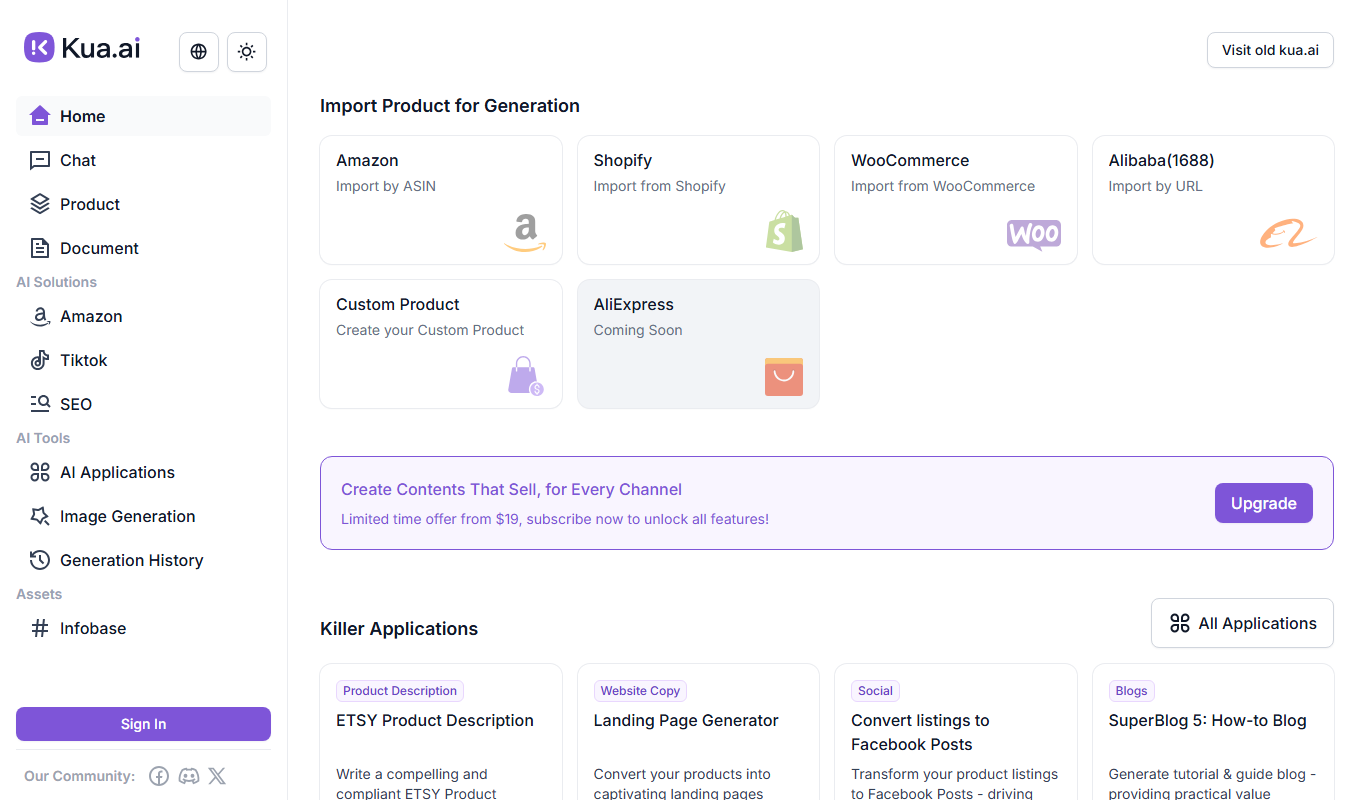
What is Kua.ai?
Kua.ai is an AI-powered chatbot platform designed to help businesses automate customer interactions and support services. It leverages natural language processing and machine learning to create conversational agents that can handle inquiries, provide information, and assist users across multiple channels.
Key features of Kua.ai
Kua.ai offers features such as multilingual chatbot creation, seamless integration with websites and messaging platforms, AI-driven intent recognition, customizable conversation flows, and analytics to monitor chatbot performance.
Multilingual Support
Supports English and Chinese languages to cater to a broad user base.
Visual Conversation Builder
Drag-and-drop interface to design chatbot dialogues without coding.
AI Intent Recognition
Uses natural language processing to understand user queries and respond appropriately.
Omnichannel Integration
Deploy chatbots across websites, social media, and messaging platforms.
Analytics Dashboard
Provides insights into chatbot interactions, user behavior, and performance metrics.
Pros and cons of Kua.ai
Pros
- Easy-to-use visual chatbot builder
- Supports both English and Chinese languages
- Omnichannel deployment options
- AI-powered intent recognition improves over time
Cons
- Limited language support beyond English and Chinese
- Pricing details for advanced plans are not publicly disclosed
Key use cases for Kua.ai
Customer Support Automation
Automate responses to common customer inquiries to reduce workload on human agents and improve response times.
Lead Generation
Engage website visitors with conversational AI to capture leads and qualify prospects automatically.
Multilingual Communication
Support customers in multiple languages, primarily English and Chinese, to serve diverse audiences effectively.
E-commerce Assistance
Provide product recommendations, order tracking, and FAQs to enhance the online shopping experience.
Internal Workflow Automation
Streamline internal processes by integrating chatbots for HR, IT support, and other internal services.
How Kua.ai works
- 1
Sign Up
Create an account on the Kua.ai platform to access chatbot building tools.
- 2
Design Chatbot
Use the visual editor to create conversation flows and define intents and responses.
- 3
Integrate Channels
Connect the chatbot to your website, messaging apps, or other platforms via API.
- 4
Train AI
Provide sample dialogues and data to improve the chatbot’s understanding and accuracy.
- 5
Deploy and Monitor
Launch the chatbot and use analytics to track performance and optimize interactions.
Who is using Kua.ai
E-commerce businesses
Customer support teams
Marketing agencies
Small and medium enterprises
Multilingual service providers
Kua.ai pricing
Free
$0/month
Basic chatbot features with limited interactions and channels.
Pro
Contact for pricing
Advanced features, higher interaction limits, and premium support.
Plans and prices are as published by the vendor and can change. Check the official site before you buy. Open the pricing page (opens in a new tab)
Frequently asked questions about Kua.ai
Currently, Kua.ai primarily supports English and Chinese, with plans to expand language support in the future.
Yes, Kua.ai offers API access that allows integration with various CRM and business systems.
No, Kua.ai provides a visual drag-and-drop editor that enables chatbot creation without coding.
Yes, it can help with that use case depending on how you configure it and what features are available. You’ll get the best results with clear inputs and a defined goal.
Integration support depends on the tool and its available connectors or API. Check the official documentation or integrations page to confirm what is supported.
It depends on your specific needs and how you plan to use the tool. The official website and documentation are the best sources for the latest details.
Sign in to review this tool.
Sign In to ReviewNo reviews yet
Be the first to share how this tool worked for you.
Ask about pricing, limits, or how it compares — or answer someone else.
Sign In to AskNo questions yet
Have a question about using or paying for this tool? Be the first to ask.
Featured on TiorAI



More AI Automation & Workflow Tools tools
Other tools in the same category, for when this one is not quite the fit.

Free Trial
Low-Code Development and AI
Amoga's Low-Code Development and AI platform enables rapid application building with drag-and-drop tools and AI automation, suitable for users with minimal coding skills.

Freemium
Legal Assist AI 2.5
Legal Assist AI 2.5 is an AI legal tool that helps legal professionals draft documents and review contracts.

Freemium
Hookle
Hookle is a social media management platform designed for small businesses to schedule, publish, and analyze posts across multiple social networks from one place.
Custom Pricing
allganize.ai
Allganize.ai is an enterprise AI platform specializing in natural language processing to automate document understanding, semantic search, and customer support through AI chatbots.

Free
Alian hub – Project Management System
AlianHub is an open-source, self-hosted project management platform with boards, sprints, time tracking, chat and AI, free with unlimited users or hosted in the Cloud.

Free Trial
Fonada
Fonada is a CPaaS platform with a VoiceBot, ChatBot and IVR, and its voice bot page announces multilingual support.

Free Trial
SWMS AI
SWMS AI is an AI-driven platform that automates the creation of Safe Work Method Statements, helping construction and high-risk industries quickly produce compliant safety documentation.

Free Trial
Smartlead
Smartlead is an AI-driven sales automation platform that helps businesses automate lead generation, personalized email outreach, follow-ups, and CRM integration to improve sales efficiency.