

KnowBe4 Security Awareness Training Platform for Phishing and Cybersecurity
KnowBe4 is a security awareness training platform that provides phishing simulations and interactive training to help organizations reduce cybersecurity risks by educating employees.
- Best for
- Phishing Simulation
- Key capability
- Phishing Security Tests
Save KnowBe4, follow its updates and vote on it — everything stays in your account.
Sign in or create a free account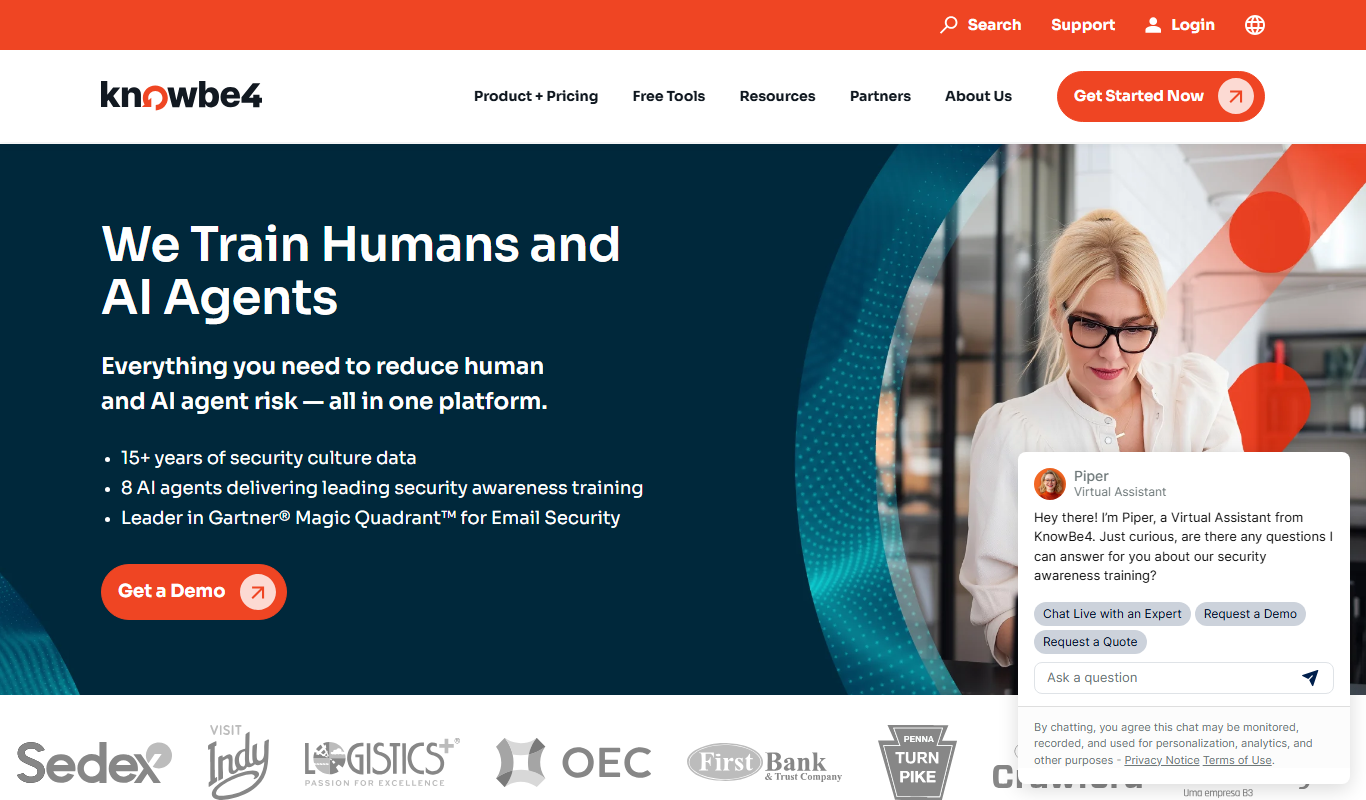
What is KnowBe4?
KnowBe4 is a comprehensive security awareness training and simulated phishing platform designed to help organizations manage the ongoing problem of social engineering attacks. It provides tools to train employees on cybersecurity best practices, simulate phishing attacks to test employee readiness, and measure risk through detailed analytics and reporting.
Key features of KnowBe4
The platform offers phishing simulation, interactive training modules, automated campaign management, risk scoring, compliance tracking, and detailed reporting to help organizations strengthen their human firewall against cyber threats.
Phishing Security Tests
Customizable phishing email templates to simulate real-world attacks.
Interactive Training Content
Engaging videos, quizzes, and modules covering cybersecurity topics.
Automated Campaigns
Schedule recurring phishing tests and training to maintain awareness.
Risk Scoring and Analytics
Quantify organizational risk and identify vulnerable users.
Compliance Reporting
Generate reports to demonstrate training compliance for regulations.
KnowBe4 Learner App
A mobile app for learners on phones and tablets.
Pros and cons of KnowBe4
Pros
- Comprehensive phishing simulation library
- User-friendly interactive training modules
- Automated campaign scheduling
- Detailed risk analytics and reporting
- Supports multiple languages
Cons
- Limited tech stack transparency
Key use cases for KnowBe4
Phishing Simulation
Simulate phishing attacks to test and train employees on recognizing and avoiding phishing scams.
Security Awareness Training
Deliver interactive training modules to educate employees on cybersecurity best practices and compliance.
Risk Assessment
Identify vulnerabilities in employee behavior and measure organizational risk through testing and reporting.
Compliance Management
Help organizations meet regulatory requirements by tracking training completion and providing audit-ready reports.
Automated Training Campaigns
Schedule and automate training and phishing simulation campaigns to maintain ongoing employee awareness.
How KnowBe4 works
- 1
Create Account
Sign up for KnowBe4 and set up your organizational profile.
- 2
Upload Users
Import employee data to target for training and simulations.
- 3
Launch Phishing Simulations
Send simulated phishing emails to employees to test their awareness.
- 4
Assign Training Modules
Enroll employees in interactive security awareness courses based on simulation results.
- 5
Monitor and Report
Track progress, analyze risk scores, and generate compliance reports.
Who is using KnowBe4
KnowBe4 pricing
SAT Foundation
From $2.40/seat/month
Entry training content level, priced per seat per month on a 3-year term, from $2.40 for 25-50 seats.
SAT Advanced
Published per seat pricing
Higher training content level, priced per seat per month on a 3-year term, $3.75 for 25-50 seats.
Plans and prices are as published by the vendor and can change. Check the official site before you buy. Open the pricing page (opens in a new tab)
Frequently asked questions about KnowBe4
KnowBe4 is used to train employees on cybersecurity awareness and simulate phishing attacks to reduce organizational risk.
Yes, KnowBe4 supports several languages including English, Spanish, French, German, and Japanese.
Yes, the platform allows scheduling and automation of phishing simulations and training modules.
Yes, it provides reporting tools to help organizations meet regulatory compliance standards.
It depends on your specific needs and how you plan to use the tool. The official website and documentation are the best sources for the latest details.
It depends on your specific needs and how you plan to use the tool. The official website and documentation are the best sources for the latest details.
It depends on your specific needs and how you plan to use the tool. The official website and documentation are the best sources for the latest details.
Yes, it can help with that use case depending on how you configure it and what features are available. You’ll get the best results with clear inputs and a defined goal.
Conclusion
Employee data is imported first, and simulated phishing emails built from customizable templates test how employees respond to real-world attacks. Based on the simulation results, employees are enrolled in interactive security awareness courses with videos, quizzes and modules. Recurring tests and training can be scheduled, while risk scores and compliance reports track progress.
IT security teams, compliance officers and human resources departments are the main operators. The KnowBe4 Learner App brings the training to phones and tablets. Pricing is per seat, with SAT Foundation starting at $2.40 per seat per month and SAT Advanced also priced per seat.
Sources
Sign in to review this tool.
Sign In to ReviewNo reviews yet
Be the first to share how this tool worked for you.
Ask about pricing, limits, or how it compares — or answer someone else.
Sign In to AskNo questions yet
Have a question about using or paying for this tool? Be the first to ask.
Featured on TiorAI



More AI Customer Service tools
Other tools in the same category, for when this one is not quite the fit.

ProProctor
ProProctor is the remote proctoring platform from Prometric for secure exams taken from anywhere, with automated AI or live proctoring options.

Verse AI
Verse is an AI agent and AI texting platform for sales and marketing teams that replies to leads across channels, qualifies them through conversation and books appointments.

Chatbase
Chatbase is an AI customer experience platform whose AI agents resolve complex queries and reduce ticket volume in every channel.

Pawp
Pawp is a 24/7 online vet that provides a continuous care experience personalized for a pet's long-term health goals and outcomes.

PetDesk
PetDesk is veterinary software for clinics with communication tools, integrated phones, direct booking and AI-powered notes, plus a free app for pet owners.

Inspectify
Inspectify is a property inspection platform that uses proprietary technology and a network of home inspectors to create a better inspection experience.

Botkeeper
Botkeeper is an AI accounting solution purpose-built for accounting firms that automates the most manual and time-consuming bookkeeping work.

Zebra Technologies
Zebra Technologies offers enterprise-grade hardware and software solutions for barcode scanning, RFID, mobile computing, and real-time asset tracking to optimize industrial and supply chain operations.