

From my experience with Invoice Ninja, I found it excels at providing a flexible, open-source invoicing solution that balances powerful features with affordability. Its self-hosting option is a rare advantage for users wanting full control over their data. The platform is particularly well-suited for freelancers and small businesses who need to automate billing and manage payments efficiently. However, the free plan’s client limit and the technical setup for self-hosting can be hurdles for some users. Overall, if you require customizable invoicing with integrated payment processing and expense tracking, Invoice Ninja delivers solid, scalable results.
Invoice Ninja Review: Open Source Invoicing & Billing Software for Freelancers
Invoice Ninja is an open-source invoicing and billing software that helps freelancers and small businesses create invoices, track expenses, and accept payments online with automation features.
- Best for
- Freelancer Invoicing
- Key capability
- Open Source Platform
Your actions
Save Invoice Ninja, follow its updates and vote on it — everything stays in your account.
Sign in or create a free account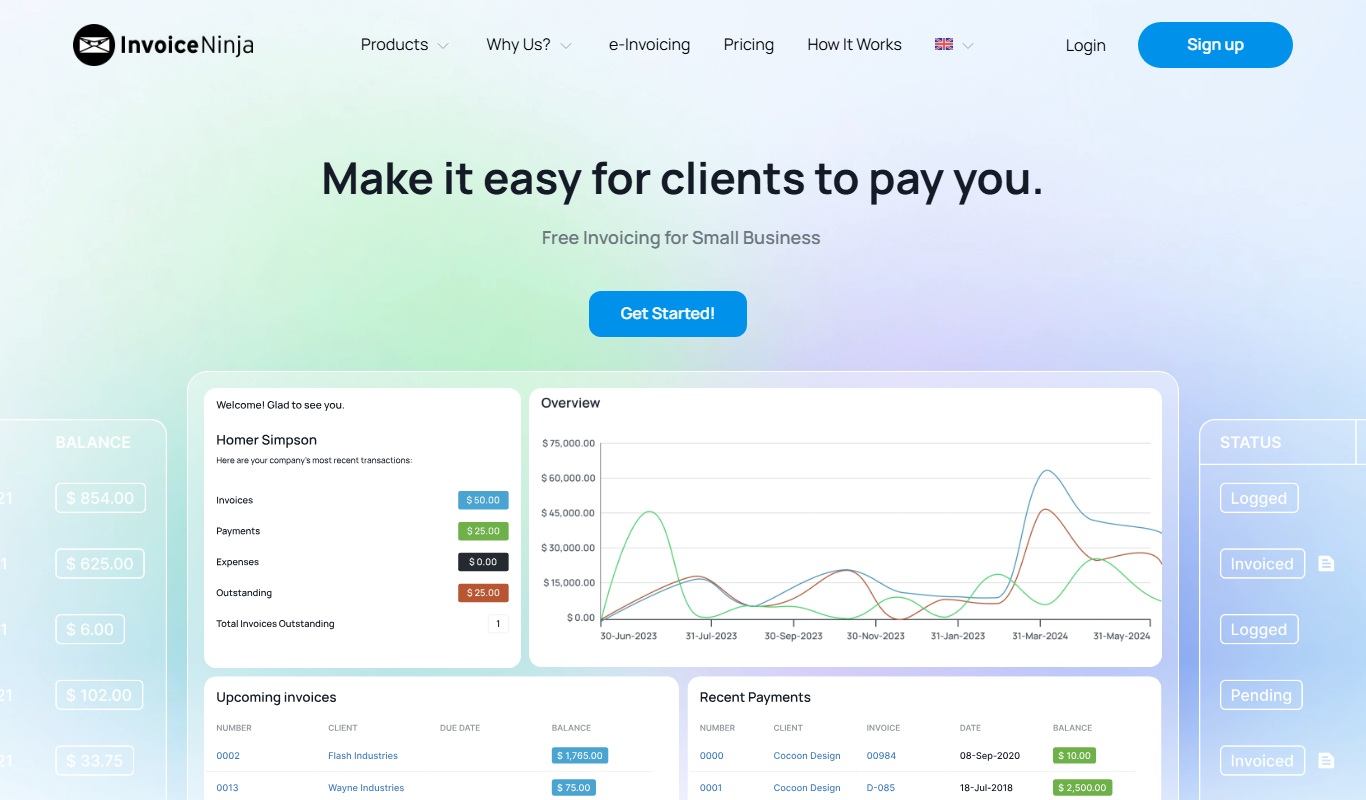
What is Invoice Ninja?
Invoice Ninja is an open-source invoicing, billing, and payment platform designed for freelancers, small businesses, and agencies. It provides tools to create professional invoices, track expenses, manage clients, and accept payments online. The platform supports automation features like recurring invoices and payment reminders, helping users streamline their financial workflows.
Key features of Invoice Ninja
Invoice Ninja offers customizable invoice templates, multi-currency and multi-language support, integrated payment gateways, expense and time tracking, client management, and automation tools such as recurring billing and auto payment reminders. It also provides detailed reporting and supports self-hosting for full control.
Open Source Platform
Full access to source code allowing customization and self-hosting options.
Multiple Payment Gateways
Supports PayPal, Stripe, Authorize.Net, and over 40 other payment processors.
Time and Expense Tracking
Integrated tools to log billable hours and expenses linked directly to invoices.
Recurring Invoices and Auto Reminders
Automate billing cycles and send automatic reminders to clients for unpaid invoices.
Multi-language and Multi-currency Support
Ideal for international freelancers and businesses with global clients.
Pros and cons of Invoice Ninja
Pros
- Open source with self-hosting option
- Supports multiple payment gateways
- Comprehensive invoicing and expense tracking
- Mobile apps for invoicing on the go
- Automated recurring billing and reminders
Cons
- Free plan limits client count and features
- Learning curve for self-hosting setup
- Some advanced features require paid plans
Key use cases for Invoice Ninja
Freelancer Invoicing
Create, send, and manage professional invoices to clients with customizable templates.
Expense Tracking
Track business expenses and categorize them for accurate financial reporting.
Payment Processing
Accept online payments through multiple gateways including PayPal, Stripe, and others.
Time Tracking
Log billable hours and integrate time tracking directly into invoices.
Client Management
Maintain detailed client profiles and communication history.
How Invoice Ninja works
- 1
Sign Up or Self-Host
Create a free account on Invoice Ninja’s cloud platform or download the open-source software to self-host.
- 2
Set Up Business Profile
Enter your business details, customize invoice templates, and configure payment gateways.
- 3
Create and Send Invoices
Generate invoices using customizable templates and send them directly to clients via email.
- 4
Track Payments and Expenses
Monitor invoice statuses, record payments, and track expenses to maintain accurate financial records.
- 5
Automate Billing
Set up recurring invoices and automatic payment reminders to reduce manual follow-ups.
Who is using Invoice Ninja
Freelancers
Small business owners
Agencies
Consultants
Remote teams
Invoice Ninja pricing
Free
$0/month
Basic invoicing features for up to 100 clients with limited integrations.
Pro
$10/month
Includes unlimited clients, advanced integrations, and additional features.
Enterprise
$20/month
All Pro features plus priority support and white-label options.
Plans and prices are as published by the vendor and can change. Check the official site before you buy. Open the pricing page (opens in a new tab)
Frequently asked questions about Invoice Ninja
Yes, Invoice Ninja is open source and can be self-hosted on your own server for full control.
It supports over 40 payment gateways including PayPal, Stripe, Authorize.Net, and more.
Yes, Invoice Ninja offers mobile apps for both iOS and Android devices.
Yes, you can automate recurring invoices and set up automatic payment reminders.
Some tools offer a free plan or trial with limited features. Availability can vary, so confirm on the official website.
Yes, it can help with that use case depending on how you configure it and what features are available. You’ll get the best results with clear inputs and a defined goal.
Yes, it can help with that use case depending on how you configure it and what features are available. You’ll get the best results with clear inputs and a defined goal.
Sign in to review this tool.
Sign In to ReviewNo reviews yet
Be the first to share how this tool worked for you.
Ask about pricing, limits, or how it compares — or answer someone else.
Sign In to AskNo questions yet
Have a question about using or paying for this tool? Be the first to ask.
Featured on TiorAI



More AI Workflow tools
Other tools in the same category, for when this one is not quite the fit.

Custom Pricing
LawGeex
LawGeex is an AI-driven contract review platform that automates legal contract analysis to identify risks and ensure compliance, helping legal teams speed up contract approvals.

Custom Pricing
DataGrail
DataGrail is a privacy management platform that automates compliance with GDPR, CCPA, and other privacy laws by managing data inventories and data subject requests.

Custom Pricing
TrustArc
TrustArc is a privacy compliance platform that helps organizations automate data protection assessments, manage vendor risks, and comply with regulations like GDPR and CCPA.

Custom Pricing
OneTrust
OneTrust is a privacy management platform that helps organizations comply with global data privacy laws like GDPR and CCPA by automating privacy workflows, managing cookie consent, handling data subject requests, and assessing vendor risks.

Free
CircleCI
CircleCI is a cloud-based continuous integration and deployment platform that automates software build, test, and deployment workflows to accelerate development and improve code quality.

Free Trial
Tray.ai
Tray.ai, formerly Tray.io, is an AI-ready iPaaS that helps businesses connect APIs and automate workflows with low-code tools.

Free Trial
Keyboard Maestro
Keyboard Maestro is a macOS automation software that enables users to create macros triggered by hotkeys or events to automate repetitive tasks and improve workflow efficiency.

Free Trial
LaunchBar
LaunchBar is a macOS productivity app that speeds up launching applications, managing files, clipboard history, and automating workflows using keyboard shortcuts and custom scripts.