

From my experience with ImageToText.me, I found it excels at providing a straightforward, no-frills OCR service that is accessible to anyone needing quick text extraction from images. The platform’s simplicity and zero cost make it ideal for casual users and small businesses who want to digitize printed text without installing software or creating accounts. However, the tool is limited to English and lacks advanced features like batch processing or formatting options, which might be a drawback for power users. Overall, if you need a fast, free, and easy way to convert images to text, ImageToText.me delivers reliable results with minimal hassle.
ImageToText.me - Free Online OCR Tool for Extracting Text from Images
ImageToText.me is a free web-based OCR tool that extracts text from images quickly and without registration, supporting common image formats like JPG and PNG.
- Best for
- Extract Text from Images
- Key capability
- Free and No Registration
Your actions
Save @imagetotext.me, follow its updates and vote on it — everything stays in your account.
Sign in or create a free account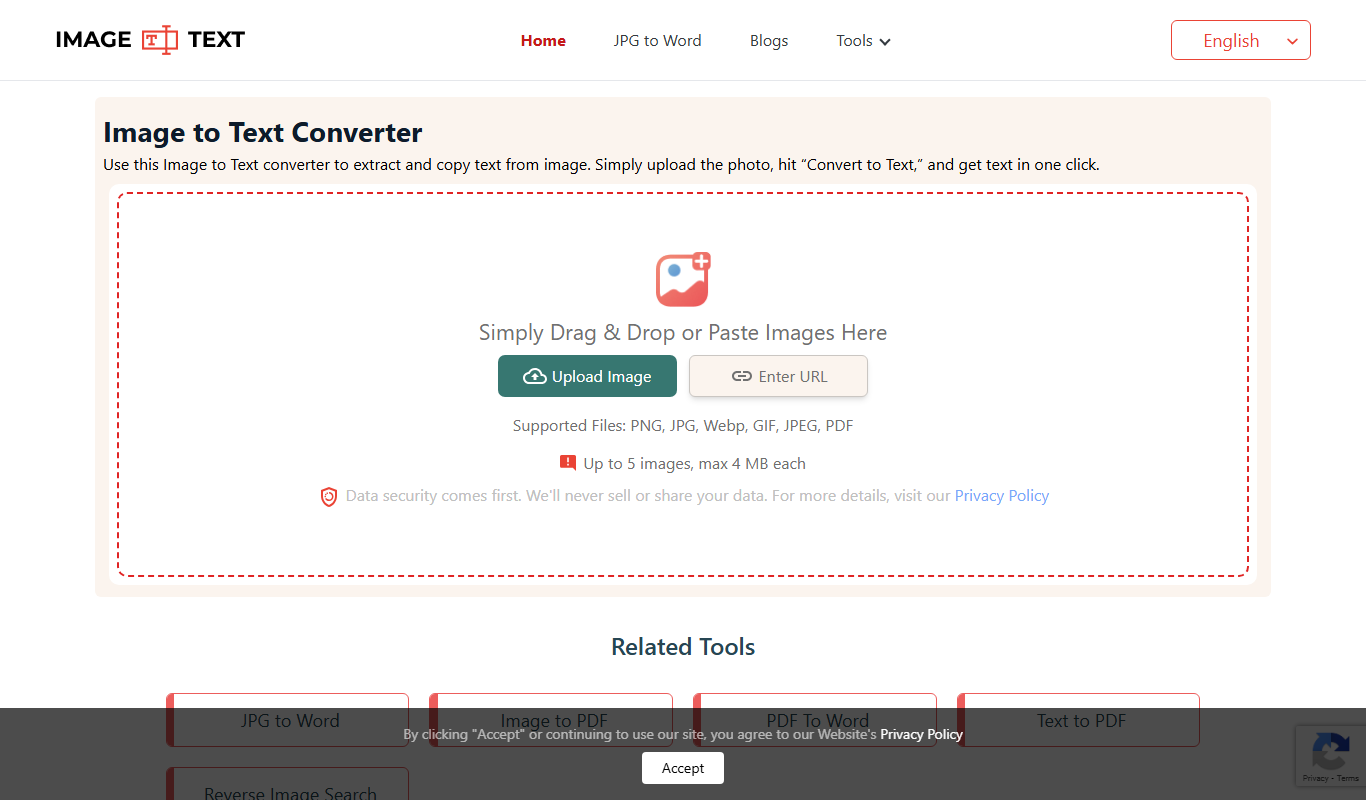

What is @imagetotext.me?
ImageToText.me is a free online Optical Character Recognition (OCR) tool that allows users to extract text from images effortlessly. It supports various image formats and provides quick conversion without the need for software installation. The tool is designed for anyone needing to digitize printed or handwritten text from photos or scanned documents.
Key features of @imagetotext.me
The tool offers fast and accurate text extraction from images, supports multiple image formats, and provides a simple, user-friendly web interface. It requires no registration and processes images directly in the browser for privacy.
Free and No Registration
Use the OCR service without creating an account or paying fees.
Supports Multiple Image Formats
Accepts JPG, PNG, BMP, and other common image file types.
Fast Processing
Quickly converts images to text with minimal wait times.
Privacy-Focused
Processes images locally in the browser or deletes them immediately after processing.
Pros and cons of @imagetotext.me
Pros
- Completely free with no registration required
- Simple and intuitive web interface
- Supports multiple common image formats
- Fast text extraction with decent accuracy
Cons
- Limited to English language support
- No advanced editing or formatting options
- No mobile app or offline version available
Key use cases for @imagetotext.me
Extract Text from Images
Convert scanned documents, photos, or screenshots into editable text quickly and easily.
Digitize Printed Documents
Transform physical documents into digital text for editing, searching, or archiving.
Assist Accessibility
Help users with visual impairments by converting image-based text into readable formats.
Data Entry Automation
Reduce manual typing by automatically extracting text from forms, receipts, or invoices.
How @imagetotext.me works
- 1
Upload Image
Select or drag and drop an image file containing text onto the website.
- 2
Automatic Text Recognition
The tool processes the image using OCR technology to identify and extract text.
- 3
Review and Copy Text
Extracted text is displayed for review and can be copied or downloaded.
Who is using @imagetotext.me
Students needing to digitize notes
Small businesses digitizing receipts or invoices
Content creators extracting text from images
Accessibility users requiring text conversion
Anyone needing quick OCR without software
@imagetotext.me pricing
Free
$0
Unlimited access to OCR features without any cost.
Plans and prices are as published by the vendor and can change. Check the official site before you buy. Open the pricing page (opens in a new tab)
Frequently asked questions about @imagetotext.me
It supports common image formats such as JPG, PNG, BMP, and GIF.
There is no clearly stated size limit, but very large images may take longer to process.
No, the tool is free to use without registration.
Accuracy depends on image quality and clarity of text, but it generally performs well with clear printed text.
Some tools offer a free plan or trial with limited features. Availability can vary, so confirm on the official website.
Some tools offer a free plan or trial with limited features. Availability can vary, so confirm on the official website.
Yes, it can help with that use case depending on how you configure it and what features are available. You’ll get the best results with clear inputs and a defined goal.
Sign in to review this tool.
Sign In to ReviewNo reviews yet
Be the first to share how this tool worked for you.
Ask about pricing, limits, or how it compares — or answer someone else.
Sign In to AskNo questions yet
Have a question about using or paying for this tool? Be the first to ask.
Featured on TiorAI



Alternative Tools
Explore similar AI tools that might fit your needs

Free
OnlineOCR
OnlineOCR is a free web-based OCR tool that converts scanned PDFs and images into editable text formats supporting multiple languages without software installation.

Free
OCR.Space
OCR.Space is an online OCR service and API that converts images and PDFs into editable text with support for multiple languages and file formats.
More AI Image & Visual Tools tools
Other tools in the same category, for when this one is not quite the fit.

Freemium
Morphlin
Morphlin is an AI-powered art generation tool that enables users to create unique digital images through image morphing and style transfer techniques on a user-friendly web platform.

Freemium
MolyPix.AI
MolyPix.AI is a web-based AI tool that generates images from text prompts, offering style customization and high-resolution downloads for creative projects.

Free
Pikzels
Pikzels is an AI-powered image generation tool that transforms text prompts into unique digital artworks, ideal for content creators and marketers seeking custom visuals.

Freemium
Pikzels AI
Pikzels AI is a web platform that uses artificial intelligence to generate images from user text prompts, enabling easy creation of unique visuals for various creative uses.

Free
PS2 Filter AI | Photo To PS2 Filter
PS2 Filter AI is a free web tool that uses artificial intelligence to convert photos into images with the distinctive PlayStation 2 graphical style, featuring pixelation and retro color palettes.

Free
Stable Diffusion 3 AI Image Generator
Stable Diffusion 3 is an AI-powered tool that generates high-quality images from text prompts using advanced diffusion models, suitable for artists, designers, and content creators.

Free
Stylize
Stylize is a web-based AI art generator that uses style transfer and prompt-based image creation to help users produce unique digital artworks quickly and easily.

Free
ARTIRO
ARTIRO is an AI-powered platform that generates unique digital artworks from text prompts, offering multiple art styles and a user-friendly web interface for artists and designers.