

From my experience with GradeLab, I found it excels at significantly reducing the time educators spend grading while maintaining consistent and objective evaluation standards. The AI-generated detailed feedback is particularly helpful for student learning, making it a valuable tool for teachers and professors alike. However, the platform currently supports only English, which may limit its use in multilingual environments. Additionally, pricing might be a consideration for smaller institutions. Overall, if you need an efficient, AI-powered grading solution to streamline assessment workflows, GradeLab delivers reliable and practical results.
GradeLab AI Grading Software for Automated Student Assessment
GradeLab is an AI-driven grading platform that automates student assignment evaluation, providing fast, consistent grades and detailed feedback to educators.
- Best for
- Automated Grading
- Key capability
- AI-Powered Grading
Your actions
Save GradeLab, follow its updates and vote on it — everything stays in your account.
Sign in or create a free account
What is GradeLab?
GradeLab is an AI-powered grading software designed to automate the evaluation of student assignments and exams. It leverages machine learning algorithms to provide fast, consistent, and objective grading, helping educators reduce manual workload and focus more on teaching. The platform supports various question types and offers detailed feedback to students, enhancing the overall assessment process.
Key features of GradeLab
GradeLab offers automated grading for multiple question formats, AI-driven feedback generation, detailed performance analytics, and easy integration with existing educational workflows. Its user-friendly web interface allows educators to upload assignments, set grading criteria, and receive instant results, streamlining the assessment cycle.
AI-Powered Grading
Utilizes machine learning to grade assignments accurately and efficiently.
Multi-Format Support
Supports grading for essays, multiple-choice, short answers, and more.
Detailed Feedback
Generates personalized feedback to help students understand their mistakes.
Performance Analytics
Provides insights into class and individual student performance trends.
Easy Integration
Integrates smoothly with existing LMS and educational tools.
Pros and cons of GradeLab
Pros
- Significantly reduces grading time for educators
- Provides consistent and objective grading
- Generates detailed, personalized feedback
- Supports a variety of assignment types
- Offers insightful performance analytics
Cons
- Limited language support (English only)
- Pricing may be high for small institutions
- Requires internet connection to use
Key use cases for GradeLab
Automated Grading
Automatically grade student assignments and exams to save educators time and improve consistency.
Student Performance Analysis
Analyze student responses to identify learning gaps and tailor instruction accordingly.
Feedback Generation
Provide detailed, AI-generated feedback to students to enhance learning outcomes.
Assessment Creation
Create and manage assessments with AI assistance to streamline test preparation.
How GradeLab works
- 1
Upload Assignments
Educators upload student assignments or exam responses through the GradeLab web platform.
- 2
Configure Grading Criteria
Set grading rubrics or use AI to automatically interpret and apply grading standards.
- 3
Automated Grading
GradeLab processes submissions using AI algorithms to assign grades quickly and consistently.
- 4
Review and Provide Feedback
Review AI-generated grades and feedback, then share results with students.
Who is using GradeLab
K-12 teachers
University professors
Educational institutions
Online course providers
Tutoring centers
GradeLab pricing
Free Trial
$0 for 14 days
Access to core features to evaluate the platform.
Professional
$49/month
Full access to all grading features and analytics for individual educators.
Institutional
Custom pricing
Tailored solutions for schools and universities with multiple users.
Plans and prices are as published by the vendor and can change. Check the official site before you buy. Open the pricing page (opens in a new tab)
Frequently asked questions about GradeLab
GradeLab supports multiple-choice, short answer, essay, and other common assignment formats.
Yes, educators can set custom grading criteria or rely on AI-assisted grading.
GradeLab follows industry-standard security practices to protect student information.
Yes, it offers integration options with popular LMS platforms.
It depends on your specific needs and how you plan to use the tool. The official website and documentation are the best sources for the latest details.
Yes, it can help with that use case depending on how you configure it and what features are available. You’ll get the best results with clear inputs and a defined goal.
Data handling and security practices vary by provider. Review the official privacy policy to understand how your data is stored and used.
Sign in to review this tool.
Sign In to ReviewNo reviews yet
Be the first to share how this tool worked for you.
Ask about pricing, limits, or how it compares — or answer someone else.
Sign In to AskNo questions yet
Have a question about using or paying for this tool? Be the first to ask.
Featured on TiorAI



Alternative Tools
Explore similar AI tools that might fit your needs

Freemium
Gradescope
Gradescope is an online grading platform that helps educators automate and standardize grading for exams, homework, and programming assignments using AI-assisted tools and customizable rubrics.
More AI Education & Learning Tools tools
Other tools in the same category, for when this one is not quite the fit.

Freemium
AI Math Solver Powered by Math GPT Free Online
AI Math Solver Powered by Math GPT is an online AI math solver powered by GPT-4o that gives step-by-step solutions to math equations and word problems submitted as text, images, PDFs or CSV files.

Freemium
testportal.net
Testportal.net is an online exam platform that enables secure test creation, automated grading, and remote proctoring for educational and corporate assessments.

Freemium
AIQuizGen
AIQuizGen is an AI-powered platform that automates quiz creation by generating questions from user-provided content, supporting multiple question types and easy sharing.
Free
Quizify
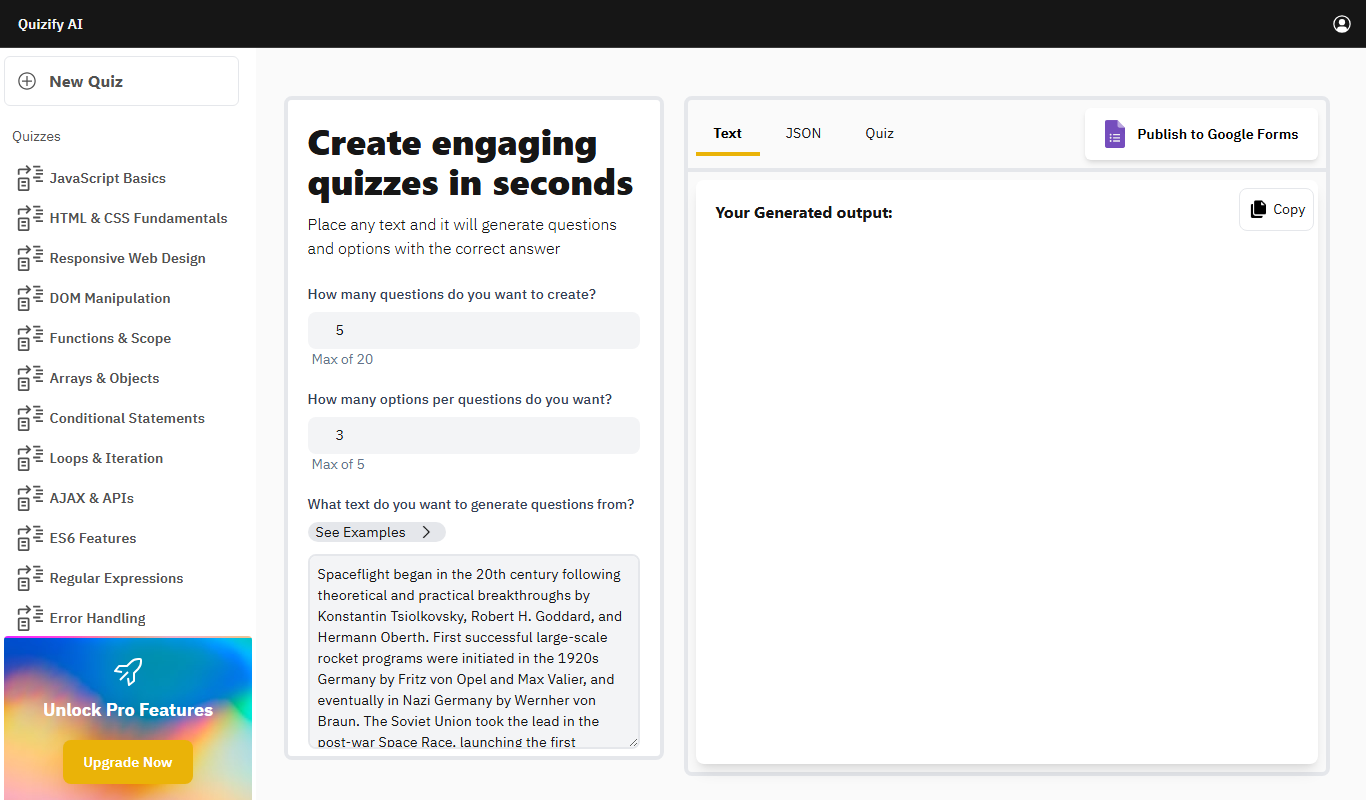
Quizify is an AI-powered quiz generator for educators that turns any text into questions and answer options and can publish them to Google Forms.

Free
ReadTheory
ReadTheory is an adaptive online platform that helps students improve reading comprehension through personalized exercises and allows teachers to track progress with detailed reports.

Free
Quizbot.ai
Quizbot.ai is an AI-driven platform that helps users create interactive quizzes by generating questions from input content, enabling quick and engaging assessments.

Freemium
Questgen.ai
Questgen.ai is an AI-based platform that automatically generates multiple-choice, true/false, and short answer questions from text to assist educators and content creators in building assessments quickly.
Free
SuperQuiz
SuperQuiz generates custom multiplayer quizzes with AI so you can play with your team, family and friends, with answers given by scanning a QR code.