

From my experience with GenSFX, I found it excels at quickly generating unique sound effects without needing extensive audio libraries or recording equipment. The platform’s straightforward interface and instant previews make it accessible even for creators without deep sound design expertise. It’s particularly well-suited for game developers and video producers who need custom sounds on tight deadlines. However, the free tier limits usage, and advanced sound designers might find customization options somewhat basic. Overall, if you want to speed up your audio production with AI-generated sound effects, GenSFX offers a practical and efficient solution.
GenSFX Sound Effects Generator for Creators and Game Developers
GenSFX is an AI-based sound effects generator that creates unique audio clips for various creative projects, offering instant previews and customizable parameters through a web platform.
- Best for
- Game Development
- Key capability
- AI-Driven Sound Generation
Your actions
Save GenSFX, follow its updates and vote on it — everything stays in your account.
Sign in or create a free account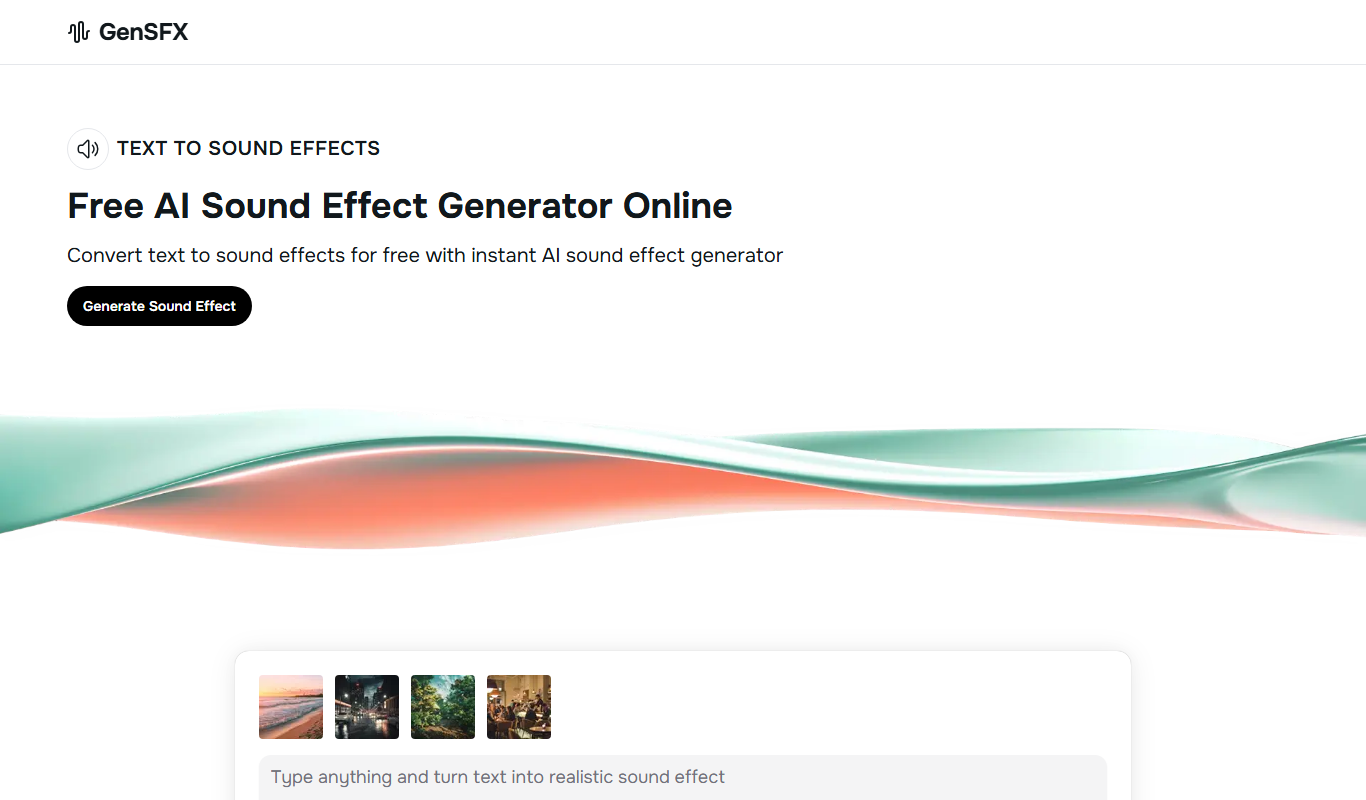
What is GenSFX?
GenSFX is an AI-powered sound effects generator designed to create unique and customizable audio clips for creators, game developers, and sound designers. It leverages artificial intelligence to produce a wide range of sound effects on demand, eliminating the need for extensive sound libraries or manual recording. Users can generate sounds tailored to their specific needs, speeding up the creative process and enhancing audio projects.
Key features of GenSFX
GenSFX offers an intuitive web interface where users can generate sound effects by selecting categories or inputting descriptive prompts. It provides instant audio previews, download options in common formats, and the ability to customize parameters to refine the generated sounds. The platform supports a freemium model with subscription plans for extended usage and higher quality outputs.
AI-Driven Sound Generation
Creates unique sound effects using advanced AI models without the need for manual recording.
Customizable Sound Parameters
Allows users to tweak sound attributes to better fit their project requirements.
Instant Previews
Enables quick listening to generated sounds before downloading.
Wide Range of Sound Categories
Supports diverse sound effect types including ambient, mechanical, nature, and more.
Flexible Licensing
Generated sounds come with clear usage rights suitable for commercial projects.
Pros and cons of GenSFX
Pros
- Generates unique sound effects quickly
- User-friendly interface with instant previews
- Flexible licensing for commercial use
- Customizable sound parameters
- Supports a wide variety of sound categories
Cons
- Limited free tier usage
- No desktop or mobile app versions currently
- Customization options may be basic for advanced sound designers
Key use cases for GenSFX
Game Development
Generate unique sound effects to enhance game environments and character actions.
Video Production
Create custom sound effects for videos, films, and animations without needing a sound library.
Podcasting and Audio Content
Add distinctive sound effects to podcasts or audio stories to improve listener engagement.
Sound Design Experimentation
Explore new sound textures and effects by generating AI-created audio samples.
How GenSFX works
- 1
Access the Web Platform
Visit the GenSFX website and create a free account to start generating sounds.
- 2
Select or Describe Sound
Choose from predefined categories or enter a text prompt describing the desired sound effect.
- 3
Generate and Preview
Use the AI engine to create sound effects instantly and listen to previews.
- 4
Download or Customize
Download the generated sound or adjust parameters to fine-tune the effect before saving.
Who is using GenSFX
Game developers
Video producers
Podcasters
Sound designers
Content creators
GenSFX pricing
Free
$0/month
Limited number of sound generations and downloads with basic quality.
Pro
$15/month
Increased generation limits, higher quality audio, and priority support.
Enterprise
Custom pricing
Tailored solutions with bulk generation, advanced features, and dedicated support.
Plans and prices are as published by the vendor and can change. Check the official site before you buy. Open the pricing page (opens in a new tab)
Frequently asked questions about GenSFX
Yes, all generated sounds come with licenses that allow commercial use without additional fees.
No, the platform is designed to be user-friendly for creators of all skill levels.
GenSFX provides downloads in common formats such as WAV and MP3.
Free users have limited generation quotas, while paid plans offer higher or unlimited usage.
It depends on your specific needs and how you plan to use the tool. The official website and documentation are the best sources for the latest details.
Yes, it can help with that use case depending on how you configure it and what features are available. You’ll get the best results with clear inputs and a defined goal.
Yes, it can help with that use case depending on how you configure it and what features are available. You’ll get the best results with clear inputs and a defined goal.
Some tools offer a free plan or trial with limited features. Availability can vary, so confirm on the official website.
Sign in to review this tool.
Sign In to ReviewNo reviews yet
Be the first to share how this tool worked for you.
Ask about pricing, limits, or how it compares — or answer someone else.
Sign In to AskNo questions yet
Have a question about using or paying for this tool? Be the first to ask.
Featured on TiorAI



More AI Ai Tools tools
Other tools in the same category, for when this one is not quite the fit.

Freemium
Planit Teachers
Planit Teachers generates lesson plans, slide decks, worksheets and marking feedback for primary and secondary teachers, aligned to the National Curriculum.

Free
The Prompt Index
The Prompt Index combines 780+ curated AI prompts with 24 built-in AI tools for writing, research, decisions, images and slides, with a Free plan and paid Basic and Pro plans.

Free
AiPPT
AiPPT is an AI-driven web tool that helps users create professional presentations quickly by generating slide content and designs automatically.

Free Trial
PresentationGPT
PresentationGPT is an AI-driven tool that helps users quickly create professional presentation slides by generating content and layouts based on user input.

Free
Spectre Camera
Spectre Camera is an iOS app that uses AI to create long exposure photos by stabilizing shots and combining multiple frames, enabling effects like light trails and motion blur without professional equipment.

Free
aimusic.one
aimusic.one is an AI-driven online platform that generates original, royalty-free music tracks customized by style, mood, and tempo, suitable for content creators and hobbyists.

Free
DiffRhythm
DiffRhythm is an AI music generation platform that creates custom soundtracks and beats tailored to your project’s style and mood.

Free
PracticeInterview.ai
PracticeInterview.ai is an AI-driven platform that simulates job interviews with tailored questions and provides personalized feedback to help users improve their interview skills.