

From my experience with Free Subtitles AI, I found it excels at providing a straightforward, no-cost solution for generating accurate subtitles quickly. The web-based interface requires no account or software installation, making it accessible for anyone needing captions on the fly. It’s particularly well-suited for content creators and educators who want to improve video accessibility without extra costs. However, the tool lacks advanced subtitle editing features and is limited to online use only, which might not suit users needing more control or offline workflows. Overall, if you want fast, free subtitle generation with multi-language support, this tool delivers solid results.
Free Subtitles AI - Automatic Subtitle Generator for Videos Online
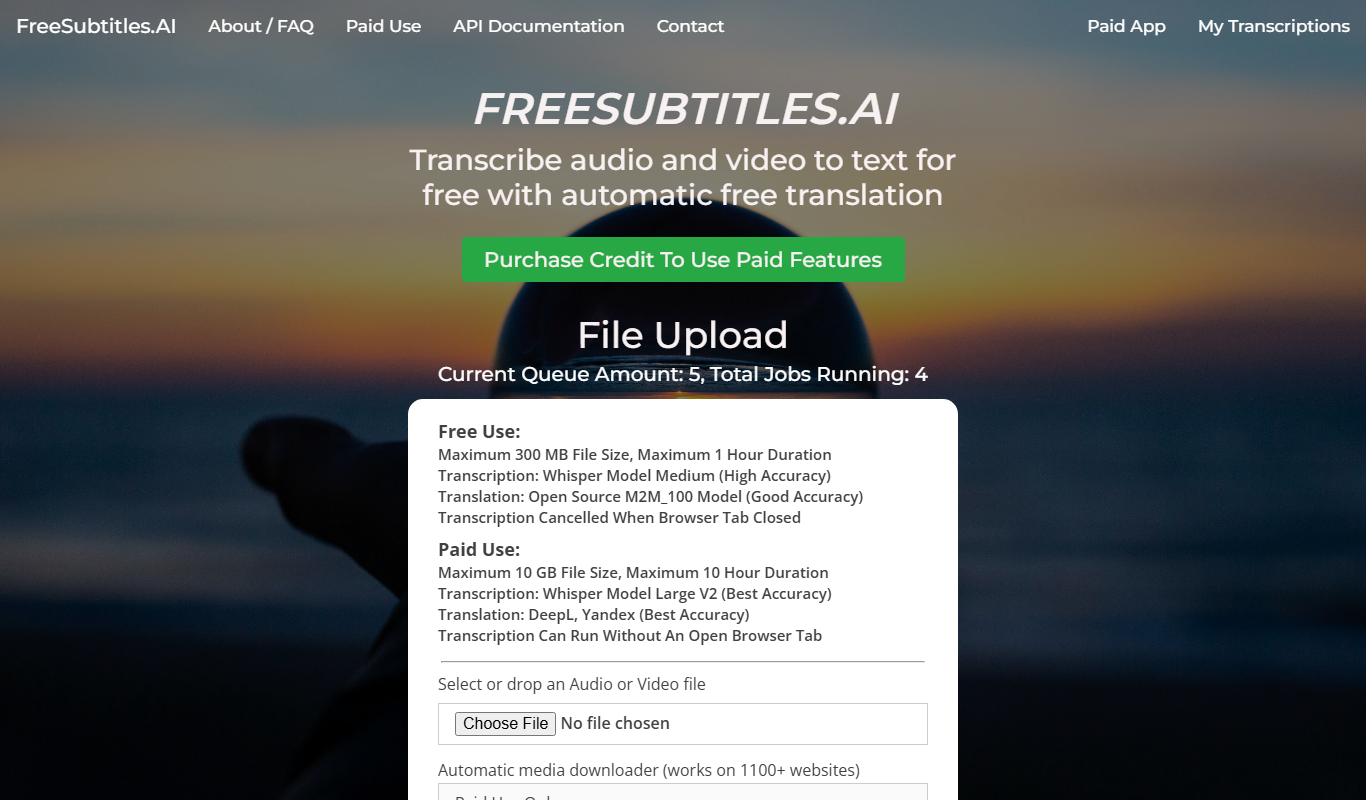
Free Subtitles AI is a free web-based tool that automatically generates accurate subtitles for videos in multiple languages without requiring account registration.
- Best for
- Video Captioning
- Key capability
- Automatic Subtitle Generation
Do you recommend this tool?
What is Free Subtitles AI?
Free Subtitles AI is a web-based tool that automatically generates subtitles for video files using artificial intelligence. It enables users to upload videos and receive accurate, time-synced subtitles without manual transcription. This tool is designed to simplify the process of adding captions to videos, enhancing accessibility and viewer engagement across platforms.
Key features of Free Subtitles AI
The tool offers automatic subtitle generation with support for multiple languages, easy video uploads, and downloadable subtitle files in common formats like SRT. It requires no software installation and works entirely online, making subtitle creation fast and accessible.
Automatic Subtitle Generation
AI-powered transcription creates accurate subtitles without manual effort.
Multi-language Support
Supports subtitle generation in several major languages to serve diverse audiences.
Web-based Platform
No installation required; accessible from any modern browser.
Downloadable Subtitle Files
Export subtitles in standard formats like SRT for easy integration.
Pros and cons of Free Subtitles AI
Pros
- Completely free with no usage limits
- Easy to use with no software installation
- Supports multiple languages
- Fast subtitle generation
Cons
- Limited to web platform only
- No advanced editing features for subtitles
Key use cases for Free Subtitles AI
Video Captioning
Automatically generate subtitles for videos to improve accessibility and viewer engagement.
Content Localization
Create subtitles in multiple languages to reach a broader international audience.
Social Media Videos
Add captions to social media clips quickly to boost views and comprehension without sound.
Educational Content
Provide accurate subtitles for online courses and tutorials to aid learning and comprehension.
How Free Subtitles AI works
- 1
Upload Video
Users upload their video file directly on the website.
- 2
AI Processing
The AI analyzes the audio track and generates time-coded subtitles.
- 3
Download Subtitles
Users download the subtitle file in SRT or other supported formats for use in video players or editors.
Who is using Free Subtitles AI
Content creators
Social media managers
Educators and trainers
Video marketers
Accessibility advocates
Free Subtitles AI pricing
Free
$0
Unlimited free subtitle generation with no hidden fees.
Plans and prices are as published by the vendor and can change. Check the official site before you buy. Open the pricing page (opens in a new tab)
Frequently asked questions about Free Subtitles AI
Yes, the tool offers unlimited subtitle generation at no cost.
Common video formats such as MP4, MOV, and AVI are supported.
Yes, the tool supports multiple languages including Spanish, French, German, Italian, and Portuguese.
No account registration is required; users can upload and generate subtitles instantly.
Some tools offer a free plan or trial with limited features. Availability can vary, so confirm on the official website.
Some tools offer a free plan or trial with limited features. Availability can vary, so confirm on the official website.
Some tools offer a free plan or trial with limited features. Availability can vary, so confirm on the official website.
Sign in to review this tool.
Sign In to ReviewNo reviews yet
Be the first to share how this tool worked for you.
Ask about pricing, limits, or how it compares — or answer someone else.
Sign In to AskNo questions yet
Have a question about using or paying for this tool? Be the first to ask.
Featured on TiorAI



More AI Accessibility Tools tools
Other tools in the same category, for when this one is not quite the fit.

Free
NVDA Screen Reader
NVDA is a free, open-source screen reader for Windows that helps visually impaired users access digital content through speech and braille output.

Free
BeeLine Reader
BeeLine Reader is an accessibility tool that applies color gradients to digital text to improve reading speed, focus, and comprehension, especially benefiting users with dyslexia and visual impairments.

Free
Alt Text AI Generator
Alt Text AI Generator is a web tool that uses AI to create descriptive alternative text for images, helping improve website accessibility and SEO.

Free
GPT Reader: A Free AI Text-to-Speech
GPT Reader is a free online AI text-to-speech tool that converts English text into natural-sounding speech with multiple voice options and adjustable speed, requiring no signup.

Free
free text Into Speech
TTS4Free is a free online text-to-speech tool that converts typed text into natural-sounding speech audio in multiple languages without registration.

Free
Soundify
Soundify is an online AI-powered text to speech tool that converts written text into natural, human-like audio with multiple voice options and easy downloads.
Free
Say My Name!
Say My Name! is a free web app that helps users record and share audio clips of their name pronunciation to reduce mispronunciations.

Free
AI Describe Picture
AI Describe Picture is a free web tool that uses AI to generate descriptive captions for images, enhancing accessibility and SEO by providing automatic alt text.