

Frame.io Video Collaboration Platform for Creative Teams and Filmmakers
Frame.io is a cloud-based platform that enables video teams to collaborate by uploading videos, leaving frame-accurate comments, managing versions, and securely sharing content for review and approval.
- Best for
- Video Review and Approval
- Key capability
- Frame-Accurate Comments
Save Frame.io, follow its updates and vote on it — everything stays in your account.
Sign in or create a free account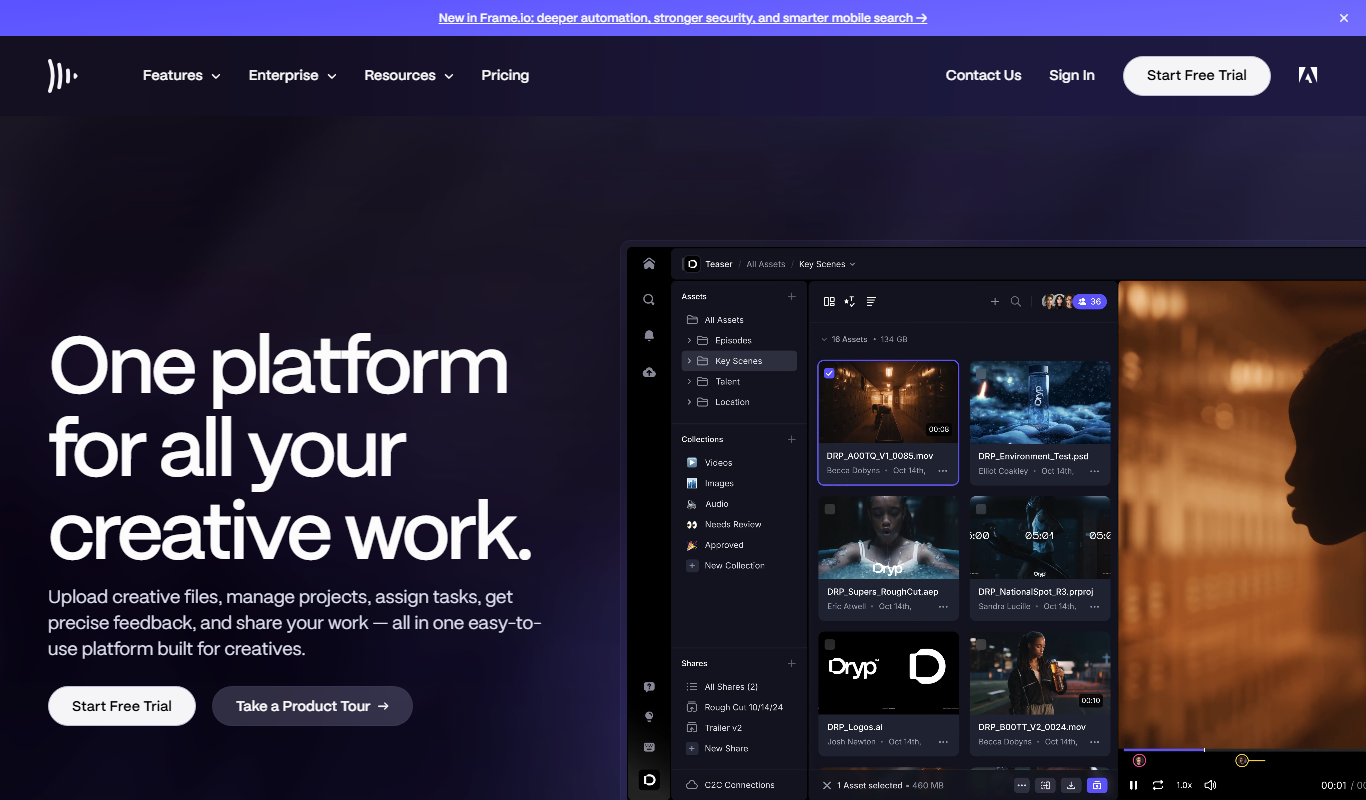
What is Frame.io?
Frame.io is a cloud-based video collaboration platform designed to streamline the review and approval process for video production teams. It enables users to upload, share, and comment on video content with frame-accurate precision, facilitating clear communication and faster decision-making throughout the creative workflow.
Key features of Frame.io
Frame.io provides real-time commenting, version control, secure file sharing, integrations with popular editing software, and mobile apps to support video collaboration across devices and locations.
Frame-Accurate Comments
Allows reviewers to leave comments tied to exact frames for precise feedback.
Version Control
Organize and compare multiple versions of video projects easily.
Secure Cloud Storage
Protect your media assets with encrypted cloud storage and controlled access.
Integrations
Seamlessly integrates with Adobe Premiere Pro, Final Cut Pro, DaVinci Resolve, and other editing tools.
Mobile Apps
Access and collaborate on projects from iOS and Android devices.
Pros and cons of Frame.io
Pros
- Intuitive interface for video collaboration
- Precise frame-accurate commenting
- Strong integrations with popular editing tools
- Mobile apps for on-the-go review
- Robust version control and asset management
Cons
- Pricing can be high for small teams needing advanced features
- Limited language support beyond English
- Some users report occasional syncing delays with large files
Key use cases for Frame.io
Video Review and Approval
Teams can upload video content and invite collaborators to leave frame-accurate comments and annotations for streamlined feedback.
Creative Collaboration
Creative teams can work together remotely on video projects, sharing assets and communicating in real time to accelerate production.
Post-Production Workflow Management
Post-production professionals can manage versions, track changes, and organize media assets efficiently within a centralized platform.
Client Feedback Integration
Clients can review video drafts directly on the platform, providing clear and actionable feedback without the need for downloads or emails.
Secure Media Sharing
Frame.io offers secure cloud storage and sharing options to protect sensitive video content during collaboration.
How Frame.io works
- 1
Create an Account
Sign up on Frame.io’s website to start a new workspace for your team.
- 2
Upload Video Content
Add your video files to the platform to begin sharing with collaborators.
- 3
Invite Collaborators
Send invitations to team members, clients, or stakeholders to view and comment on videos.
- 4
Review and Comment
Collaborators leave frame-accurate comments and annotations to provide precise feedback.
- 5
Manage Versions
Track different versions of your videos and manage approvals within the platform.
Who is using Frame.io
Frame.io pricing
Free
$0/month
Basic plan with limited storage and collaborators, suitable for small projects.
Pro
$15 per member per month
Enhanced features including more storage, collaborators, and advanced integrations.
Team
$25/month per user
Designed for teams with additional collaboration tools and priority support.
Enterprise
Custom pricing
Tailored solutions with advanced security, compliance, and dedicated support.
Plans and prices are as published by the vendor and can change. Check the official site before you buy. Open the pricing page (opens in a new tab)
Frequently asked questions about Frame.io
Yes, Frame.io offers a free plan with limited storage and collaborators to get started.
Yes, it integrates with Adobe Premiere Pro, Final Cut Pro, DaVinci Resolve, and others.
Frame.io uses encrypted cloud storage and access controls to ensure media security.
Yes, clients can comment and review videos without the ability to edit the content.
This tool is designed to help users accomplish its core tasks more efficiently. It is typically used by individuals or teams looking to improve productivity and workflow.
It depends on your specific needs and how you plan to use the tool. The official website and documentation are the best sources for the latest details.
Integration support depends on the tool and its available connectors or API. Check the official documentation or integrations page to confirm what is supported.
Data handling and security practices vary by provider. Review the official privacy policy to understand how your data is stored and used.
Conclusion
Feedback on Frame.io is tied to exact frames: a team adds its video files, invites team members, clients or stakeholders, and collaborators leave frame-accurate comments and annotations. Clients can comment and review videos without the ability to edit the content. Different versions are tracked and compared, and approvals are managed within the platform.
Editors keep working in their own software, since it integrates with Adobe Premiere Pro, Final Cut Pro and DaVinci Resolve, and projects are also accessible from iOS and Android devices. It is aimed at video production teams, filmmakers and editors, and post-production professionals. Some users report occasional syncing delays with large files. A free plan offers limited storage and collaborators, Pro costs $15 per member per month and Team $25 per member.
Sources
Sign in to review this tool.
Sign In to ReviewNo reviews yet
Be the first to share how this tool worked for you.
Ask about pricing, limits, or how it compares — or answer someone else.
Sign In to AskNo questions yet
Have a question about using or paying for this tool? Be the first to ask.
Featured on TiorAI



Alternative Tools
Explore similar AI tools that might fit your needs

Wipster
Wipster is a cloud-based video review platform that enables teams and clients to collaborate by providing frame-accurate comments, version control, and task management to streamline video production workflows.
More Business Management tools
Other tools in the same category, for when this one is not quite the fit.

Airbit
Airbit is an online marketplace where music producers can sell beats and artists can buy licensed instrumentals with instant delivery and licensing management.

RELEX Solutions
RELEX Solutions is an AI-powered supply chain management platform that helps retailers and wholesalers optimize demand forecasting, inventory, and workforce planning to improve efficiency and reduce costs.
Global Sources
Global Sources is a B2B sourcing platform that connects buyers with verified suppliers worldwide, offering product catalogs, trade show access, and communication tools to facilitate global trade.
DHgate
DHgate is a global online wholesale marketplace connecting international buyers with Chinese manufacturers and suppliers, offering bulk purchasing, dropshipping, and buyer protection services.

Alibaba
Alibaba is a global B2B wholesale marketplace that connects buyers with verified suppliers worldwide, offering trade assurance and custom manufacturing services.

ENS Domains
ENS Domains are decentralized, human-readable names on the Ethereum blockchain that replace complex wallet addresses, enabling easier crypto transactions and decentralized website hosting.

Everplans
Everplans is a digital platform that helps users organize and securely store estate planning documents, final wishes, and legacy information, simplifying end-of-life planning.

OnCrawl
OnCrawl is a cloud-based SEO crawler and log file analysis tool that helps website owners and SEO professionals identify technical SEO issues, analyze search engine crawling behavior, and optimize site performance through data-driven insights.