

Foundersuite Startup CRM and Investor Management Platform for Fundraising
Foundersuite is a SaaS platform that helps startups manage investor relationships, track fundraising progress, host pitch decks, and access a large investor database to streamline capital raising.
- Best for
- Investor Relationship Management
- Key capability
- Investor CRM
Save Foundersuite, follow its updates and vote on it — everything stays in your account.
Sign in or create a free account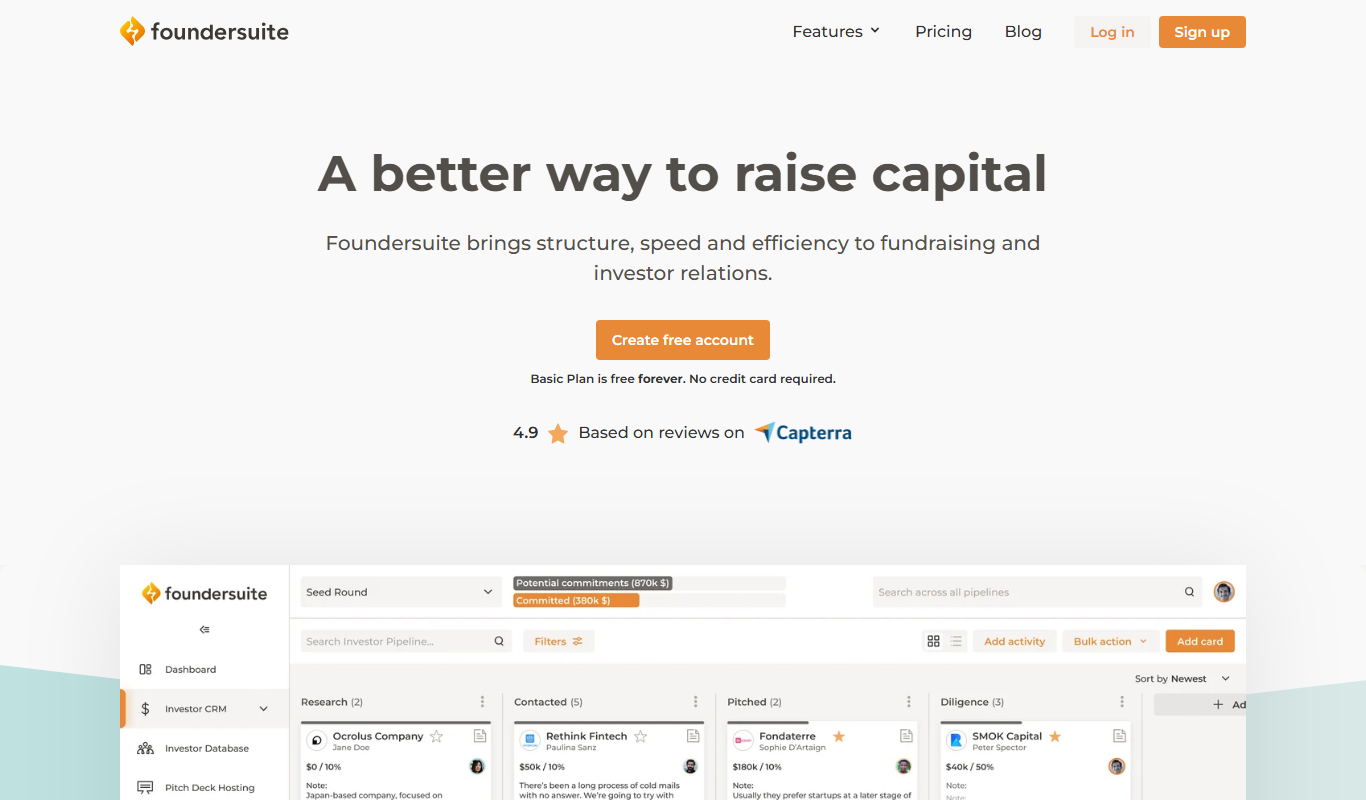
What is Foundersuite?
Foundersuite is a comprehensive SaaS platform designed to help startups manage investor relations and fundraising processes. It provides tools for tracking investor communications, managing deal flow, hosting pitch decks, and accessing a large investor database. The platform aims to streamline the capital raising journey for founders by centralizing all fundraising activities in one place.
Key features of Foundersuite
Foundersuite offers an investor CRM, deal flow management, pitch deck hosting, investor database access, and fundraising tracking features. These tools help startups organize their fundraising efforts, improve communication with investors, and increase fundraising efficiency.
Investor CRM
Centralized database to manage investor contacts, communication history, and notes.
Deal Flow Management
Visual pipeline to track stages of fundraising and investor engagement.
Pitch Deck Hosting
Securely upload and share pitch decks with potential investors.
Investor Database
Access to a curated list of thousands of investors searchable by industry, location, and investment stage.
Fundraising Reporting
Generate reports to analyze fundraising progress and investor activity.
Pros and cons of Foundersuite
Pros
- Comprehensive investor CRM tailored for startups
- Integrated pitch deck hosting and sharing
- Access to a large curated investor database
- Visual deal flow tracking to monitor fundraising
- User-friendly interface focused on founders' needs
Cons
- Pricing may be high for very early-stage startups
- Limited to English language support
- No mobile app available, web-only platform
Key use cases for Foundersuite
Investor Relationship Management
Manage and organize investor contacts, track communications, and maintain deal flow pipelines efficiently.
Fundraising Tracking
Track fundraising progress, investor interest, and commitments to streamline capital raising efforts.
Pitch Deck Hosting and Sharing
Upload, host, and share pitch decks securely with potential investors and stakeholders.
Startup Resource Management
Access tools and templates for startup fundraising, including investor outreach and reporting.
Investor Database Access
Search and connect with a curated database of investors to find potential funding sources.
How Foundersuite works
- 1
Create an Account
Sign up on Foundersuite’s website to start using the platform.
- 2
Import or Add Investors
Add your existing investor contacts or search the investor database to find new prospects.
- 3
Upload Pitch Decks
Host your pitch decks securely on the platform to share with investors.
- 4
Track Fundraising Progress
Use deal flow tools to monitor investor interest, communications, and funding status.
- 5
Engage Investors
Send updates, schedule meetings, and maintain relationships through integrated CRM features.
Who is using Foundersuite
Foundersuite pricing
Basic
Free
Basic access with limited investor contacts and pitch deck uploads.
Silver
$745/year
200 investors per pipeline with unlimited pipelines, billed annually.
Gold
$1,069/year
1000 investors per pipeline with unlimited pipelines, billed annually.
Platinum
$1,609/year
1500 investors per pipeline with unlimited pipelines, billed annually.
Plans and prices are as published by the vendor and can change. Check the official site before you buy. Open the pricing page (opens in a new tab)
Frequently asked questions about Foundersuite
Yes, Foundersuite allows you to import contacts via CSV files or manual entry.
Foundersuite offers a free plan with limited features to try the platform.
Yes, pitch decks are hosted securely and can be shared via private links.
Yes, the platform includes a searchable investor database to find potential investors.
This tool is designed to help users accomplish its core tasks more efficiently. It is typically used by individuals or teams looking to improve productivity and workflow.
It depends on your specific needs and how you plan to use the tool. The official website and documentation are the best sources for the latest details.
Some tools offer a free plan or trial with limited features. Availability can vary, so confirm on the official website.
Conclusion
Existing investor contacts come in via CSV files or manual entry, and a curated investor database searchable by industry, location and investment stage adds new prospects. A visual pipeline tracks fundraising stages and investor engagement, while contacts, communication history and notes stay in a centralized database. Pitch decks are hosted securely and shared via private links.
Startup founders and early-stage companies are the main audience, and accelerators, incubators and fundraising consultants also work with it. Reports analyze fundraising progress and investor activity. Basic is free, and the paid plans cost Silver $745, Gold $1,069 and Platinum $1,609 per year.
Sources
Sign in to review this tool.
Sign In to ReviewNo reviews yet
Be the first to share how this tool worked for you.
Ask about pricing, limits, or how it compares — or answer someone else.
Sign In to AskNo questions yet
Have a question about using or paying for this tool? Be the first to ask.
Featured on TiorAI



More AI CRM tools
Other tools in the same category, for when this one is not quite the fit.

Paddle Checkout
Paddle Checkout is a payment and subscription management platform designed for SaaS and digital product businesses, providing global payment processing, tax compliance, and customer analytics.
Fluxx Grant Management
Fluxx Grant Management is a cloud-based platform that helps foundations and nonprofits manage the entire grant lifecycle, including application processing, collaboration, compliance tracking, and reporting.

TenantCloud
TenantCloud is a cloud-based property management software that helps landlords and property managers handle rental listings, tenant screening, rent payments, maintenance requests, and financial reporting efficiently.
VinSolutions CRM
VinSolutions CRM is a specialized customer relationship management platform designed for automotive dealerships to manage leads, automate sales processes, and run targeted marketing campaigns.

DealerSocket
DealerSocket is an automotive dealership software platform that combines CRM, inventory management, marketing automation, and sales analytics to help dealerships manage operations and improve customer engagement.

Privy
Privy is an e-commerce marketing platform that helps online stores grow email lists, recover abandoned carts, and increase sales through targeted popups, automated emails, and SMS campaigns.
Impartner PRM
Impartner PRM is a partner relationship management platform that helps businesses manage channel partners, streamline onboarding, enable sales and marketing collaboration, and track partner performance.

Route4Me
Route4Me is a route planning and optimization software that helps businesses efficiently plan multi-stop routes, track drivers in real-time, and manage fleet operations to reduce costs and improve delivery speed.